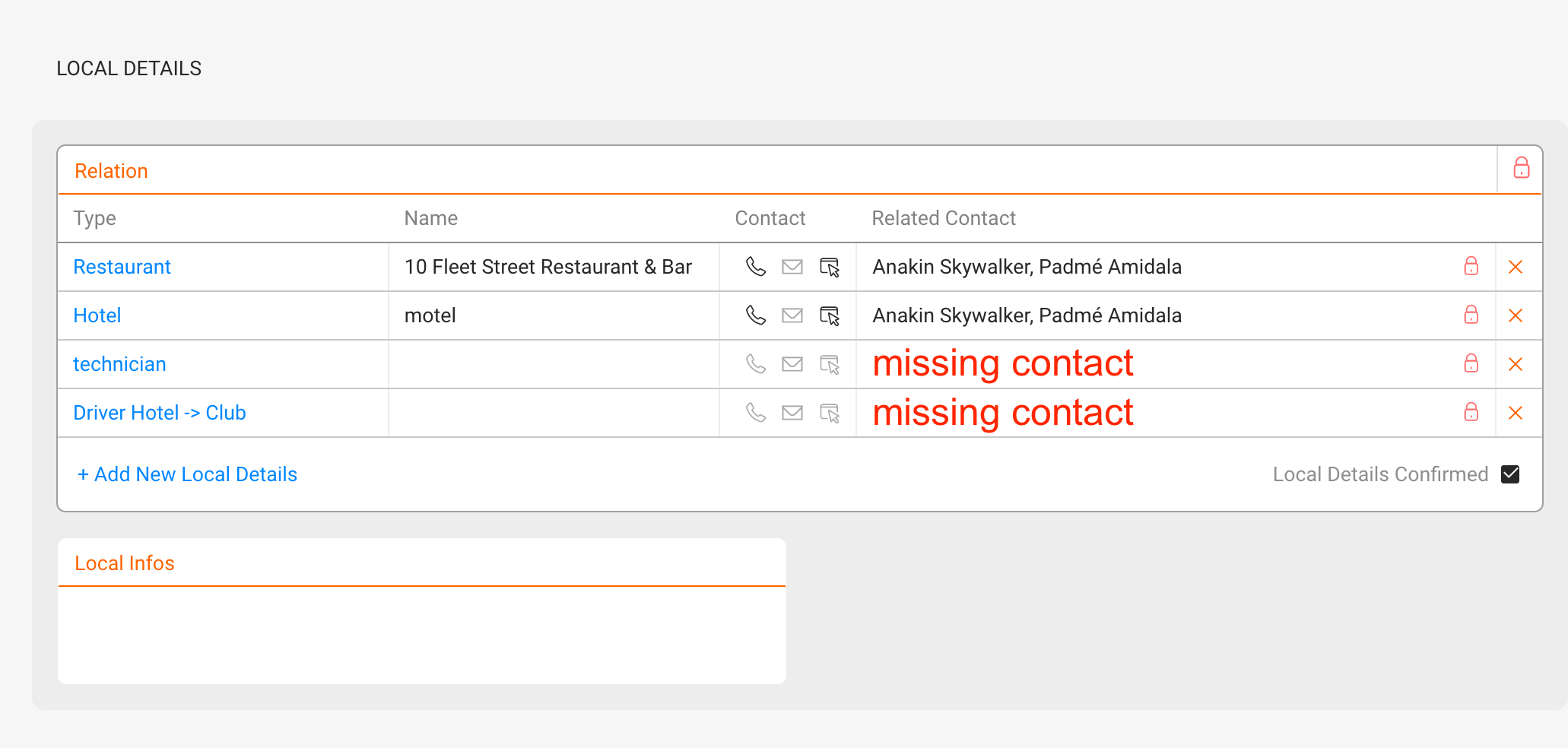
If your itinerary or local information isn’t showing up, follow these steps:
For travels and local details to appear in your Itineraries and the Artist App, the following connections must be in place:
- ARTIST connected to CONTACT connected to TRAVEL or LOCAL DETAIL
Here’s how it works:
1. ARTIST must be linked to a CONTACT with the “Travel” checkbox checked.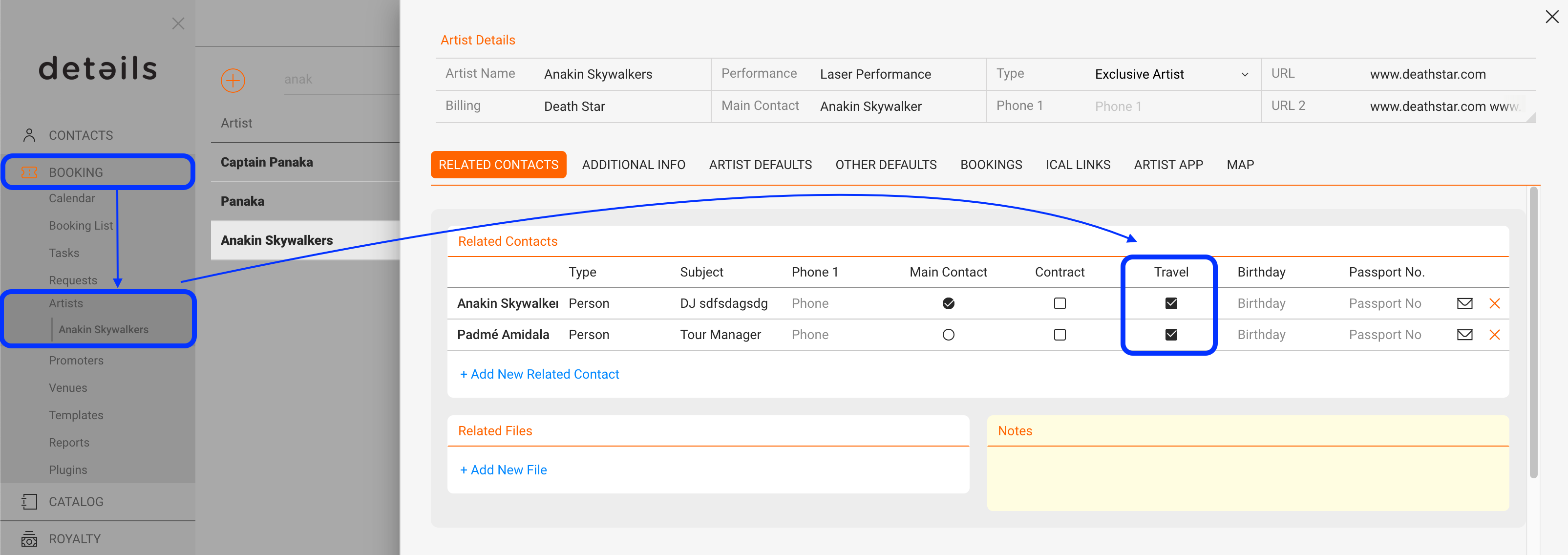
AND
2. CONTACT must be linked to a TRAVEL or LOCAL DETAIL.
Also, make sure the custom variables for travels or local details are available in your templates. The Artist App will automatically pull all travel and local details.
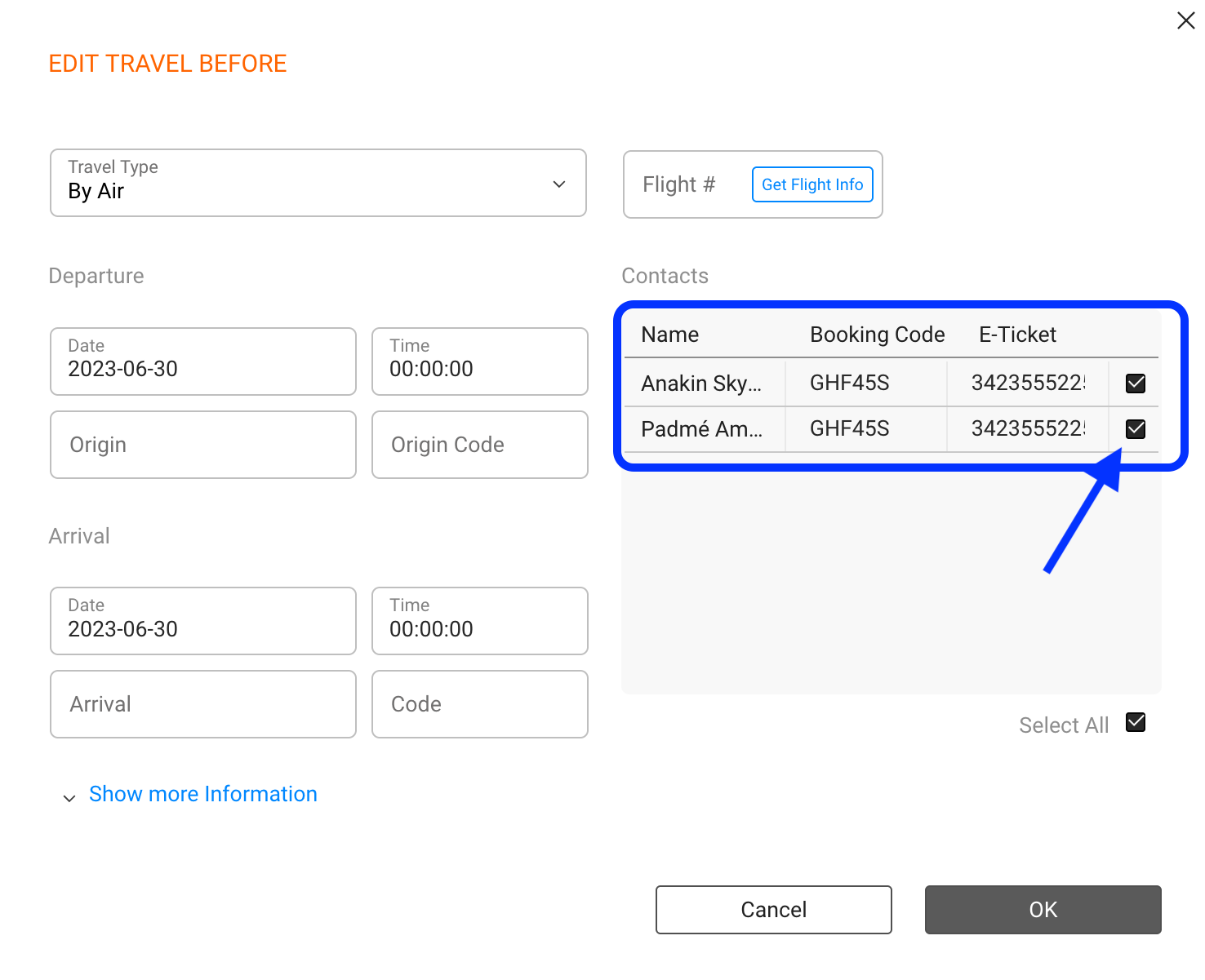
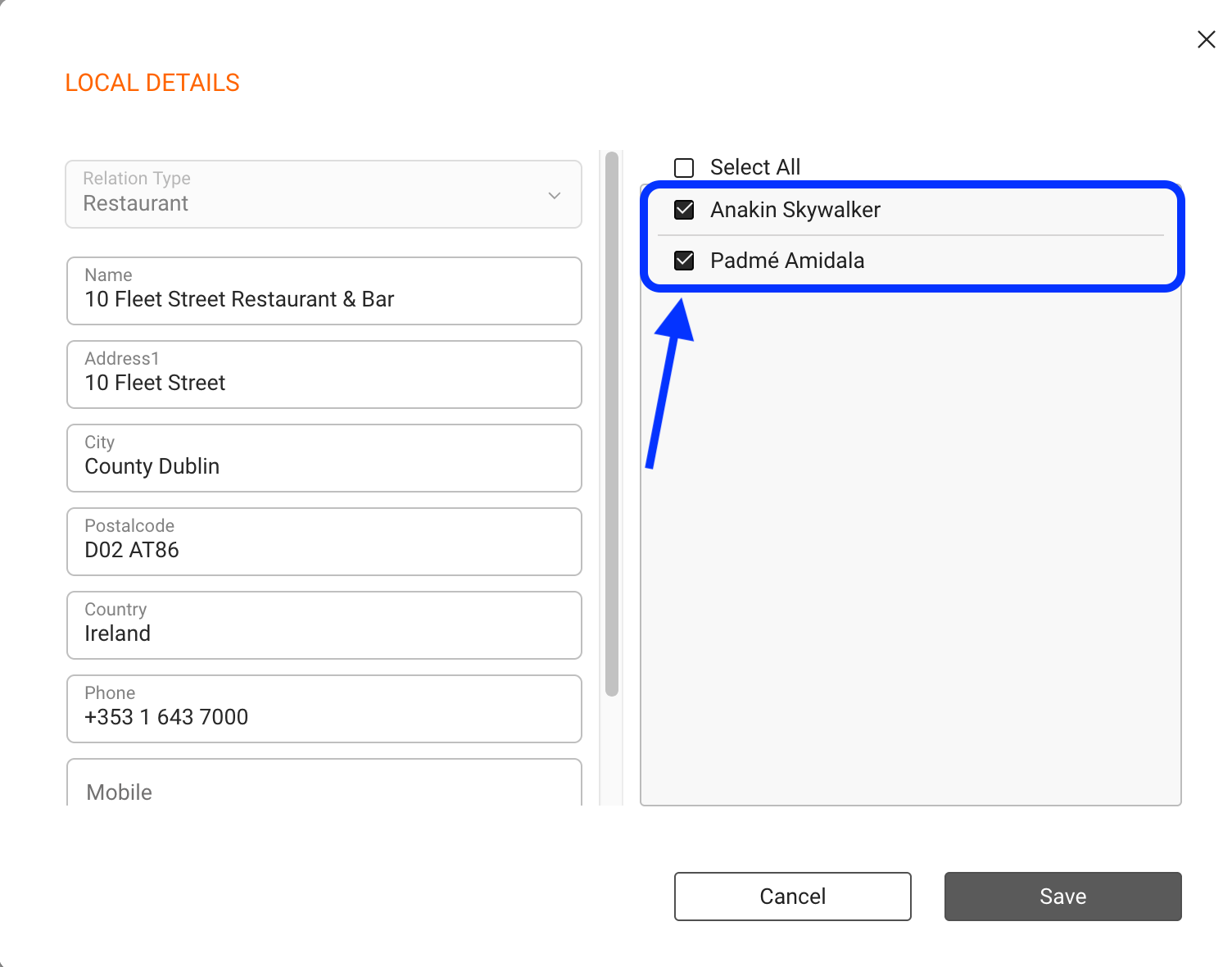
In addition to the relations between ARTIST, related CONTACT and TRAVEL or LOCAL DETAIL, you may need to check if the custom variables for travels or local details are available in your TEMPLATES.
NOTE: The Artist App will automatically pull all data travel and local details.
Following this logic here is a checklist of issues you want to investigate when a travel or local detail does not appear on your Itinerary or App:
1) Check the respective artist profiles and make sure each has related contacts and the “Travel” checkbox activated. Click here to read how to properly set up your artists. 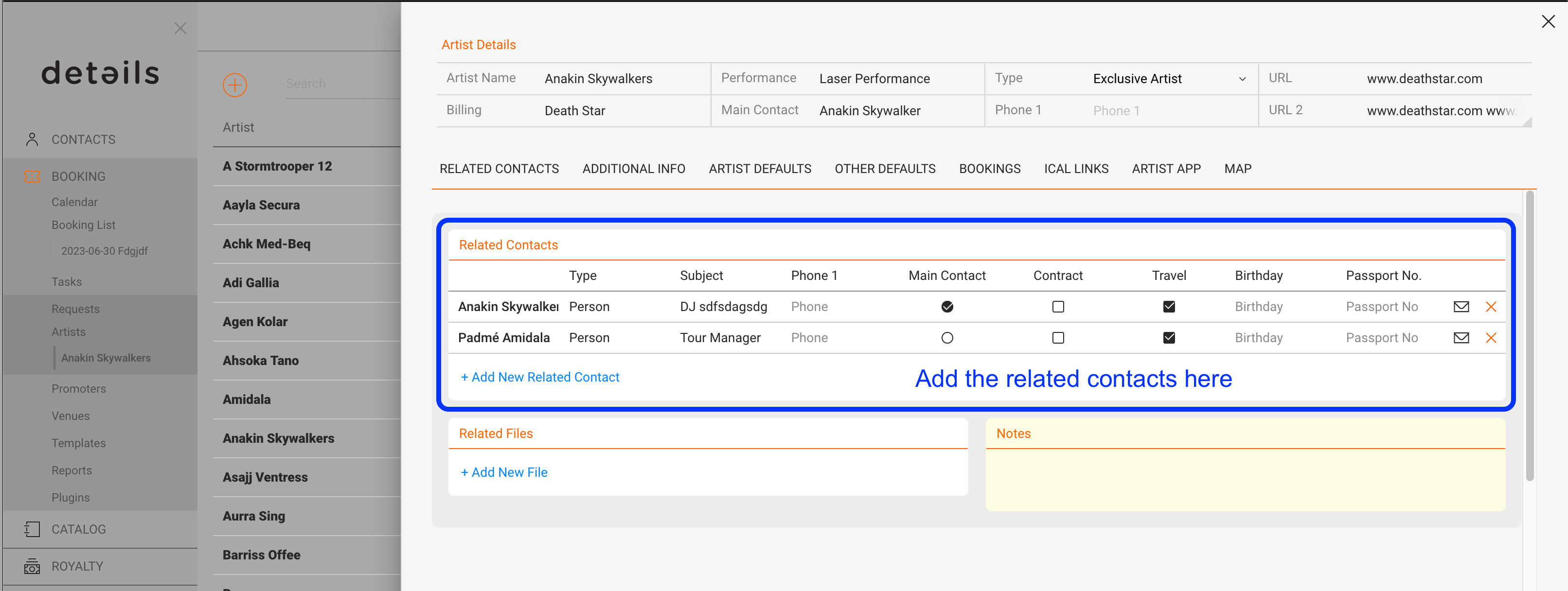
2) Regarding Travels then check the Travel Details section for your booking:
Make sure the travel contacts are included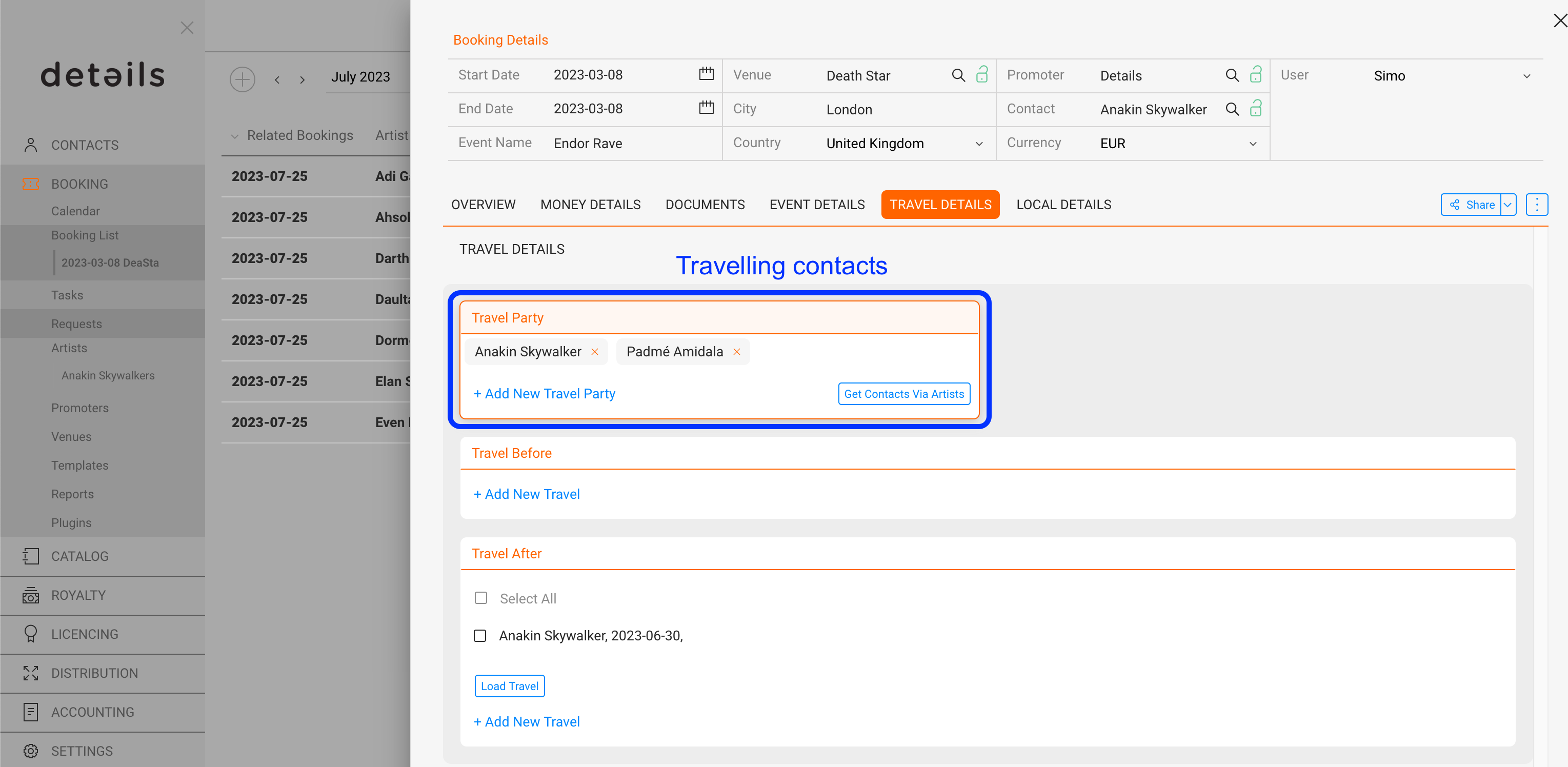
If the travelling contacts section is empty, click on the GET CONTACTS VIA ARTISTS button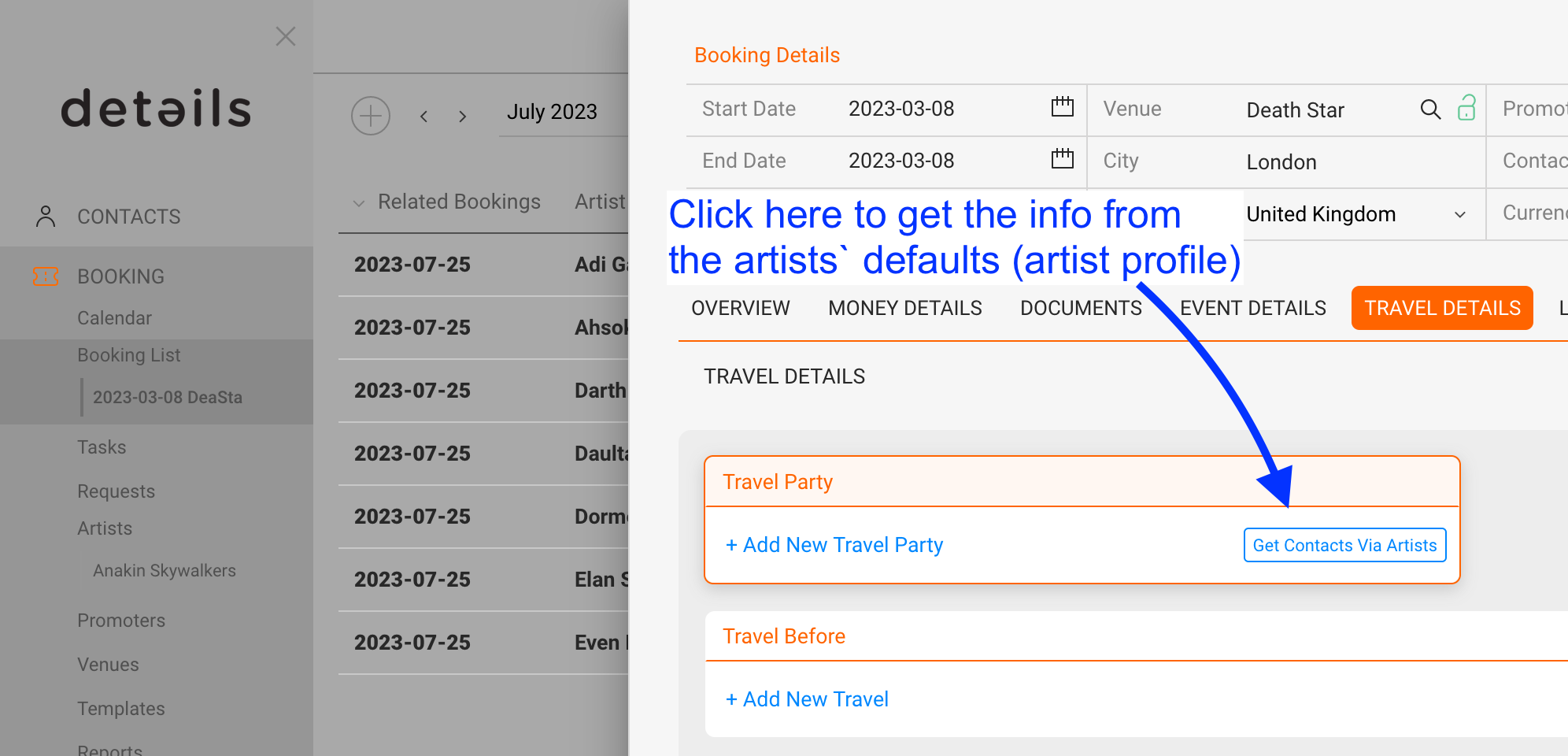
Then make sure the contacts are related to the travel steps.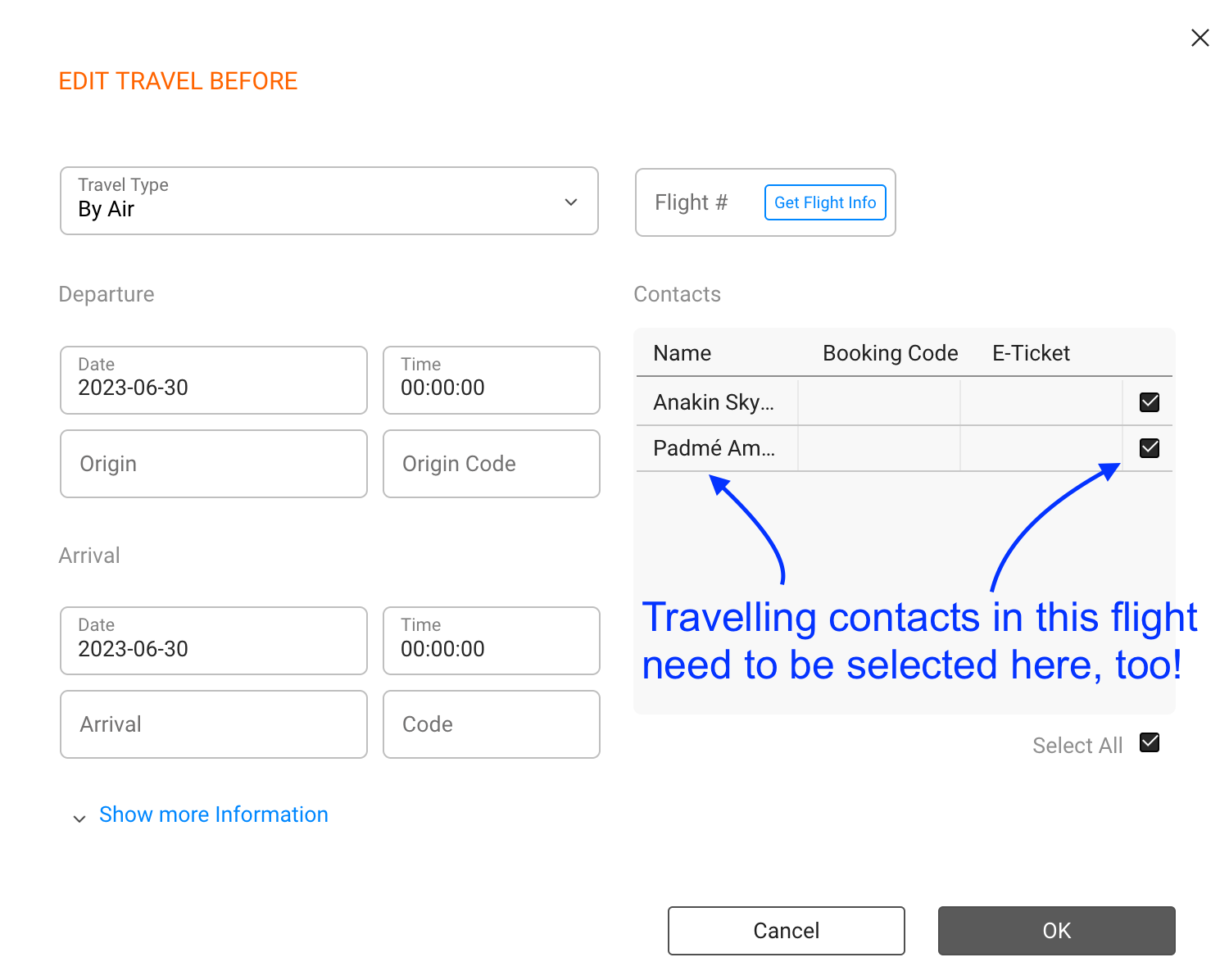
You can see if travel steps are missing from the Travel Details overview: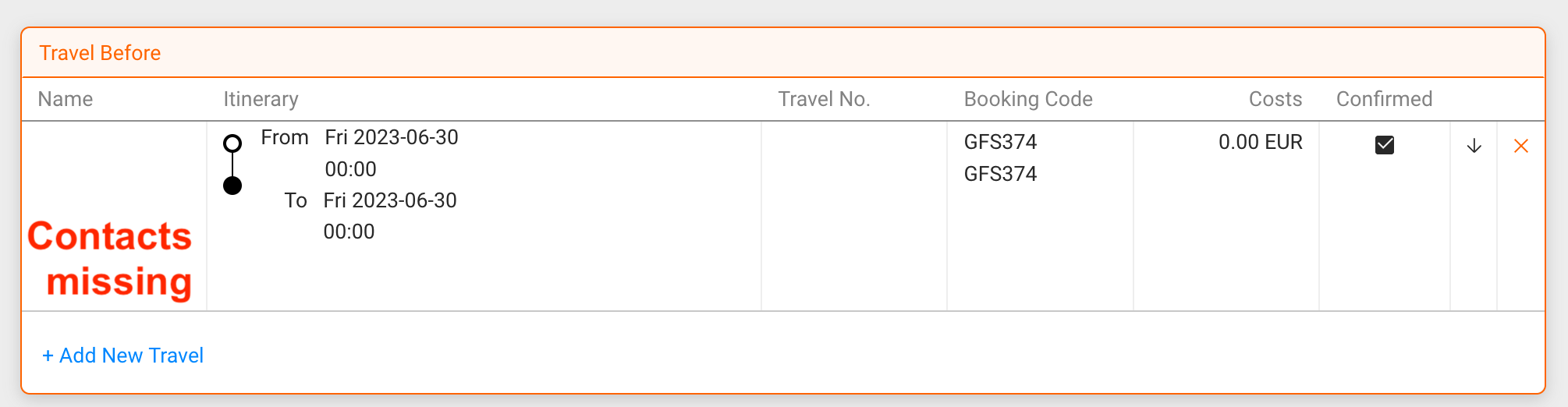
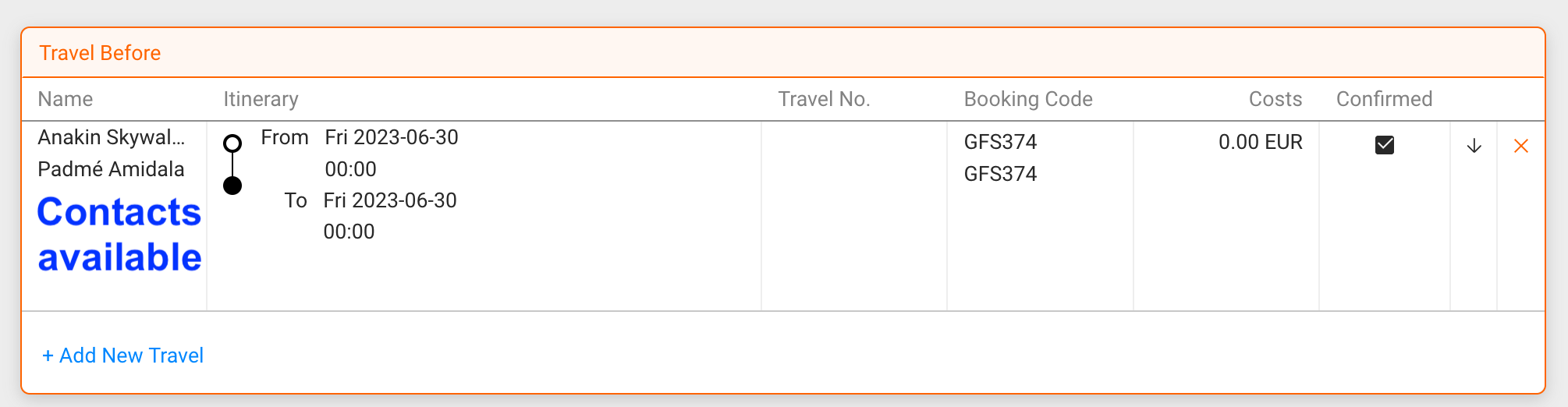
3) The same applies to LOCAL DETAILS: