
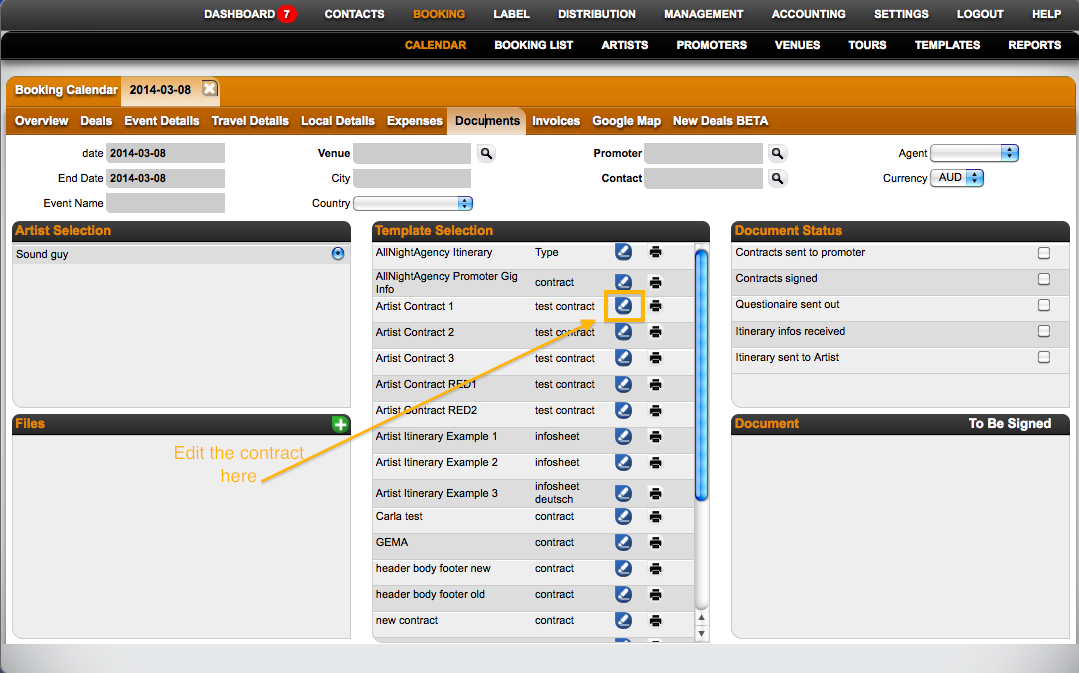
If you need to edit a contract before saving it, here is how to do it:1. You need to click on the blue icon to edit the contract
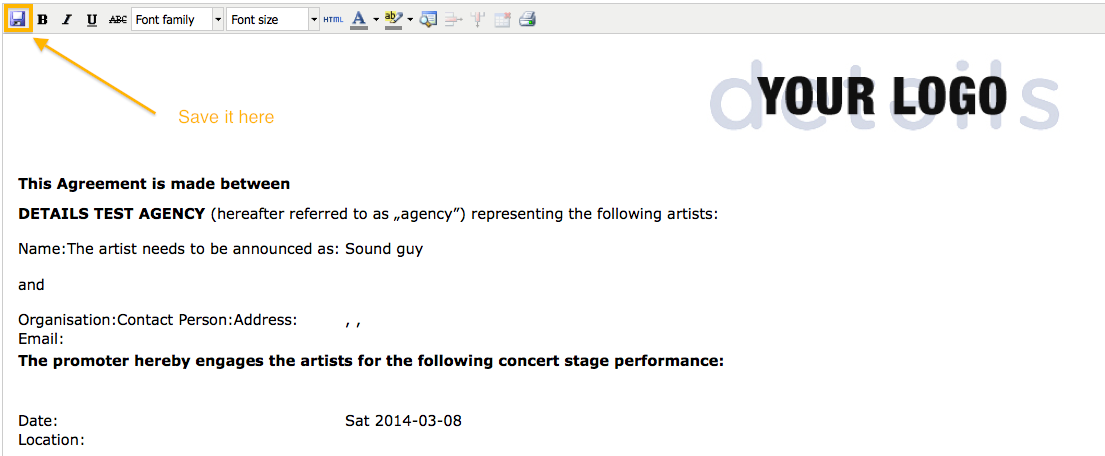
2. When the changes are done in the template, then you can save it by clicking on the diskette icon.
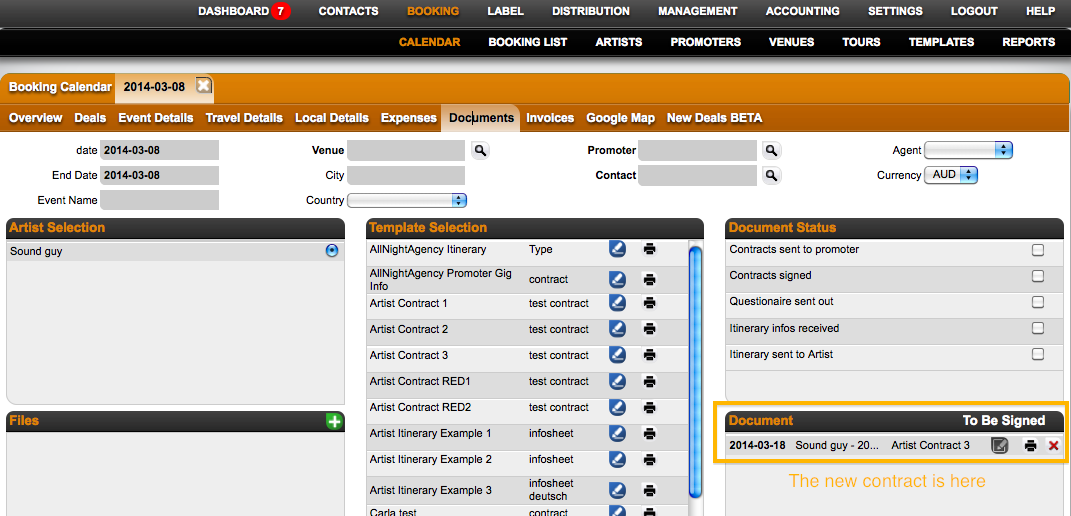
3. You will find your edited & saved template here:
How to save a template that has been manually edited
Recently Viewed
Your recent pages