
The MONEY DETAILS subtab is the place to create deals, manage income and expenses and create invoices for your bookings. So this is the section where financial arrangements are added and edited for each booking individually.
When you first come to the MONEY DETAILS tab on a new booking, in addition to the general booking infos on the top you will see a selection of your customizable deals or INVOICE LINE GROUPS listed.
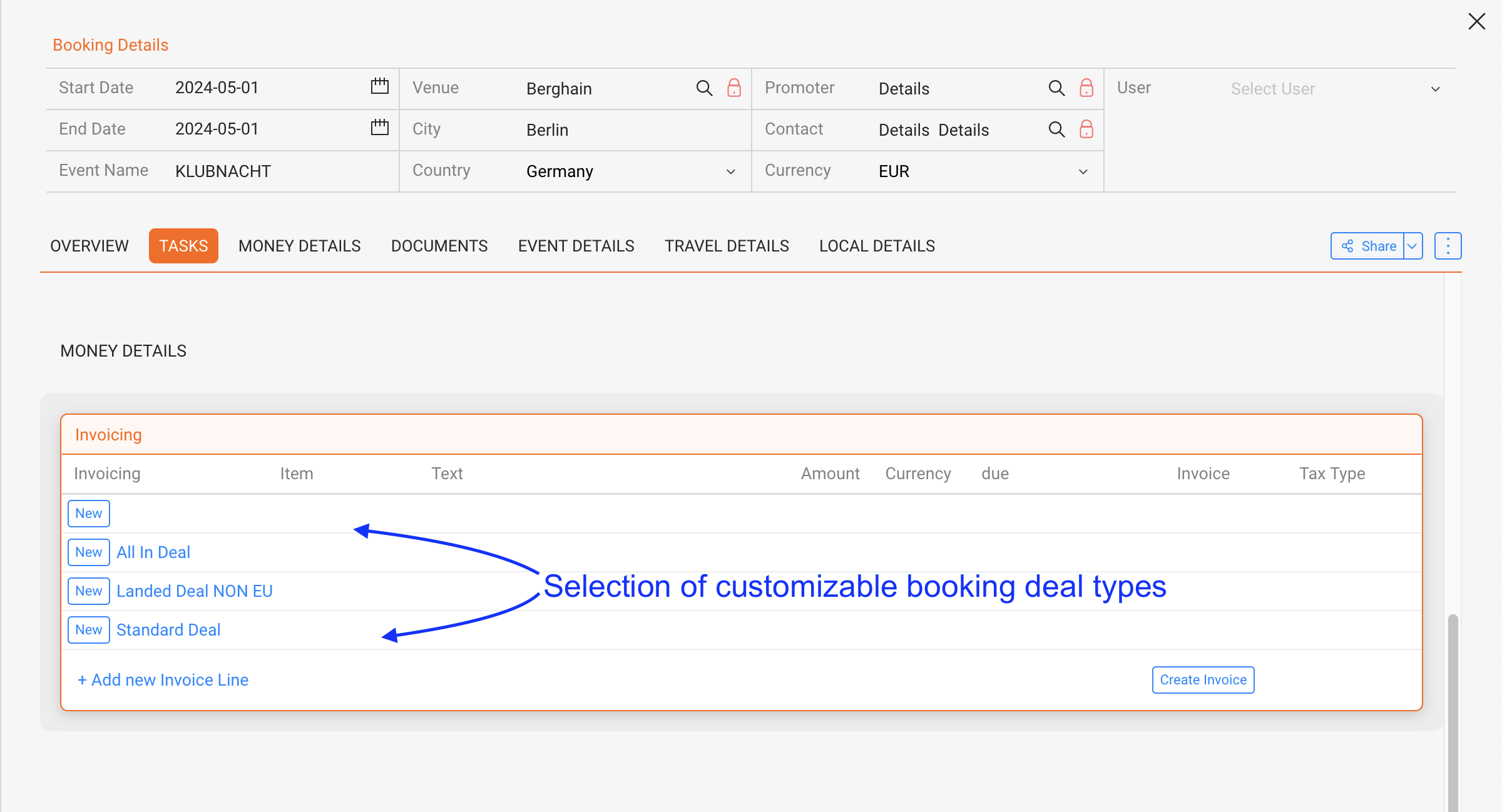
Click on any INVOICE LINE GROUPS / Deal and the deal preset will create a set of Items for this specific booking which you can use to put down your agreement in details. You will be able to select which Invoice Items you want refer to in your contracts and invoices later.
If you need any additional GROUPS or ITEMS you can ADD more using the PLUS icon on top right of the Money Section.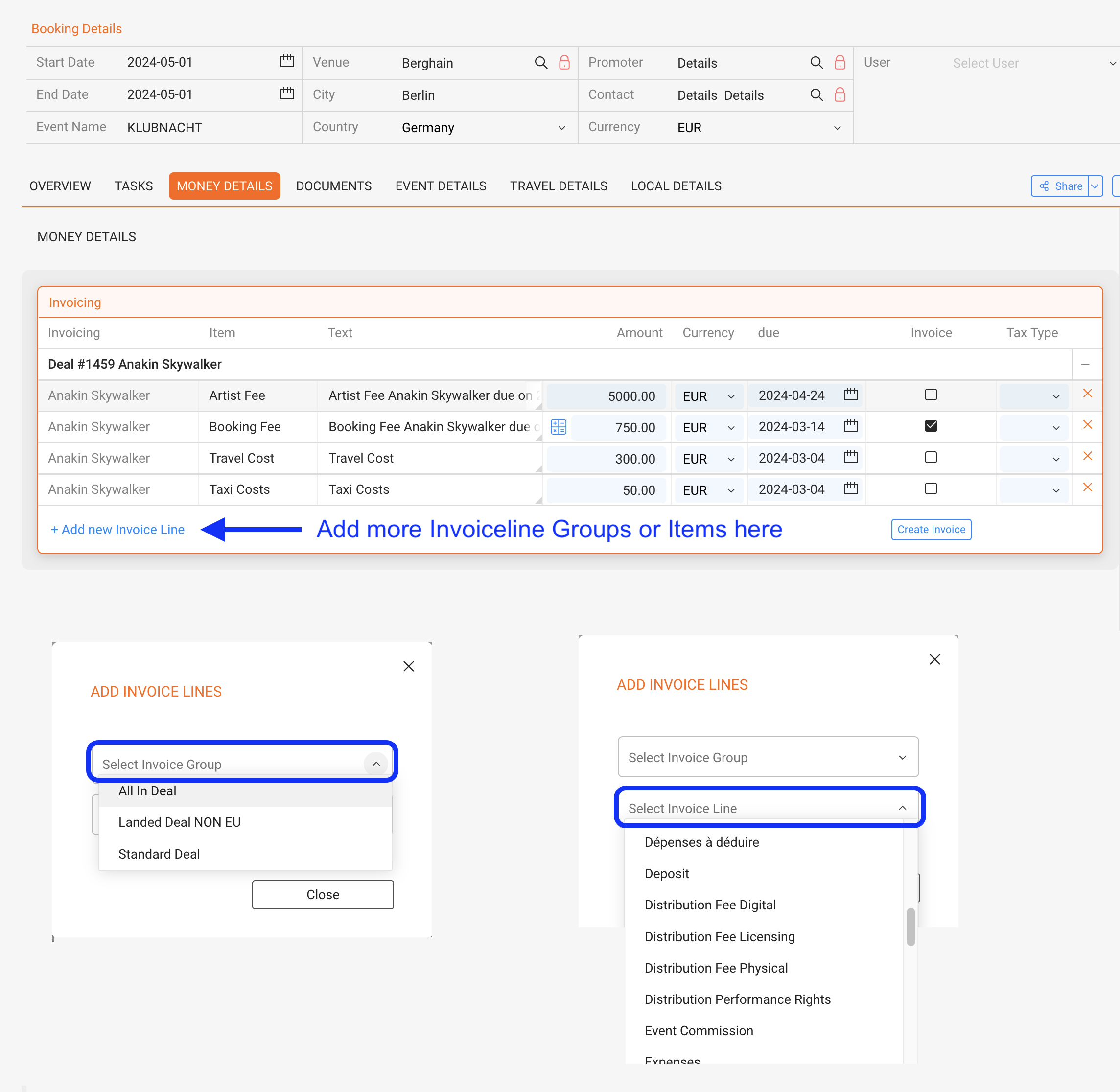
For each of your bookings you can now edit anything from Artist Fee and Flight Share to Booking Fee.
How to set automatic due dates for Money Details
If an INVOICE ITEM is based on a percentage of something then you can use the ”Calculate” button to calculate the percent amount.
To do this click on the ”Calculate” icon in the INVOICE ITEM row. The textboxes which have an amount already filled in will get highlighted. Now click on one of the highlighted textbox. The amount will be calculated and displayed in the textbox.
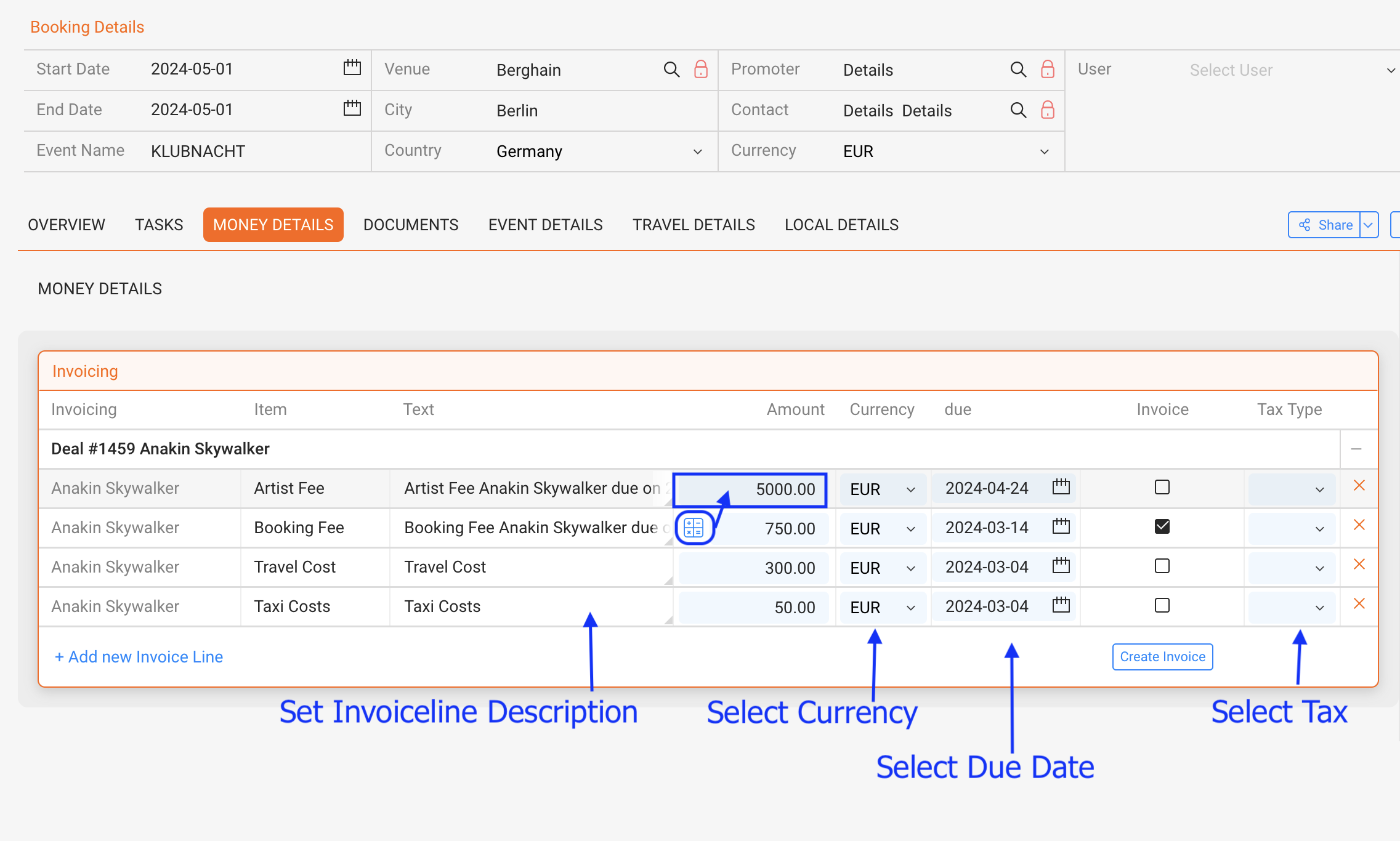
For each INVOICE ITEM you can also set ”Currency” as well as the ”Due Date” by selecting options from the currency dropdown and choosing a date from the date selection.
Also a Tax Type can be selected from a customizable dropdown which will transfer the selected option to contracts and invoices.
NOTE: Withholding taxes will have to be set manually in the INVOICES.
To create an INVOICE select the whatever you want to have on the invoice by checking the checkboxes in column ”Invoice”. Then use the CREATE INVOICE Button
Obviously you can create multiple invoices including different items by repeating this process.
Once an INVOICE is created, it’s number and payment status will be displayed in MONEY DETAILS.