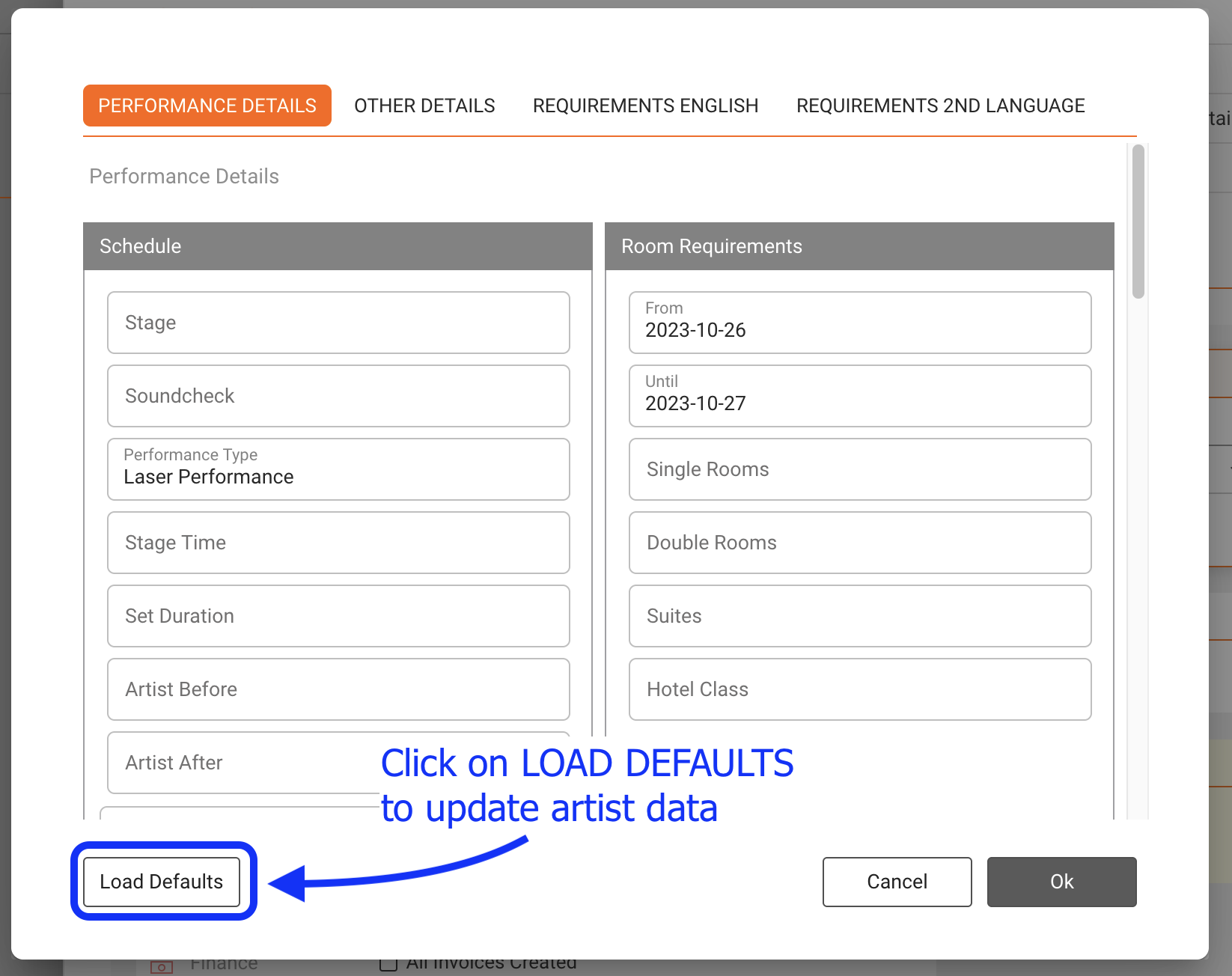
Check this article if you want to update the artists defaults for a specific booking or if you need to change, for example, the dates for the Hotel.
Whenever a new booking is created, it will automatically copy the default values from the Artist profile. Later, however, it will keep the values as displayed in the booking itself to allow special arrangements for techriders, hotels etc for this specific gig. Sometimes, however, a booking was previously created and something changes in the artist defaults.
NOTE: When you update the Artist defaults of one particular artist in the ARTIST profile, ALL the existing bookings will NOT be automatically updated. To update the Artist defaults in one particular booking, you will need to follow these steps:
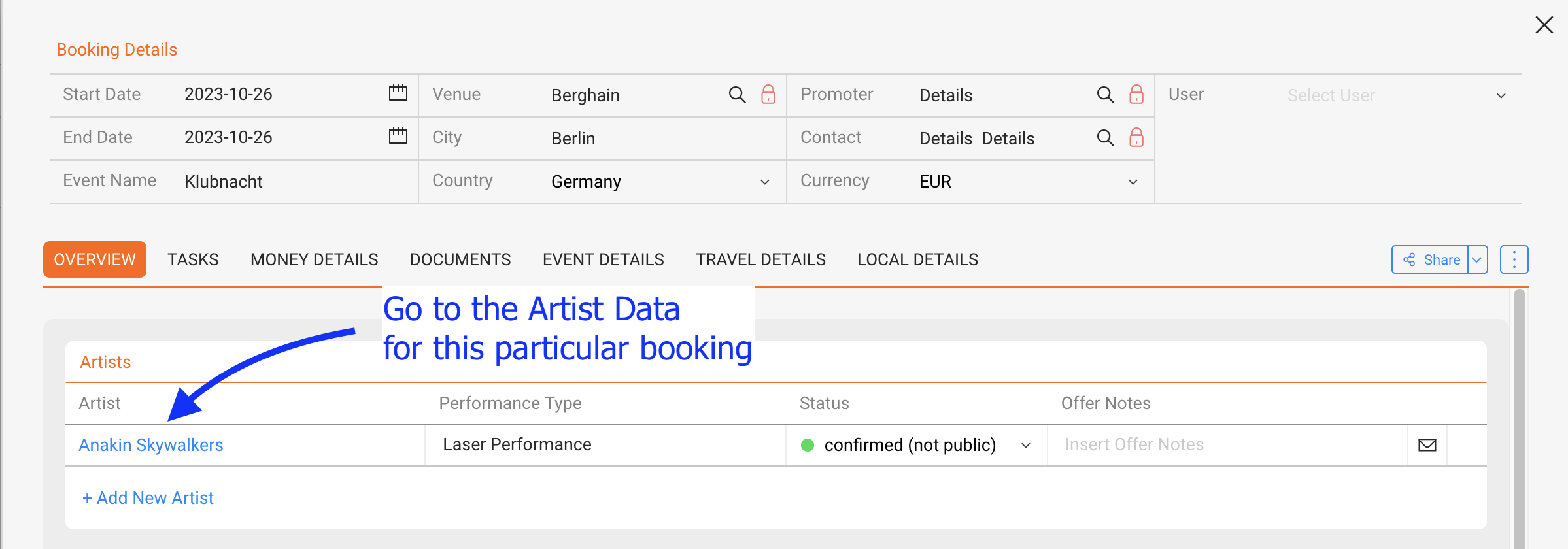
Go to the Booking-Overview:
Click on the Load Defaults button: