
ALL “Local Details” are shared with the artist in the app.
And “Local Infos” are not whereas it is used as private data of client that cannot be shared with artist in the artist app.
This way clients can choose between data points to share and data points NOT to share with the artist,
for example internal data.
So if client wants to protect data to see Artist in the app then they have to add those data in Local Info or event custom info.
screenshot attached in Local Info: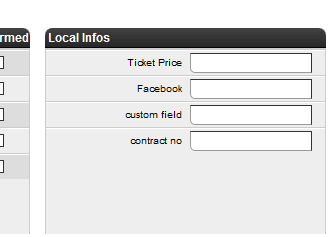
And if Client wants to share data with Artist in the artist app then they have to add those data in Local Details.
Here is details about how to share local details with the artist in artist app:
1. At first you have to add local details fields in SETTINGS/BOOKINGS/Local Details Settings if you need.
Screenshot attached :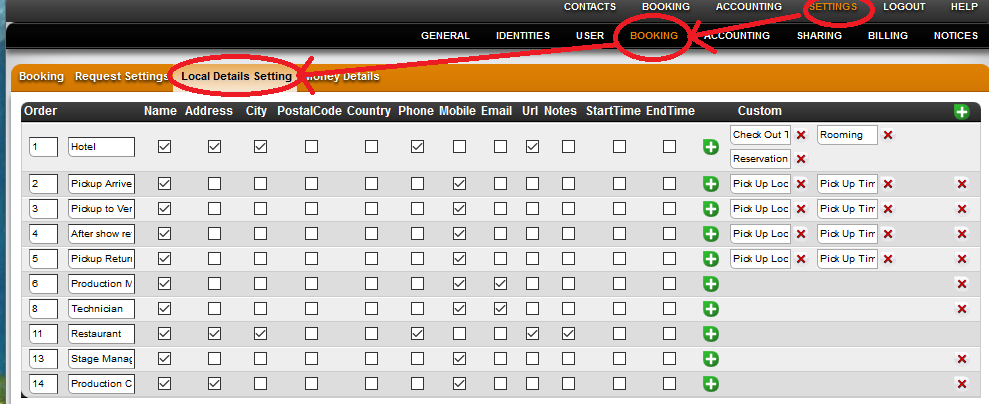
2. Then Select your required local details in event date by BOOKING/CALENDAR/Local Details:
Please check screenshot1 and screenshot2 for the detail process
Screenshot1 attached :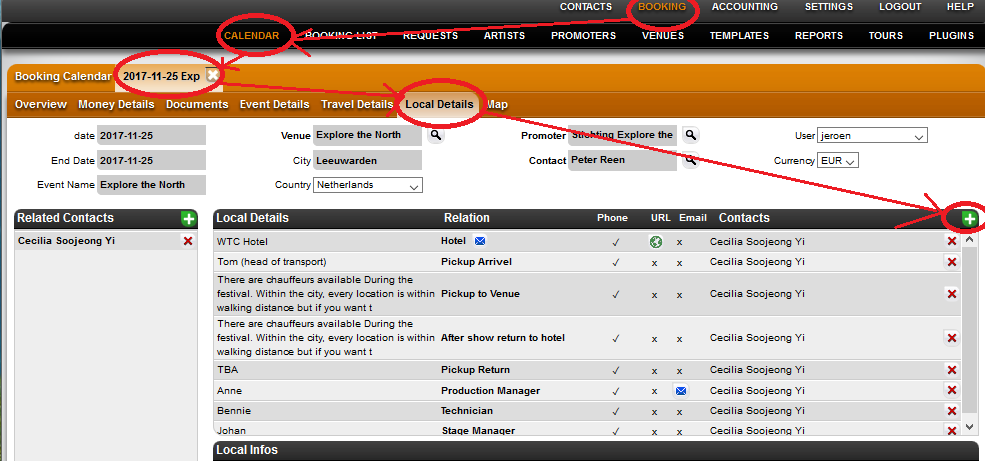
Screenshot2 attached: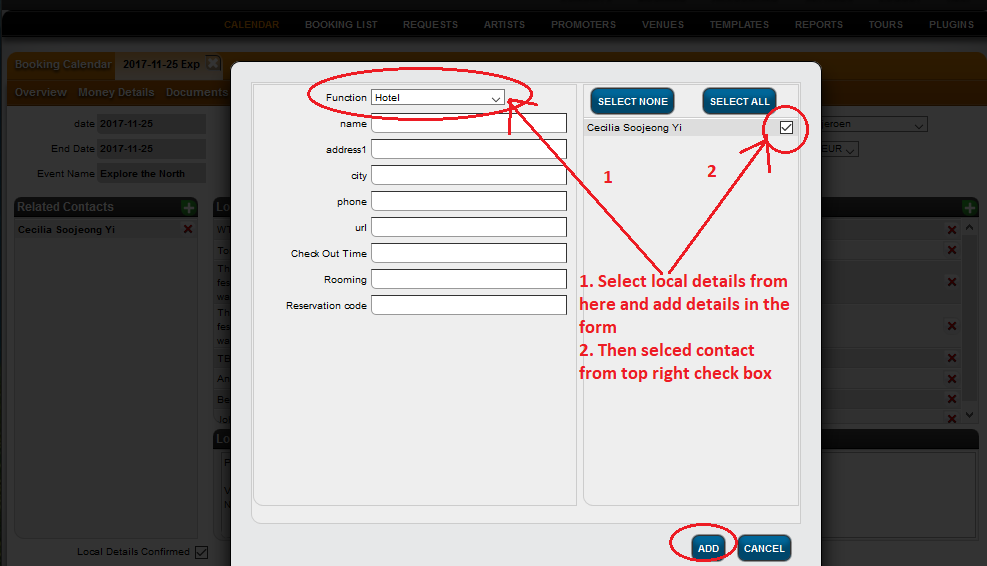
After this whole process the artist app will automatically pull all selected local details data.
Please check the whole process.
Also Sometimes Local Details don’t appear in the itinerary.
Here is the help link for more details about it:
https://details.zendesk.com/hc/en-us/articles/360003571837
“Local Details” are shared with the artist in the app. “Local Infos” are not.
Recently Viewed
Your recent pages