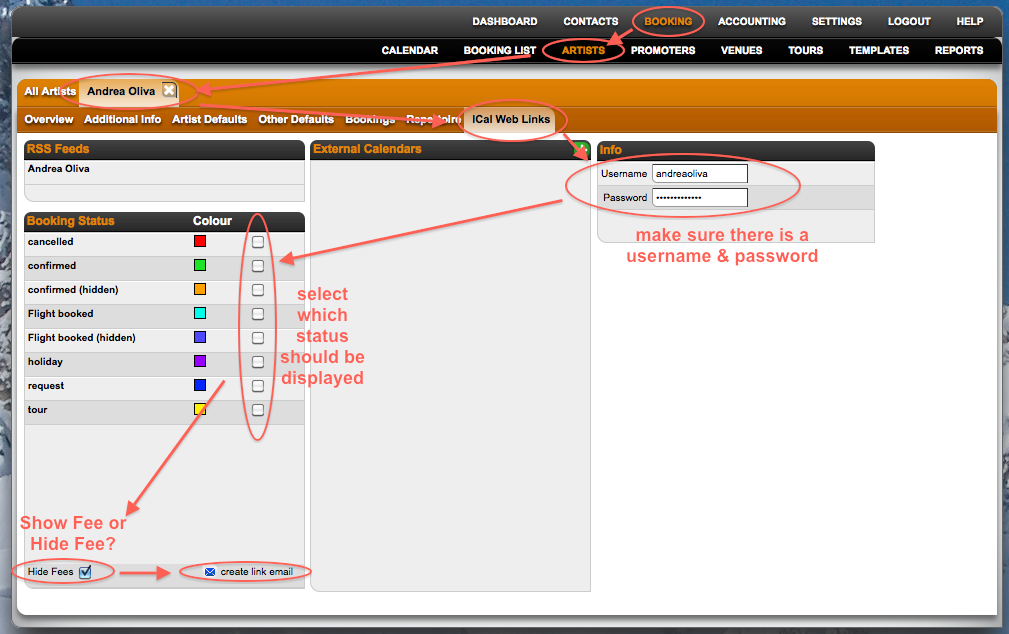
1. Create the Artist weblink you want to share (Artists Defaults – Ical weblinks)
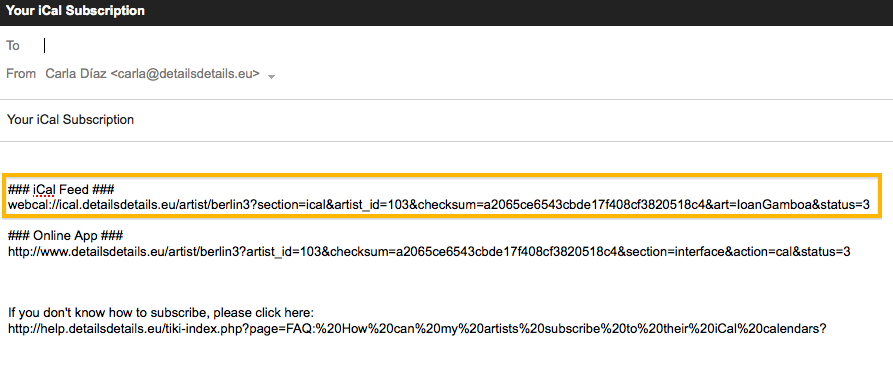
2. Pick the Ical link and send it to the Agency you share your artist with:
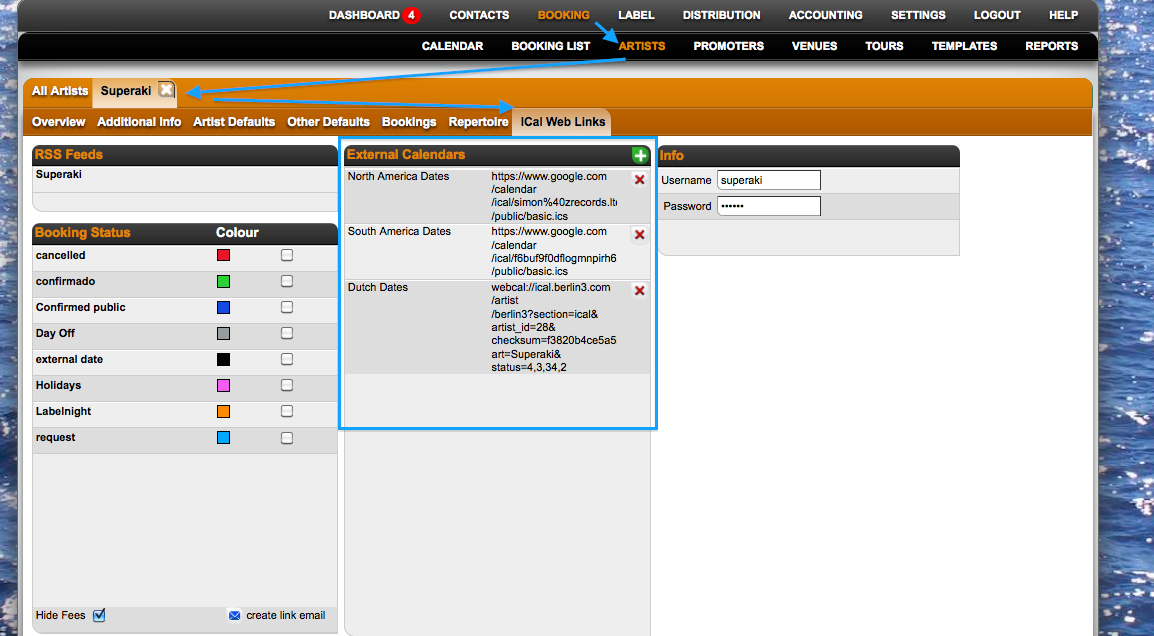
3. This exact link should be pasted on the Artist defaults: ICal web links – External dates section.
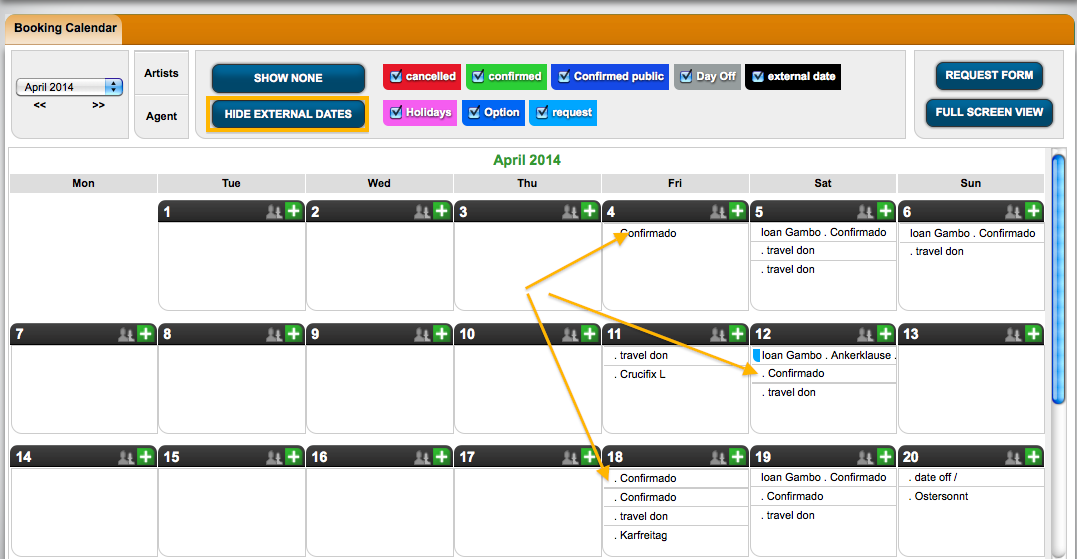
4. Now they can see your dates as ‘External Dates’ in the Main Calendar of their Details System, by clicking the ‘Show external dates‘ button.
NOTE: The first time you add an external calendar there will be an update cycle of max. 12 hours. After that calendars are synched periodically.