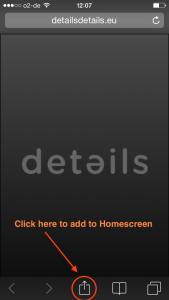
Details offers a direct link to Bookings in a HTML5 web app, which we call the Artist App.
Find out HERE how to create Artist Apps for your artists!
HERE is an article for your ARTISTS on how to add the App to their mobile phones!
Here is a hint for booking agents who want to see MULTIPLE ARTIST APPS on their mobile phone.
It offers many additional features. As the App is actually a HTML5 link (and not an App from any store), you can use it on any device.
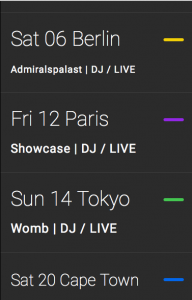
As soon as the App is loaded, the user will see the current month in the calendar. Click any date to view booking details, or switch to list view to scroll through bookings.
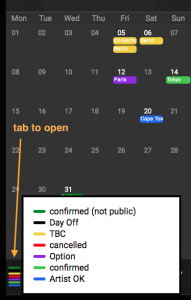
At the bottom left of both views, you can open a pop-up explaining the color codes of booking states.
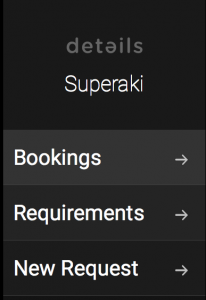
Use the menu icon (top right) to access:
- BOOKINGS – opens calendar view
- REQUIREMENTS – shows stored requirements
- NEW REQUEST – submit booking or other requests
Booking sections are now structured into subtabs for better readability:
- TRAVEL – travel steps for bookings
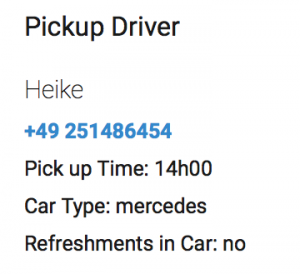
- LOCAL DETAILS – drivers, hotels, etc.
Valid phone numbers and emails can be triggered directly (if formatted correctly).
- GUESTLIST – optional, allows artist submissions
- MONEY – deal info (optional visibility)
- PROMOTER – promoter contact info
- DOCUMENTS – downloadable files
- FEEDBACK – optional feedback form
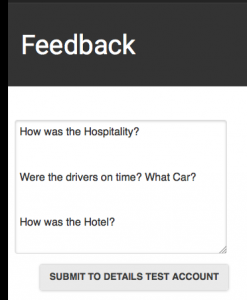
Default feedback questions can be configured under:
BOOKING → ARTISTS → selected artist → OTHER DEFAULTS
Note: Make sure artists use current links. Old links may require re-adding the app via “Add to Homescreen”.