In the OVERVIEW tab of each booking, users may click on the email icon next to the selected artists to open an email with essential booking information.
The way it works is that we use the “mailto”-function of your browser to trigger a new email in your local email programm.
We call this email “offer email to artist”, although the offer info is only one possible usecase for this email with basic booking information.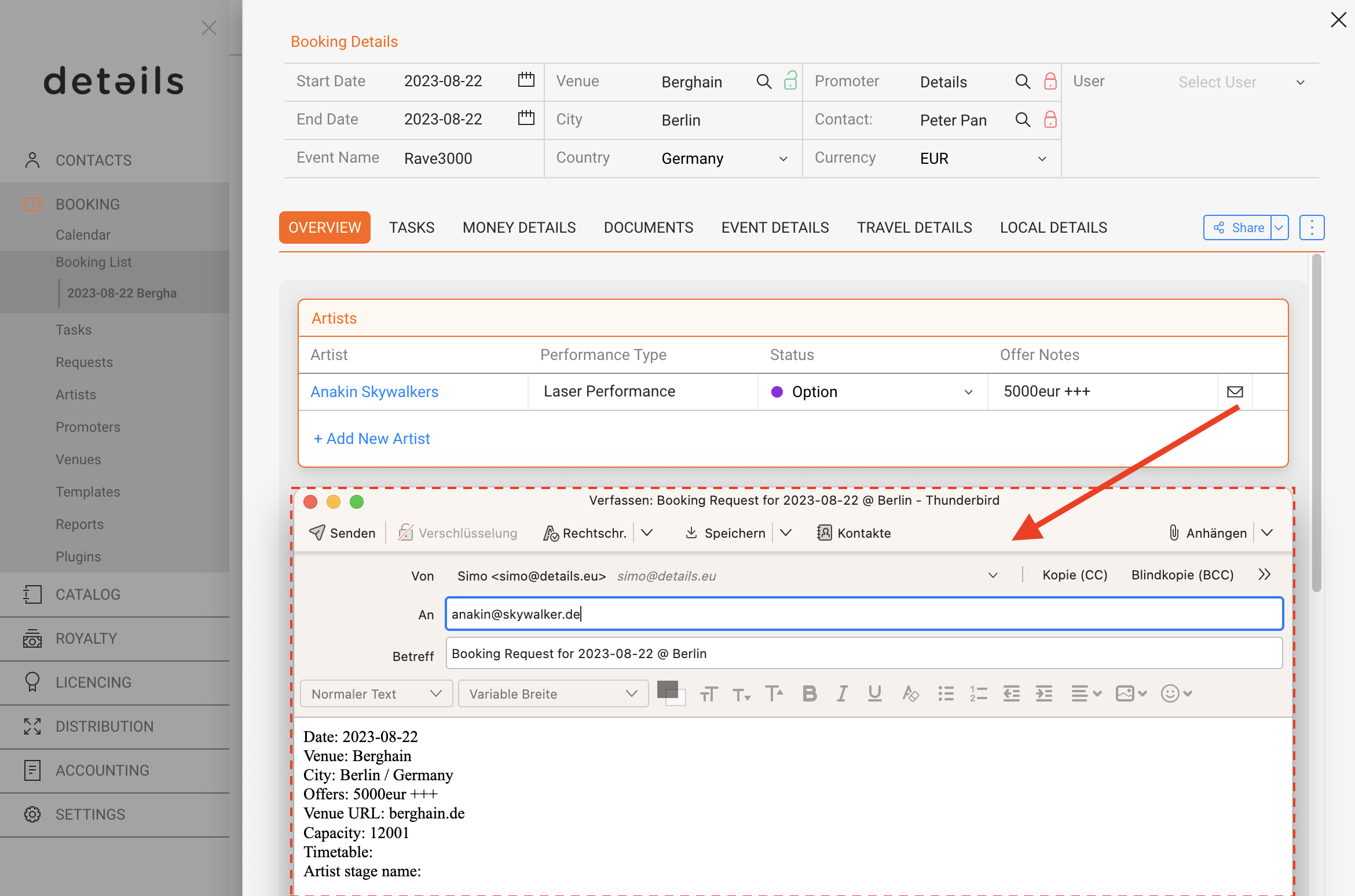
To customize the email Subjec‘ and Bod’ text, go to SETTINGS / CUSTOM TEXTS and select the subtab for “Artist Offer”.
In this subtab you may add, edit or delete as many custom templates for the artist offer notification as needed.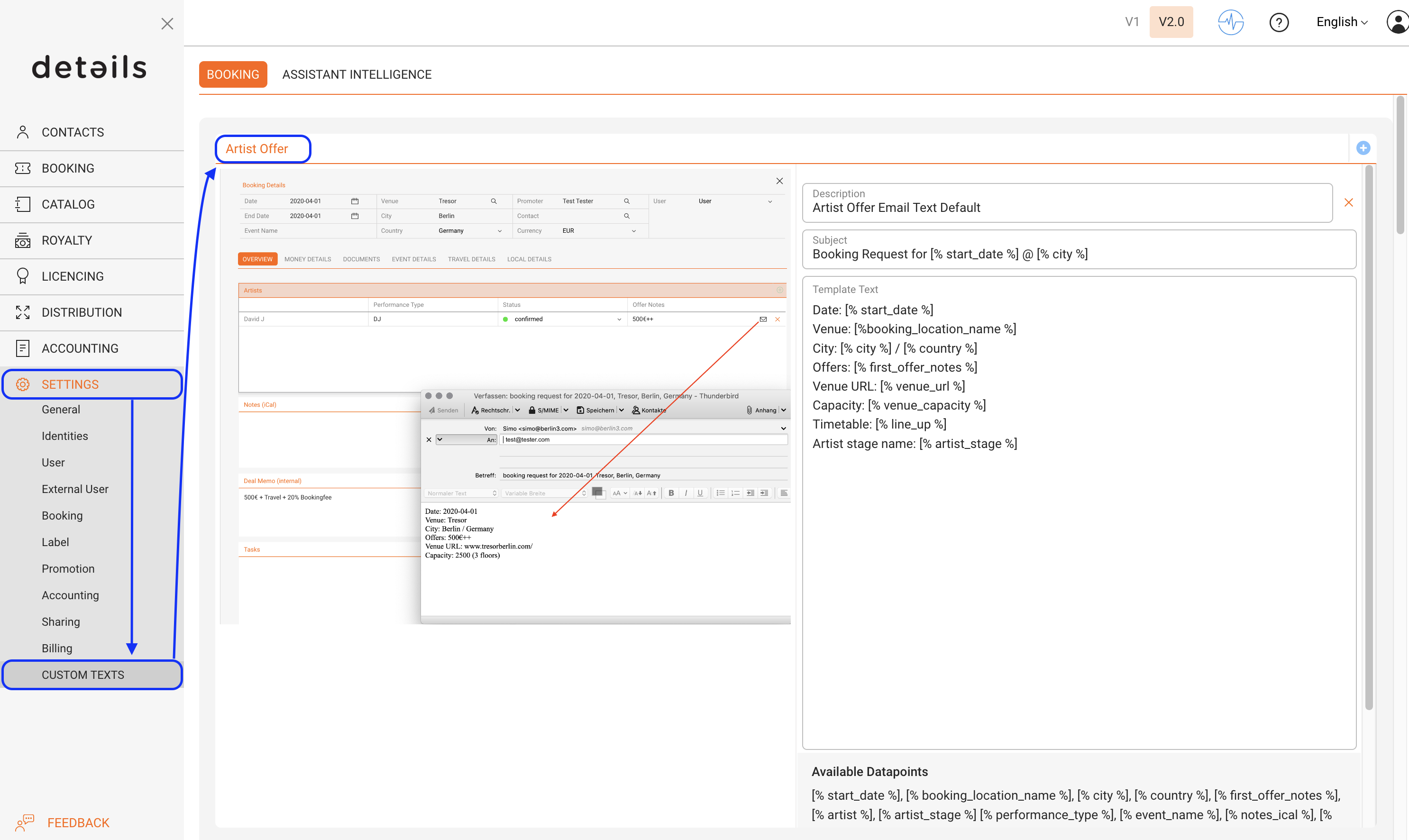
To add a new template, click the ”+” icon on the top right and edit ”Subject” and ”Body” texts.
You may use the following datapoints in your template:
[% start_date %], [% booking_location_name %], [% city %], [% country %], [% first_offer_notes %], [% artist %], [% artist_stage %] [% performance_type %], [% event_name %], [% notes_ical %], [% line_up %], [% venue_name %], [% venue_address %], [% venue_city %], [% venue_postalcode %], [% venue_country %], [% venue_phone %], [% venue_email %], [% venue_url %], [% venue_capacity %], [% promoter_company_name %], [% promoter_representative %], [% promoter_address %], [% promoter_city %], [% promoter_postalcode %], [% promoter_state %], [% promoter_country %], [% promoter_phone %], [% promoter_mobile %], [% promoter_email %], [% promoter_vat_id %], [% promoter_url %], [% promoter_language %]
please NOTE: If you need other datapoints in your email, please contact us!
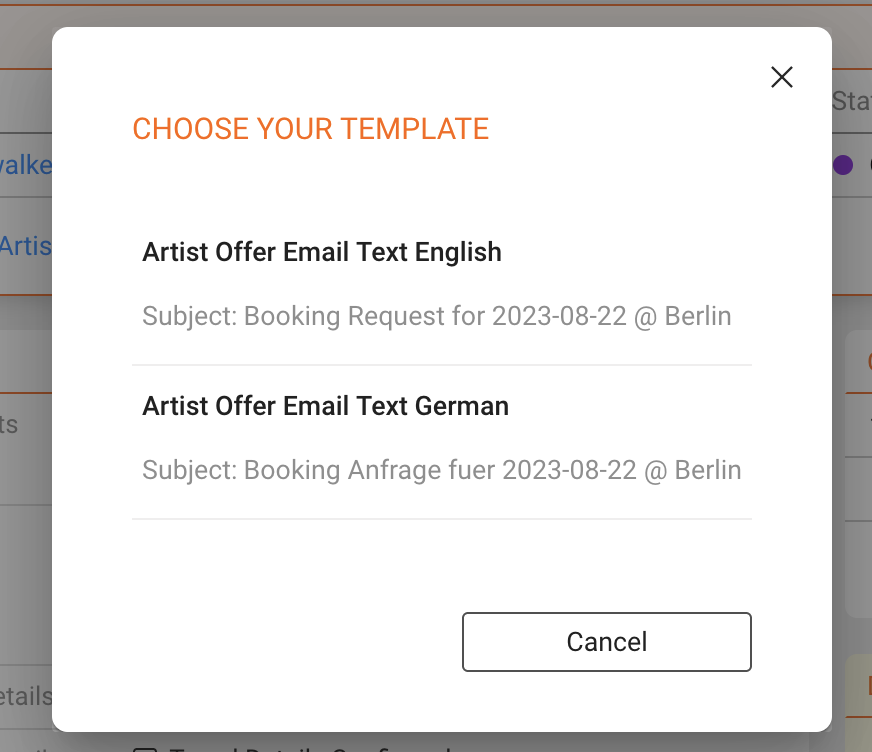
Once you have more than one active template, you will be able to select from active templates whenever you click the email icon in the booking►s OVERVIEW.