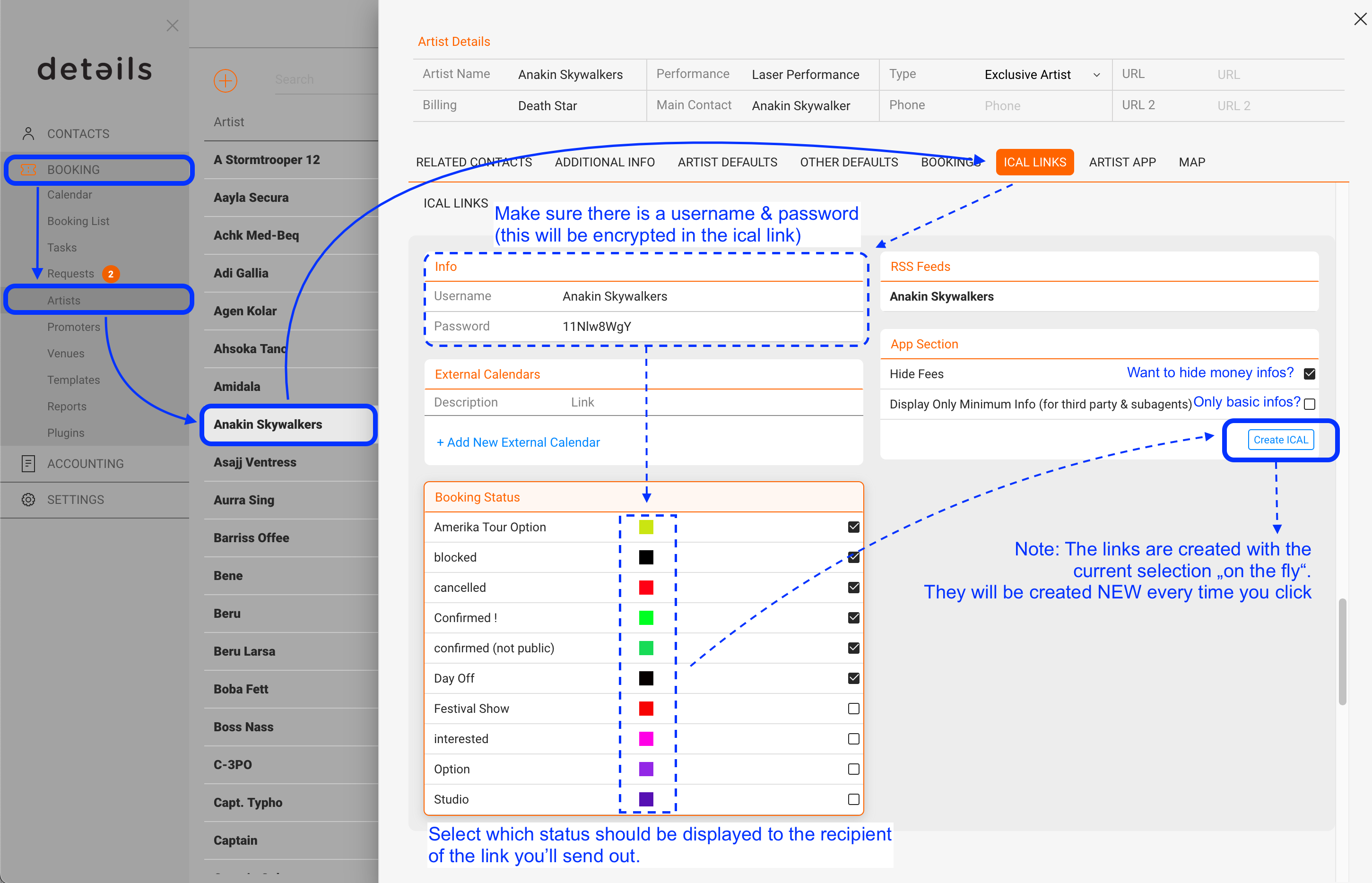
1. To create the iCal-link for an artist go to BOOKING / ARTISTS / select an artist / iCal Links.
* Make sure there is a username and secure password
* Select which status should be displayed to the recipient of the link.
* If you want to hide money infos, check the top box on the right.
* If you want to display basic infos like date, city and location only, check the lower box on the right (this is great if you are working with sub agencies who should just see if an artist has bookings/options) If this box is not checked, ALL informations from a show will be displayed here such as fees, drivers, restaurant, hotels etc. -> the ical is not only a overview of the future bookings but can be used as the itinerary!
Note: the iCal-links are created with current selection “on the fly”,
i.e. they will be created again every time you click, meaning that your selections don’t need to be saved! IMPORTANT: If you change the password / user, the ical links will NOT be updated anymore.
2. Open ICal and click on the ‘Subscriptions’ section with the right mouse.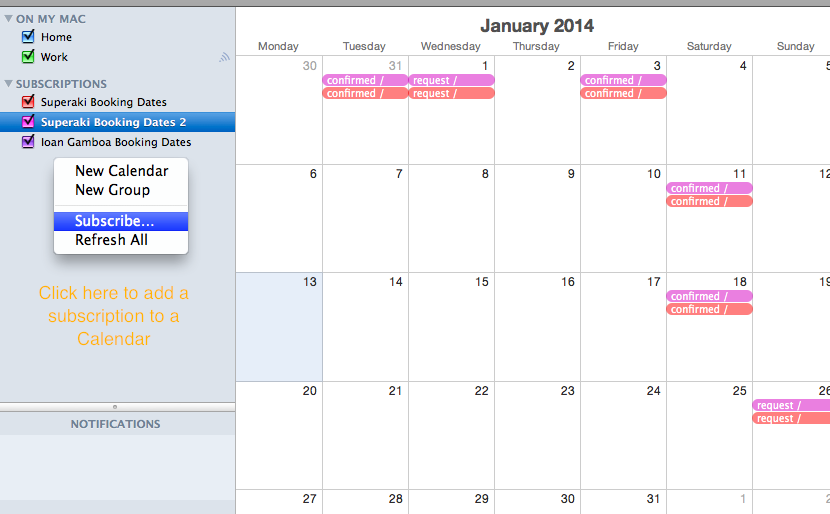
3. Add the created link to the Ical.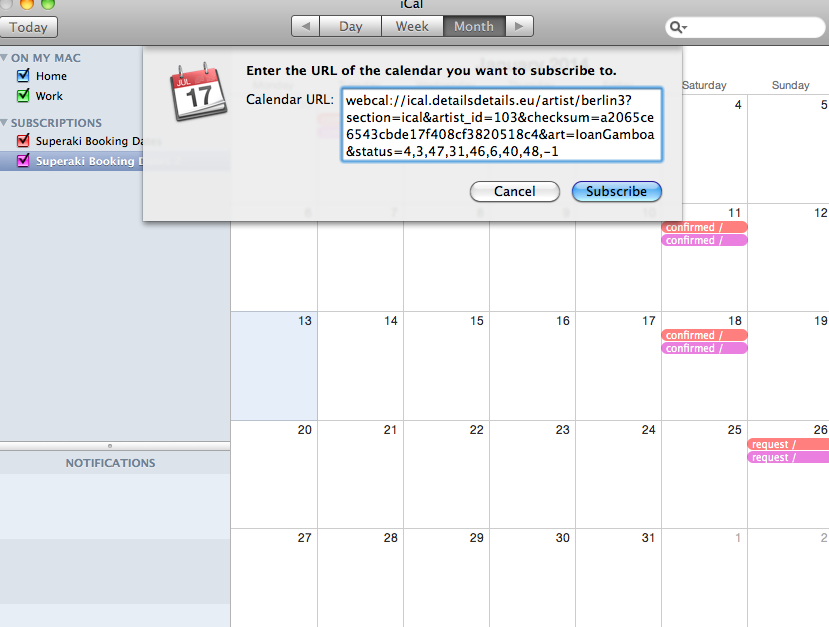
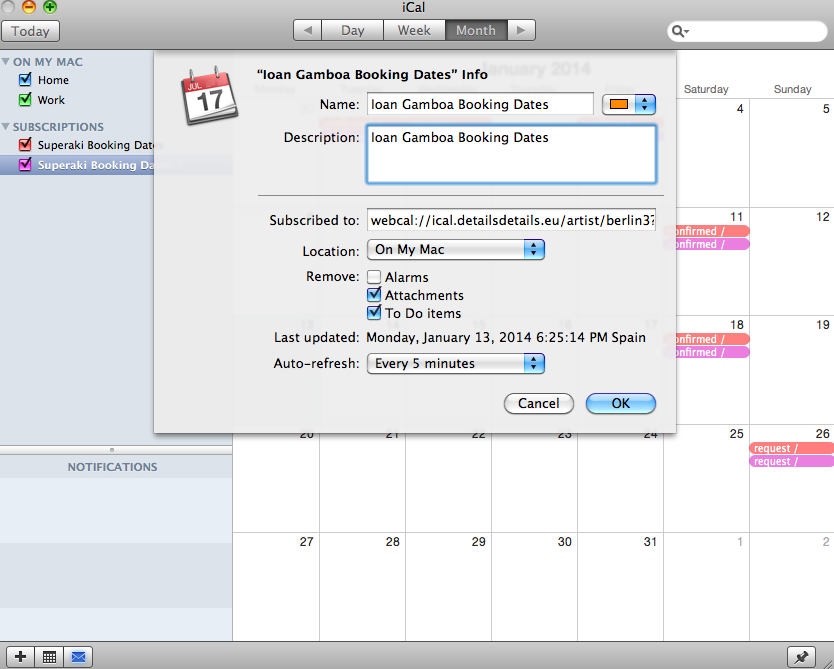
4. Edit the ‘Settings’ of the Calendar Subscriptions as required (auto-refresh, attachments..)