
::From your local ICal Calendar in your computer::
*To add it on Details, first it needs to be published on an online server like: http://icalx.com/
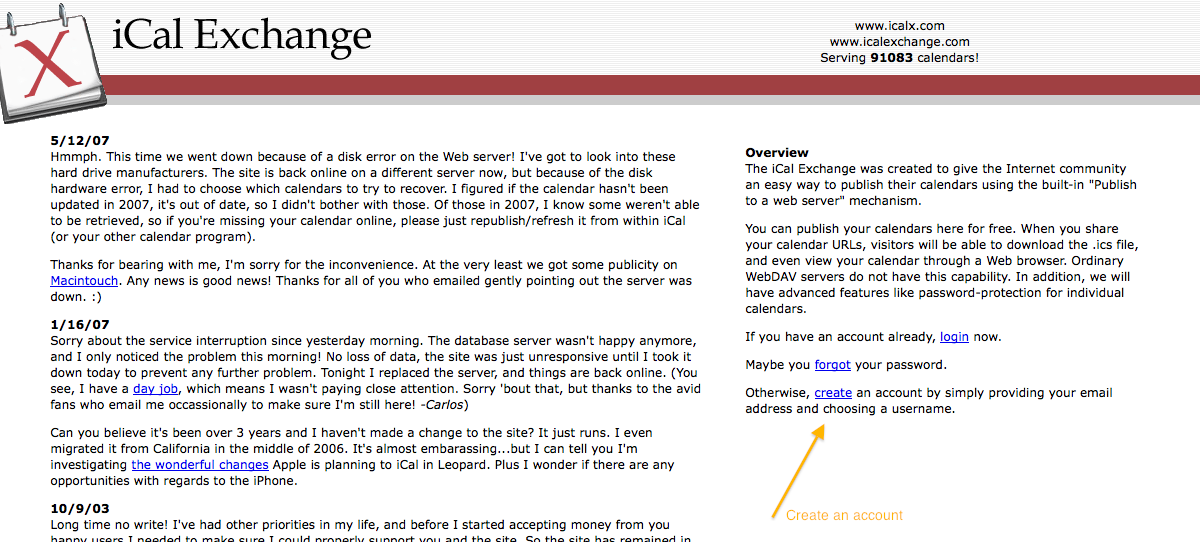
*You need to create an account on Icalx.com
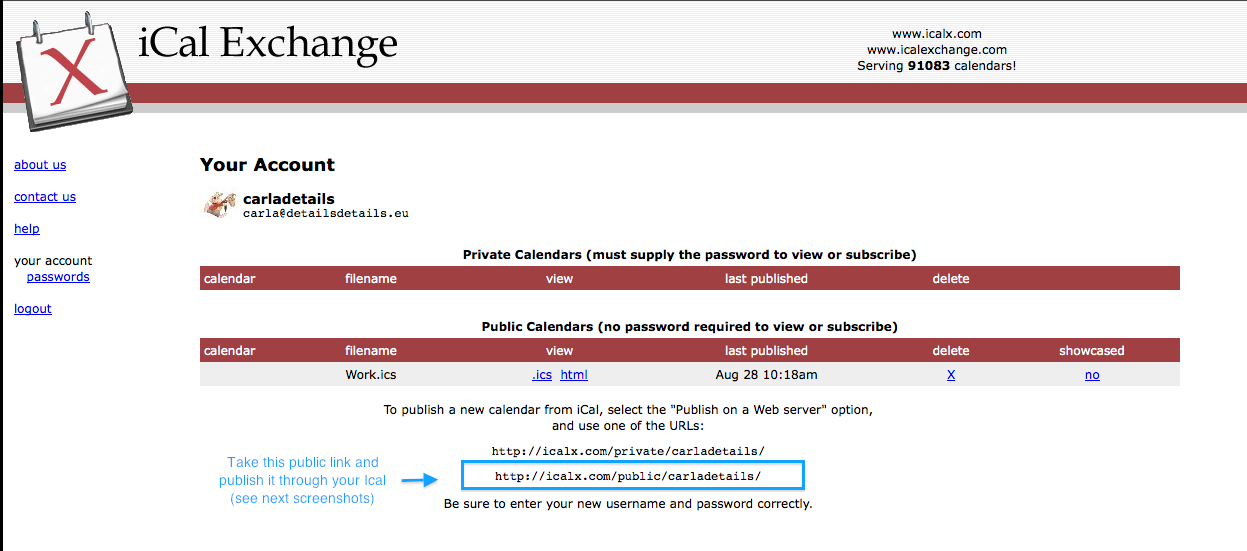
*Copy the public link that appears in Icalx
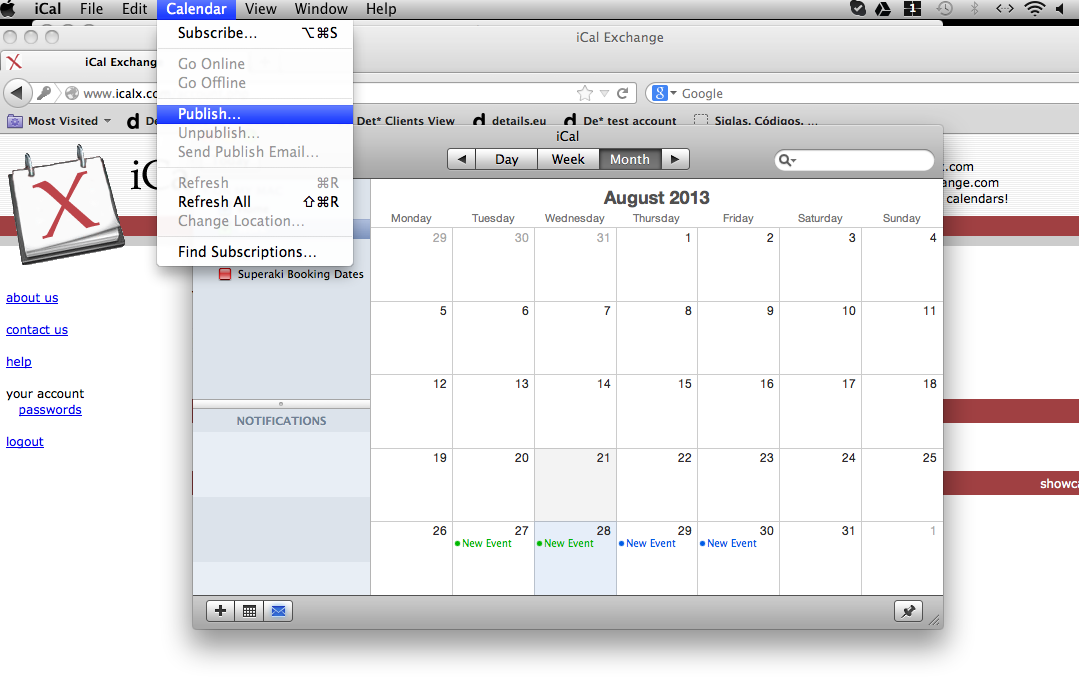
*Go to your ICal, click on Calendar (general Ical options on top), click on Publish
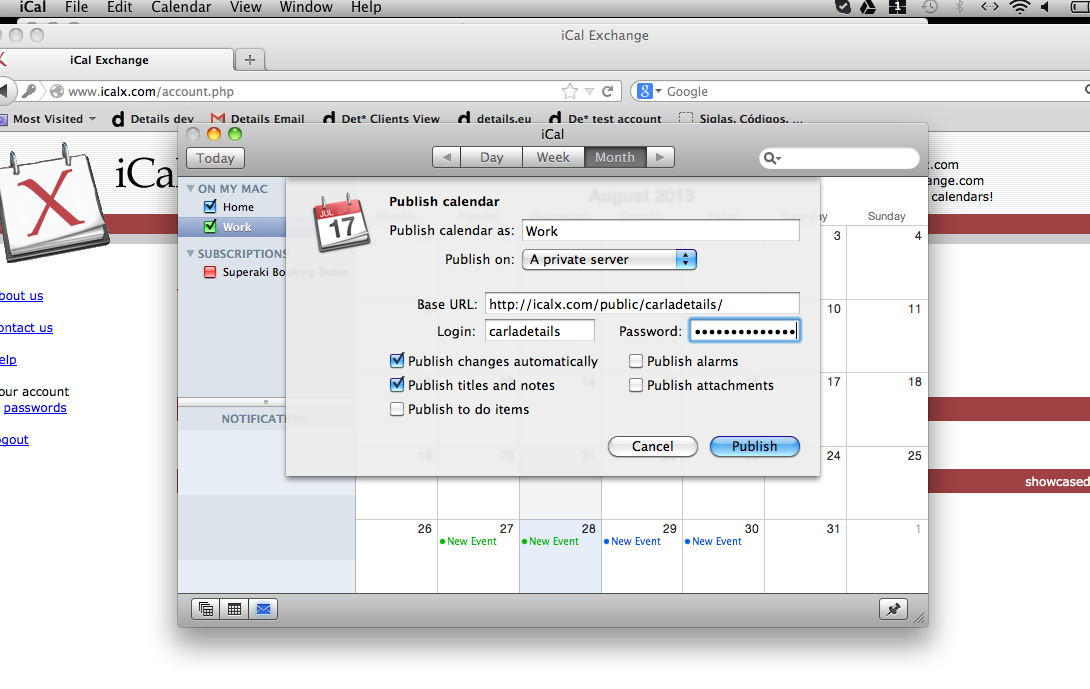
*Select: Publish on a private server and add the copied Url (from screenshot 2) in the Base URL section. Select other options as you wish. Then click on the ‘Publish’ button
*When the calendar is published, you receive the final ICal url
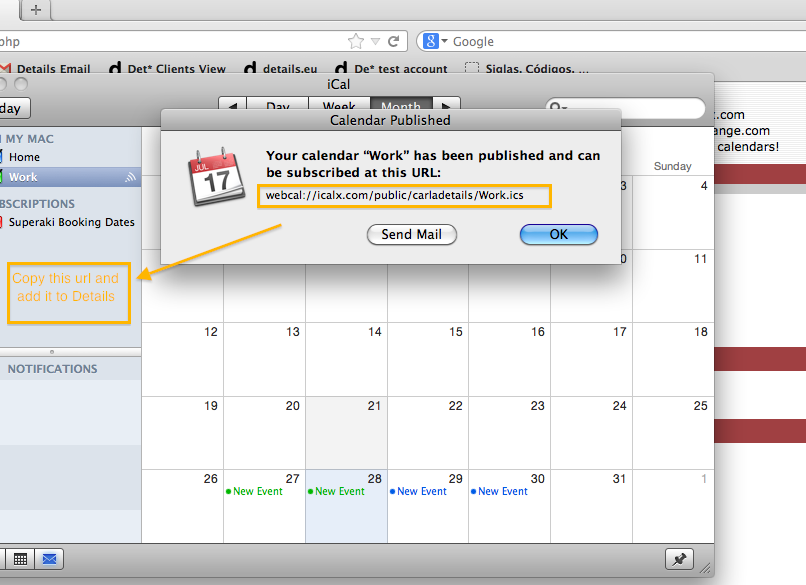
*Copy this link and add it to Details – Artist profile – Ical web links
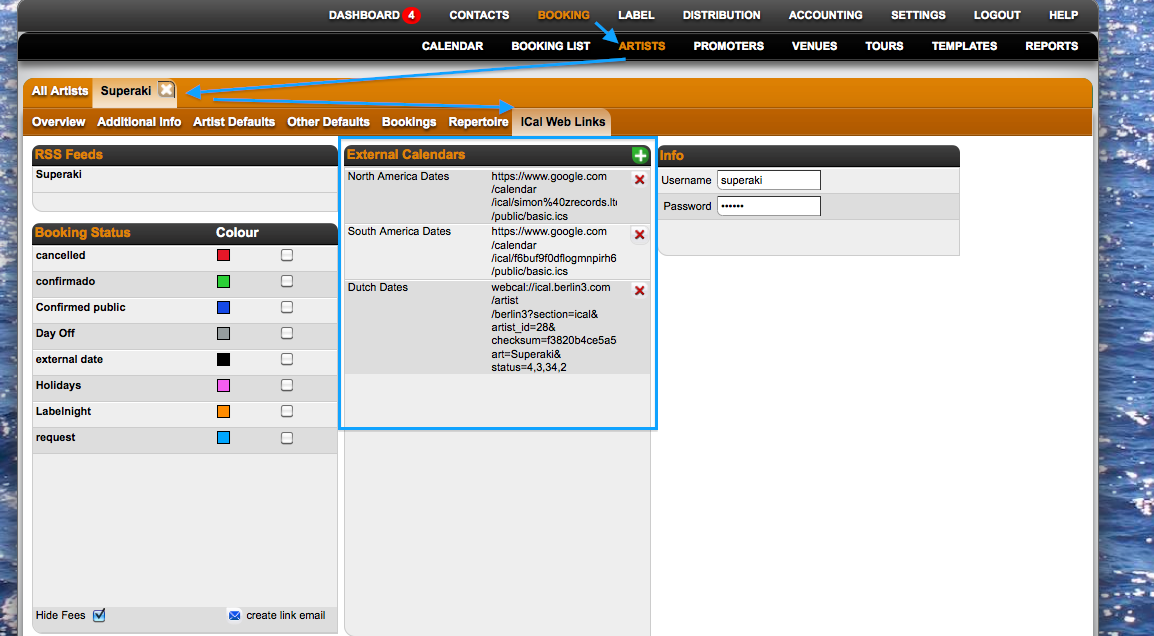
*You will see the external dates on Details: 24 hours later.
How to add external ICal calendars to Details: from your local ICal (computer)
Recently Viewed
Your recent pages