
::From your current ICal suscriptions::
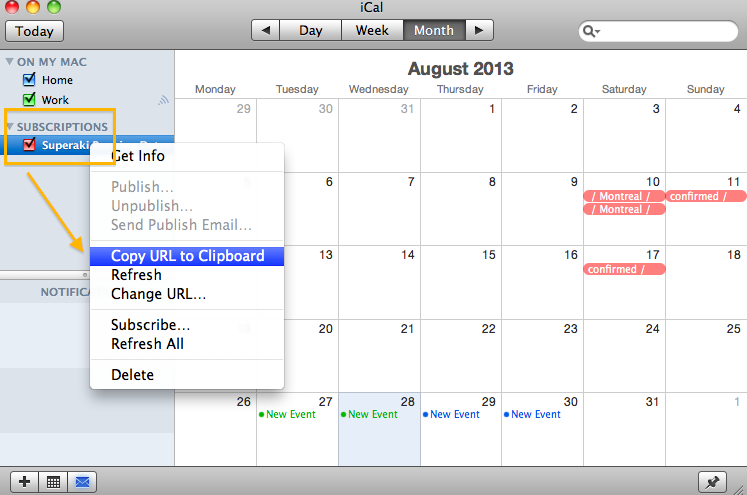
*Open your ICal – go to your current Calendar subscriptions on the right – choose one and click-right with the mouse to show the preferences – Choose: Copy URL to clipboard or ‘Get info’ to get the link
*Add this link to Details
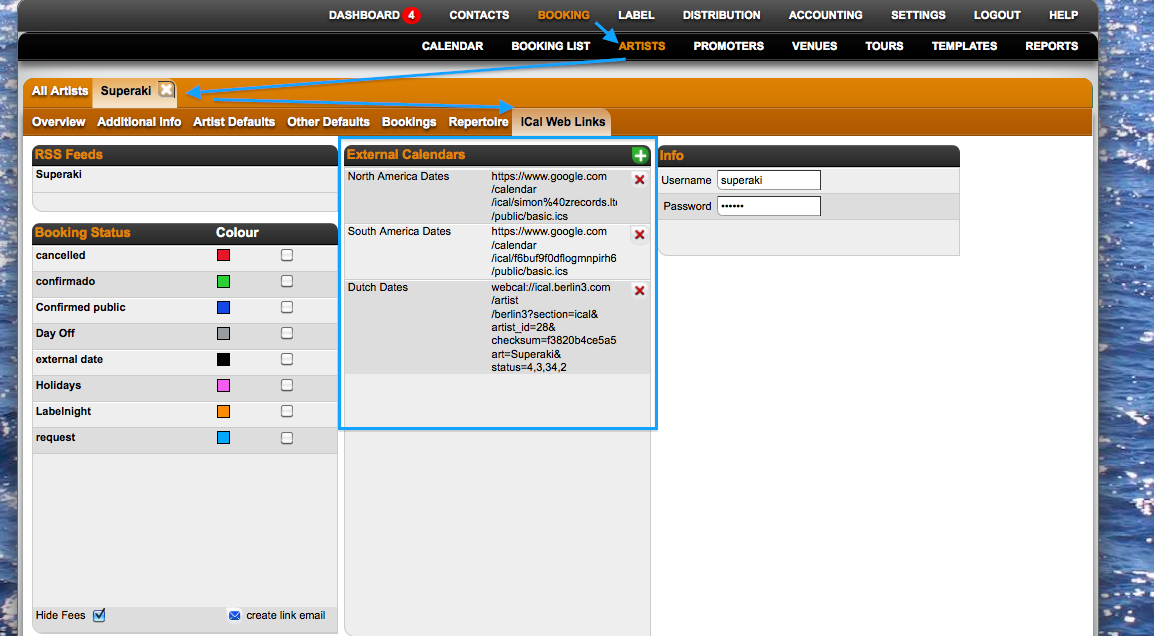
*You will see the external dates on Details: 24 hours later.
How to add external ICal calendars to Details: from ICal subscriptions
Recently Viewed
Your recent pages