
Locking fields in the questionnaire is an important function to have control over the data of a show.
Therefore, we have developed further options to be able to lock fields in even more detail.
Important: This is only working in the new design & with the new questionnaires!
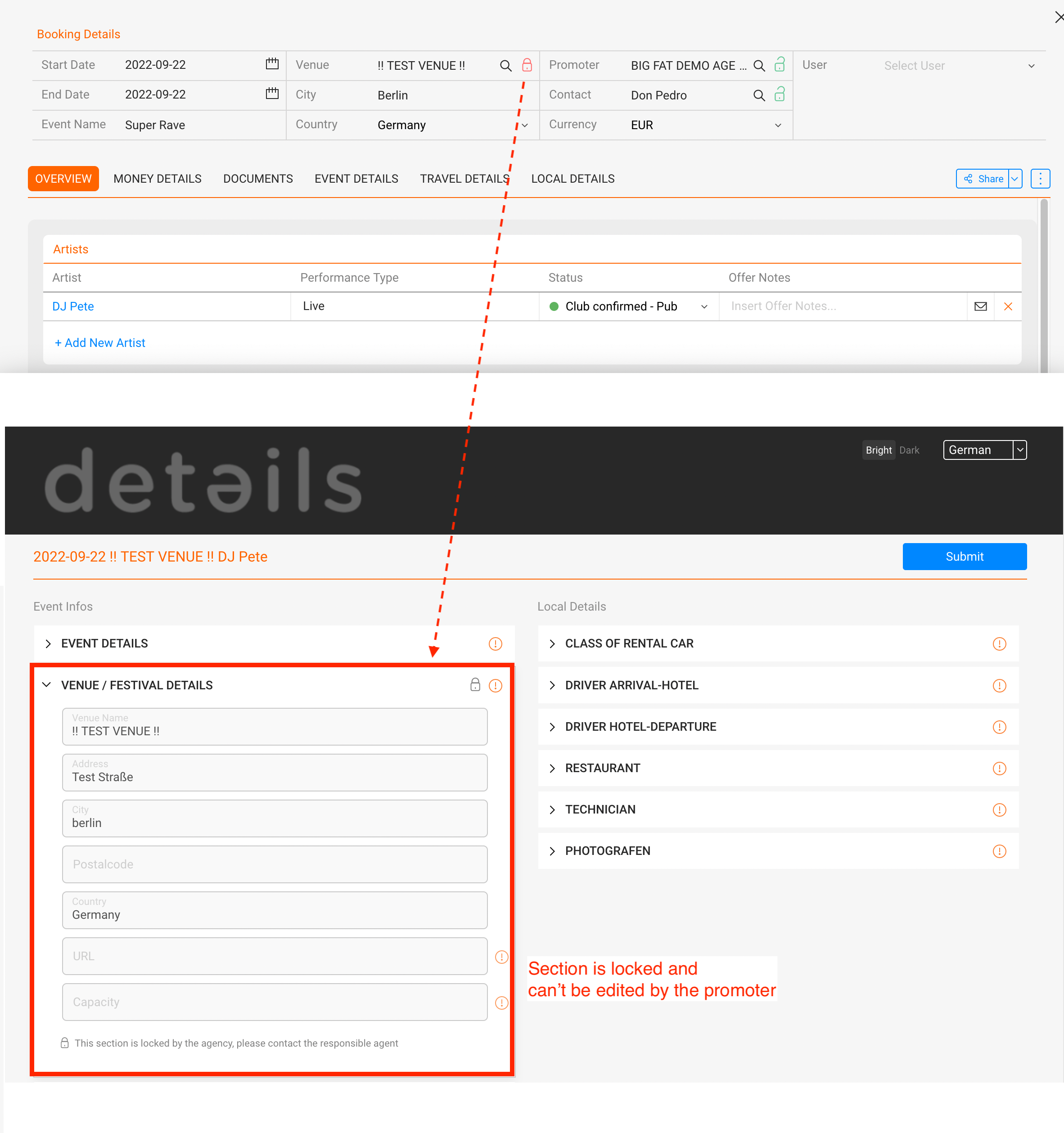
You can lock sections of the questionnaire either directly from the show, by clicking on the lock:
Or you can lock information from our new “Questionnaire Lock Status” popup – there you can also lock single items of the Local details, like only the hotel, while the restaurant is still changeable.
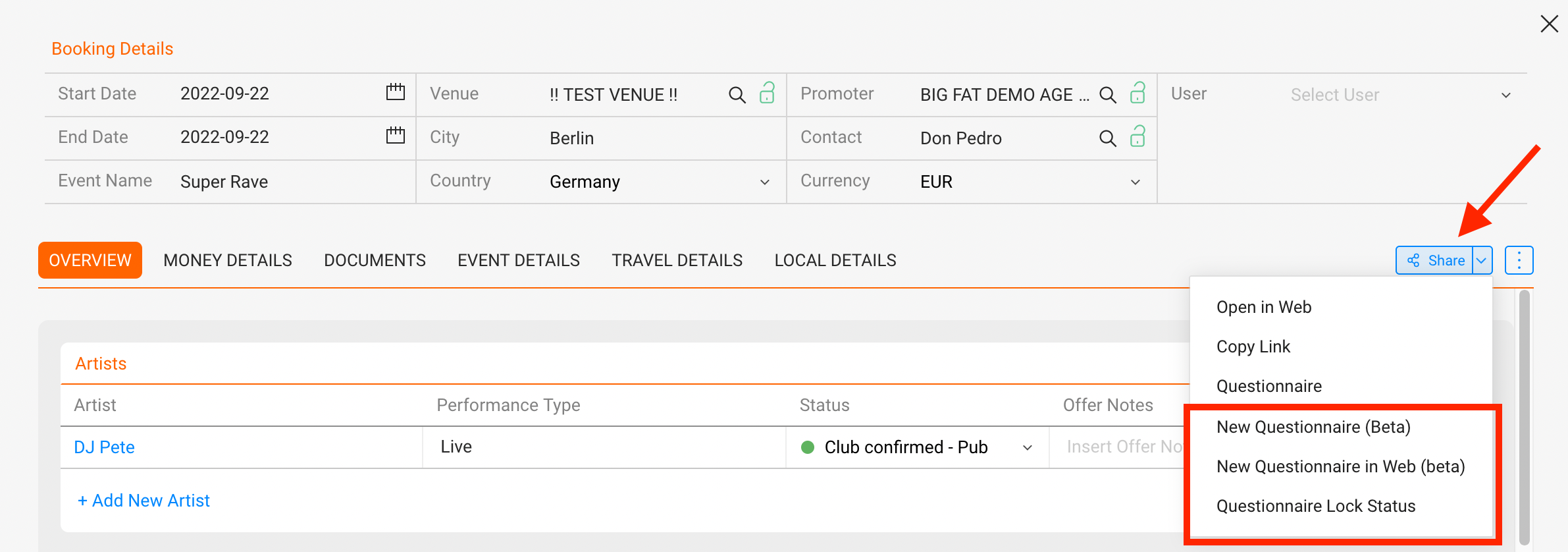
The menu can be found in a show under “SHARE -> Questionnaire Lock Status“: 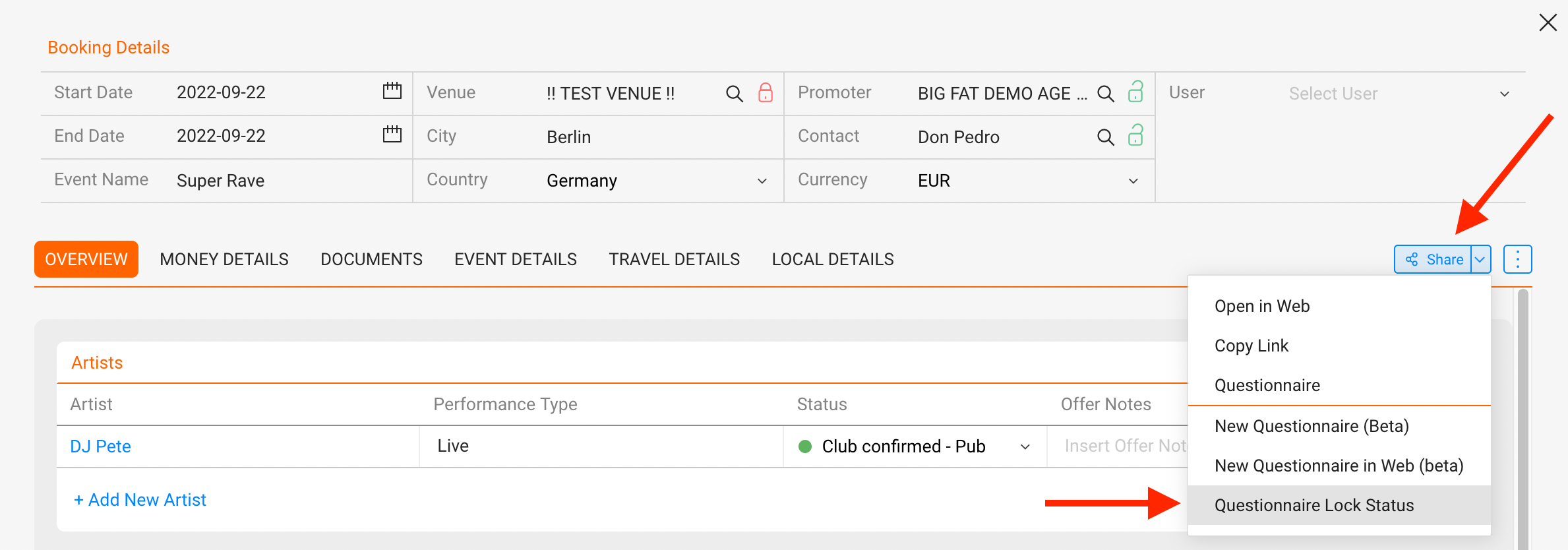
The new Questionnaire Lock Status window looks like following and gives options to lock entire parts or just single items:►
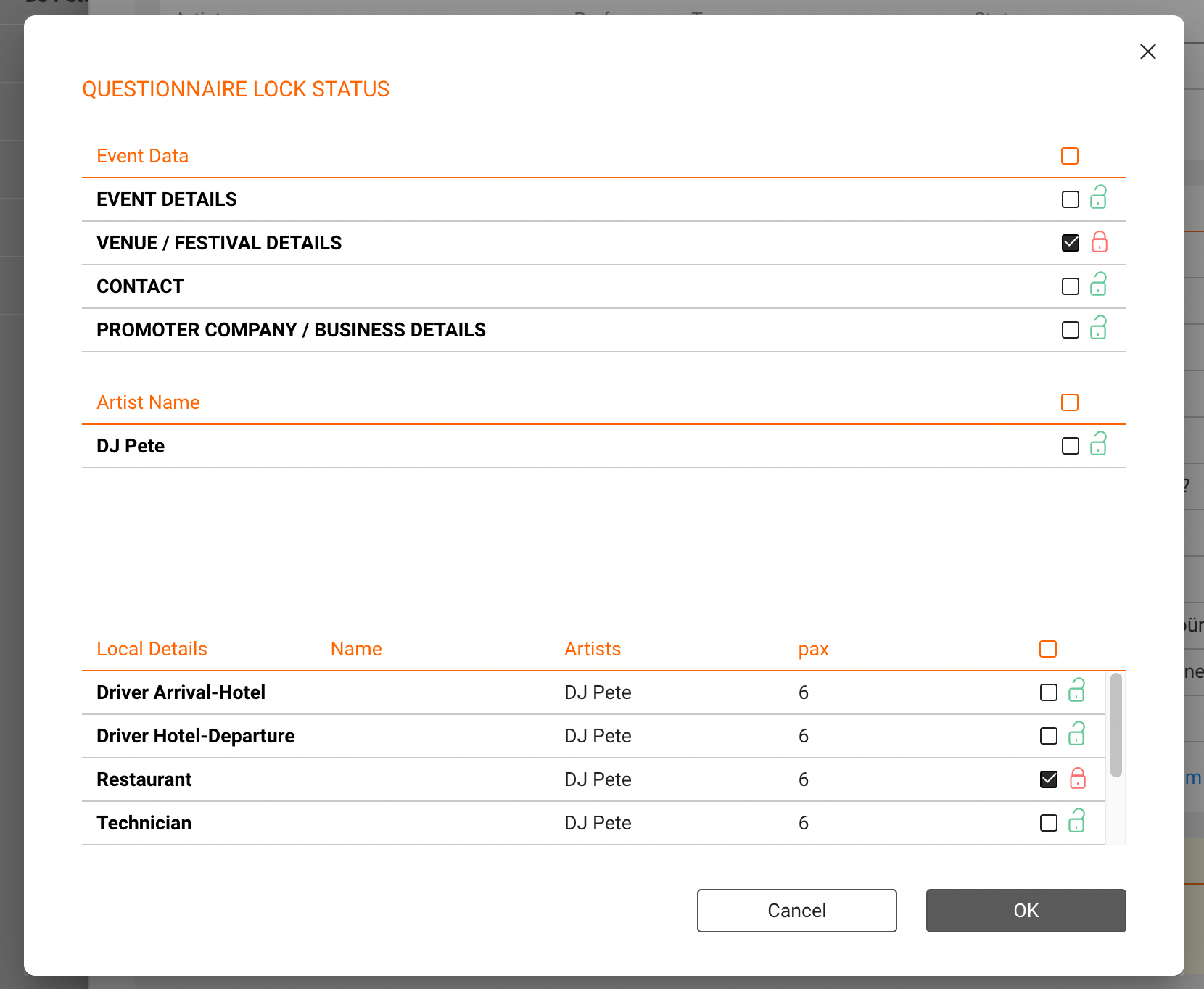
The result is an individually fillable questionnaire where the agent has control over all information
