
details allows you to update pictures such as logos, stageplans, document scans etc. in templates yourself.
To do this, please
1) go to CONTACTS / FILES and upload your new picture, logo file etc. to FILES.
NOTE: Don’t forget to name the file in a way that you will allow you to find it again.
2) Right Click on the uploaded file and select “Copy link location”.
This will copy the link of the file into the clipboard. 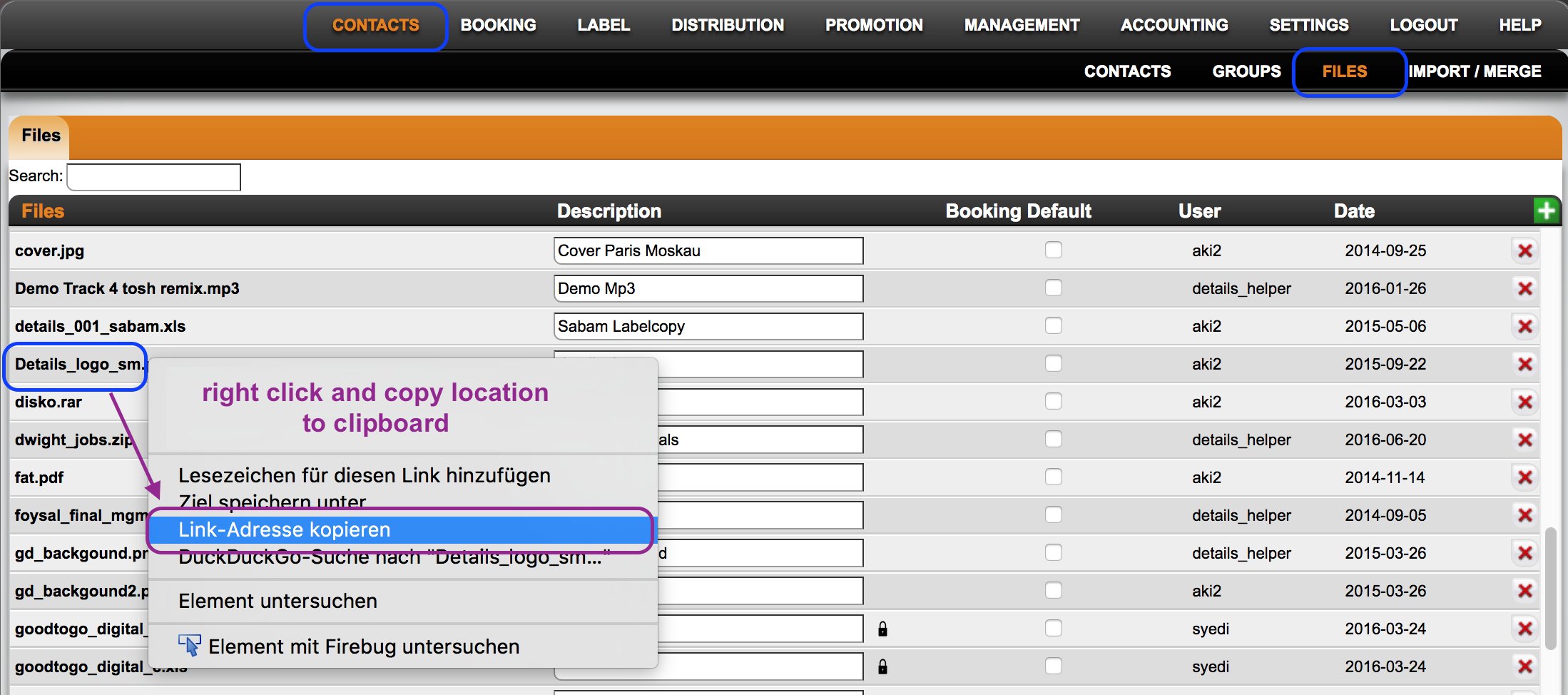
3) Go to the template you wish to change the picture / logo in …
this could be in BOOKING / TEMPLATES or SETTINGS / IDENTITIES or other places in details where templates may be modified.
4) search for the img you want to replace and replace the image link
NOTE: Images such as logos will be included into HTML starting with ”img src=”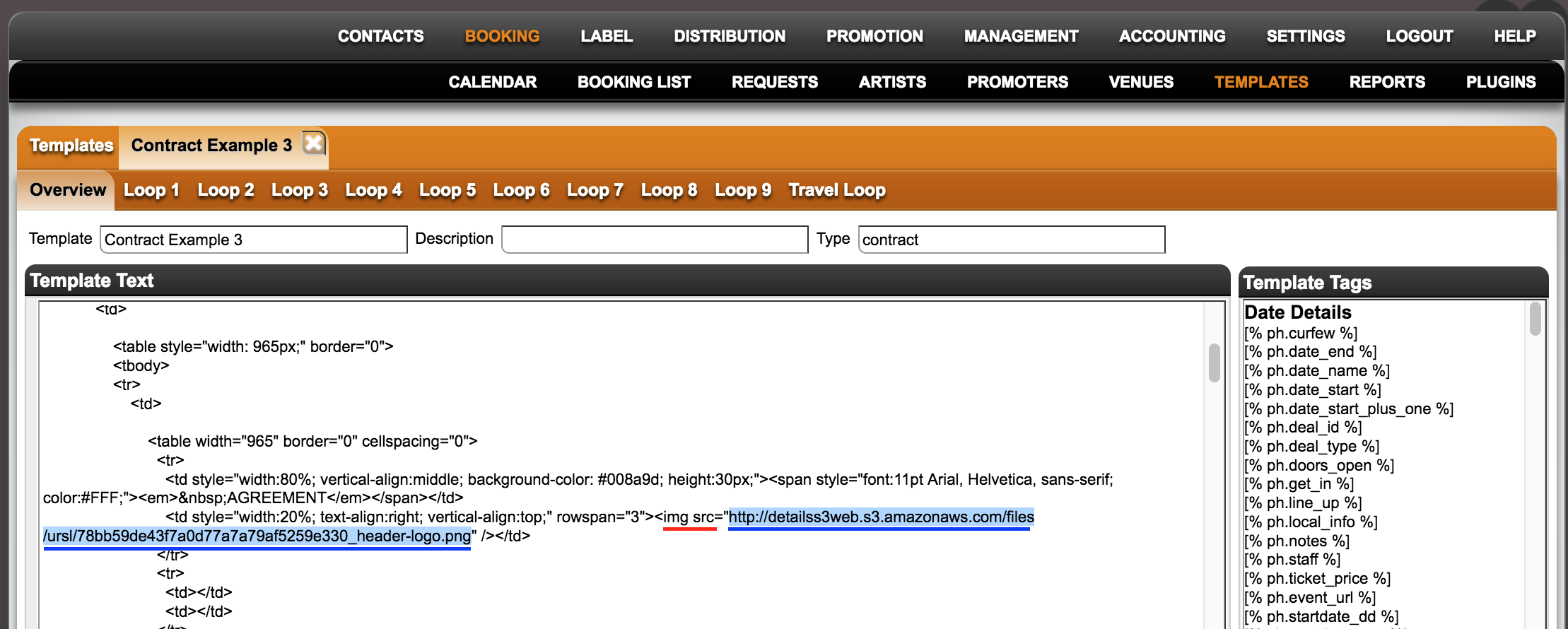
5) safe the amended template.
How to update logos etc in templates
Recently Viewed
Your recent pages