
Copying a show is a great way to save time when creating multiple, similar bookings for the same artist or event. With this feature, you can quickly duplicate key details and adjust only what s necessary, like the date or specific local details. Here s how you can easily copy a show in just a few steps:
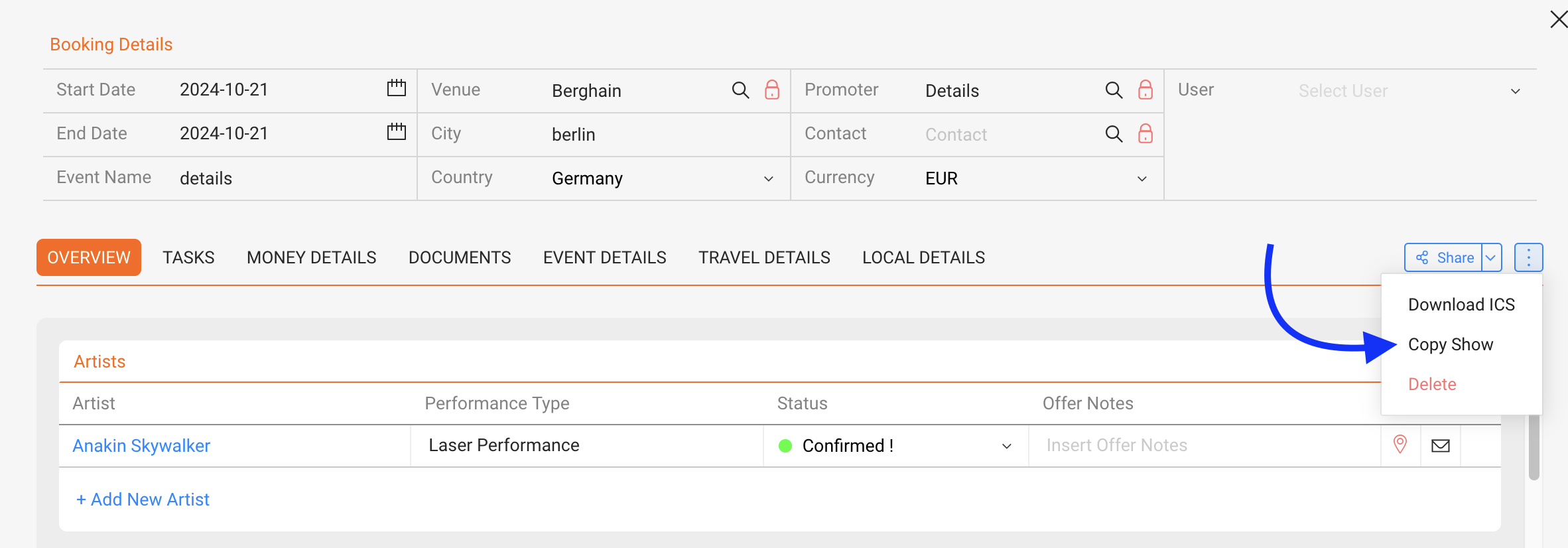
To copy a show, navigate to the show you want to copy, click on the “…” (more options) menu, and select “Copy Show.
A pop-up window will appear, where you ll need to make a few key selections for the new, copied show:
- Set the New Date: Choose the date for the new show by selecting it from the date picker. This will be the date on which the duplicated show is scheduled.
- Select the Artist: Confirm the artist for the copied show. By default, this will be the same artist as in the original show, but you can select a different artist if needed.
- Choose Which Local Details to Copy: Specify if you want to duplicate certain local details such as venue information, contacts, or other local arrangements. You can select all, some, or none of these details based on what s relevant for the new show.
- Decide Whether to Copy the Deal: If there s a deal associated with the original show (such as financial terms or specific agreements), you can choose to duplicate it here as well. Select this option if the terms of the deal should carry over to the new booking.
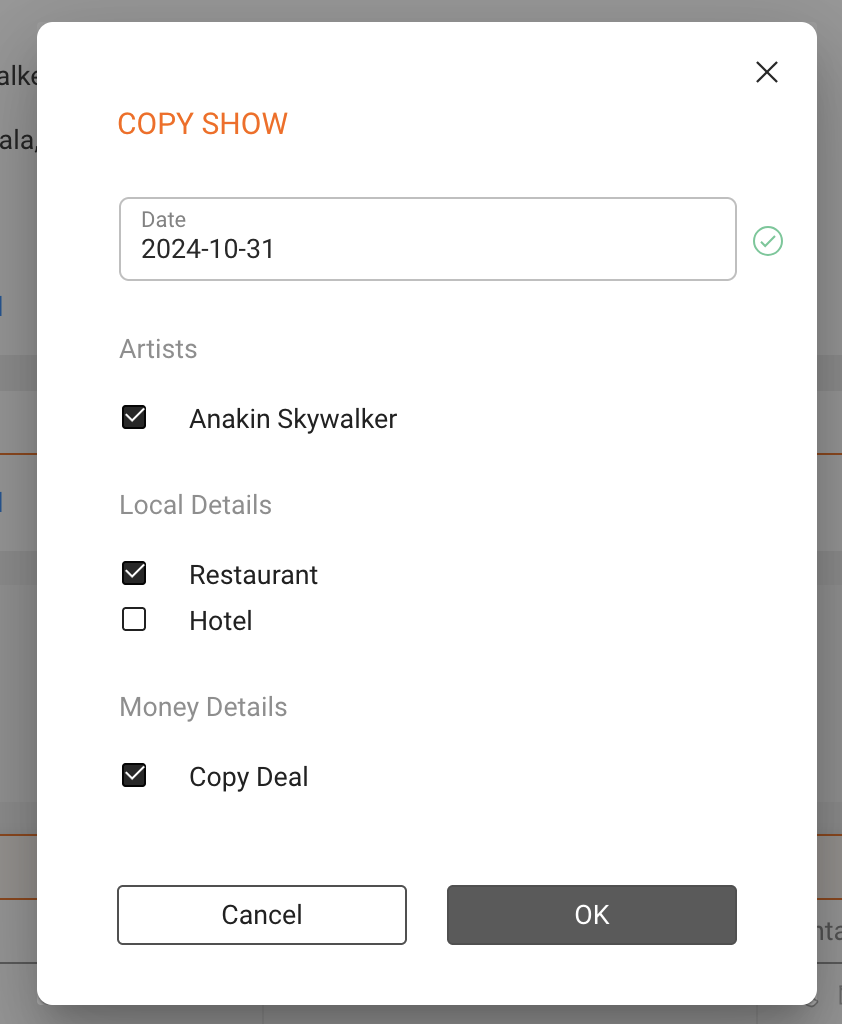
After making your selections, click OK to complete the copy process. The system will create the new show with all your specified details, saving you time from manually entering information again.