
A core functionality of our BOOKING module is to pull data from your bookings into templates for contracts, itineraries etc.
This article will explain you how this works:
1) The first step on the way from a booking to a fully featured template is to create a booking.
It is on the subtab “Documents” of any booking that you will be able to create documents such as contracts, itineraries, etc.
Obviously without a booking there will be no contract or itinerary.
There are two ways to create new bookings:
* create it manually by clicking on the Plus icon on any day in the Booking Calendar and work through the 4 steps of what we call the Booking Wizard (a. Date, City, Artists / b. Venue / c. Promoter / d. Contact)
* process an incoming Booking Request
Both workflows will already collect tons of information which you will be able to use for your documents later, for example
– the date
– the city and country
– the selected artist with all related infos
– the selected venue with all related infos
– the selected promoter with all related infos
– the selected contact with all related infos
All of these information can be pulled into your documents through your Templates
The way this works is that you can place variables in your templates that will be pulled for the specific document you are working on. You can find a list of all available standard variables here
2) Now in addition to standard information details also allows you to create custom fields.
Examples for custom fields are all custom fields from REQUEST SETTINGS and LOCAL DETAILS SETTINGS: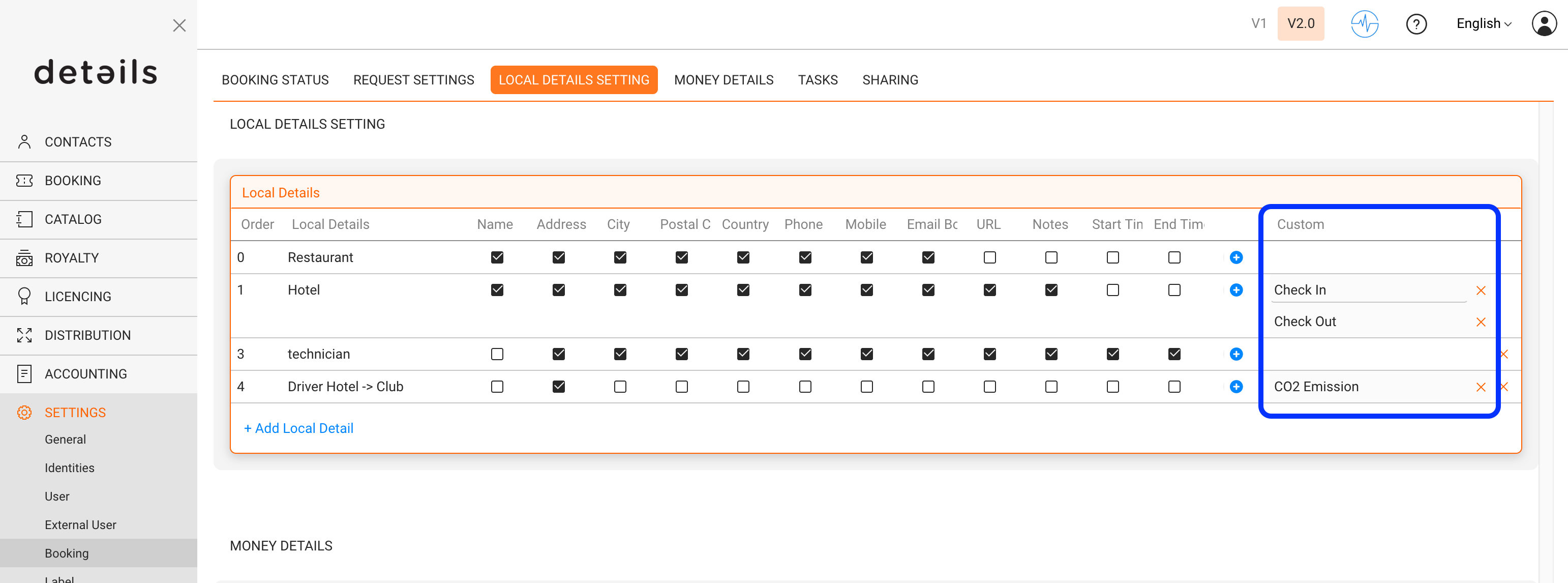
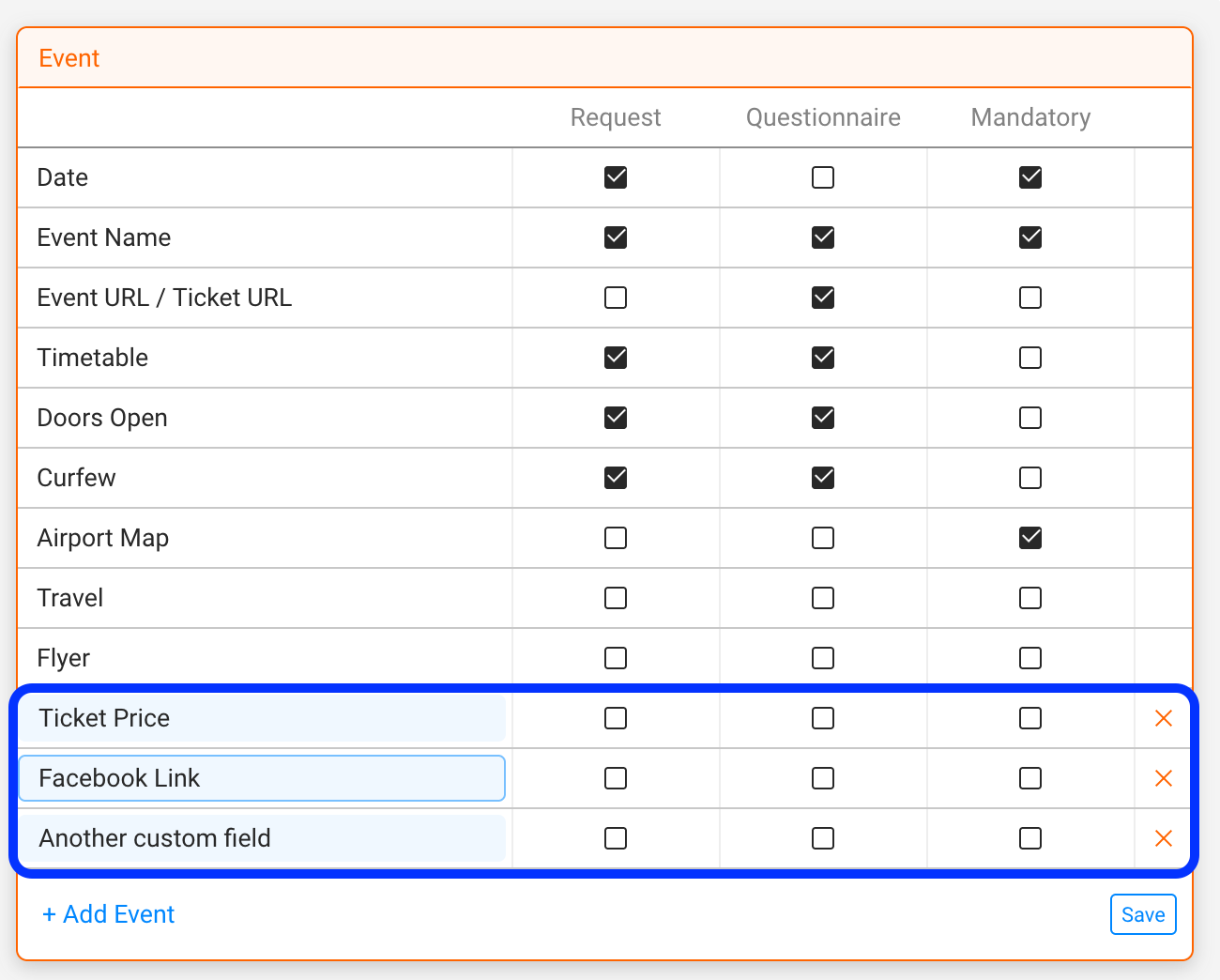
Each of those fields will automatically make their a specific custom variables available.
The custom variables for the custom fields “Ticket Price”, “Facebook Link” and “Custom field” would be
[% ph.custom(‘Ticket Price’,’calendar_dates’) %]
[% ph.custom(‘Facebook Link’,’calendar_dates’) %]
[% ph.custom(‘Another custom field’,’calendar_dates’) %]
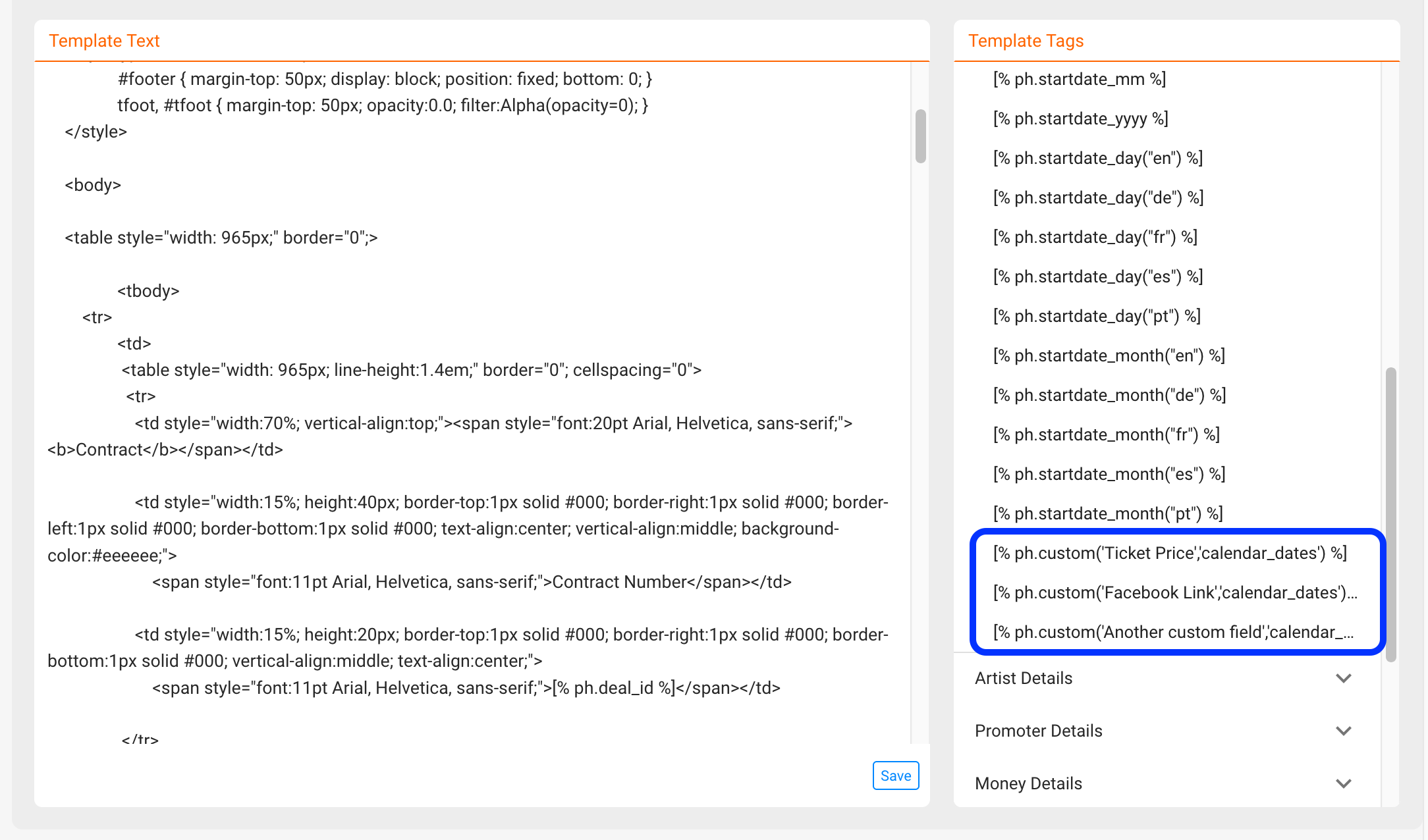
NOTE: Please remember that the custom variables include the NAME of the custom field.
This also means that whenever you change the name of a field, you will change the custom variable and variables will only pull data from a field if the name is identical.
In other words: If you change the names of your custom fields, the custom variables will need to be adapted as well!
Old custom variables will not work once you change the field names!
3) The third and last step to understand how data is pulled into documents is how to include variables into TEMPLATES.
A detailed description of how variables are included in contracts can be found HERE.
Those articles also include a lot of tips and tricks to use additional logic in the templates such as specific date formats, IF ELSE clauses etc.