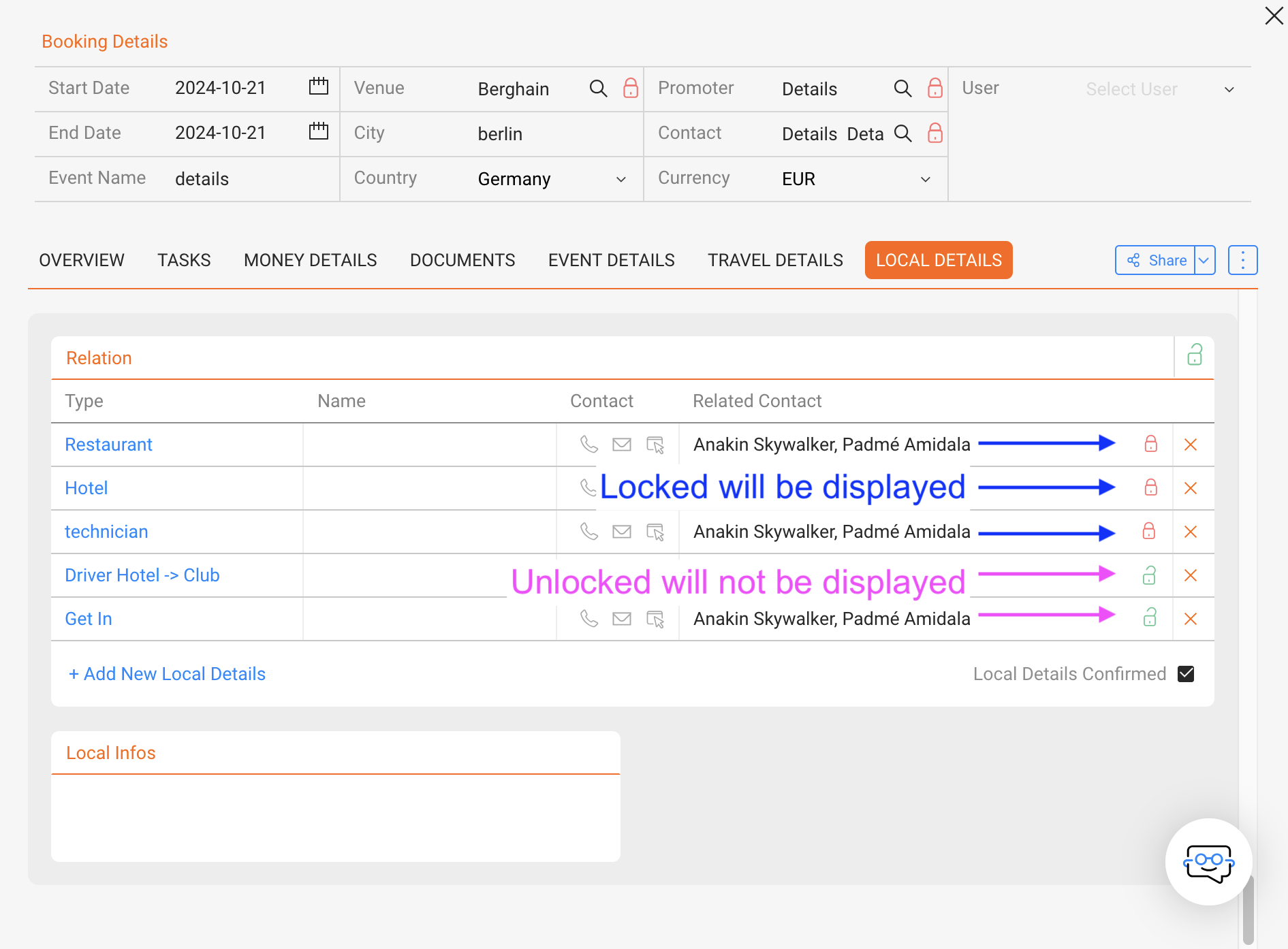
To display only confirmed/locked local details in the Artist App or iCal, instead of all local details, go to:
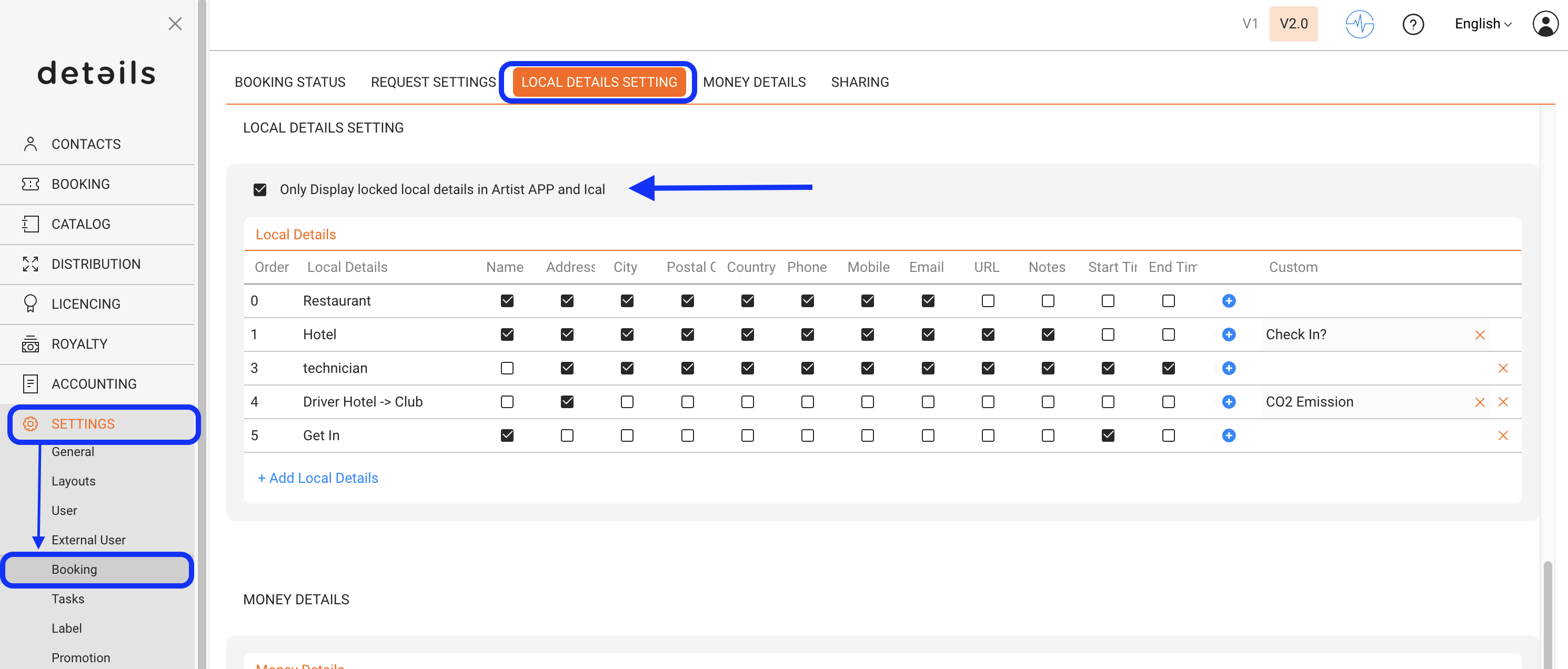
- If the option is checked, only the locked local details will be displayed in the Artist App / Ical.
- If you do not choose the option, all informations no matter if locked or not will be displayed.