details now provides an easy overview of free dates for each artist.
For any selected artist just select which months and weekdays you want to share and easily copy free dates with a click on the button “Copy Results to Clipboard”.
You can then paste the free dates to any email or chat and send them out. Nice!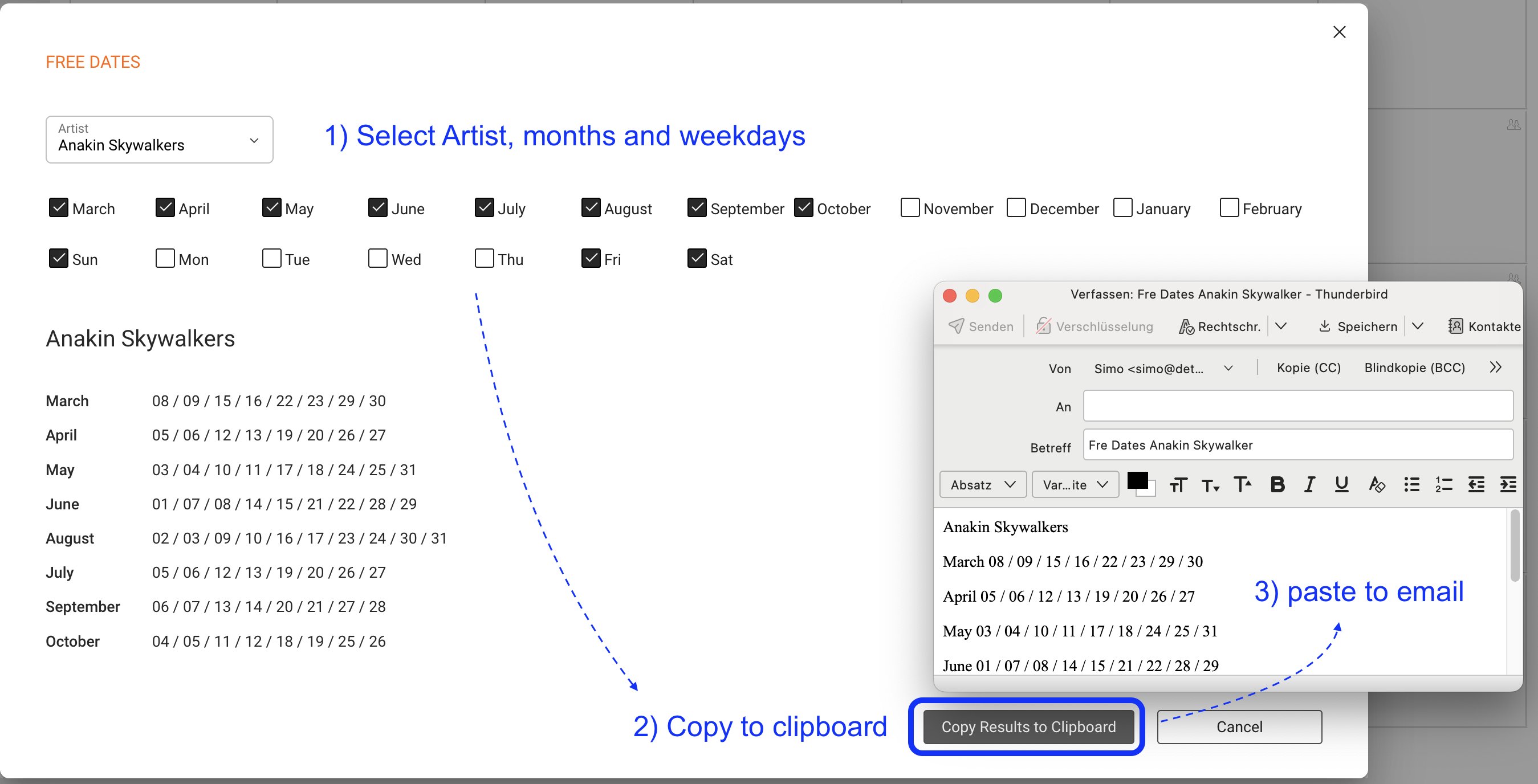
You will find this in two places:
1) in the Calendar under the “…” menu
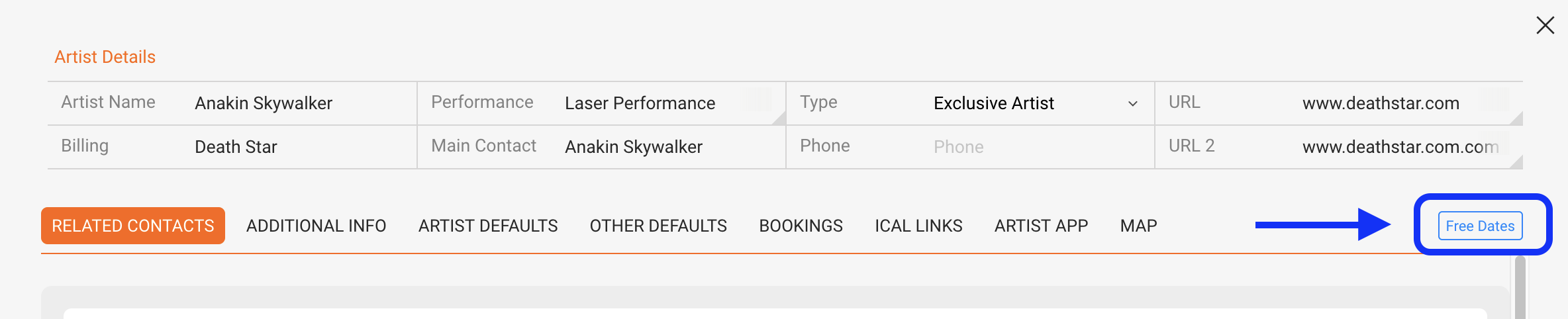
2) in the Artist / Overview
HOW TO SETUP WHICH FREE DATES ARE SHOWN
Any user may customize the client’s booking settings in
SETTINGS / BOOKING / BOOKING STATUS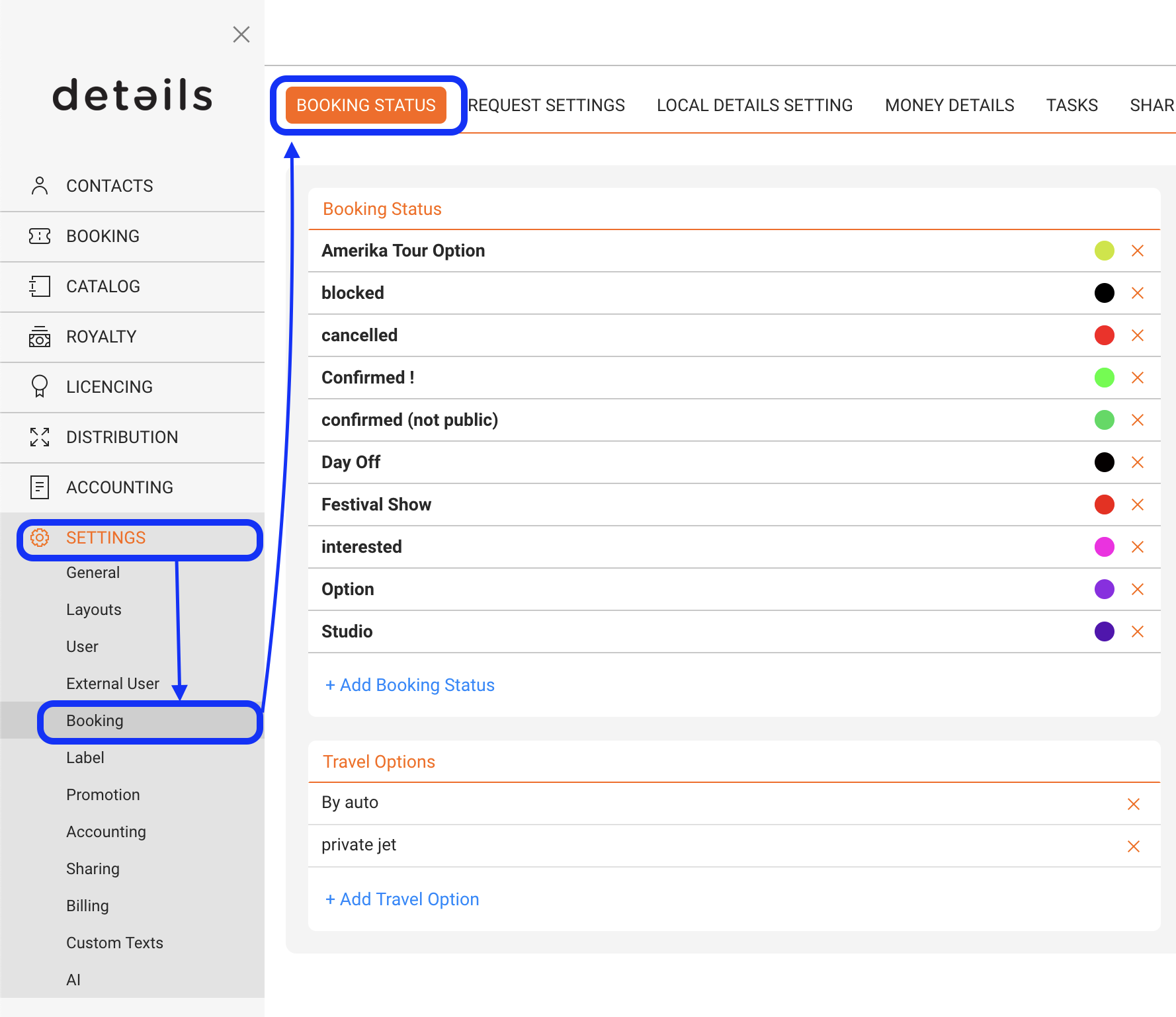
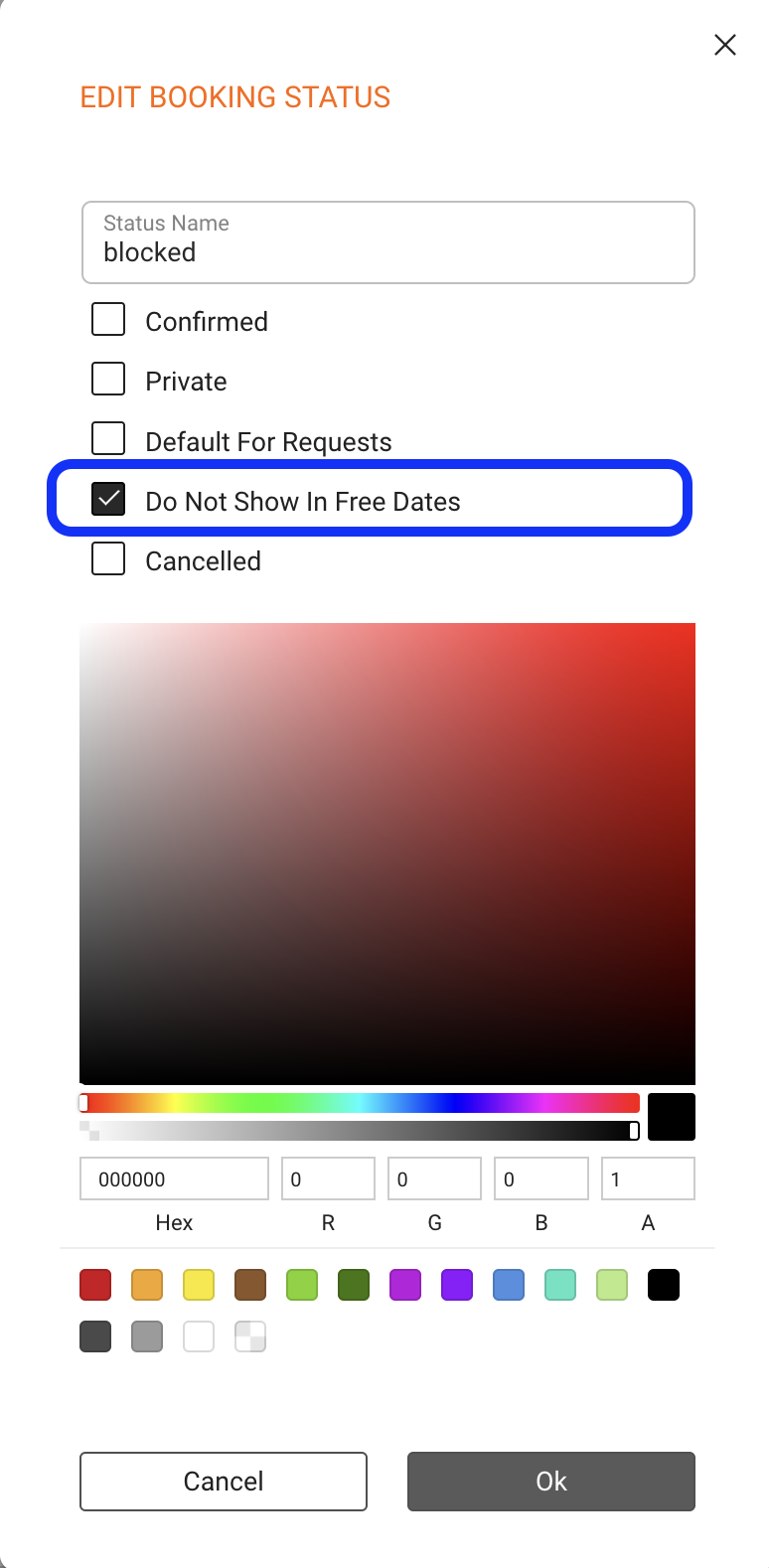
We added checkbox to not display a booking in the FREE DATES feature. Just click on a Booking Status and to avoid display, click “Do Not Show In Free Dates” in the status you do NOT want to show.