
Details will automatically send email notifications to our users in various steps of the workflow.
In the BOOKING Module the following email notifications are automatically send to the agents & logistics people:
1) Questionaires:
* Notification of submitted questionaires
* Reminders for NOT yet submitted questionaires
2) Contracts:
* Notification of submitted online agreements
* Reminders for contracts NOT yet agreed to
3) Invoices:
* Reminders for open, i.e. NOT yet fully paid invoices
4) Artist App:
* All Notifications to the Agent regarding
– New booking requests
– New gig feedback
– New guestlist requests
ALL NOTIFICATIONS are send to details users in the following sequence:
1st recipient: Responsible Agents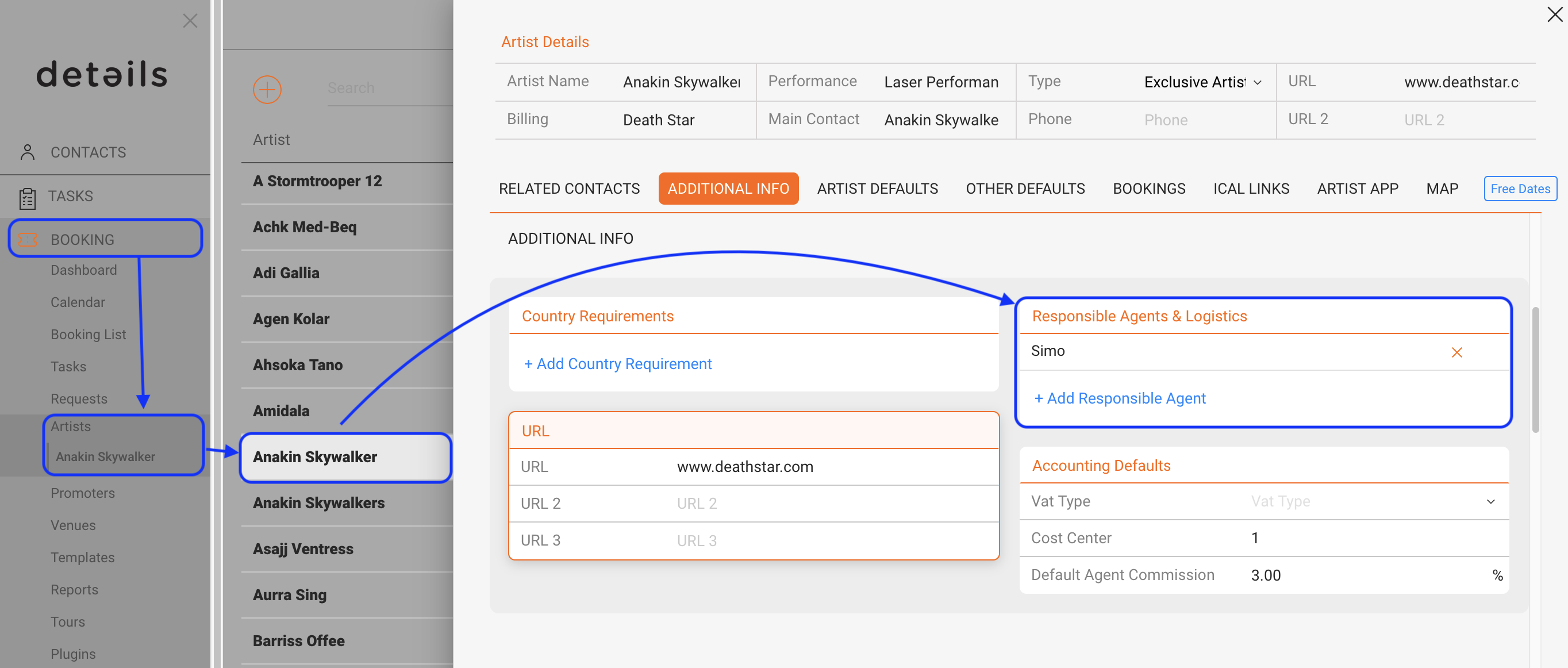
… if there is nothing set for these then
2nd recipient: Agent for the selected booking
… if there is nothing set for these then
3rd recipient: Client Administrator
Here is how to manage WHO will receive email notifications:
The email for notifications to responsible agents (1st recipient) and the agent for a booking (2nd recipient) is stored in the USER SETTINGS for the specified user.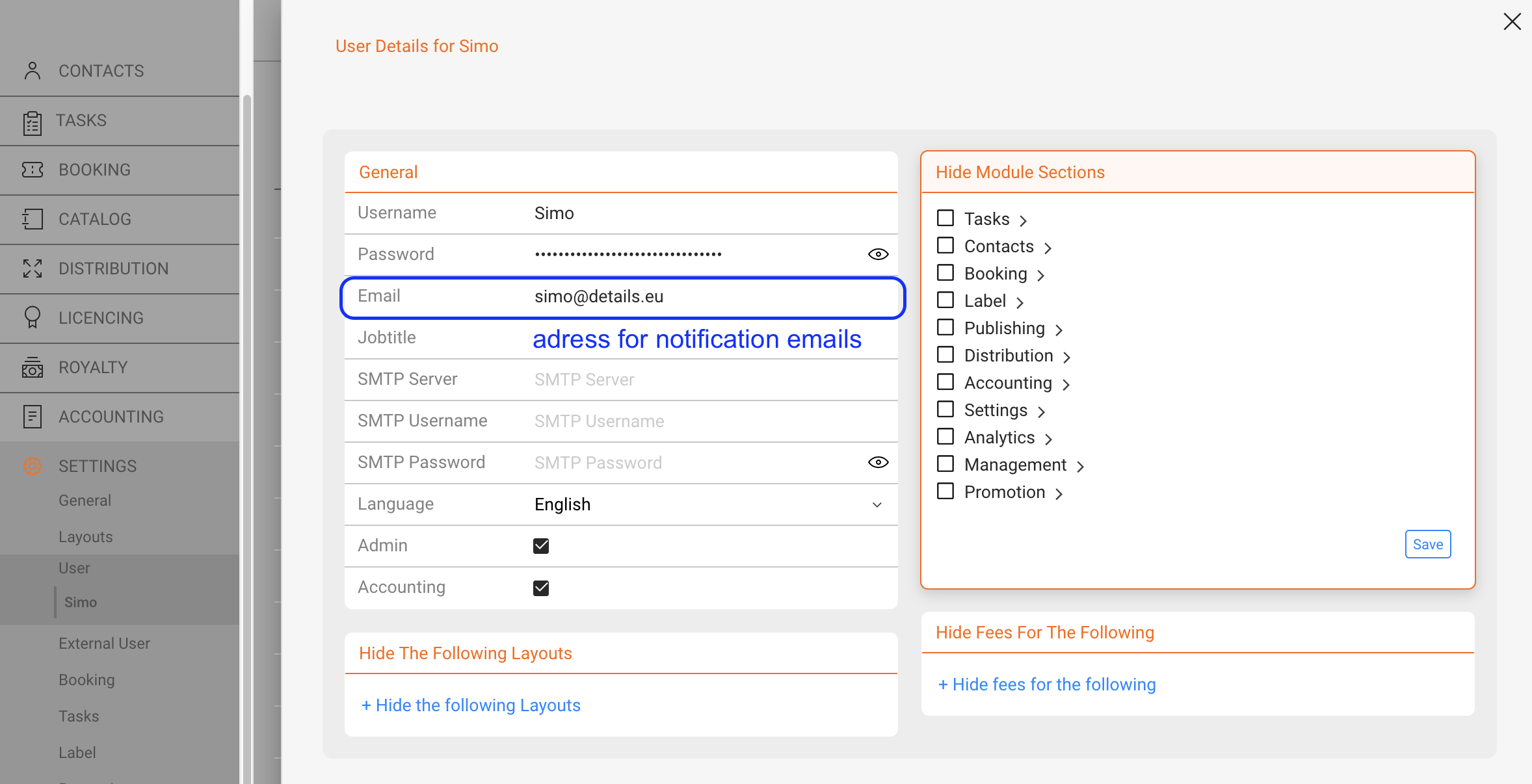
If you wish to change the Administrator contact for your client, please contact our support
To set who should receive reminders for contracts not yet agreed to and WHEN those are send out, please go to SETTINGS / BOOKING and enter an email in the Booking Defaults box.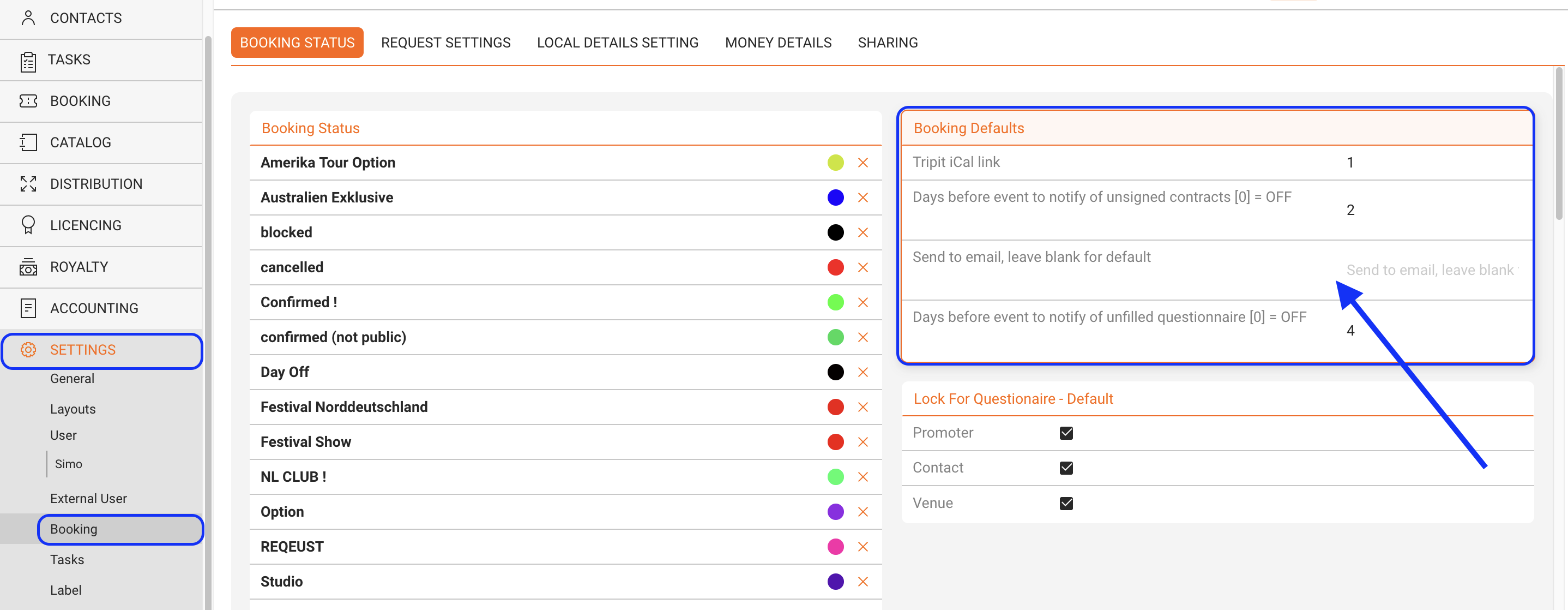
To set who should receive reminders for Invoices not yet paid, please go to SETTINGS / ACCOUNTING and fill the Invoice Notification box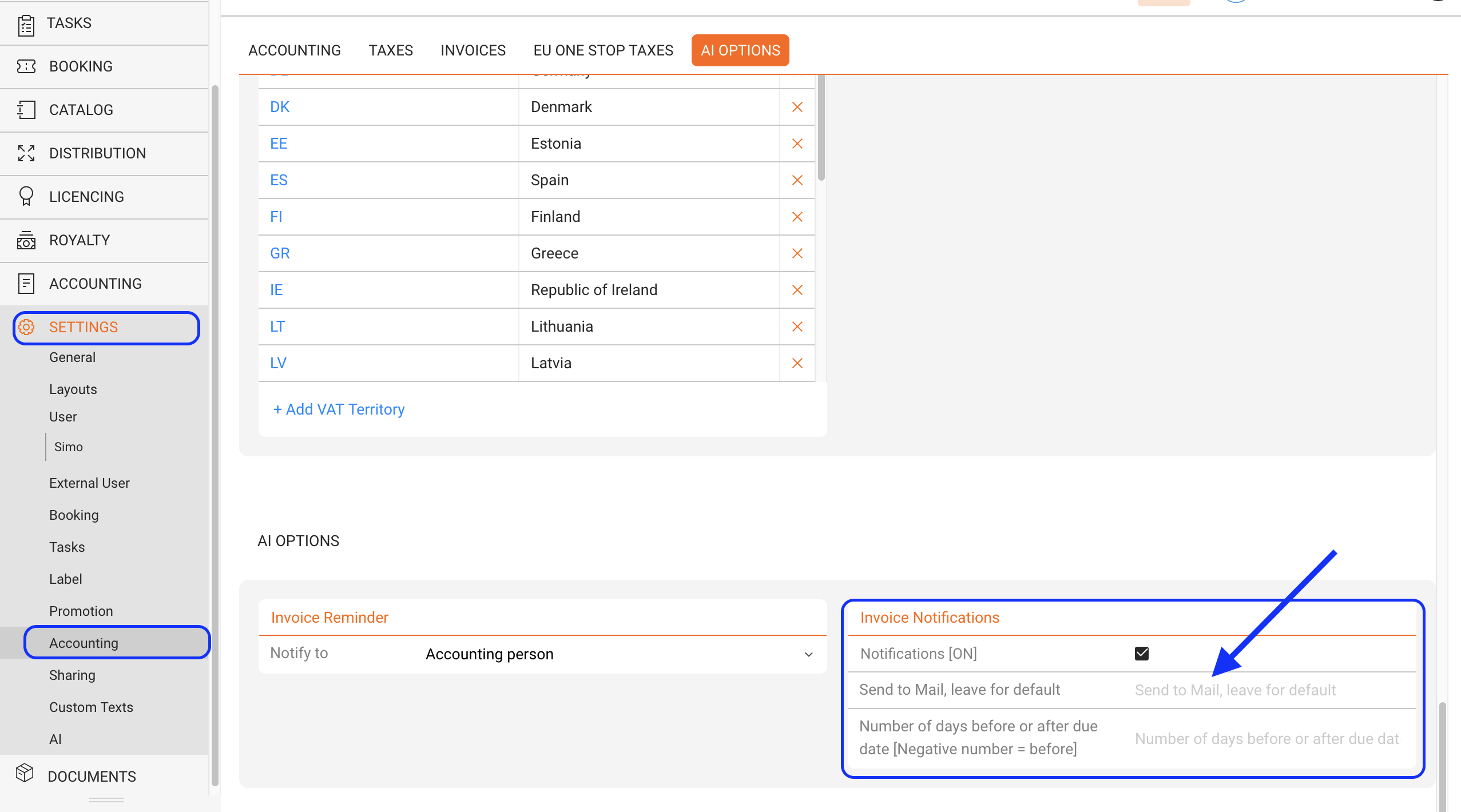
Automated Email Notifications
Recently Viewed
Your recent pages