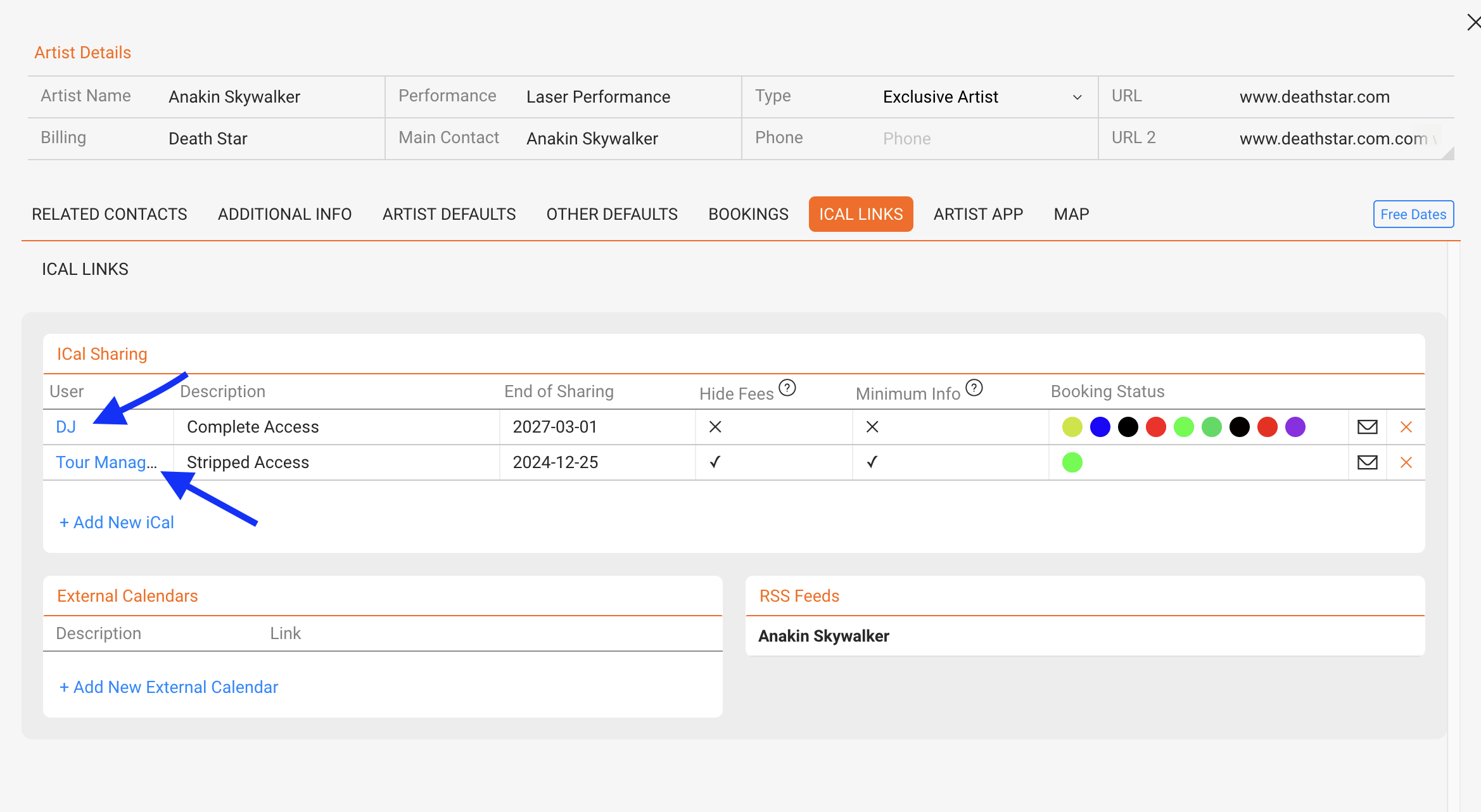
Managing Permissions for iCal and Artist App Information
details feature allows you to customize permissions for accessing iCal information and Artist App data. This ensures that different roles, such as tour managers, artists, or management teams, can view only the information relevant to them.
For example, financial details or specific booking statuses can be hidden from certain users while remaining visible to others.
Flexible Permission Management
With this system, you can easily modify existing permissions, add or remove information, or adjust statuses. Importantly, there s no need to recreate and resend iCal or Artist App links when permissions change the updates are applied seamlessly.
Transitioning to the New System
To use the new permission-based sharing system, you must first deactivate the old system.
Please note:
- Once the old system is deactivated, existing links will no longer be updated.
- This step is necessary because we have built a completely new architecture to support the advanced permission-sharing capabilities.
By switching to this system, you ll gain greater control and flexibility in managing access to your data.
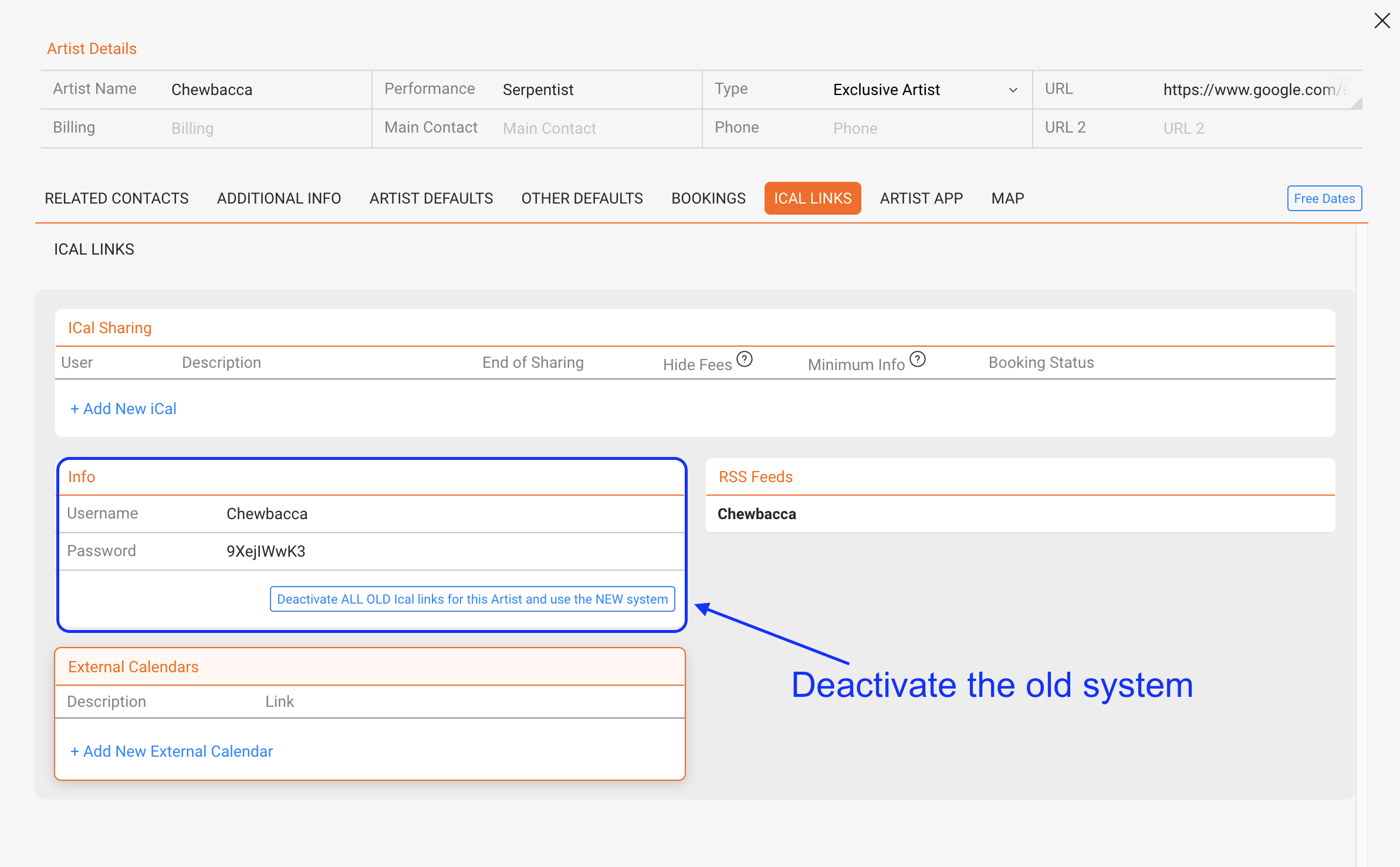
Once the old system is deactivated a new user based sharing can be created.
Click on either +Add new Ical or +Add new Artist app Access
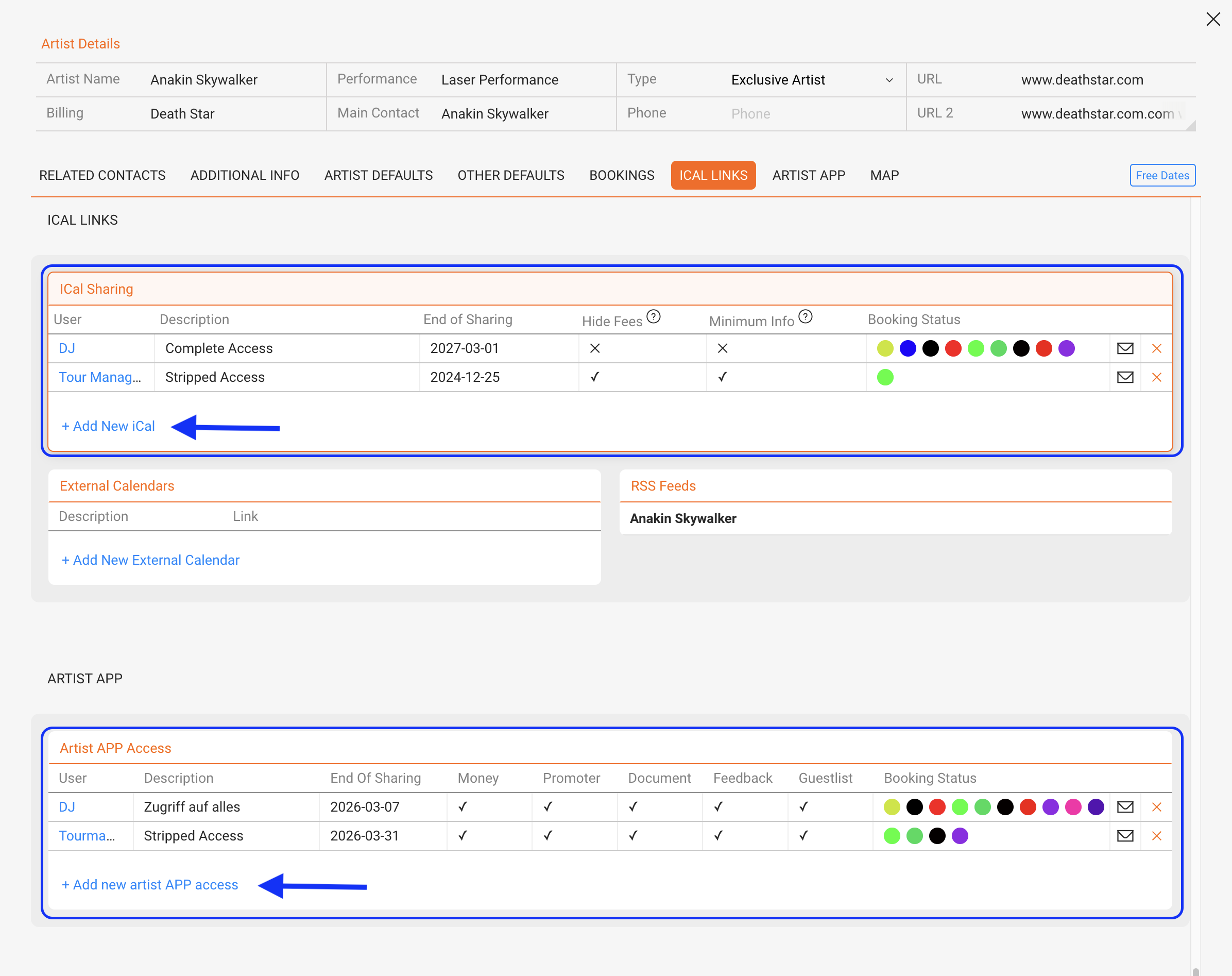
+Add new Ical gives you the following options:
|
|
|
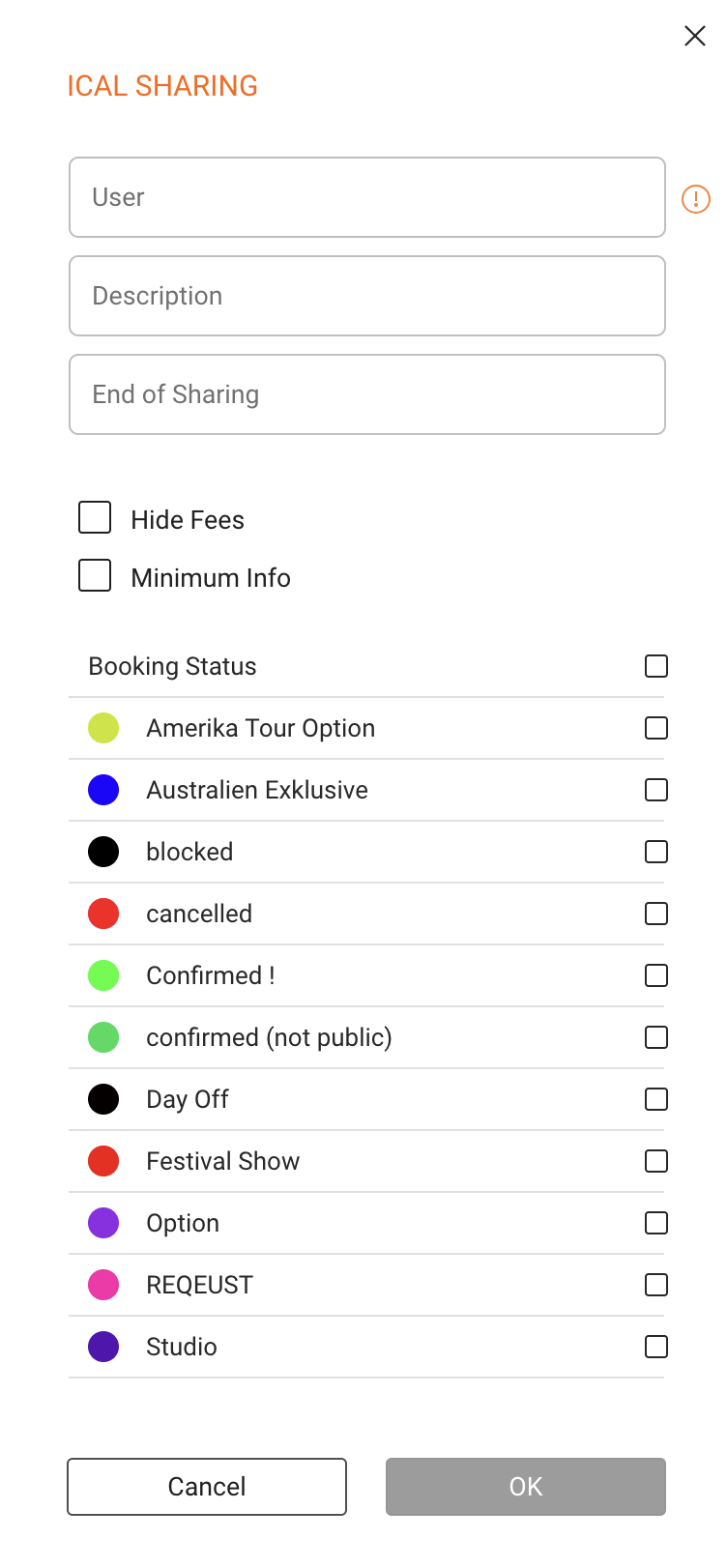
+Add new Artist app Access gives you the following options:
|
|
|
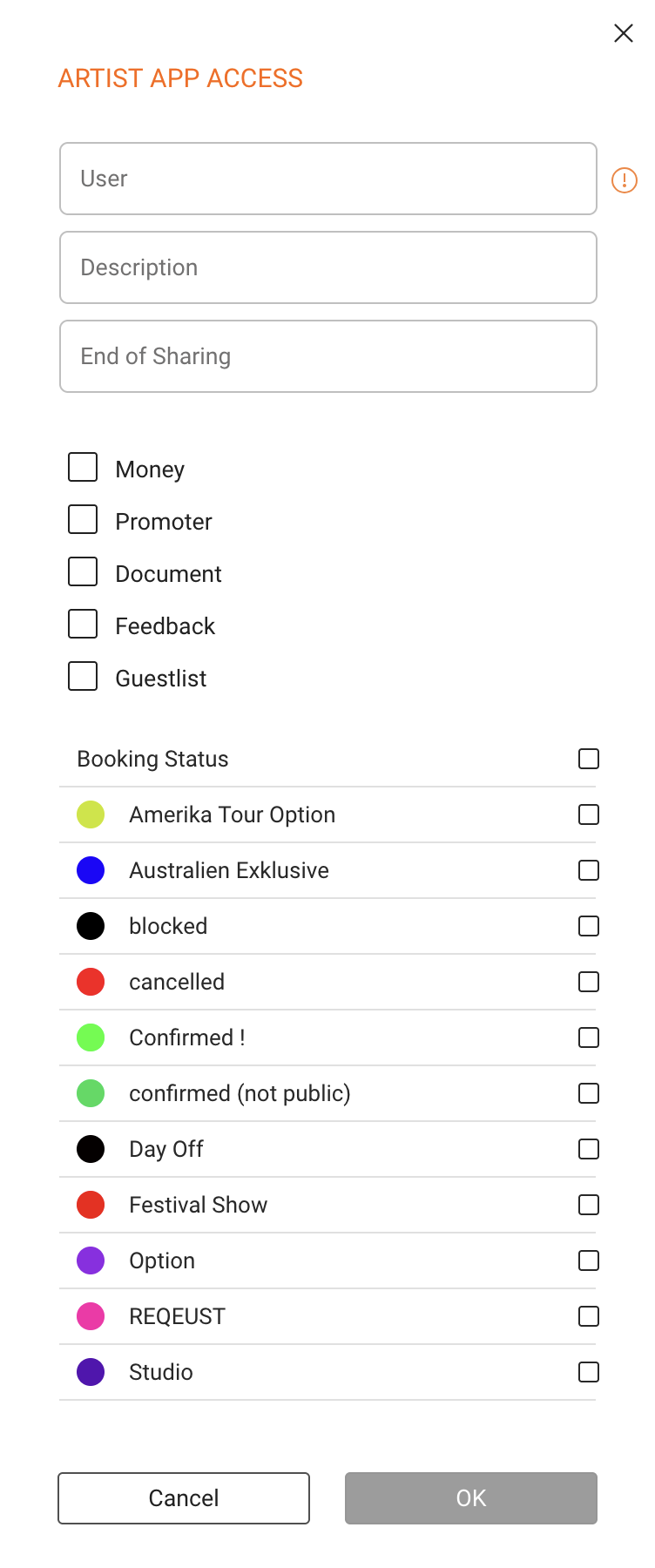
Once the permission / user is added, the informations can easily be modified.
To access it just click on the user name to open the modal.