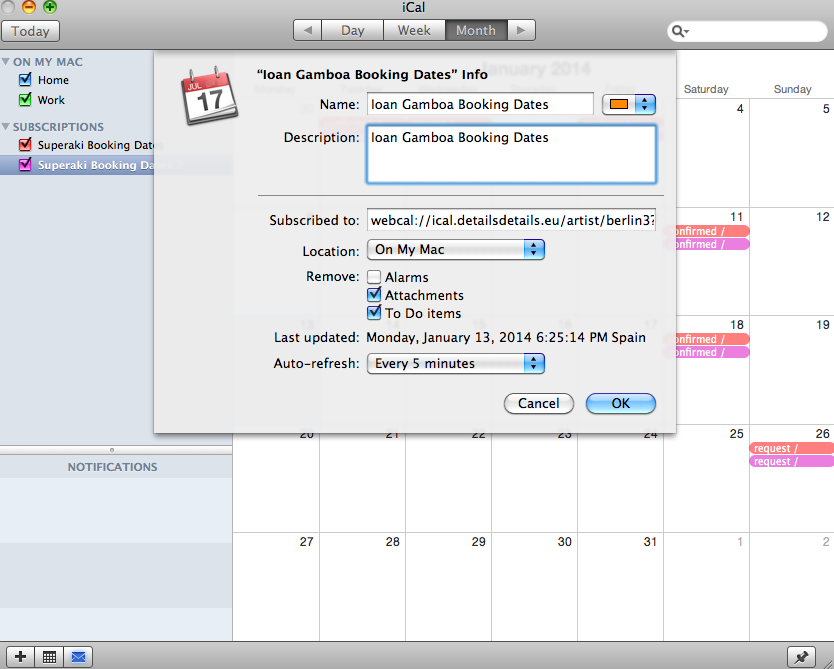
This page will help you subscribe to an iCal feed with your bookings provided by details.
When see this page, you should have received an email from your agent with two links:
1) ### iCal Feed ###
2) ### Online App ###
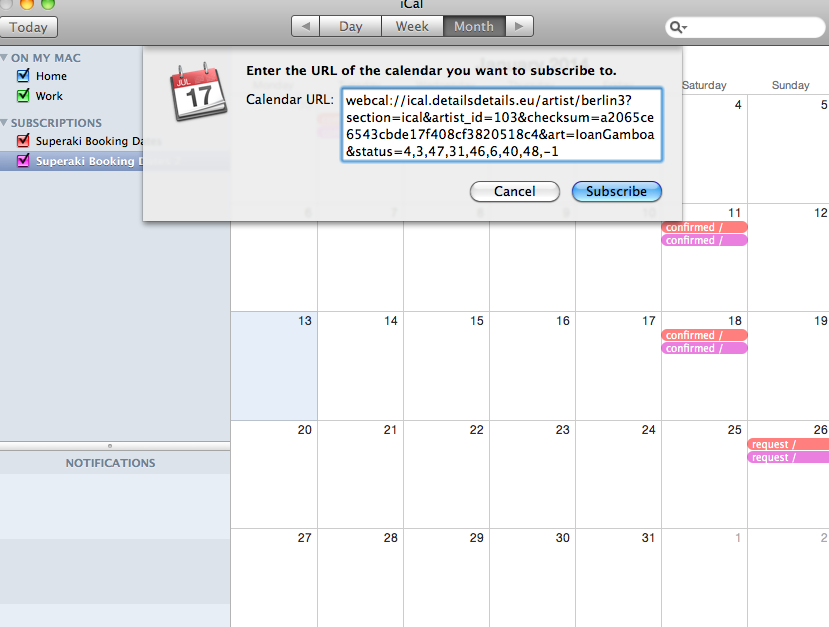
1. To subscribe, just click on the first link in the email you received. it should take you to step 2) automatically.
If not, open ICal and click on the ‘Subscriptions’ section with the right mouse and paste in your link.
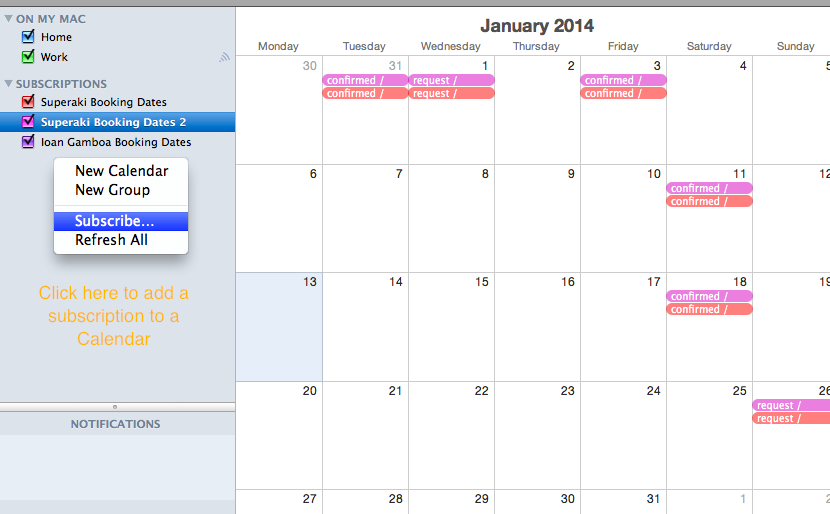
2. Add the new calendar to the your Ical.
3. Edit the ‘Settings’ of the Calendar Subscriptions as required (auto-refresh, attachments..)