
Follow these Steps to add external ICal calendars to Details (either ICal calendar suscriptions or local ICal):::From your current ICal suscriptions::
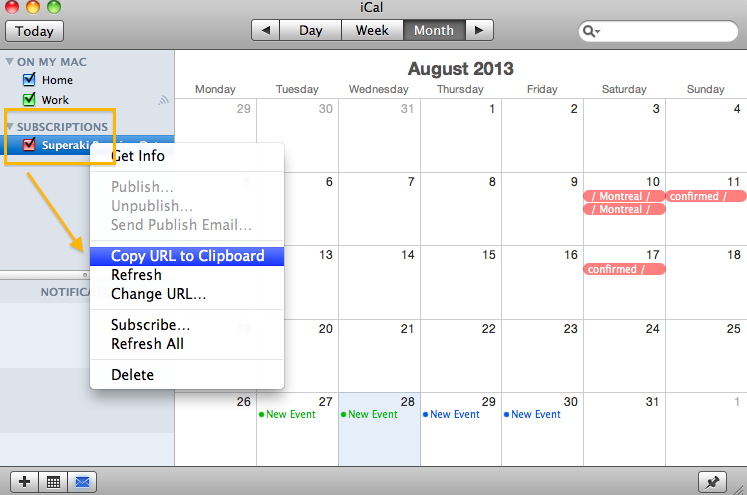
*Open your ICal – go to your current Calendar subscriptions on the left – choose one and click-right with the mouse to show the preferences – Choose: Copy URL to clipboard or ‘Get info’ to get the link
*Add this link to Details
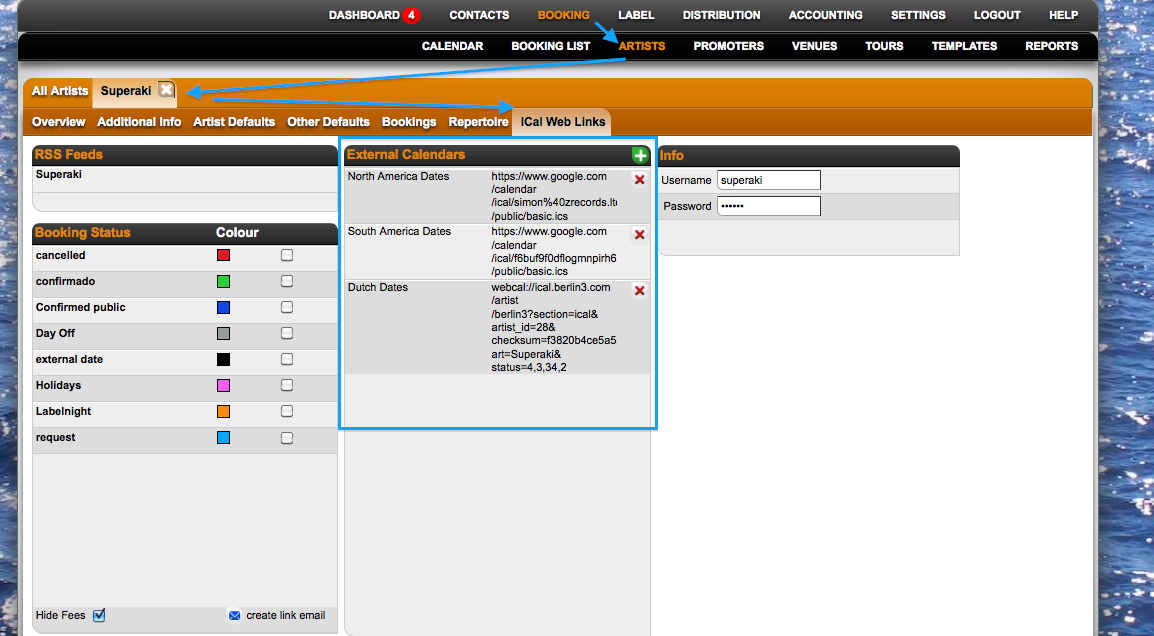
*You will see the external dates on Details: 24 hours later.
::From your local ICal Calendar in your computer::
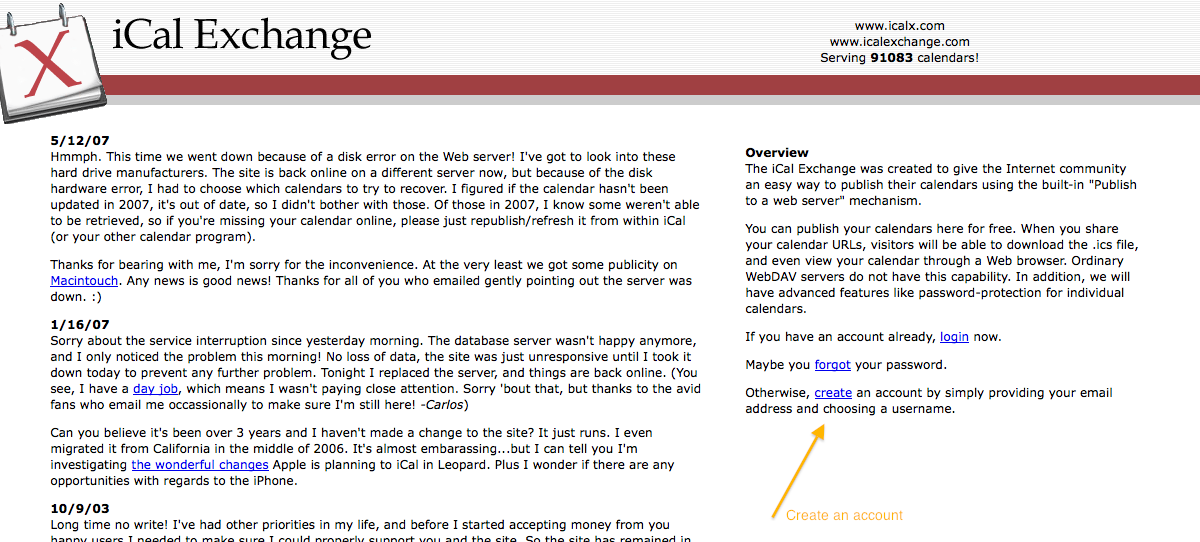
*To add it on Details, first it needs to be published on an online server like: http://icalx.com/
*You need to create an account on Icalx.com
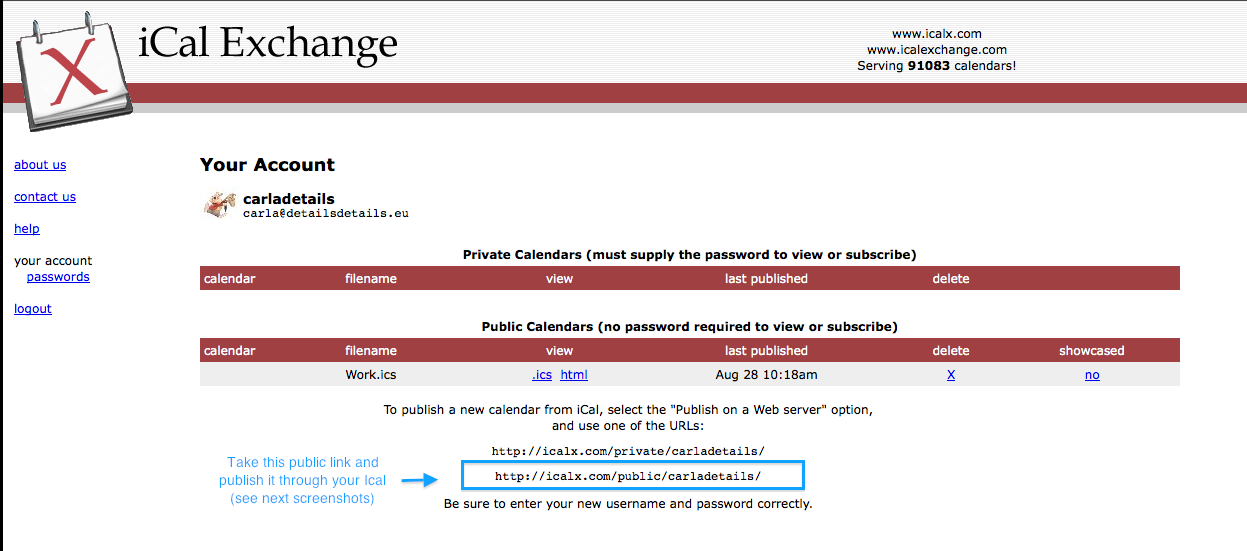
*Copy the public link that appears in Icalx
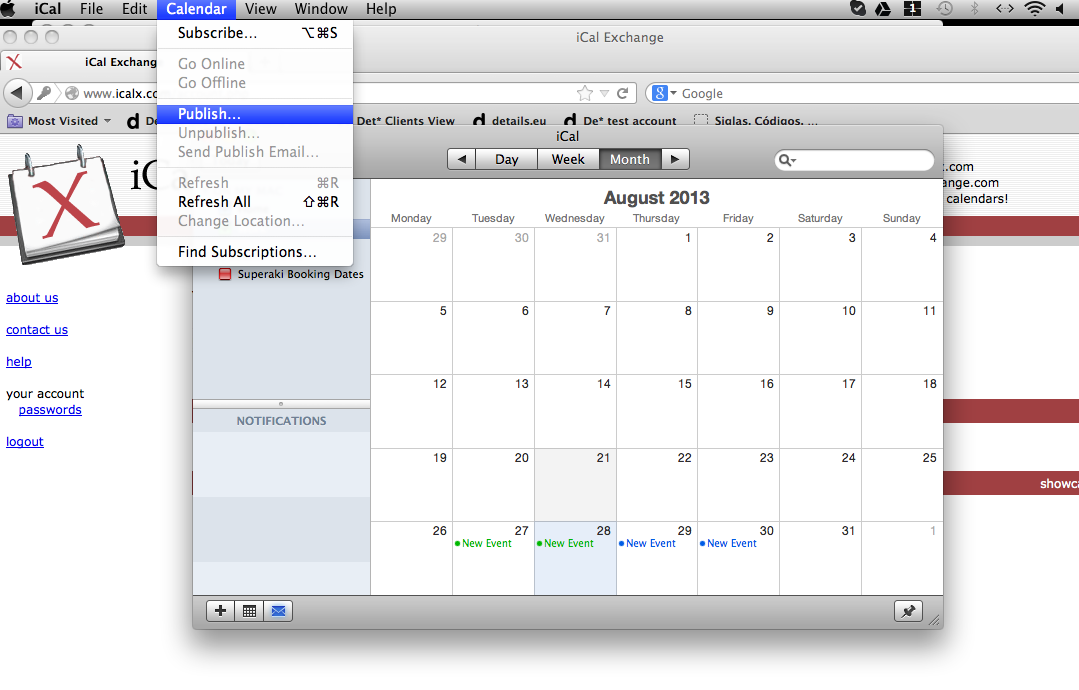
*Go to your ICal, click on Calendar (general Ical options on top), click on Publish
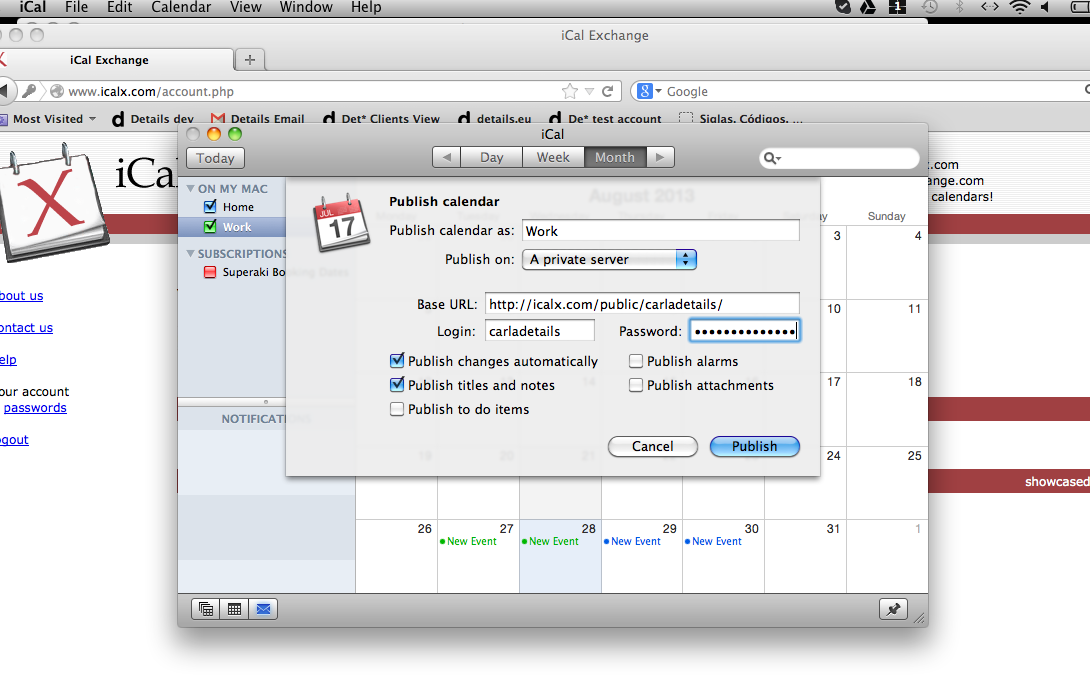
*Select: Publish on a private server and add the copied Url (from screenshot 2) in the Base URL section. Select other options as you wish. Then click on the ‘Publish’ button
*When the calendar is published, you receive the final ICal url
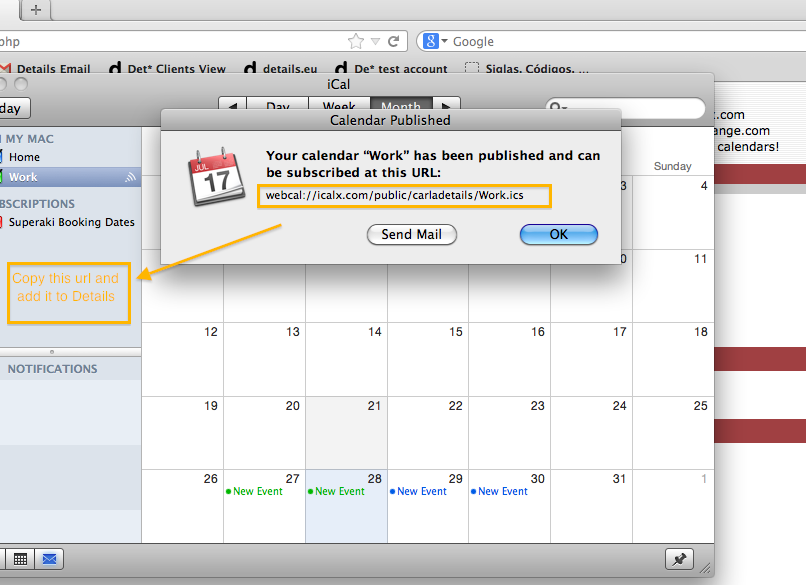
*Copy this link and add it to Details – Artist profile – Ical web links
*You will see the external dates on Details: 24 hours later.
How to add external ICal calendars to Details
Recently Viewed
Your recent pages