
Follow these Steps to add Details Calendars to Google Calendar:1. Go the the ‘Artist profile’ – Web ICal Links section
2. Take the steps to create a Link – choose the info you want to be seen in that link
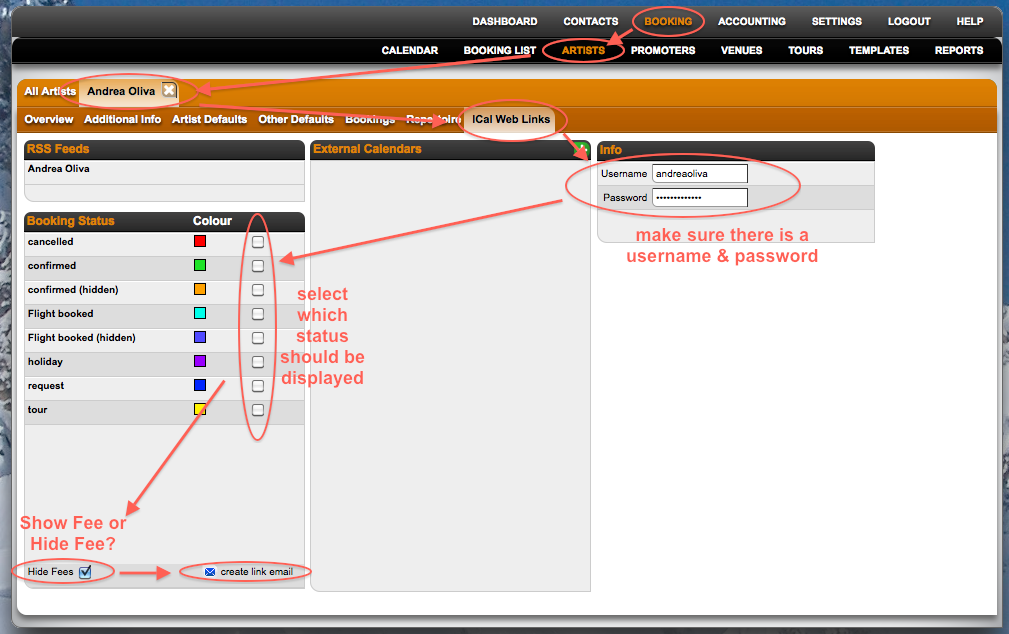
3. When the link is created, you have to pick the link you receive in the email (### iCal Feed ###).
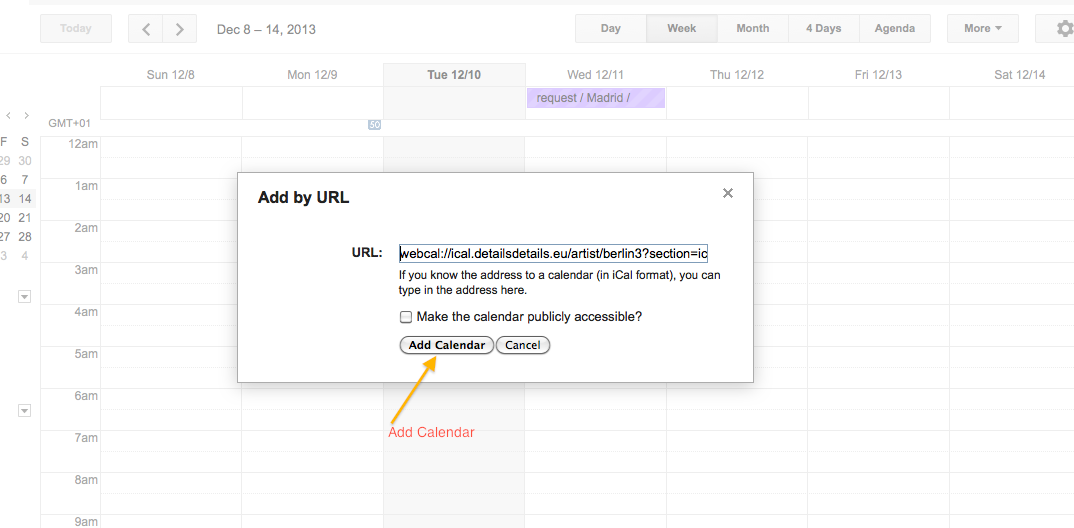
4. You copy paste this link to your Google Calendar
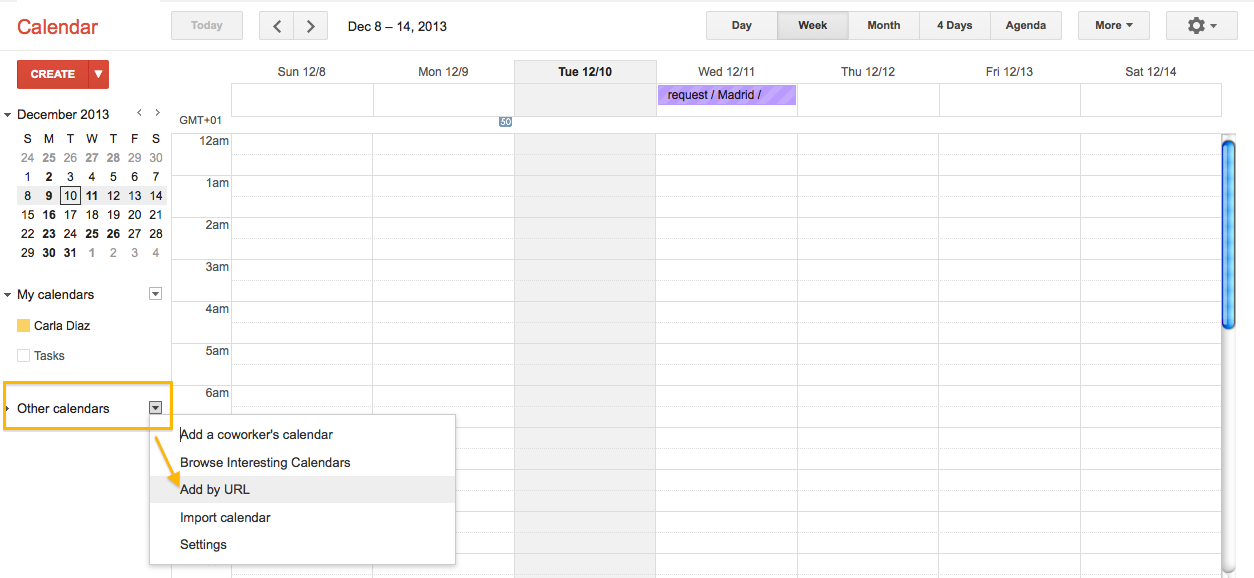
5. Add Calendar, without making it public
How to add Details Calendars to Google Calendars
Recently Viewed
Your recent pages