
Table of contents
If details seems slow to you, there can be a number of reasons. To give you more insight, we’ve created a dedicated Speed Test page.
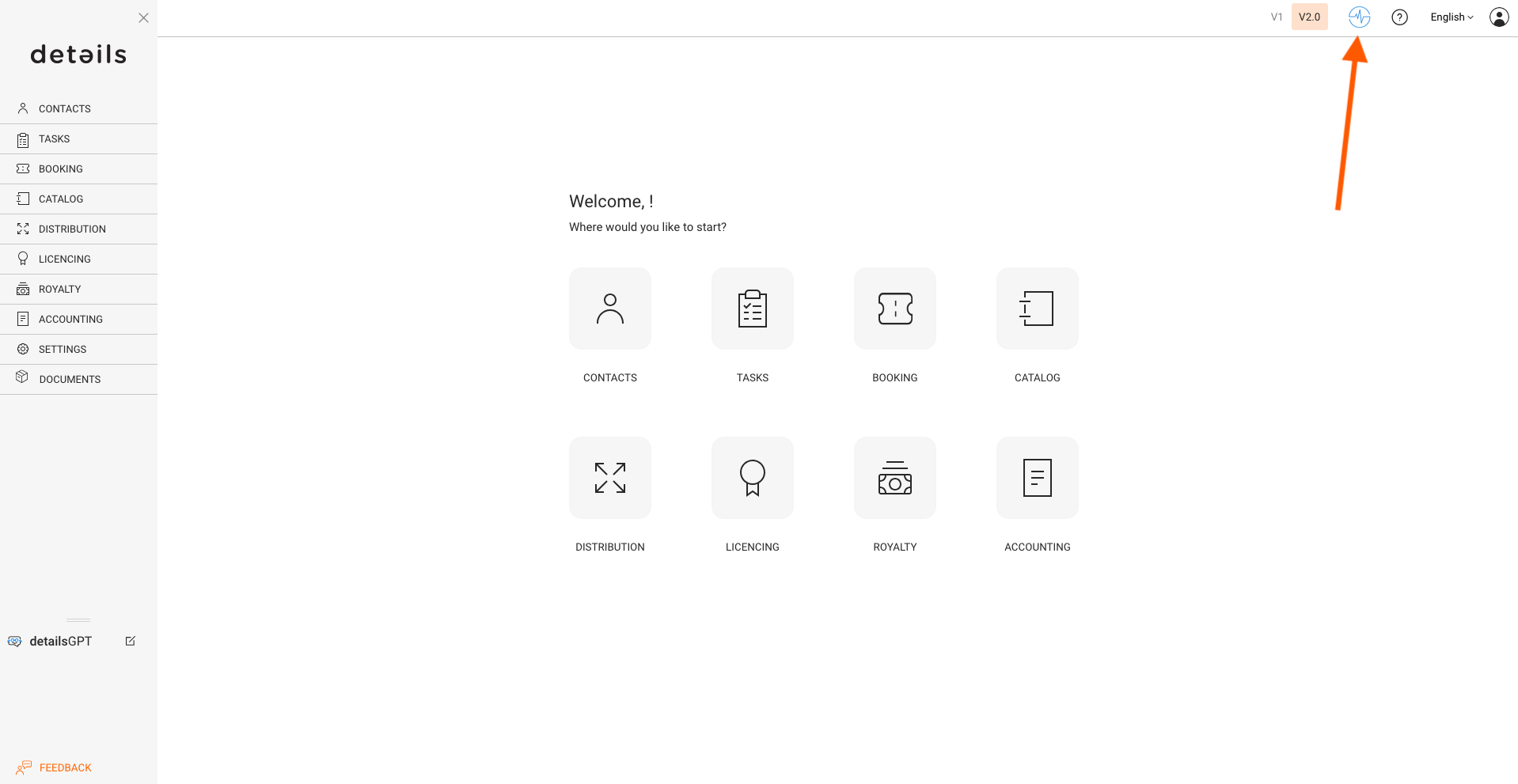
There, you can check the current status of our two main systems:
- DATABASE – This is where all your data is stored.
- PRODUCTION – This is where the programming happens that powers the details service.
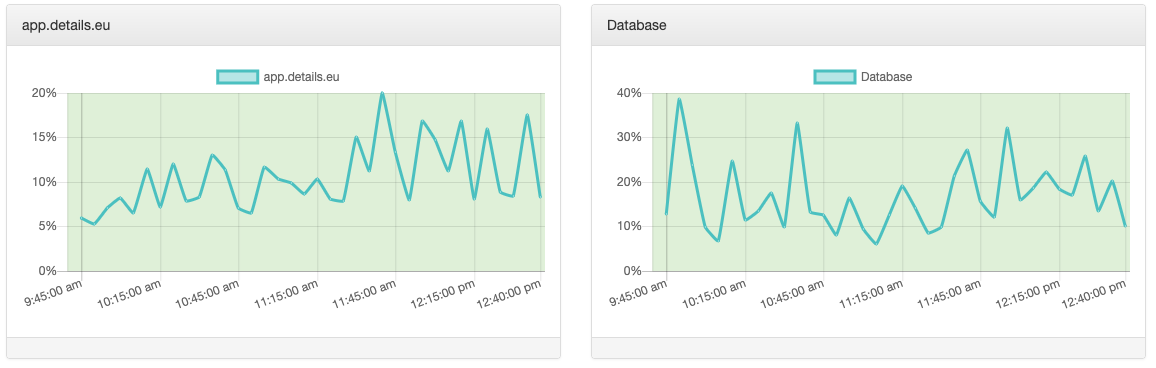
If the charts show that both systems are running below 80%, everything is working as expected on our side.
In that case, the issue might be local. It’s also worth checking your internet connection. If the lower bars on the Speed Test page show instability, this might be the cause of the slowness.

Other common reasons why websites feel slow:
- Too many open tabs or programs running in the background
- Outdated or stuck content – clearing your browser cache can help.
- Outdated browser version
- Browser extensions or plugins interfering with the page
- Low device memory or CPU usage spikes
- Firewall, proxy, or VPN configurations
Want to report a performance issue?
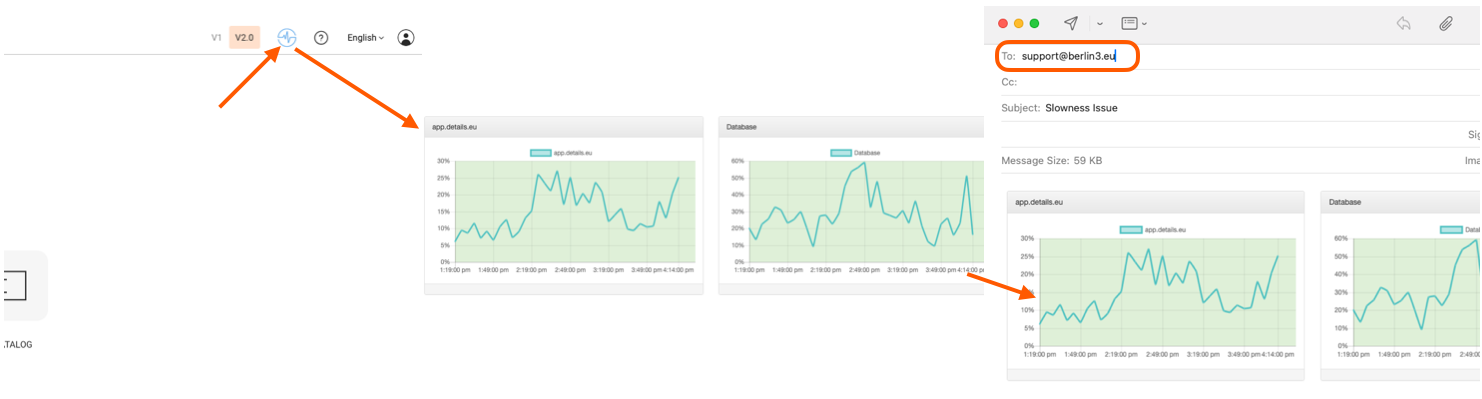
If you’d like to report a speed issue, here’s how to help us investigate:
- Wait for the Speed Test page to fully load and display the charts.
- Take a screenshot of the two charts shown on the page.
- Send the screenshot along with a short description of the issue to contact@details.eu or support@details.eu.
Our support team will take it from there.