1. Main Navigation:
-
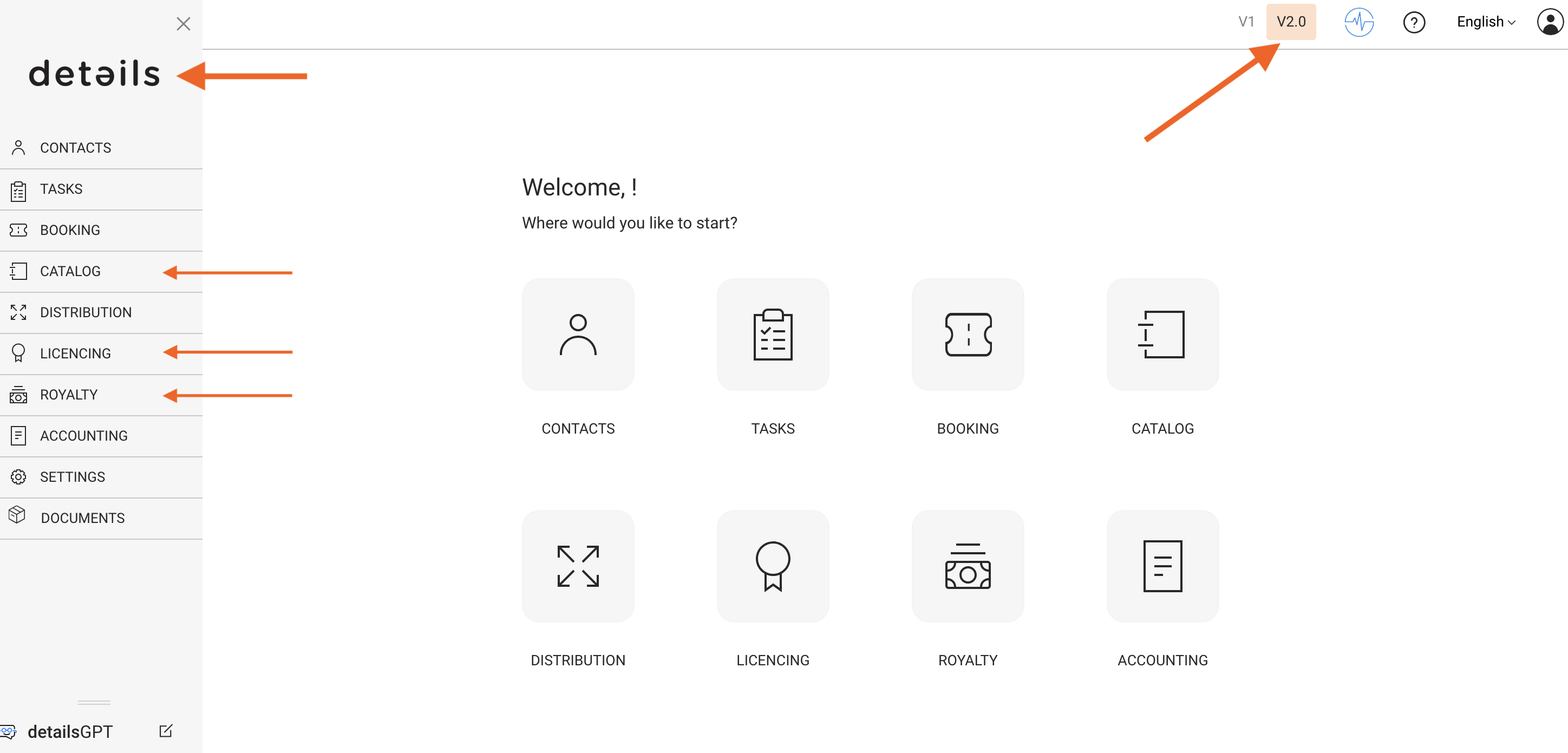
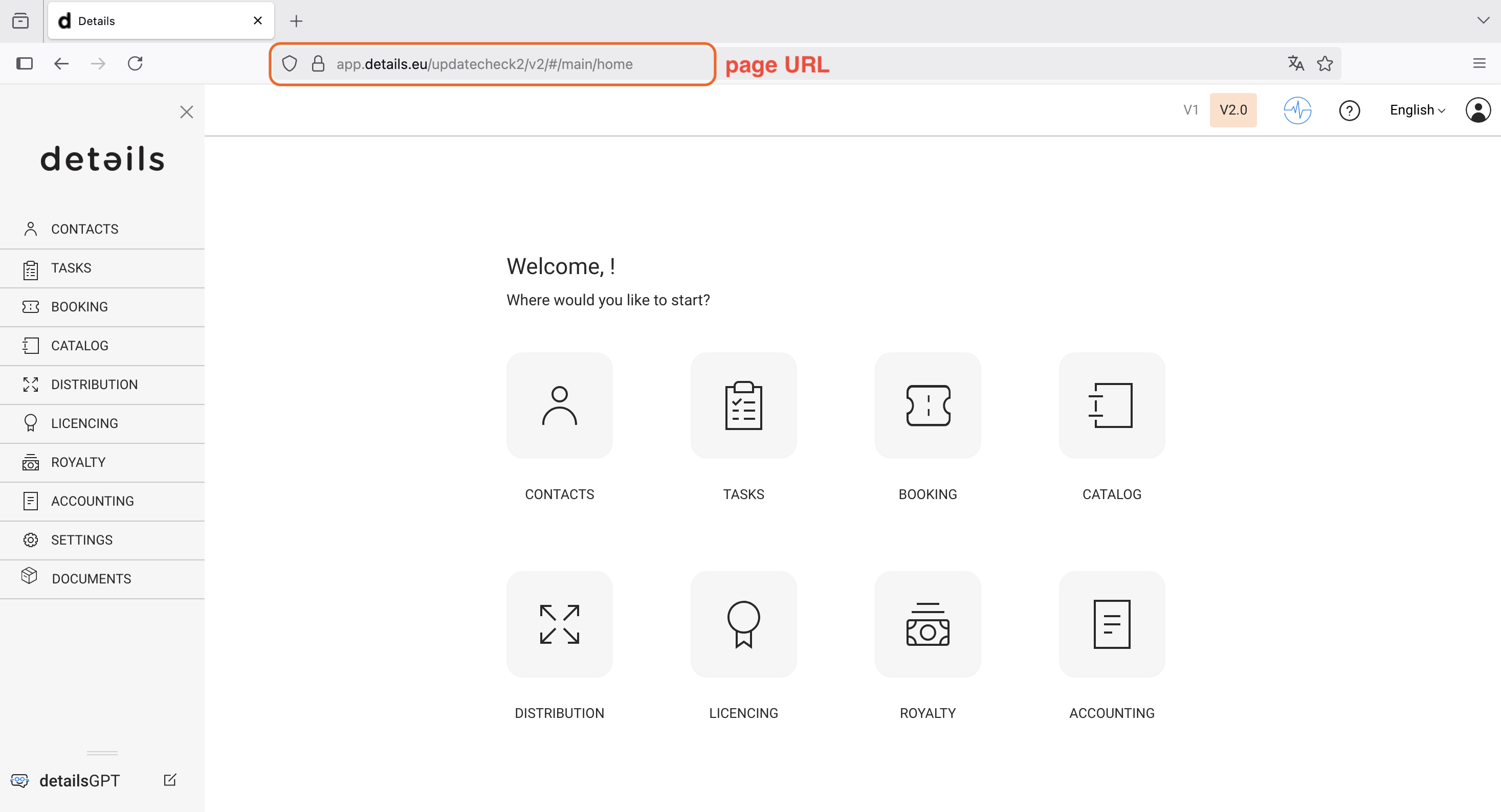
Module Accessibility: Modules can be accessed directly from the main menu on the left or from the home screen, ensuring quick and intuitive navigation.
-
Module Menu: The main menu is presented vertically on the left side, providing a clean layout and easy access to all core areas.
-
Visible Modules: The main dashboard and menu both give access to the 8 main modules: Contacts, Tasks, Booking, Repertoire, Distribution, Licensing, Royalty, and Accounting.
-
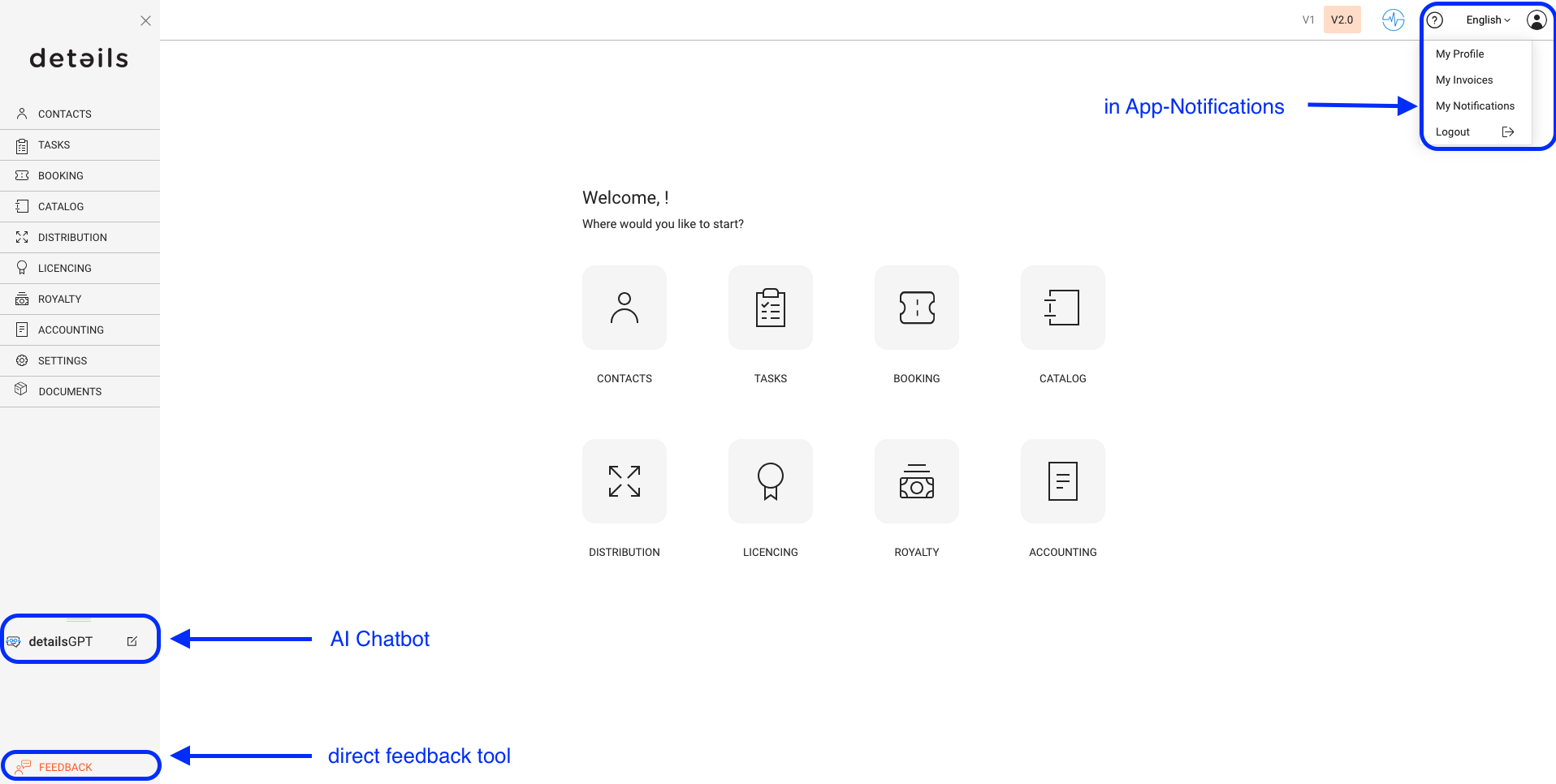
Language Settings: You can change the interface language via the top right corner.
-
Segmentation of LABEL: The section previously known as “LABEL” is structured into three clear areas: CATALOG, ROYALTY, and LICENSING making it easier to find what you need.
-
Access to V1 Interface: A switch to the legacy interface is available via the top right corner.
However, please note: all new features and future improvements are only available in the current standard interface (V2.0).
The new version offers a more modern design and significantly better usability.
2. Lists & Sidewindows:
-
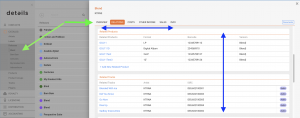
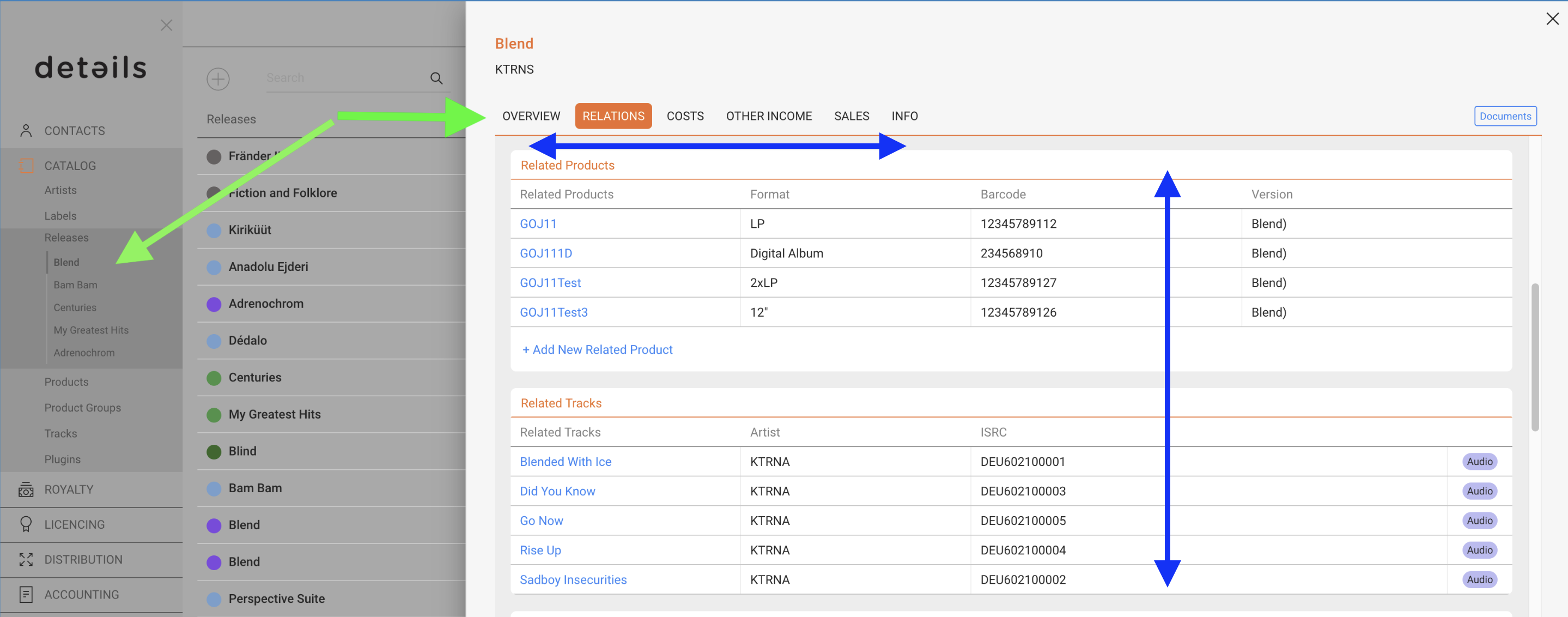
Subtab Placement: Subtabs are located within the sidewindows to keep the workspace organized and reduce visual clutter.
-
Sidewindow Scrolling: Sidewindows support smooth vertical and horizontal scrolling for easier navigation within detailed views.
-
Navtabs Tagging: Open items are tracked as Navtabs in the main menu, allowing you to quickly jump back to active pages.
-
Dedicated Page Links: Each page has a unique link, making it easier to share your current view when asking for support or collaboration.
3. Profile & Communication Tools:
-
Icon:►
-
User Profile: Via [MY PROFILE] you can add contact details can be added but are not required.
- Invoices: Here you find your invoice documents.
-
System Notifications: Under [MY NOTIFICATIONS] you will find announcements and updates directly from the details team.
-
-
Feedback Tool: Use the [FEEDBACK] option at the bottom left to submit issues or suggestions. Your message will be sent directly into our internal ticketing system. You can:
- Set your own level of urgency
- Include helpful screenshots
- Let us receive technical background info (no need for follow-up questions)
-
detailsGPT (Beta): Our assistant chatbot, similar to ChatGPT, is integrated in the system and constantly improving. For now, some answers may still be incorrect or incomplete.