Table of contents
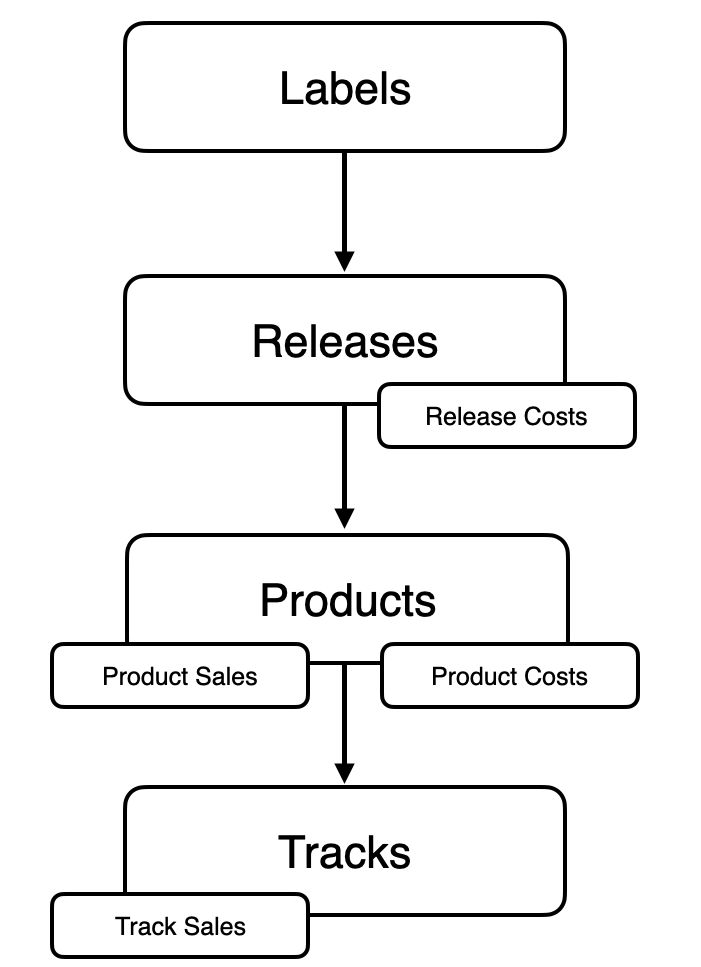
In CATALOG / TRACKS, you can manage all tracks in your catalog. Tracks are the final layer in the hierarchy of details:
- Release – the commercial campaign combining multiple products
- Product – the specific format (digital, CD, vinyl, etc.)
- Track – the actual recording, where sales and royalties are calculated
For a track to be royalty-billable, it must always be connected to at least one Product. Tracks without this relation cannot generate statements.
TRACK LIST & NAVIGATION
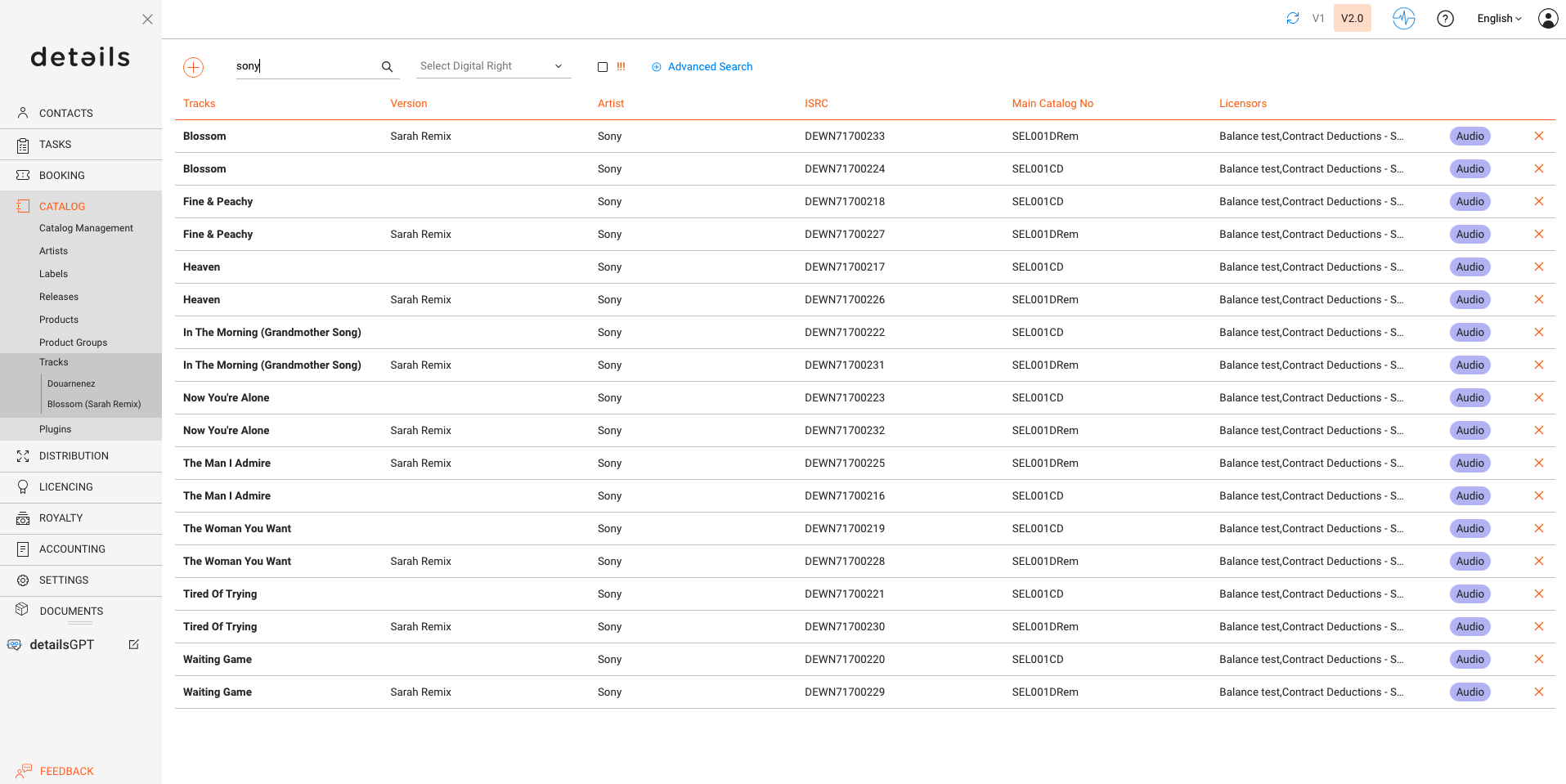
The list in CATALOG / TRACKS is the entry point for managing your catalog. It gives you a full overview of all stored tracks.
Columns & Search
- Track Title, Version, Artist – the visible identification of each track.
- ISRC – the international recording code; every track should have a valid code to be recognized in sales reporting.
- Main Catalog No – the identifier of the Main Product a track belongs to; required for royalty accounting, as income is only reported when both track and its main product are linked.
- Licensors – the name of the Royalty Account(s) a track is related to. The licensors contain the Royalty Contracts that are mandatory for the royalty billing of a track.
- Track Type – defines if the item is an Audio, Video, or Mix.
Search
- You can search by Title, Version, Artist, or ISRC.
- The Advanced Search lets you also look for Writers, Publishers, Accounts or Metadata values. Results can be exported into Excel for further use.
Error Indicator (!!!)
Tracks marked with !!! contain errors that must be fixed. Typical causes:
- Missing or invalid Catalog Number
- Missing or invalid ISRC
Read more about fixing these errors.
Overview
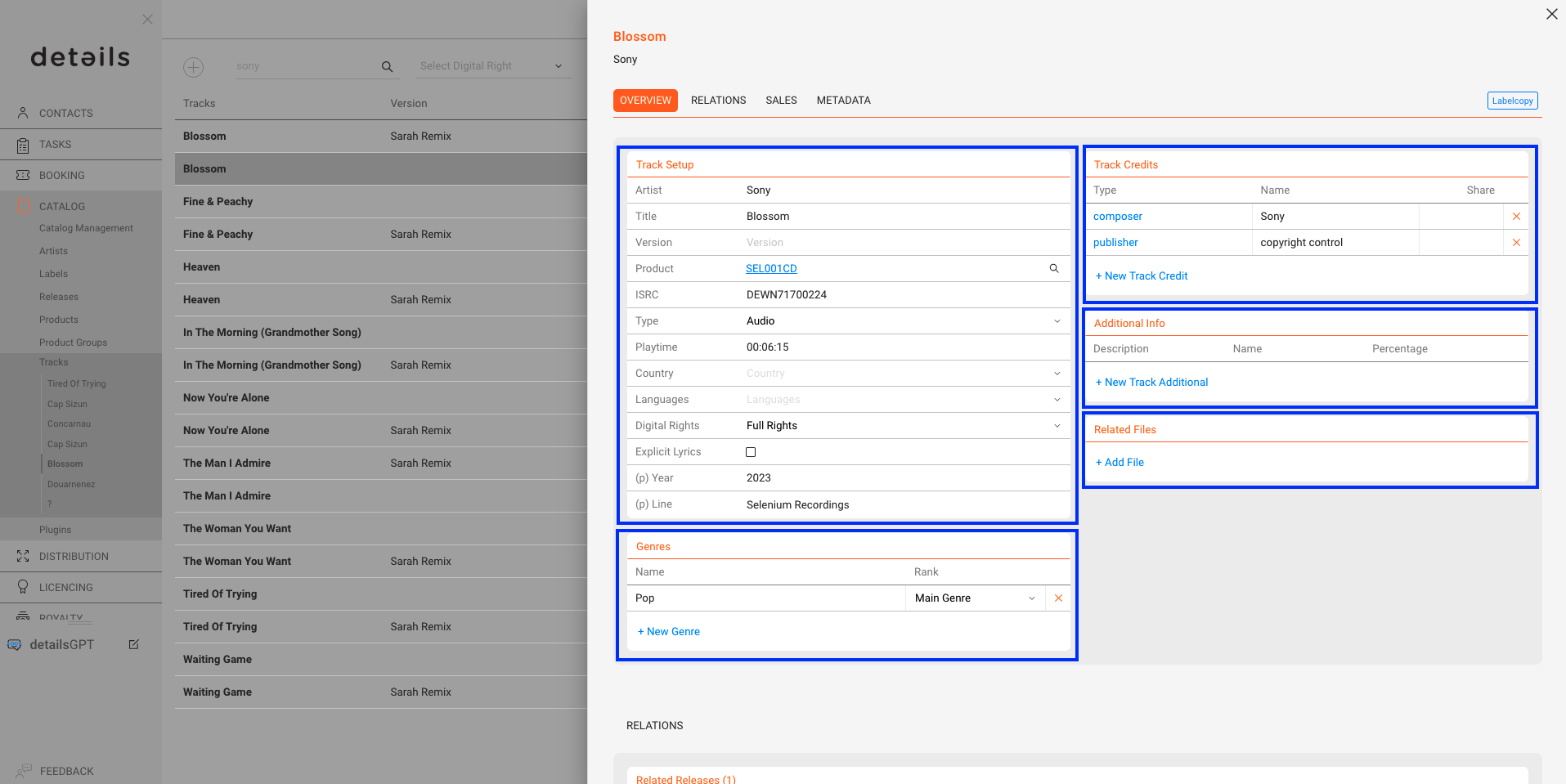
The OVERVIEW tab displays all essential metadata of a track.
- Artist, Title, Version – the core identification of the recording. The Version field distinguishes between e.g. Live, Remix or Instrumental versions.
- ISRC – the mandatory international identifier of every recording. Tracks without a valid ISRC cannot be matched correctly in statements.
- Product / Main Product – shows to which product(s) the track is connected. One of these must be defined as the Main Product, otherwise the track is not royalty-billable.
If sales data does not include a clear product reference (e.g. barcode), the system uses the Main Product as a fallback to ensure the track can still be reported and billed correctly. - Type – defines the format of the track. Options are:
- Audio – standard sound recording.
- Video – music video or audiovisual version.
- Mix – long continuous recordings, common in electronic music (e.g., DJ mixes of 40+ minutes). This type exists to differentiate such content from standard audio tracks.
- Playtime – displayed in hours, minutes and seconds; this is important for distribution and rights collection.
- Country – indicates Country of Recording at track-level. This is distinct from Country of Origin at release-level, which may be required for registrations (e.g. GVL, GEMA).
- Language – selectable from a predefined list, including dialects and regional variants.
- Digital Rights – defines how a track can be used in digital distribution.
- Full Rights: The track can be streamed, downloaded, and sold as a single.
- Download-only: The track may only be downloaded but not streamed.
- Bundle-only: The track cannot be sold individually. It can only be purchased as part of an album or compilation.
- Explicit Lyrics – a simple flag that is mandatory for distribution.
- (P) Year and (P) Line – publication year and phonogram line.
Additional Sections
- Track Credits – official credits such as Composer, Writer or Publisher. Credits can be filled in automatically via Default Credits in an ARTIST account.
- Additional Info – non-official credits like remixer or instrumentalist, useful for internal documentation but not part of Label Copy.
- Related Files – upload audio or video files. Storage limits may apply for very large archives.
- Genres – up to four genre slots (two main, two sub genres) can be assigned.
The [Label Copy] button allows you to quickly send an email containing the Overview and Credits of a track.
Relations
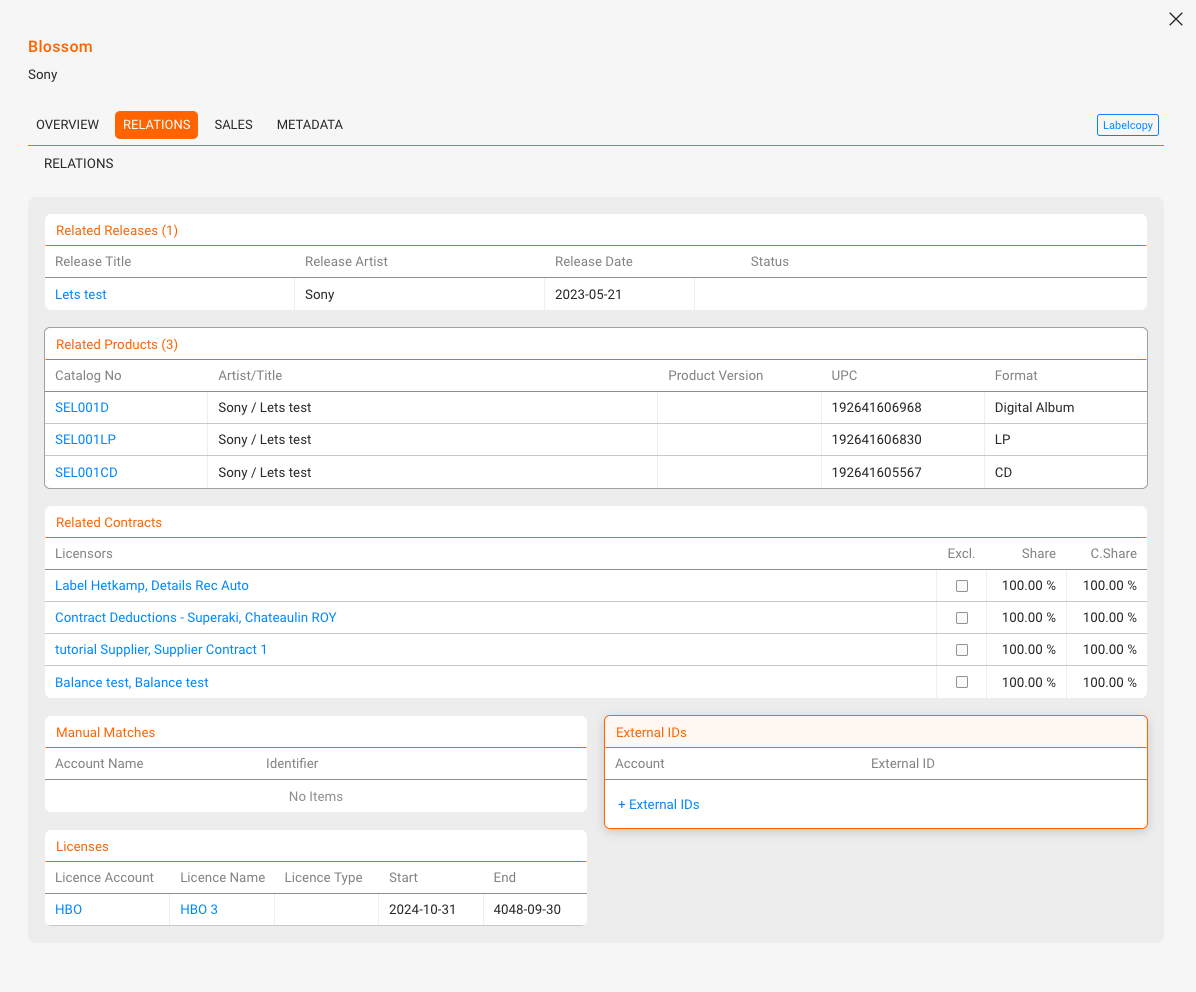
The RELATIONS tab lists all items connected to the track.
- Releases & Products – a track can be linked to multiple releases and products. Every track must be connected to a Main Product to be billable.
- Contracts – multiple licensors can be connected. Each relation is tied to a contract and defines the percentage shares. Contract Share shows the distribution of shares across licensors. Always verify that shares add up correctly (should not exceed 100%).
- Manual Matches – manually assigned matches from imports, used when automatic ISRC matching fails. They are read-only in the track view and cannot be created directly here.
- External IDs – IDs from external services (Apple ID, YouTube ID, etc.) used to improve mapping.
- Licences – shows third-party usage, e.g. when the track is part of a sync licence.
Sales
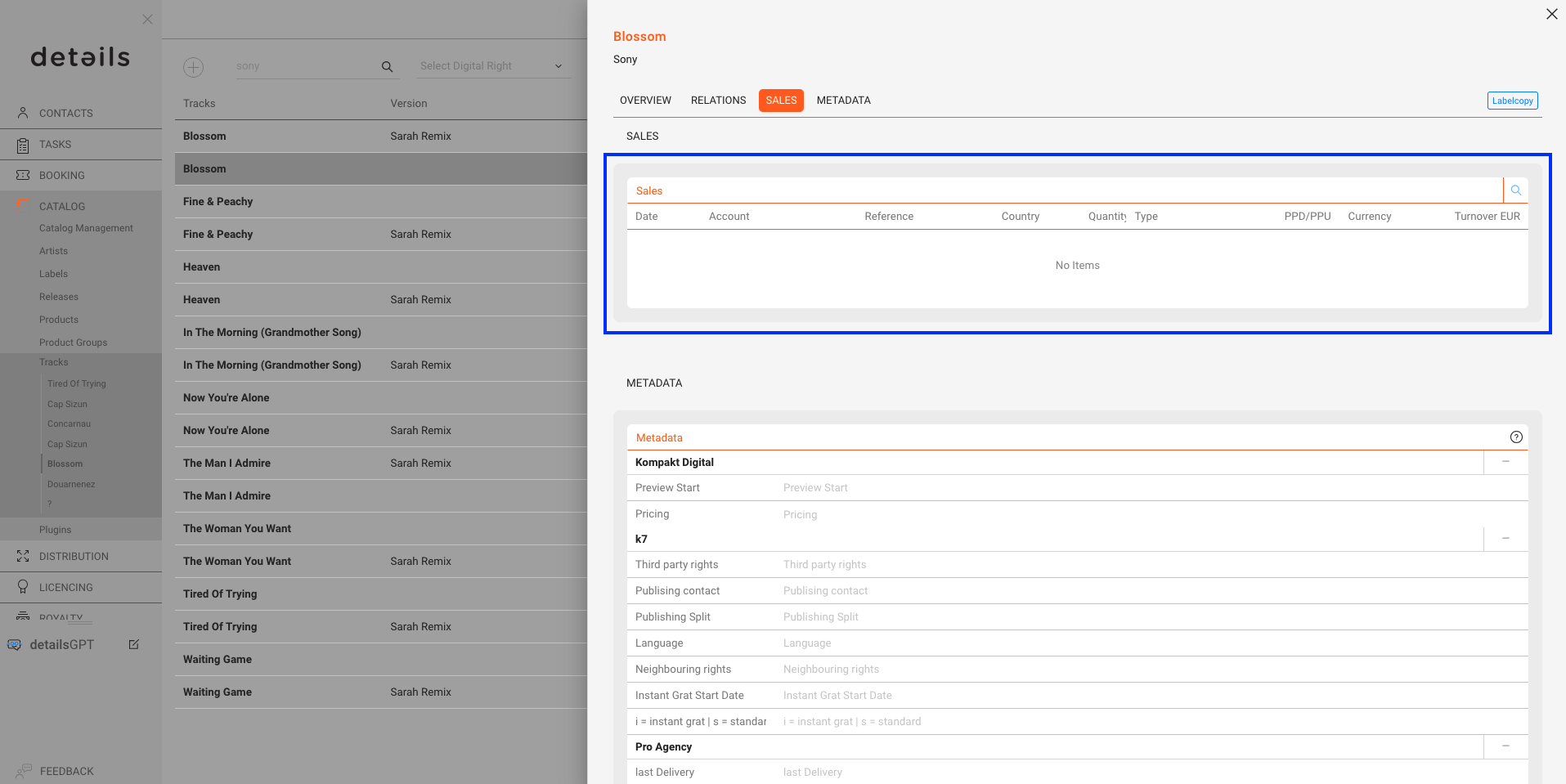
The SALES tab displays all sales linked to the selected track.
- Sales Account – the source of the sales data.
- Statement Reference – links the entry to a specific royalty statement.
- Country – sales territory.
- Quantity & Type – number of units sold and the transaction type.
- PPD, PPU, Cost PU – reported prices per unit.
- Currency – currency used in the statement.
- Total Turnover – total value converted to standard currency.
You can filter results by period, sales account, country or transaction type.
Metadata
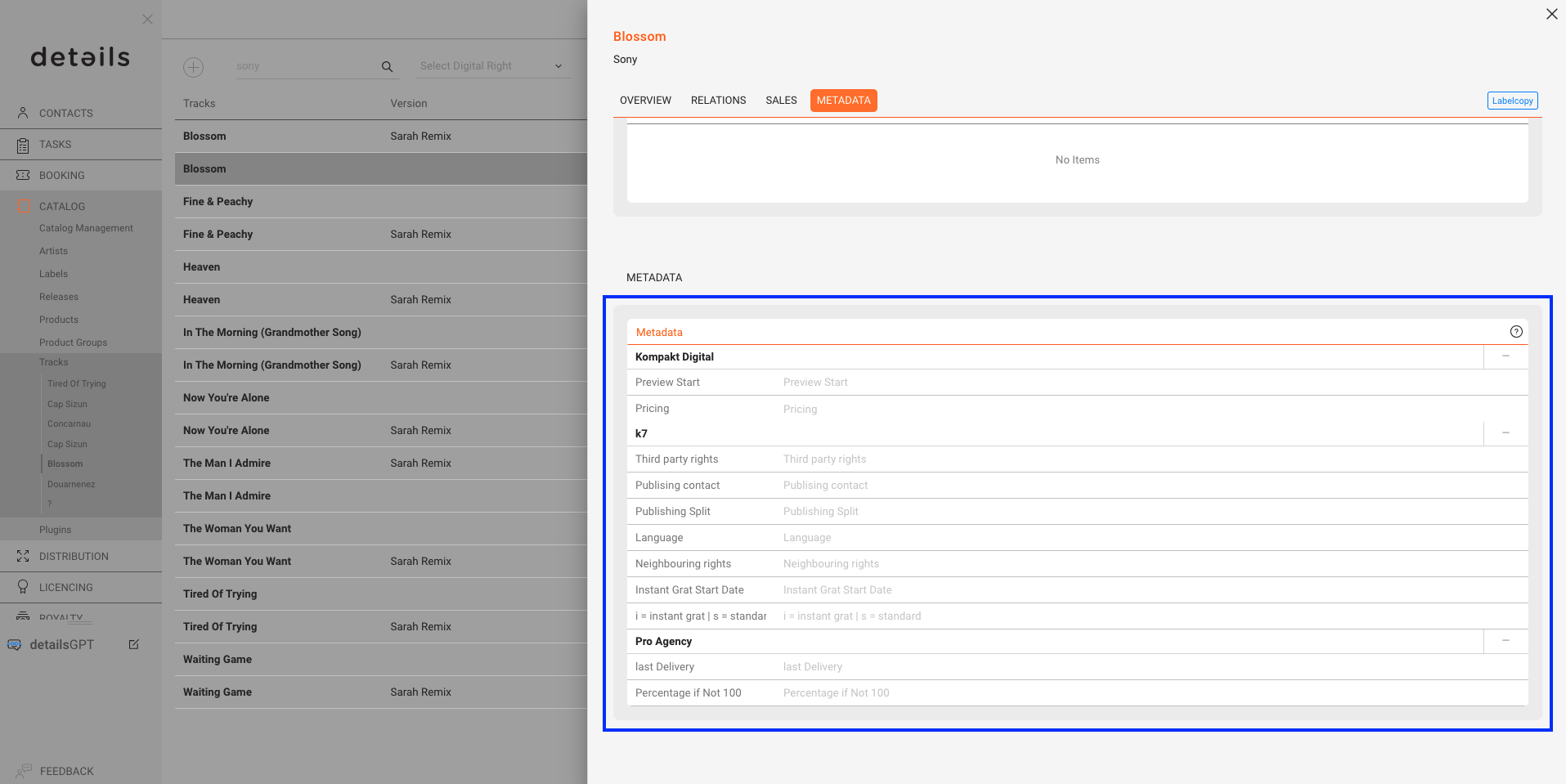
The METADATA tab lets you manage additional fields that go beyond the standard track setup. These fields are often client-specific and can be used for exports, internal IDs, or publisher shares.
If you require additional custom export fields, please contact the details support team.