
 Table of contents
SHARES is the artist dashboard section of detYils that lets you invite your royalty partners and other third parties like artist managers etc. to view royalty statements, analytics and other information, all while maintaining control over your own data and how much you want to share.
SHARES provides royalty reporting safely and securely to your business partners. Royalty statements, however, are sensitive financial information that should not be shared lightly.
For this reason, we place complete control over who sees what information and when in the hands of our clients, who can create and manage the authorised individuals as so-called “external users” in detYils and, of course, remove them at any time.
You may allow your artists, producers, labels or any other third party (band members, manager, etc) to access data of one or multiple royalty accounts.
Legal Disclaimer : No different from the regular submission of royalty statements, we hand control to our clients along with the responsibility over who is given access to which royalty statements and when.
We recommend to inform all employees of the royalty department who come into contact with confidential financial information/data about the sensitivity of this data. While detYils takes responsibility for the overall security architecture of the platform, we cannot be held responsible for the disclosure of information to third parties by our clients’ employees.
External Users
To give access to SHARES, you need to create External Users.
External Users are free of charge.
External Users have access to SHARES only, but not to the detYils application.
There are two ways to create External Users:
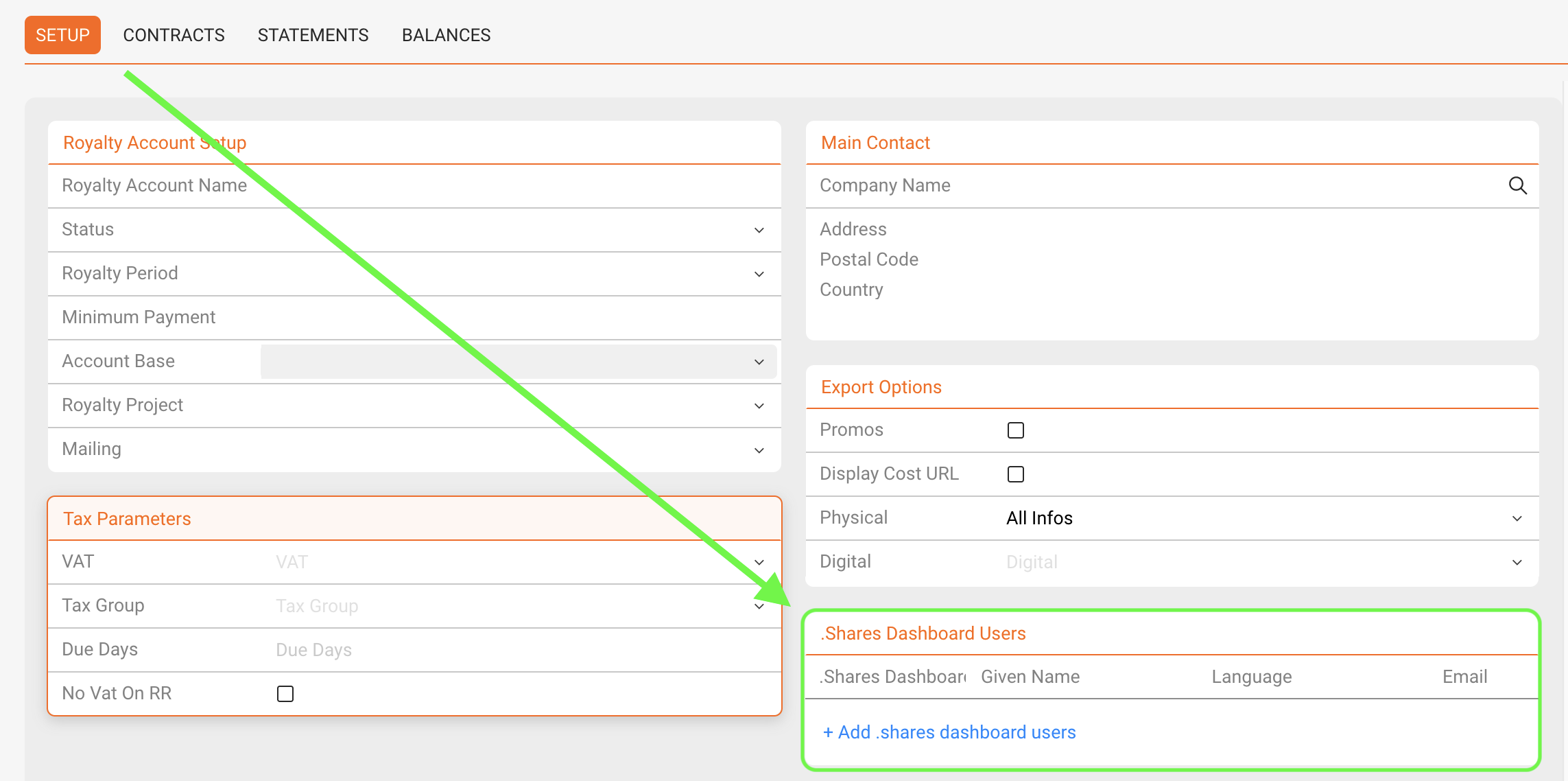
1) On the Setup subtab of Royalty Accounts in LABEL / ROYALTY you can find a B2B ACCESS box.
Click on the green [plus] icon and search either
I) for an external user that is either already existing and add the contact by clicking on the name or
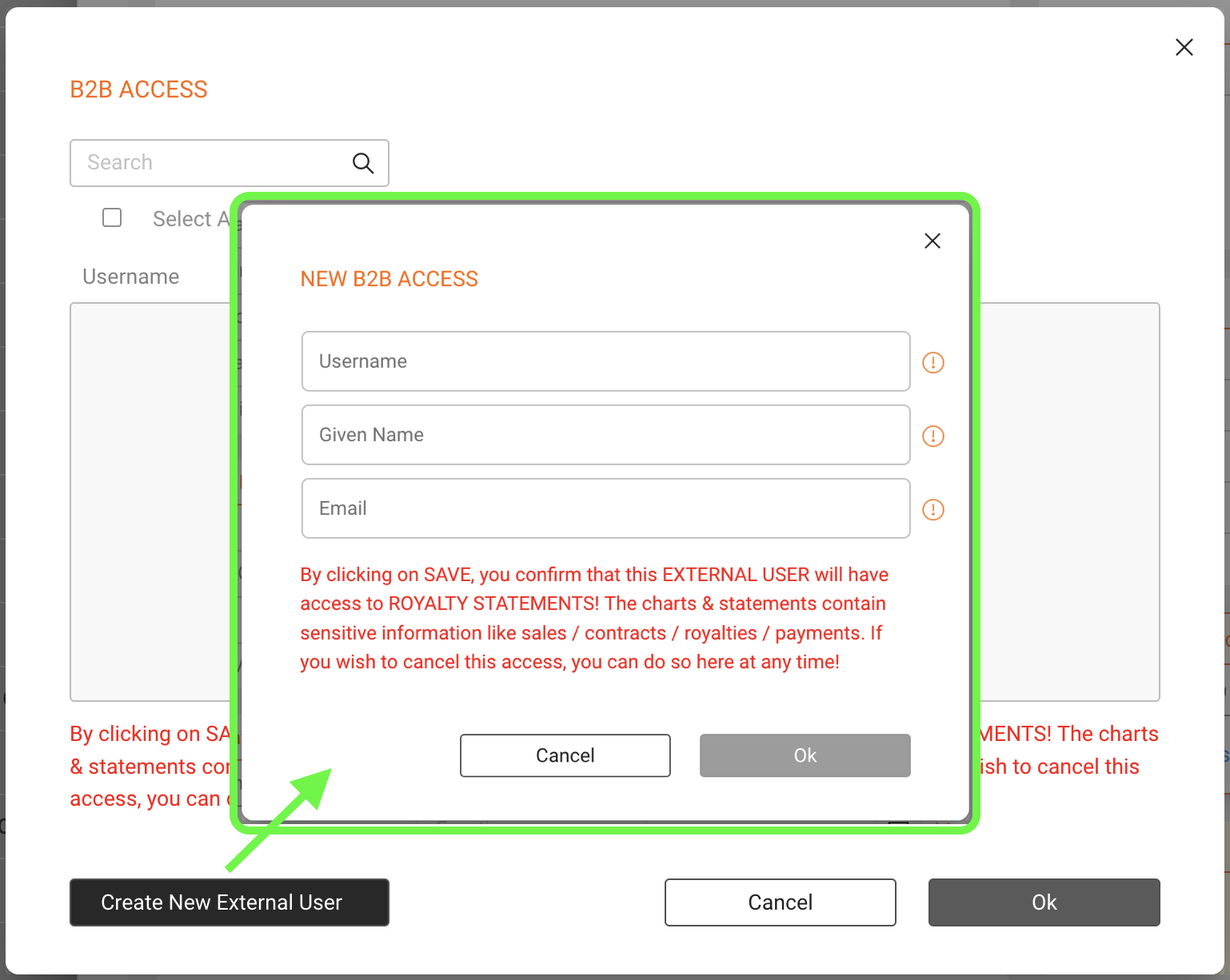
II) create a new external user by clicking on the button on the bottom left and fill its
- username (mandatory for their login),
- given name (for a personal address in emails),
- email address(mandatory) and
- the preferred language for the user display (de, fr, en, it, es, pt)
2) If you have admin rights and want to create, edit or remove multiple external users, you may also go to the SETTINGS / USER tab and the External Users subtab.
To create a new external user, click on the green [plus] to add username, given name, email address and preferred language for every login that you would like to add.
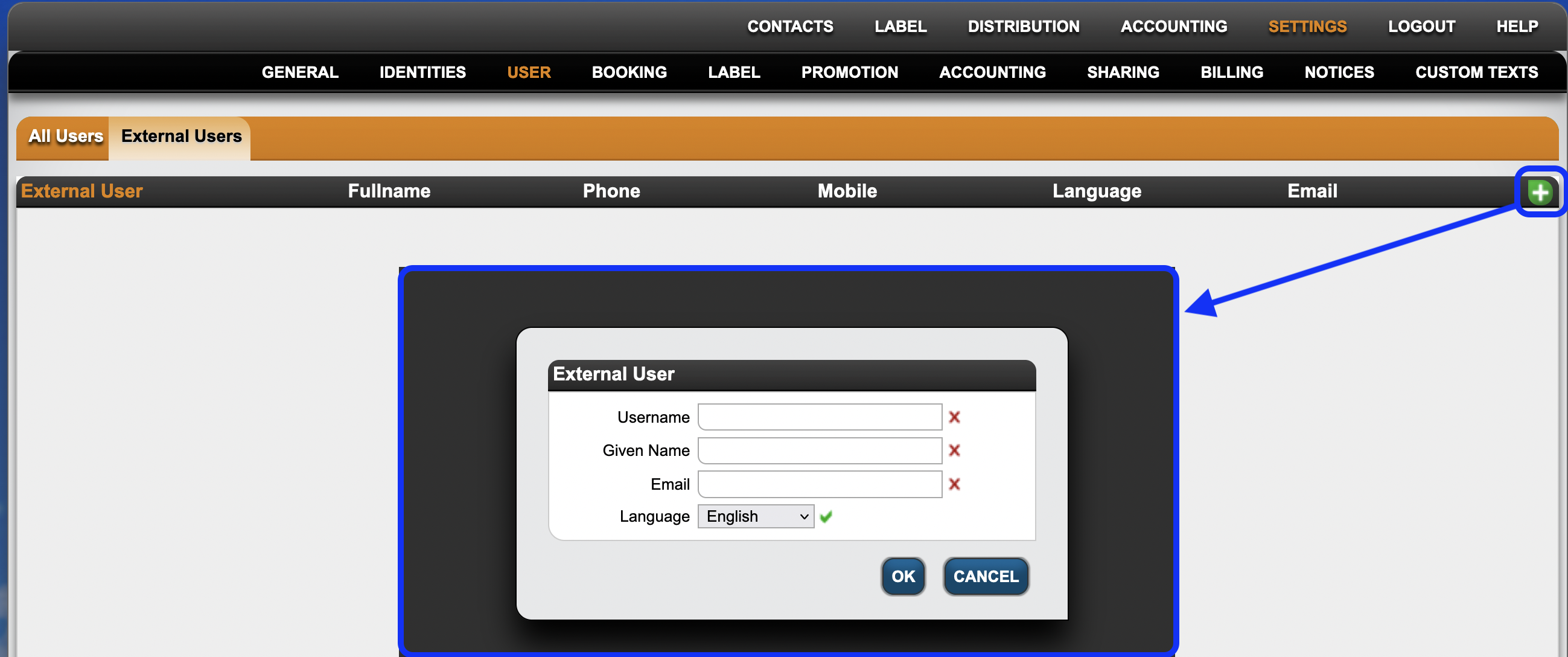
When creating external users from SETTINGS you will also need to select which royalty accounts the external user should have access to (one or multiple). For this open on the external user and click on the green [plus] icon to choose the respective royalty account(s).

You can remove external users and their access permissions with the red [X] icon next to each external user / permission.
Note :
External Users will have access to all locked statements of the related Royalty Accounts.
The charts & statements contain business information like sales / contracts / royalties / payments (later version). Giving access is a the clients responsibility.
If you wish to cancel an access, you can do so any time!
read more on detYils.SHARES :