
On the SETTINGS / SHARING page you can currently find
1) the embed script for our online request form
You will find it here:
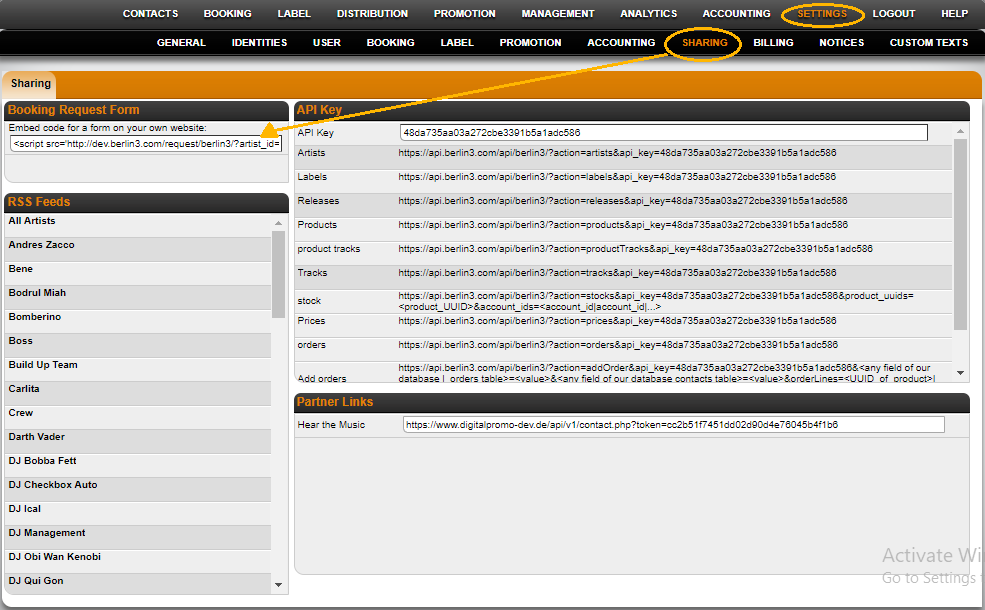
How to adapt the Booking Request form to your style
Here’s a list of programmers you could contact if you need help with this: Philippe Tiffon
2) our RSS feeds for ”a)” all your artists or ”b)” selected artists
You can use our RSS feeds to publish all confirmed bookings to websites or external services, such as Gigatools, etc..
To find the RSS feed links, go to SETTINGS / SHARING.
In the RSS section on the left side of the page, there’s one link for ALL Artists and below that are links for all single artists:
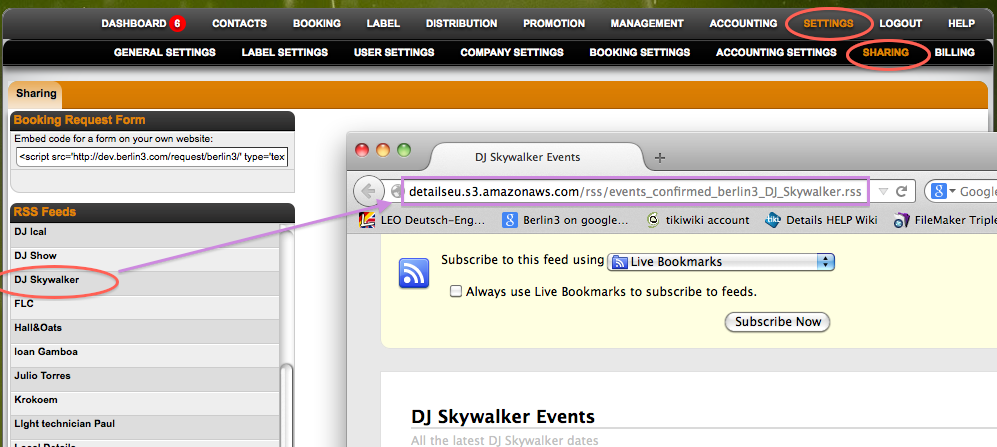
Just copy the RSS links you need and forward them to your web administrator. He or she should know how to include those into your website.
Here is how to push your confirmed bookings to Facebook, Twitter, etc.
3) Details platform provides various APIs that calls for easy communication for various services.
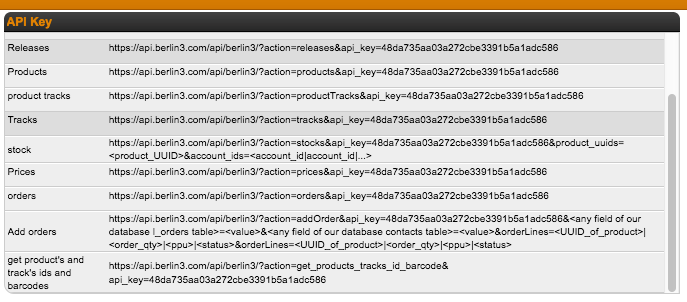
API URL Structure:
Each API URL has the following structure:
https://api.berlin3.com/api/berlin3/?action=get_products_tracks_id_barcode&api_key=12345
If we break down the URL, each url contains two essential parts:
*action: This specifies the sort of action we want to perform.
Example: get_products_tracks_id_barcode(this fetches the external id and external table)
*api_key: This is the Unique Key specified for you from Details.
This can be found at Settings>Sharing.
