
At DETAILS we try to avoid inefficiencies and work duplication wherever possible.
One of these workflows that saves a lot of time and energy for our clients is that we allow a direct data transfer from one details-client to another – for example for sales, costs or licence information.
To comply with data safety and privacy regulations as per the EU GDPR regulations the automatic exchange of data between two details clients will only work when both parties agree on doing so.
For this reason a secret shared-key needs to be activly and deliberatly exchanged between both parties.
For your safety we log of the process.
To set up the data exchange we need to differentiate between a SENDER and a RECEIVER.
The SENDER is the client which will provide sales, costs or other information (typically the Label-Service or Distributor).
The RECEIVER is the client that will ingest the SENDER’s data into their own database (typically the distributed Label).
For the auto-ingestion to work, the SENDER and RECEIVER need to proceed with the following steps:
(1) SENDER details client :
The SENDER needs to log into their details application, create a secret Shared-Key and transmit it together with it’s own client name to the RECEIVER in a secure way.
The Shared-Key is created in the ROYALTY ACCOUNT / SETUP which is designated to be shared: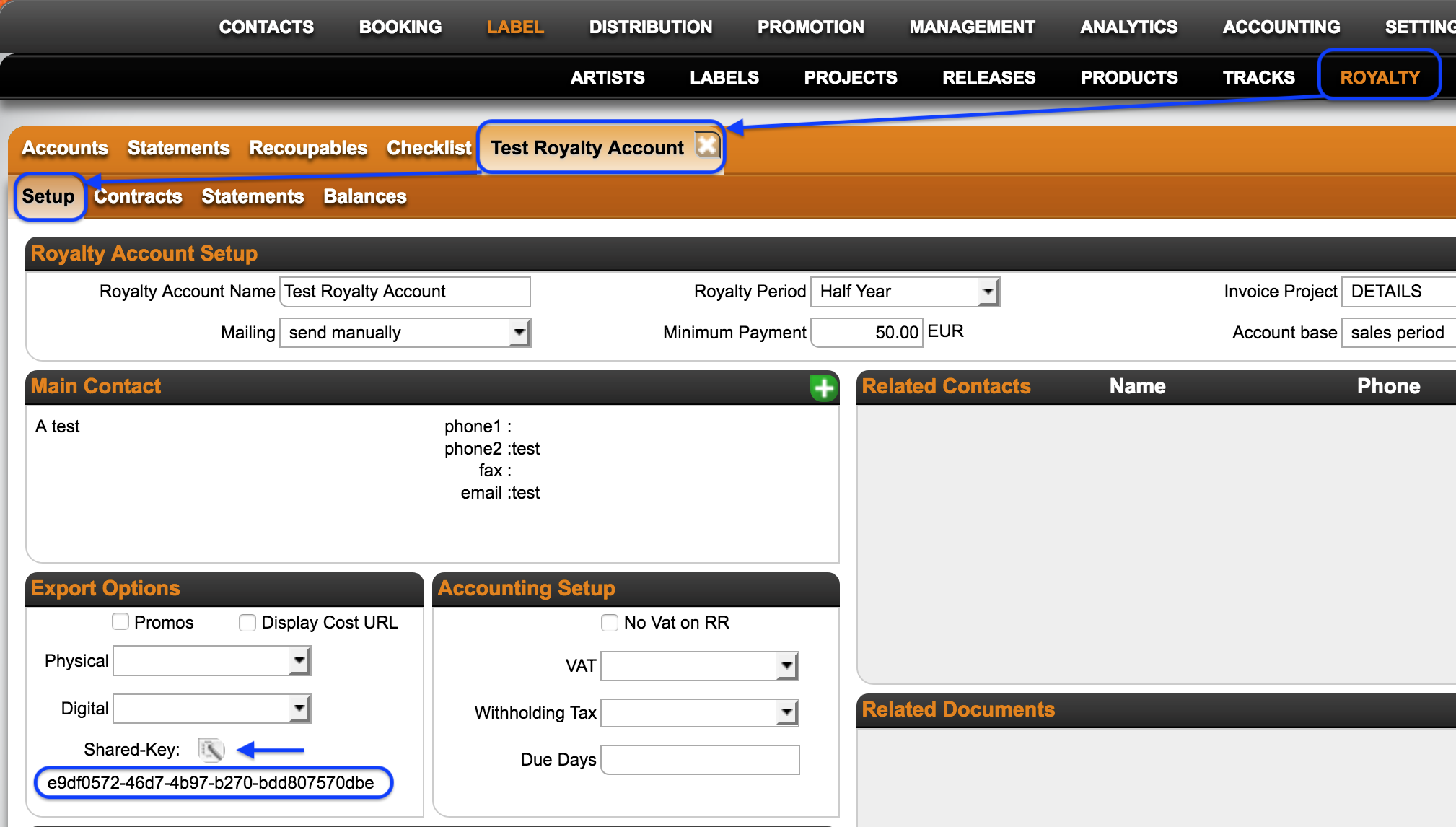
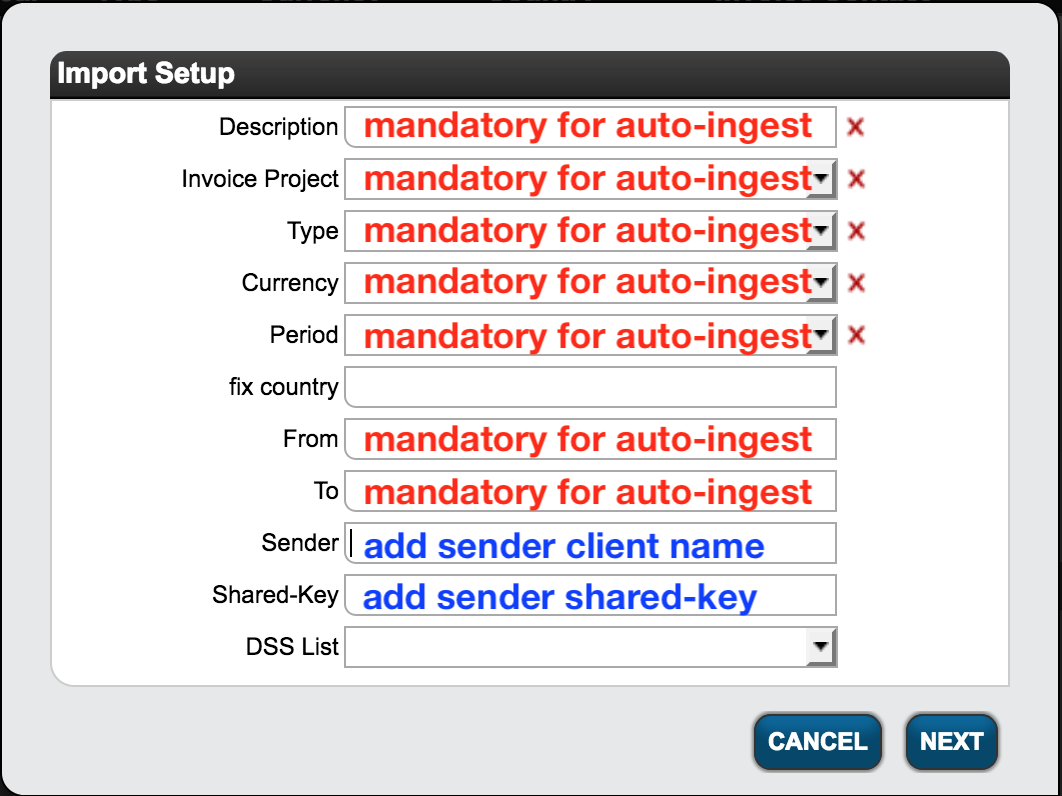
The details-client name can be found the SENDER’s login link:https://app.detailsdetails.eu/CLIENTNAME/
(2) RECEIVER details client :
The Shared-Key and the SENDER’s details-client name now need to be included into the Import-Setting of the RECEIVER, designated to receive the respective data.
NOTE: Exchanged data may be sales OR costs and third party licences.
Each data type needs to be set up in SEPERATE Import setup!
You can find the Import Settings in the DISTRIBUTION ACCOUNTS] / CURRENT STATEMENTS / IMPORT SETUP. 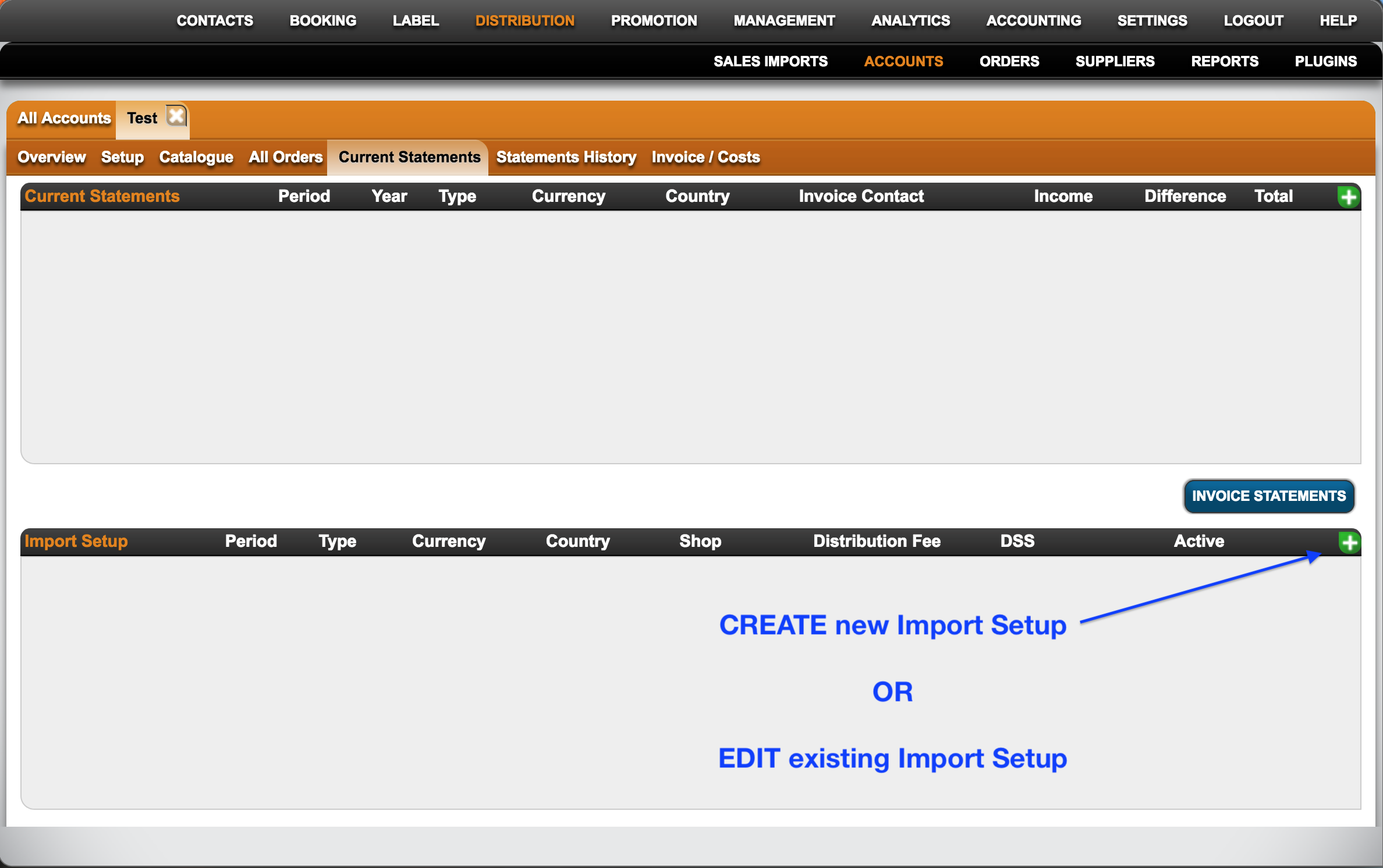
Setting up details-2-details auto-ingestion sales imports
Recently Viewed
Your recent pages