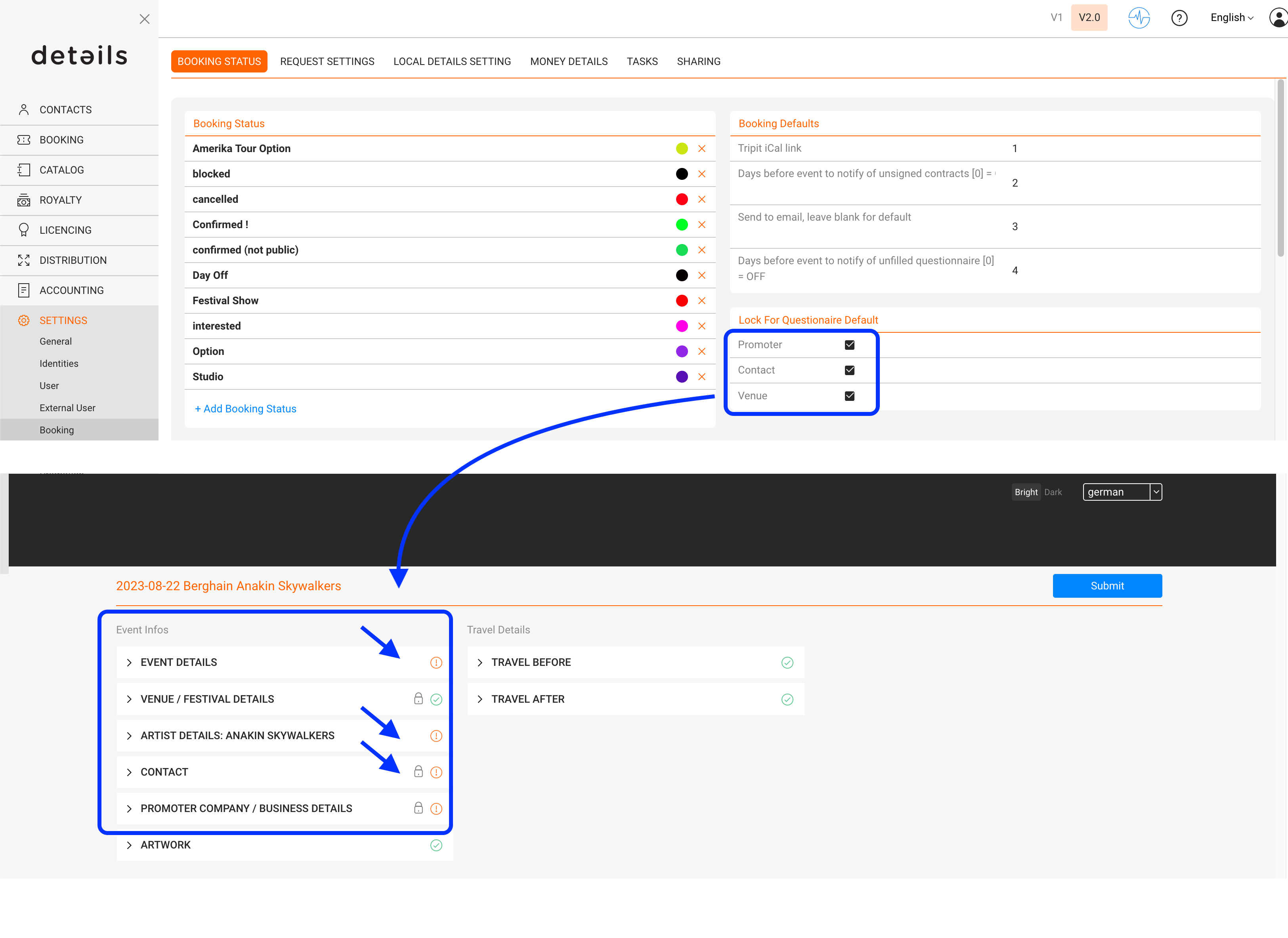
You can establish a default lock status within the questionnaire settings, ensuring consistent behavior across all newly created shows. This will determine whether the following fields are initially locked or unlocked by default:
- Promoter
- Contact
- Venue
Please navigate to Settings -> Booking -> Booking Status and go to the “Lock for questionnaire default” box.
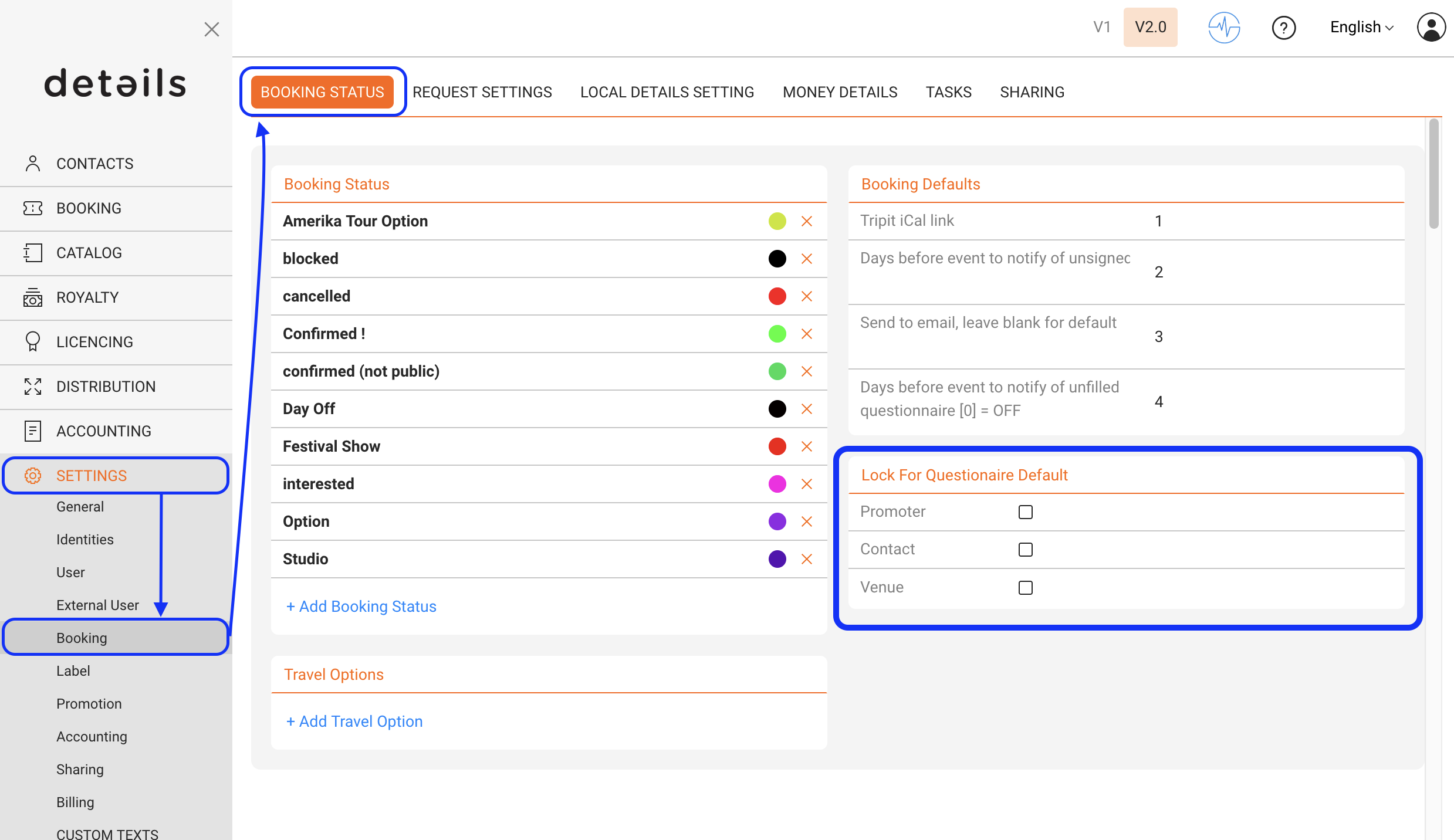
In the example below you can see that the standard lock for Promoter, Contact & Venue is activated and they are automatically locked in the questionnaire so the promoter can not edit those informations: