
This article explains the relationship between price codes, price lists, prices, and paybacks in details, with a focus on physical product sales. It also covers how these elements are used in royalty accounting when you have a fixed payback price agreed with a royalty owner.
Using price codes and price lists helps you manage product pricing across different customer groups. By categorizing products and linking them to specific price lists, you can ensure each customer type like retailers, wholesalers, or international buyers gets the right price. This makes pricing easier to adjust, more consistent, and better organized for different markets and sales channels.
What are Price Codes and Price Lists?
Price Codes are categories or labels that you assign to physical products to define how they should be priced. For example, a price code might indicate whether a product is being sold at a retail price, wholesale price, or export price.
Price Lists are sets of prices that you create for different groups of customers or sales channels. Each price list specifies how much each physical product (tagged with a particular price code) will cost for a specific customer group.
Both are set in SETTINGS / LABEL / PRICING
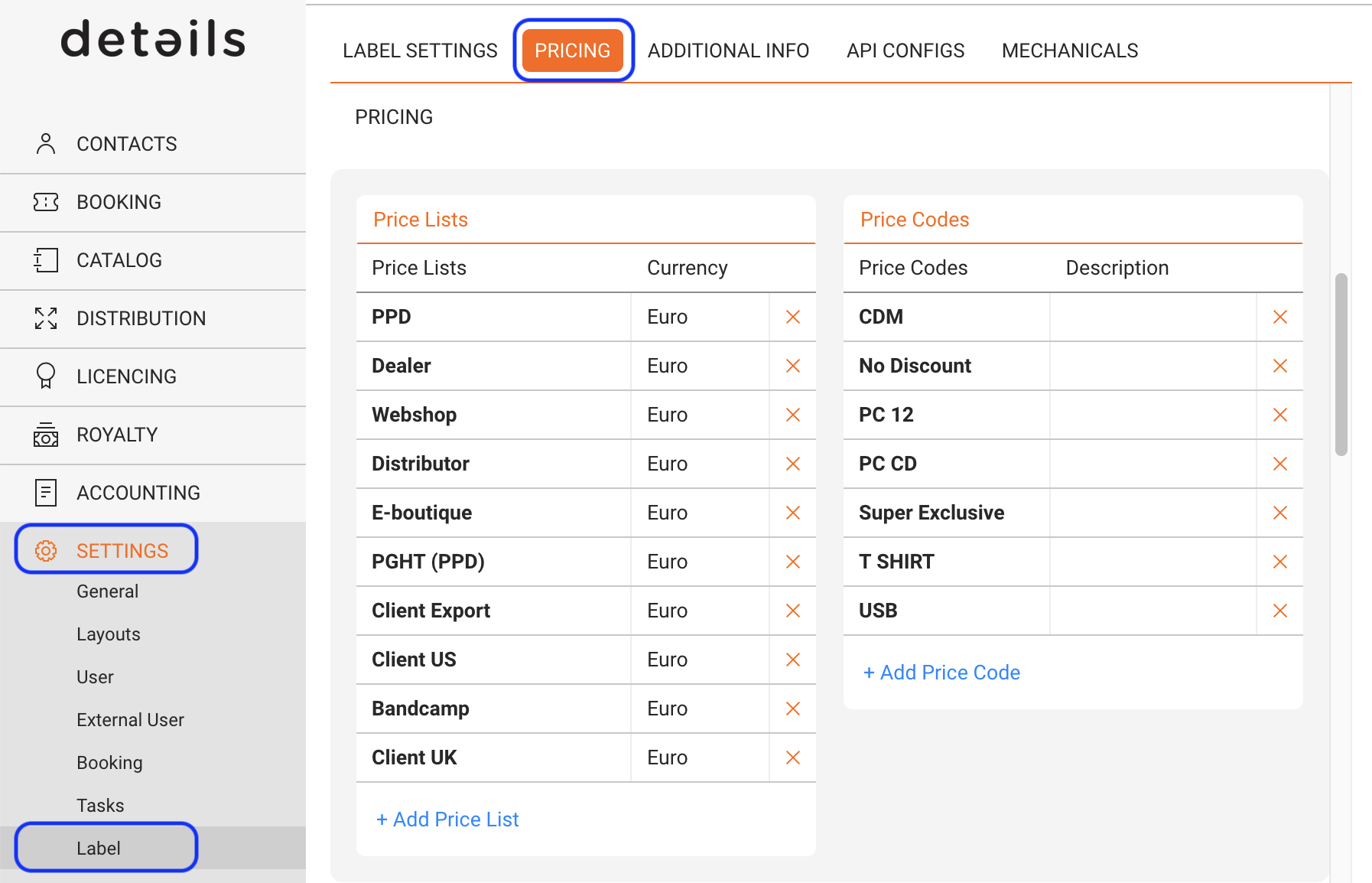
How Price Codes and Price Lists work together
1. Price Codes : You might have price codes like Retail CD, Wholesale Vinyl, Export CD, etc.
2. Price Lists : You could have a Retail Price List for shops, a Wholesale Price List for distributors, and an Export Price List for international markets.
3. Creating a Pricing Matrix :
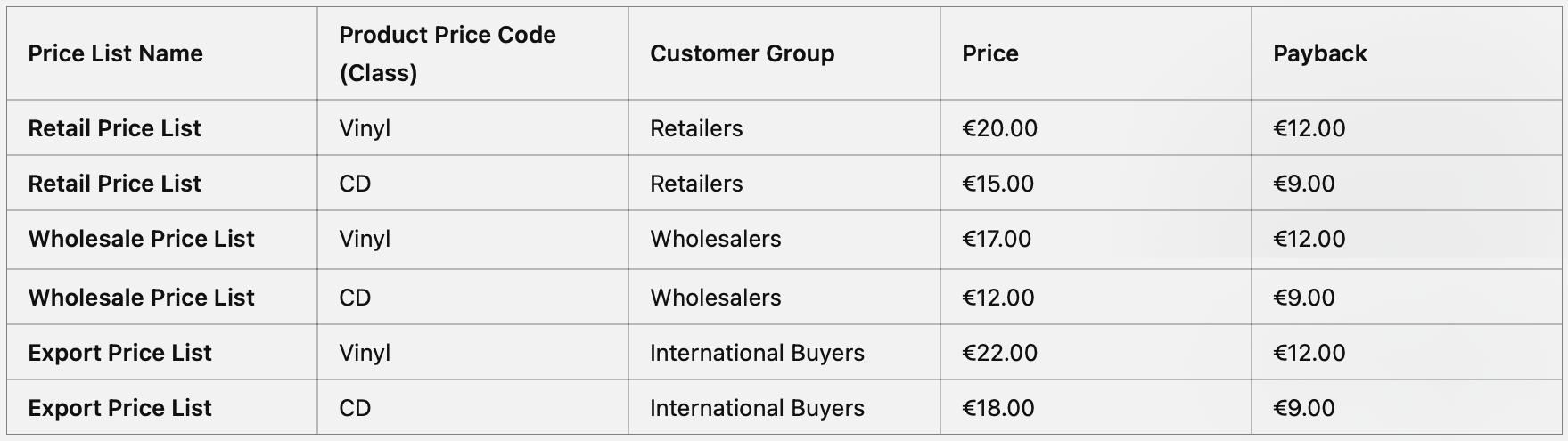
Price List Prices and Paybacks
As mentioned, price lists define specific prices and paybacks for products tailored to distinct groups of customers.
- Prices : Price List Prices are the amounts at which the selected products are sold to customers. These prices are listed before any discounts that may be applied to orders or invoices.
For example, when processing orders and generating invoices, the price list price is what your customers will see on the order confirmation or the invoice before discounts of course.
In Orders, price list prices are used to calculate the turnover for each order line, which is essential for accurate invoicing.
However, note that price list prices are not applied to sales imports, meaning they don t affect sales data brought into the system from external sources. - Paybacks : Paybacks are the amounts paid to your suppliers or rights holders for each sale made on this price list.
If you are using the royalty base Payback for physical products in your royalty accounting, this is crucial for accurate accounting. Even if you re not interested in tracking your turnover through the platform or detailing your invoices, setting up paybacks is essential if you account royalties to your rights holders based on those.
Using the Payback Royalty Base for Physical Products
To properly account for royalties on physical products, when a fixed payback price is agreed upon with the royalty owner, you need to set up a couple of things:
1) Settings in Royalty Contract :
In Royalty Contracts where this should be applied, you need to set the BASE of the royalty rate to PAYBACK. Since you agree to a specific payback price you will probably want to account ”100%” of the agreed price.
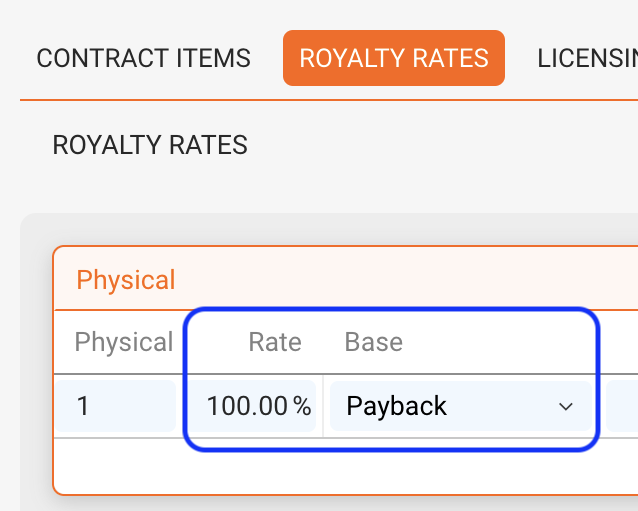
2) Setting up and assigning Price Lists :
You need to create PRICE LISTS in SETTINGS and set them for your (physical) Distribution ACCOUNTS ( shops, distributors, direct sales, etc.) to indicate what prices and paybacks will apply to them.
3) Setting up and assigning Price Codes :
You need to create PRICE CODES in SETTINGS / LABEL / PRICING and then specify price codes per physical product which indicate at what prices you will sell your products. To assign PRICE CODES, select a product in LABEL / PRODUCTS and assign a price code from the dropdown on the OVERVIEW.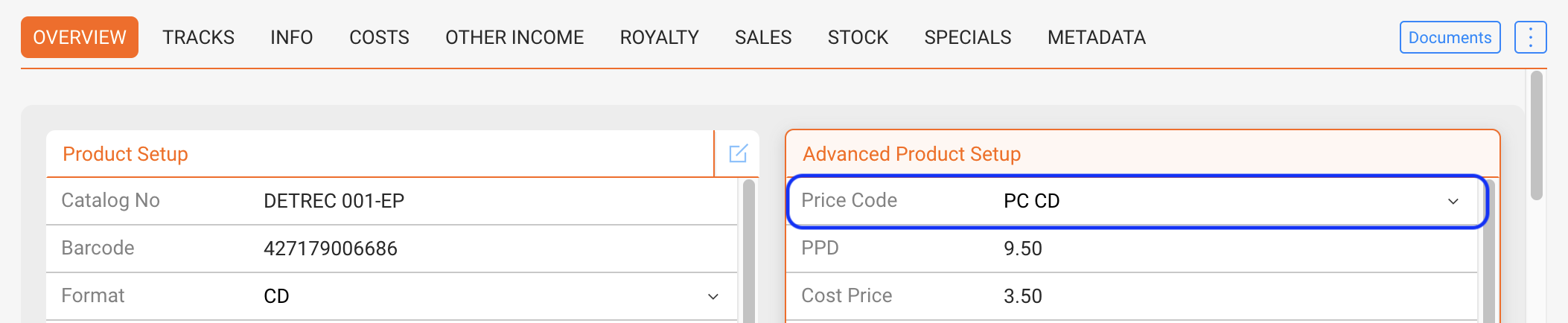
Those are the three basic elements you will need to specify for distinct PRODUCTS when sold by distinct ACCOUNTS.
Once you have specified a PRICE CODE for a selected product, you can load PRICE LISTS with their prices and paybacks and modify at will for this specific product.
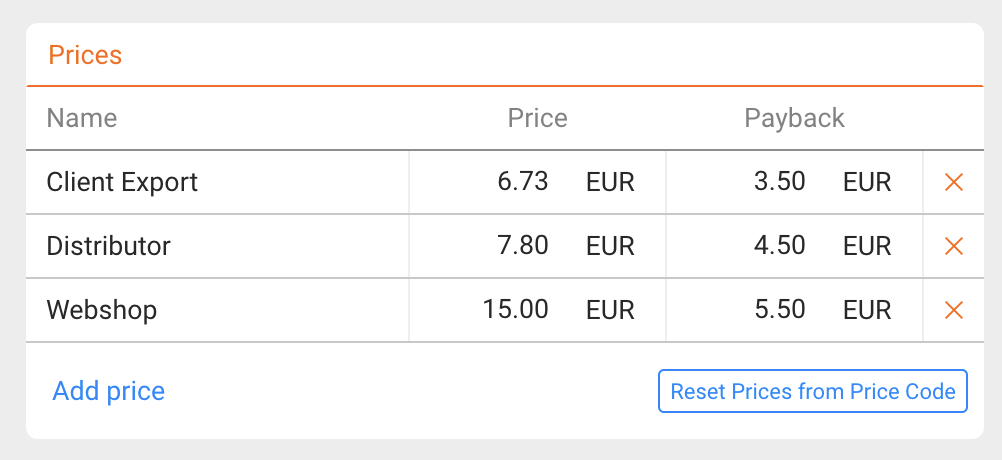
This setup process may be complex in the beginning, but will soon prove it’s worth, when prices and paybacks automatically assign to orders and sales for selected products through selected accounts.
Once set up, you don’t need to keep the information in your head and the machine will run smoothly.
nice!