
Table of contents
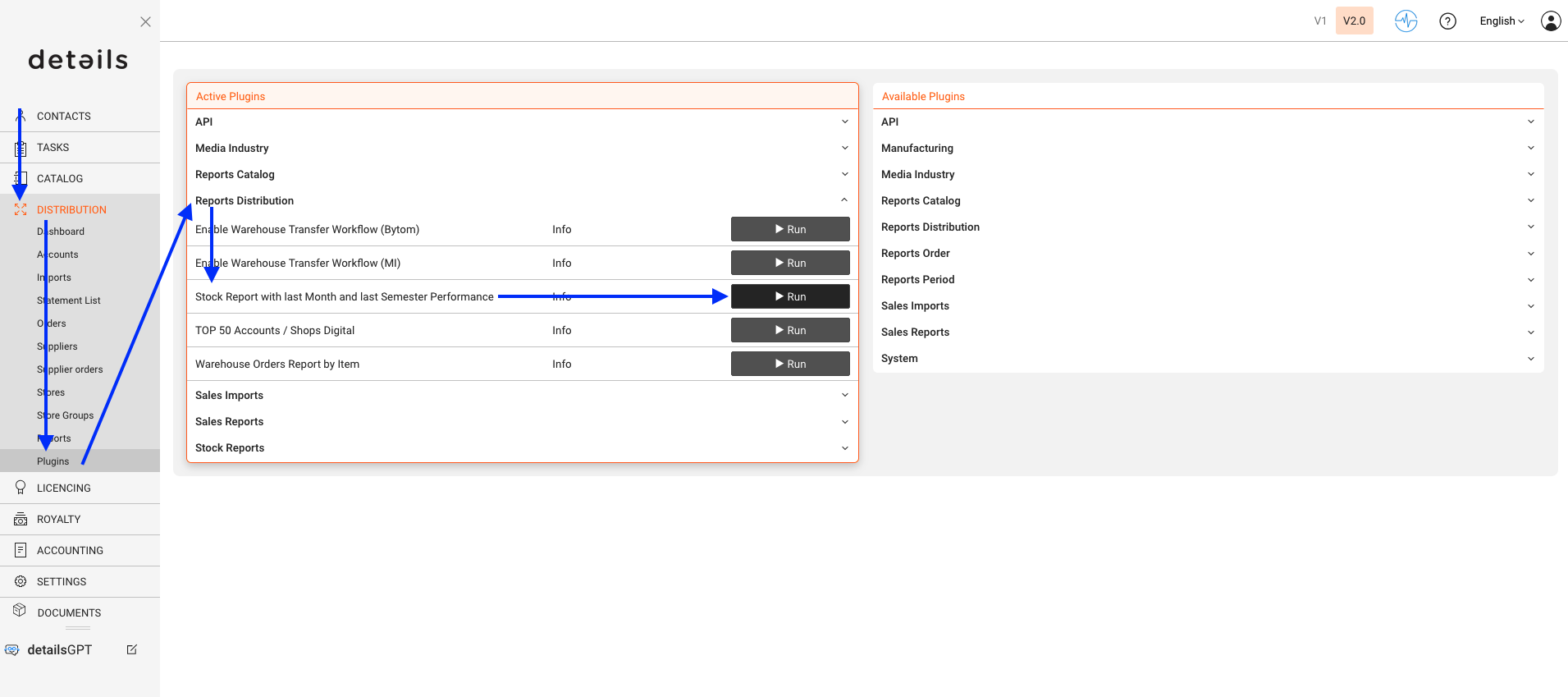
The PLUGIN Report is designed to compare your stock levels with your recent sales performance. It focuses on items that have shown measurable sales activity because stock relevance mainly applies to products that are actually selling.
In other words, the report highlights when fast-selling products are running low, rather than including items that have not moved for several months.
The report displays stock levels only for items that have been sold within the past six months.
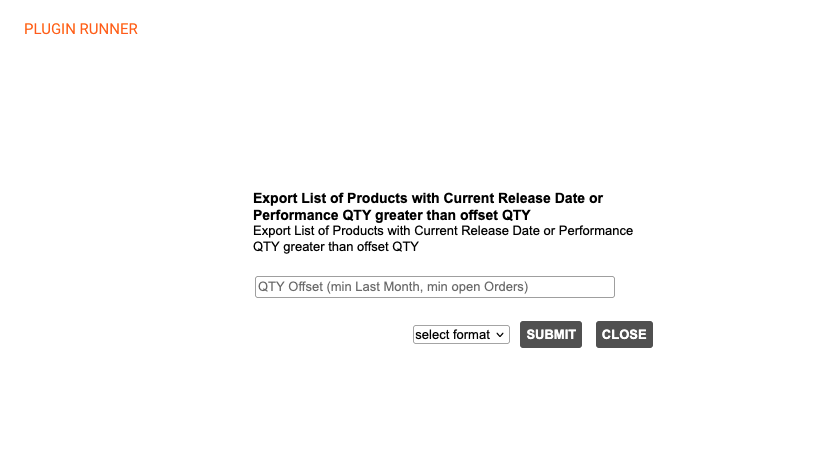
Offset Quantity
The Offset Qty defines the minimum number of sold units required for an item to appear in the report. This acts as a filter to narrow down products with relevant sales.
- Offset Qty = 1: shows all items that sold at least 1 unit in the last 6 months.
- Offset Qty = 5: shows all items that sold at least 5 units in the last 6 months.
- Offset Qty = X: shows all items that sold at least X units in the last 6 months.
Note: This report helps identify which fast-moving items need to be restocked and ensures better inventory control based on real sales data.