
Details provides the ability to define and add income other than physical/digital sales, licenses and 3rd party income to the artist statement.
This can be subventions, sponsoring or any other type of income.
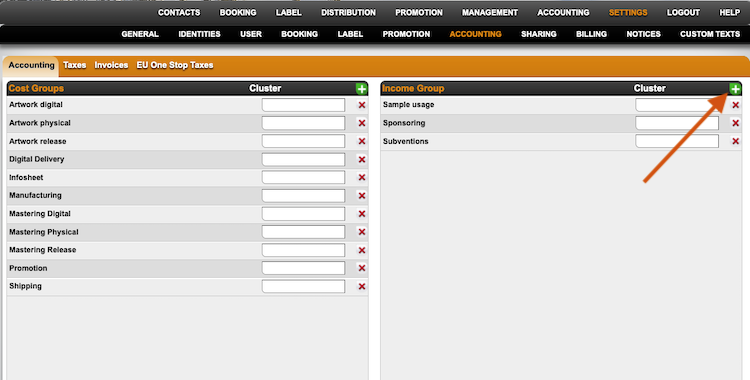
To create an Income Group, go to SETTINGS / ACCOUNTING, click on the green plus in the INCOME GROUP box and add the name of the new Income Group.
Then select where this income should be projected to, whether it will be added to the digital product, physical product or release.
If you want the income to be charged as an advance (100% recoupable), please check the Advance box.
If your royalty contracts are set to a general Recoupable status, all income groups are accounted with the existing share – just as your costs.
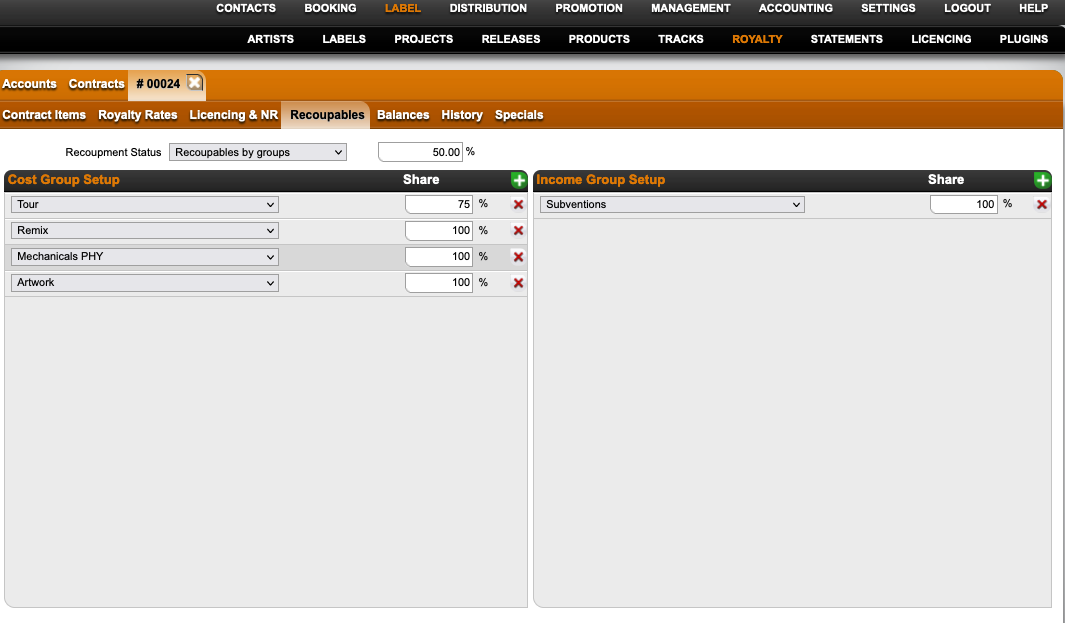
As soon as you have royalty contracts with Recoupables by Group, you will need to go the RECOUPABLE tab in the relevant contract and add the new income group on the right box .
Select the new INCOME GROUP by clicking the green plus and add the share.
Read HERE how to add Other Income to your releases.