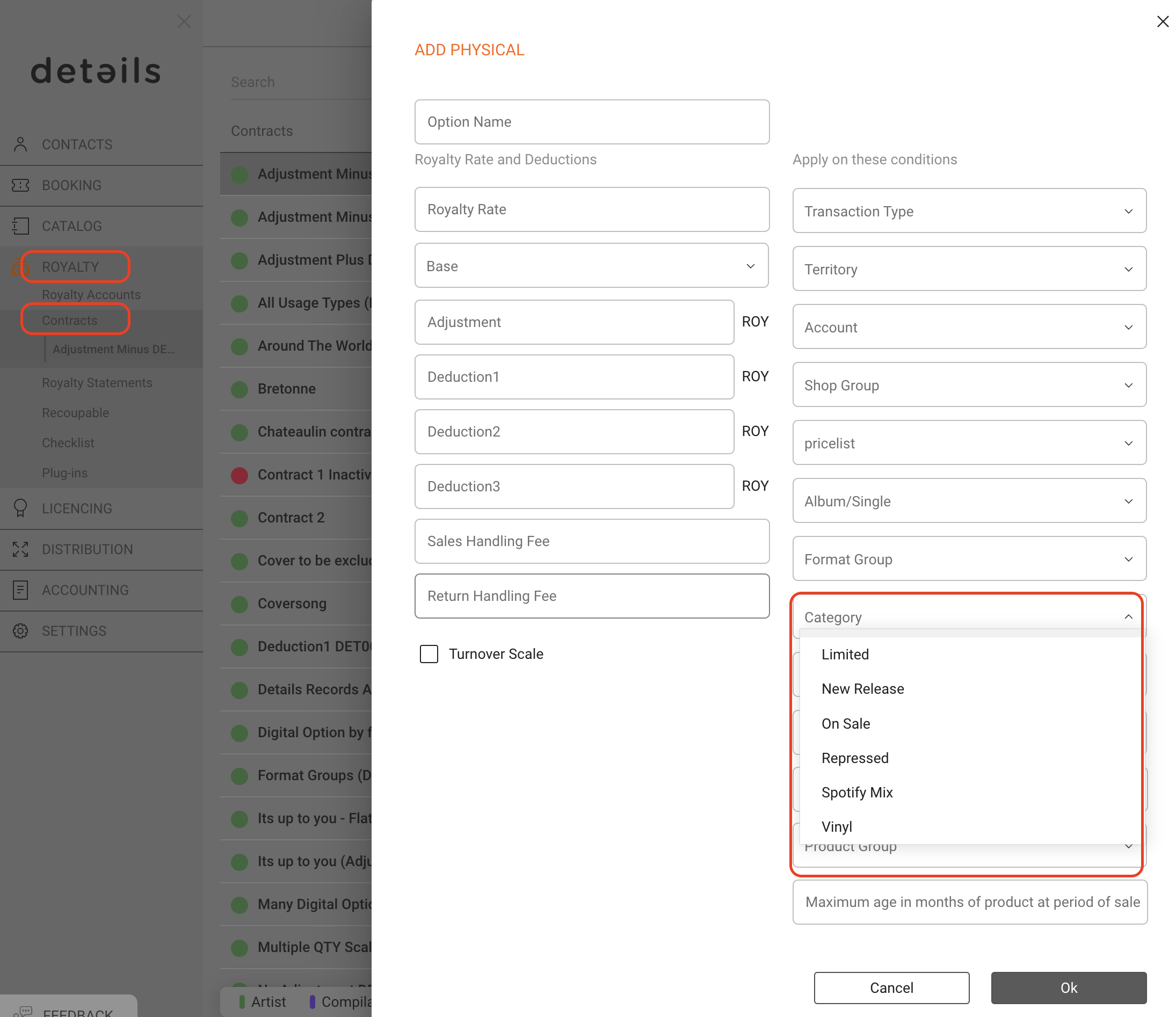
details offers the option to manage and distinguish between different categories of products.
In fact, details allows you to manage two different systems of product classification/types:
Category and Category 2.
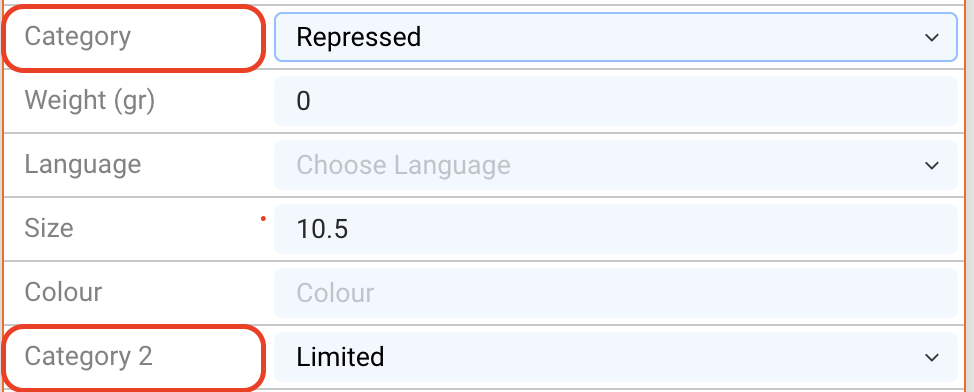
Both are independent from each other and may be created and managed by customers according to their own specific business requirements.
Product categories are available in several places in the application:
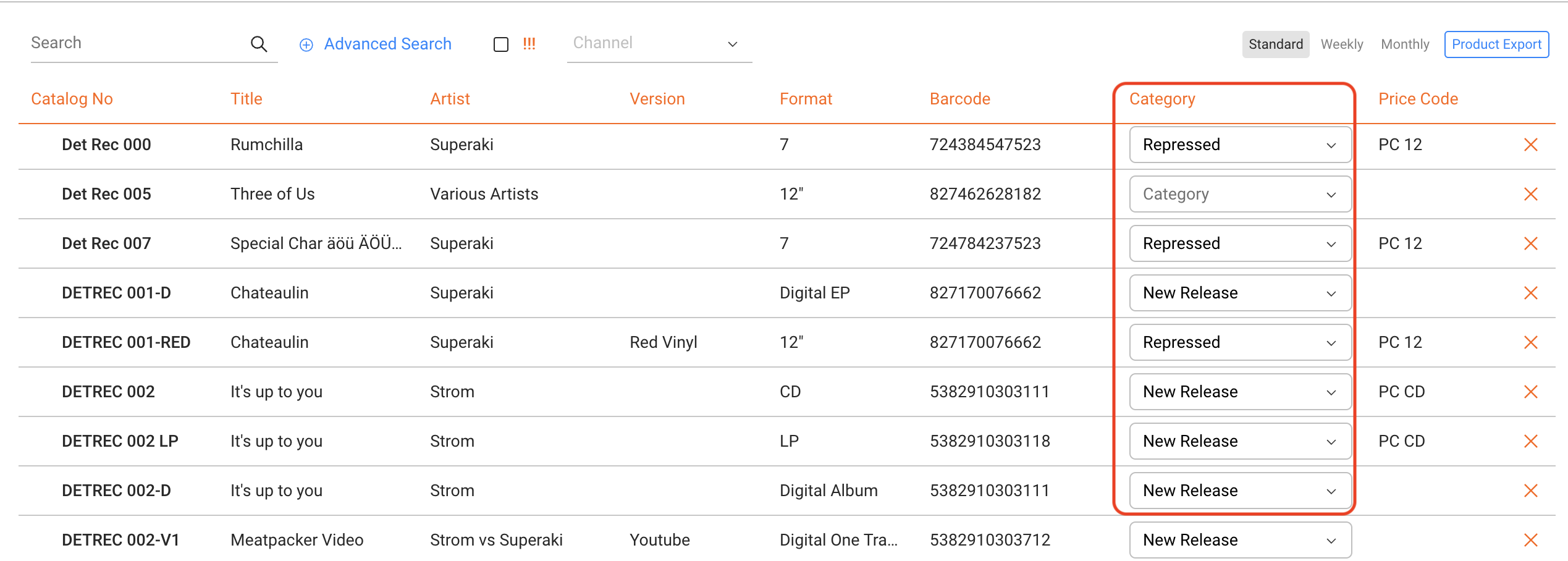
In the list of all products in CATALOG / PRODUCTS, Category is displayed and can be modified directly using the drop-down menu.
Category 2 is not shown in the list and should therefore be used for less dynamic parameters.
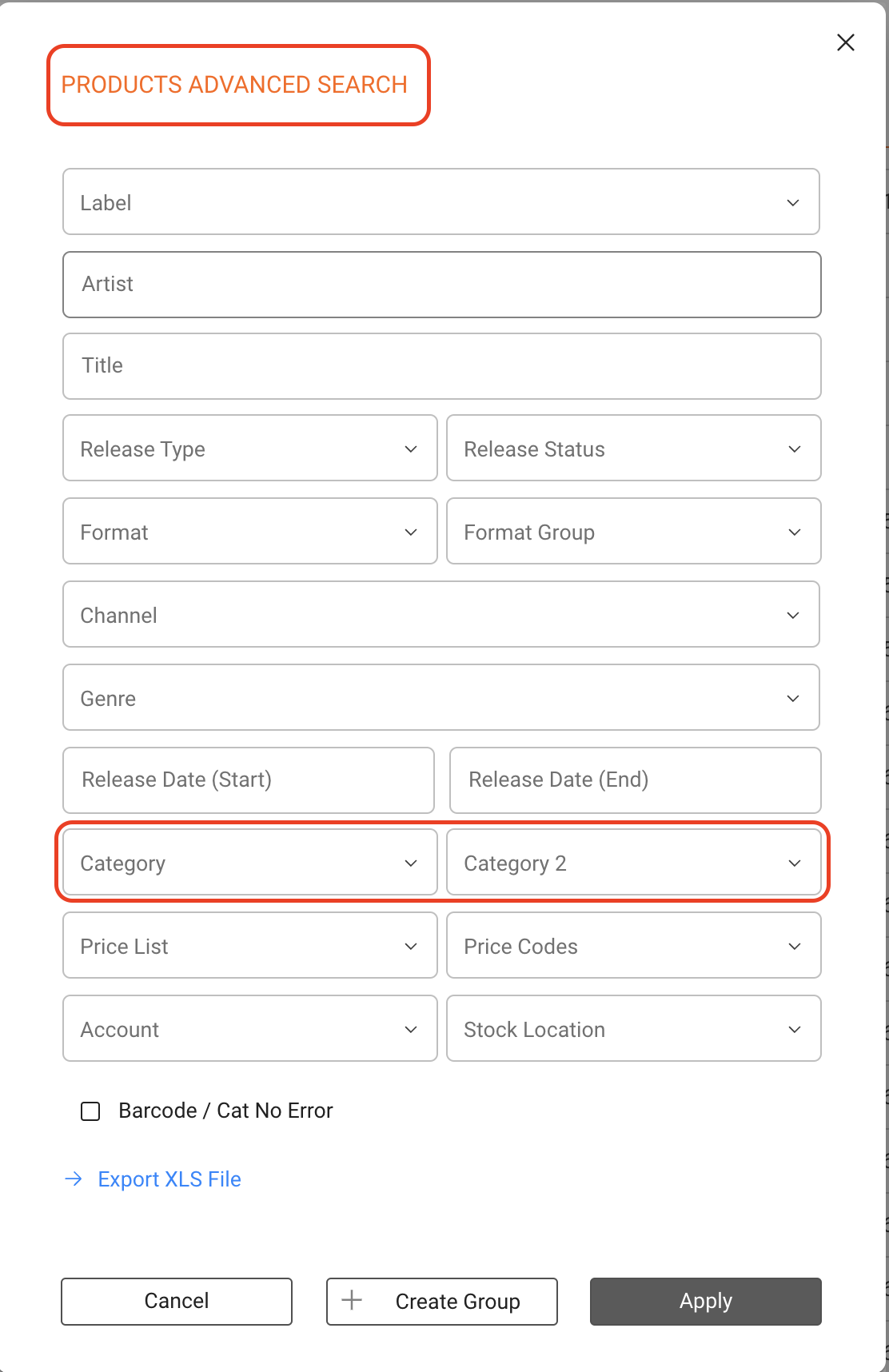
If you want to search your products by one or both categories or export a list related to a category, use the Advanced Search at the top right of the product list.
Both, Category and Category 2, are also visible in the overview of the respective product.
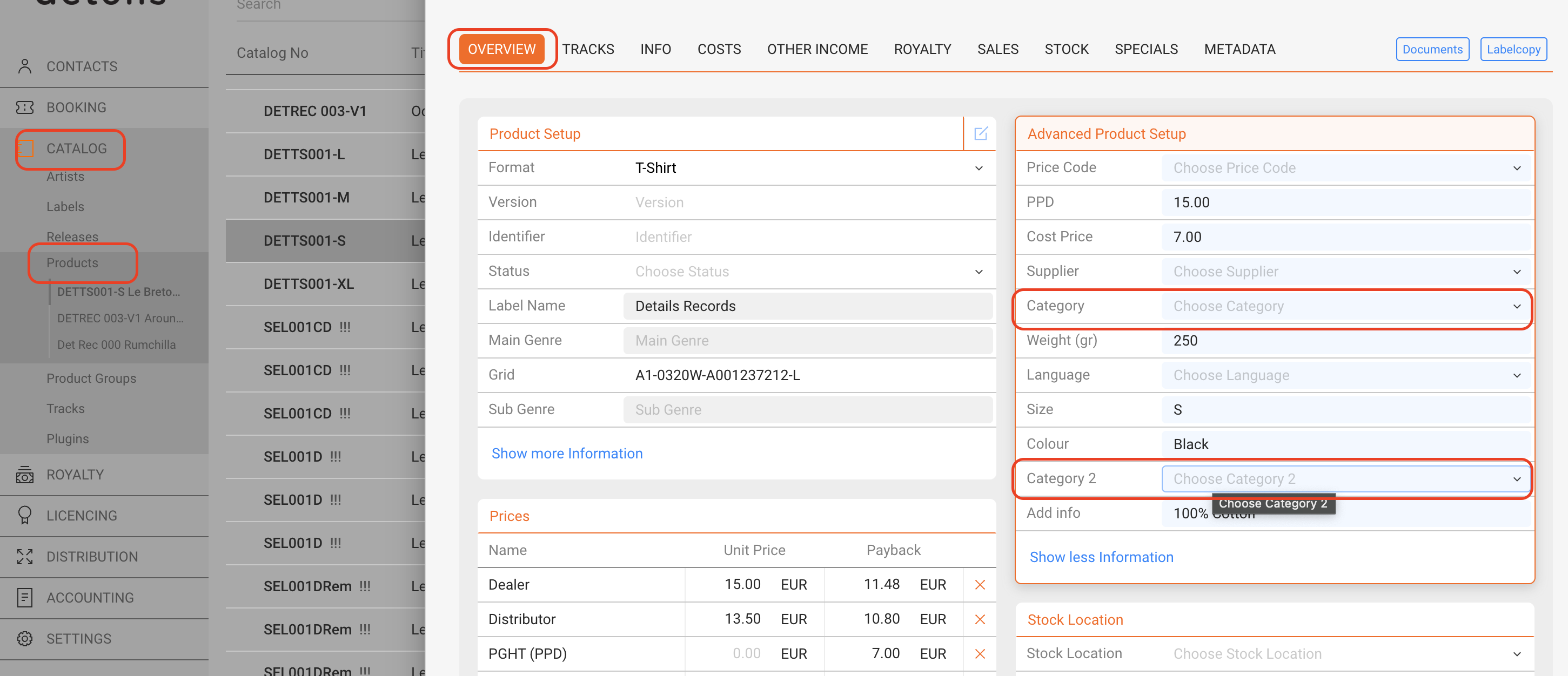
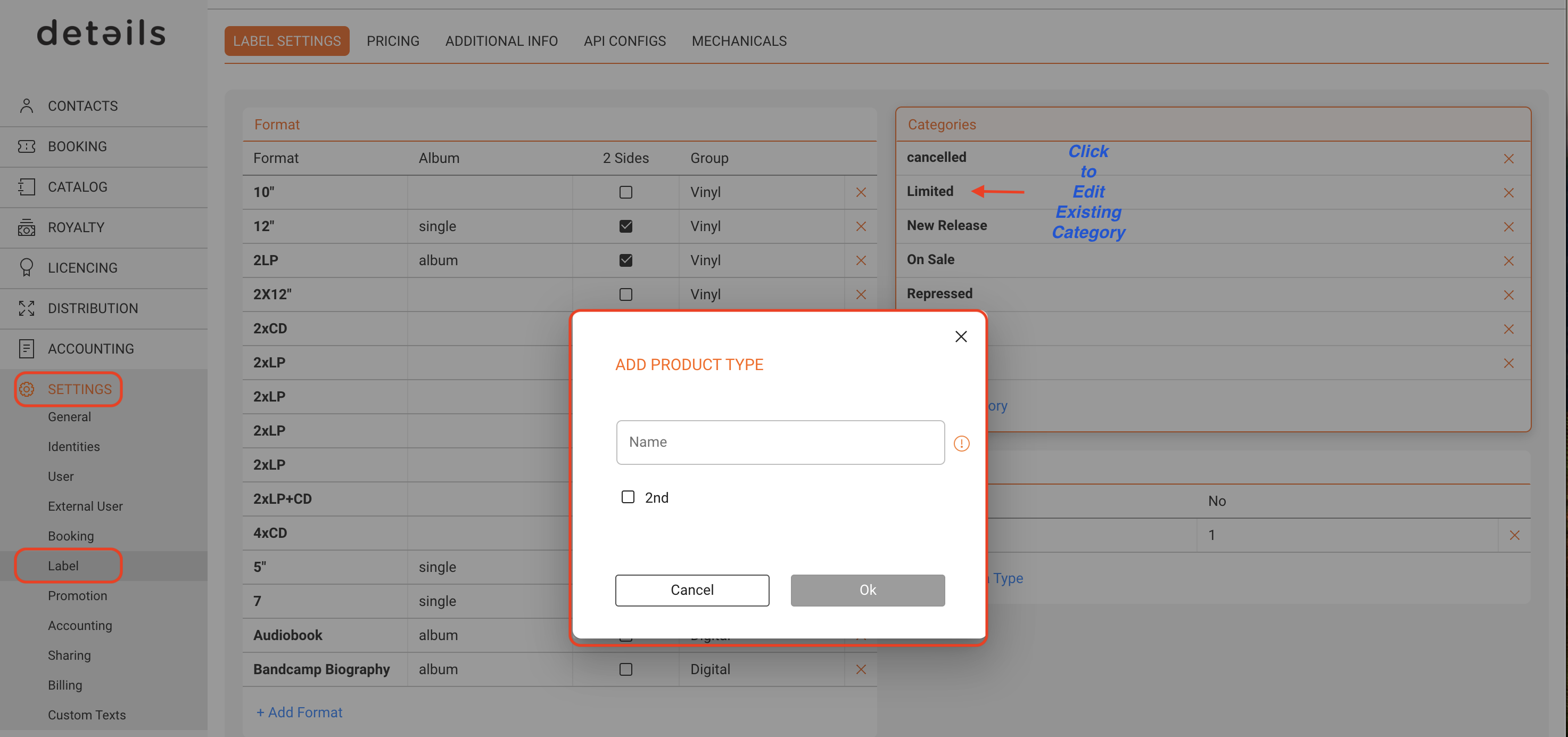
Categories can be created and modified in SETTINGS / LABEL /Label Setting :Categories.
Check the 2nd checbox if you want to add / edit an entry for category 2.
Beyond their use for day-to-day repertoire categorization, product categories can also be used as a parameter in the royalty calculation. Category can be assigned as a royalty condition for physical products (only).