
If you’re experiencing issues with logging in or staying logged in to details, there could be different causes. Follow this checklist to troubleshoot common problems.
► 1. You’re being logged out automatically
- If you’re idle for some time after logging in, your session may expire and you ll be logged out automatically.
- If the same username and password are used to log in on a different device or browser, the original session will be logged out.
- If multiple people need access, make sure each person has their own user account.
How to create additional users - Third-party cookie settings in your browser may also cause unexpected logouts.
A. Check the privacy settings
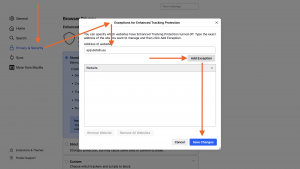
- Make sure tracking protection is not blocked for details:
Firefox ► Preferences/Settings ► Privacy & Security ► Enhanced Tracking Protection ► Exceptions ► Type “app.details.eu” ► Add Exception ► Save changes
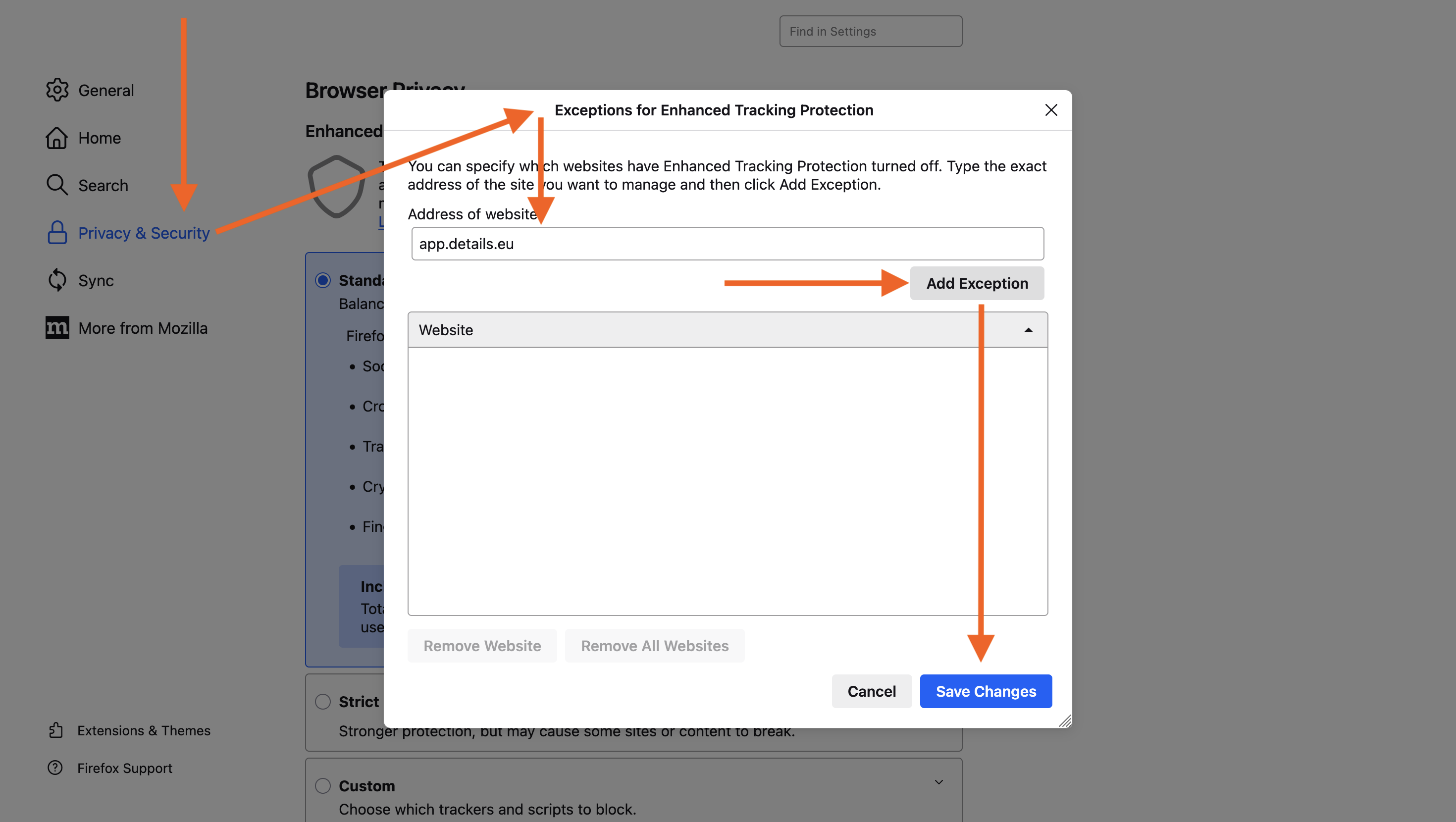
- Make sure cookies are always accepted for details.
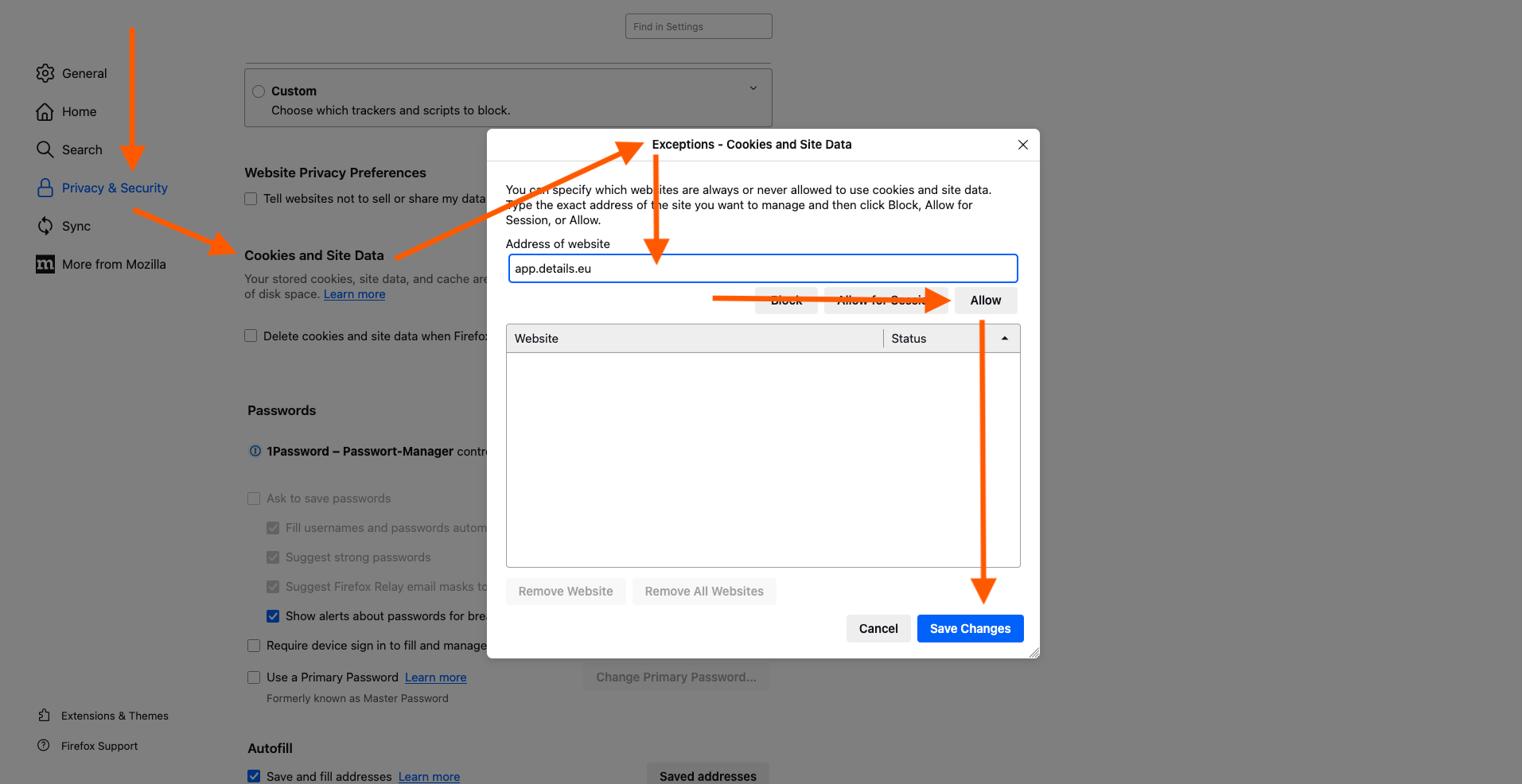
Firefox ► Preferences/Settings ► Privacy & Security ► Cookies and Site Data ► Manage Data ► Type “app.details.eu” ► Allow ► Save changes
► 2. You can’t log in to your account
Check the following possible causes and fixes:
- You’re using the correct login link:
https://app.details.eu/your_client_name/
(Replace your_client_name with the name of your database) - You’re using the latest version of Firefox and Google Chrome.
- Your password has fewer than 32 characters and does not include special characters like
*or►. - You’re using a stable internet connection.
- You entered your username and password correctly check upper/lowercase letters.
A. Clean your cookies and cache
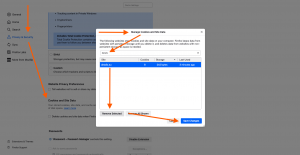
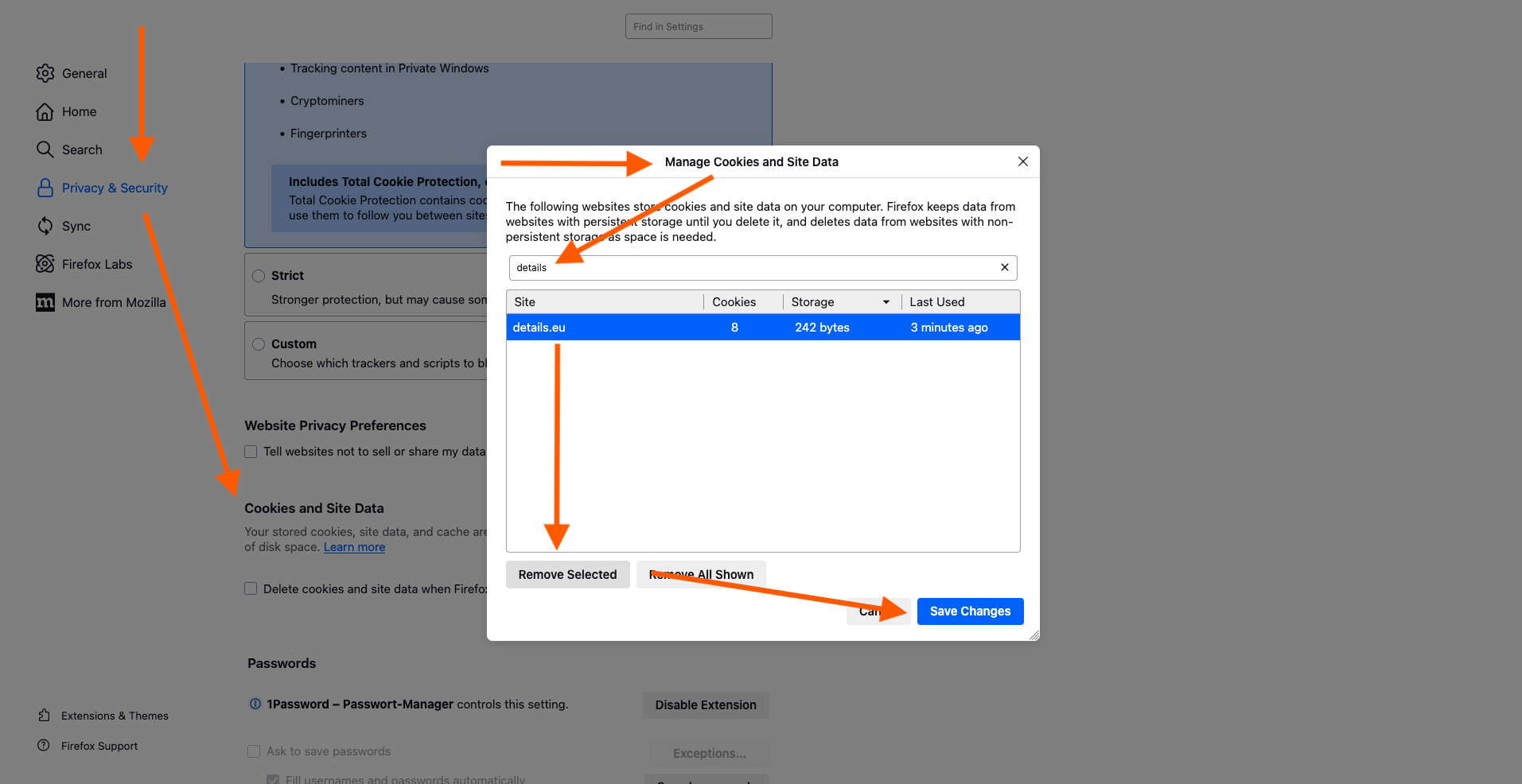
- Remove old cookies for details:
Firefox ► Preferences ► Privacy & Security ► Cookies and Site Data ► Manage Data ► Type “details” ► Select details.eu ► Remove selected
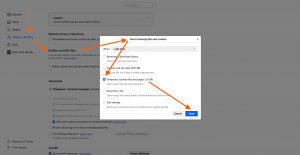
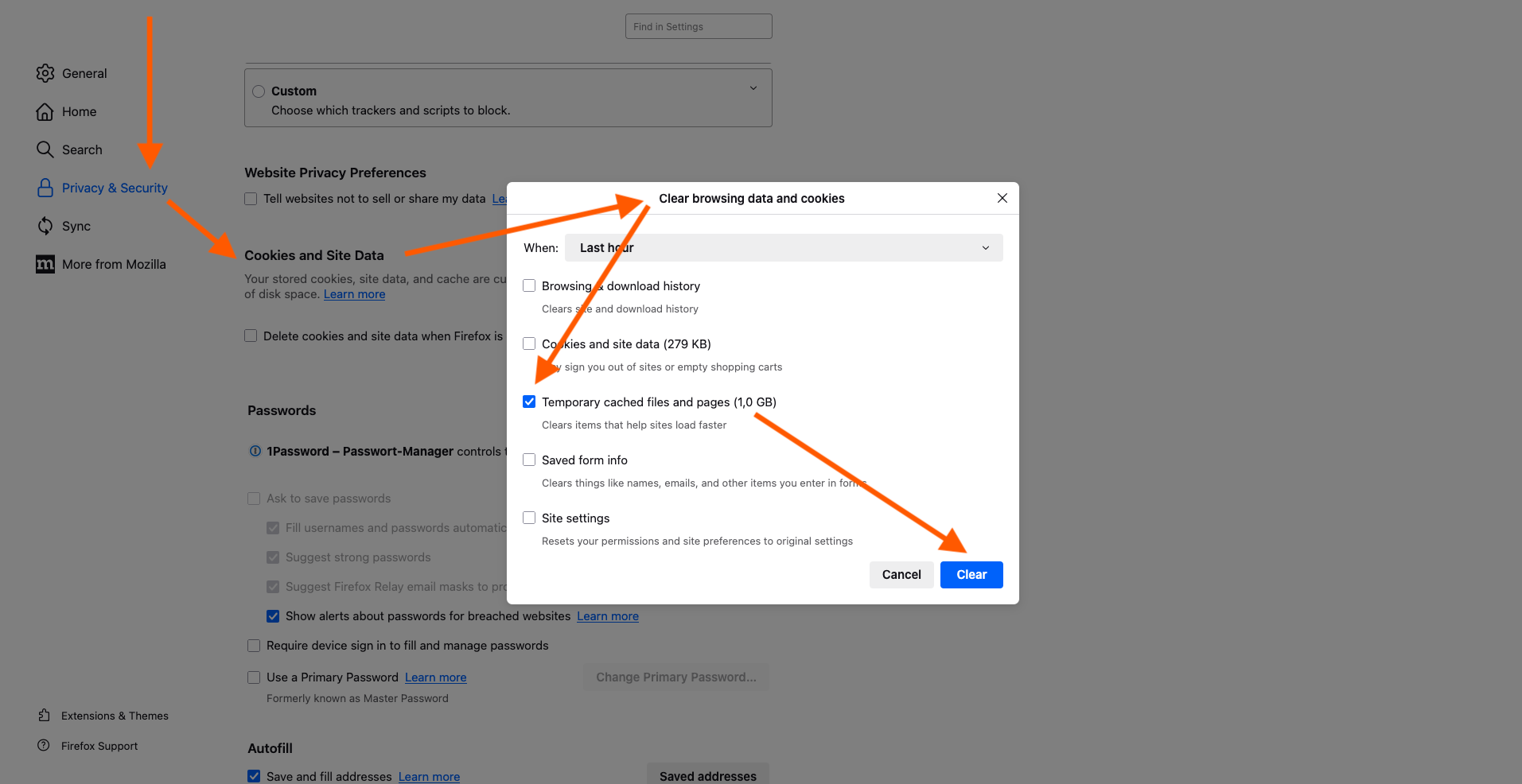
- Clear your browser cache:
Firefox ► Preferences ► Privacy & Security ► Cookies and Site Data ► Clear Data ► Choose “temporary cached files and pages” ► Clear
- You can also press SHIFT + APPLE + R to reload the page and bypass the cache.
B. Check browser settings and extensions
- Make sure cookies are not being blocked:
Firefox ► Preferences ► Privacy & Security ► Cookies and Site Data ► Manage Data ► Type “app.details.eu” ► Allow ► Save Changes
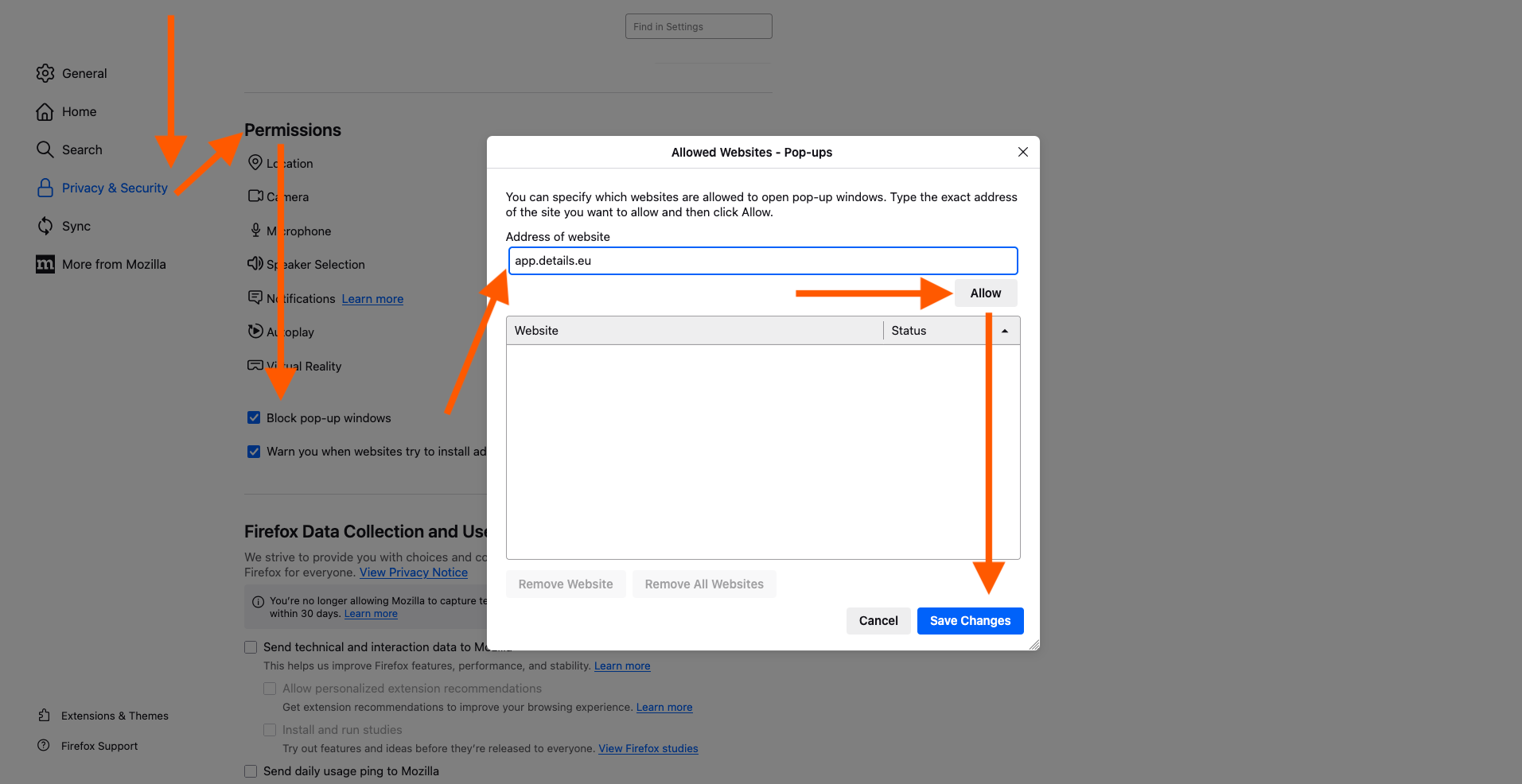
- Allow pop-ups for our website:
Firefox ► Preferences / Settings ► Privacy & Security ► Permissions ► Block Pop-Up Windows ► Exceptions ► Type “app.details.eu” ► Allow ► Save Changes
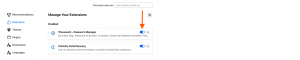
- Disable browser extensions that might interfere with login:
Press SHIFT + APPLE + A or go to Firefox ► Tools ► Extensions

Still stuck? After completing the checklist above, try logging in again. If the issue persists, reach out to our support team with screenshots and a description of your setup.