
There are different ways to send out royalty statements to rights holders in detYils.
If you want to send a batch email out to a selection of royalty accounts including links to access statements, you need to set up a template for the email that will be send.
- You can set custom texts per statement layout, i.e. for different statement business identities or languages you can define different default texts.
- You can add default reply-to email address as well as a sender name, i.e. which email replies should go to and how the email sender appear in your right holders’ inbox.
- You can choose whether or not you want the email to contain royalty amounts.
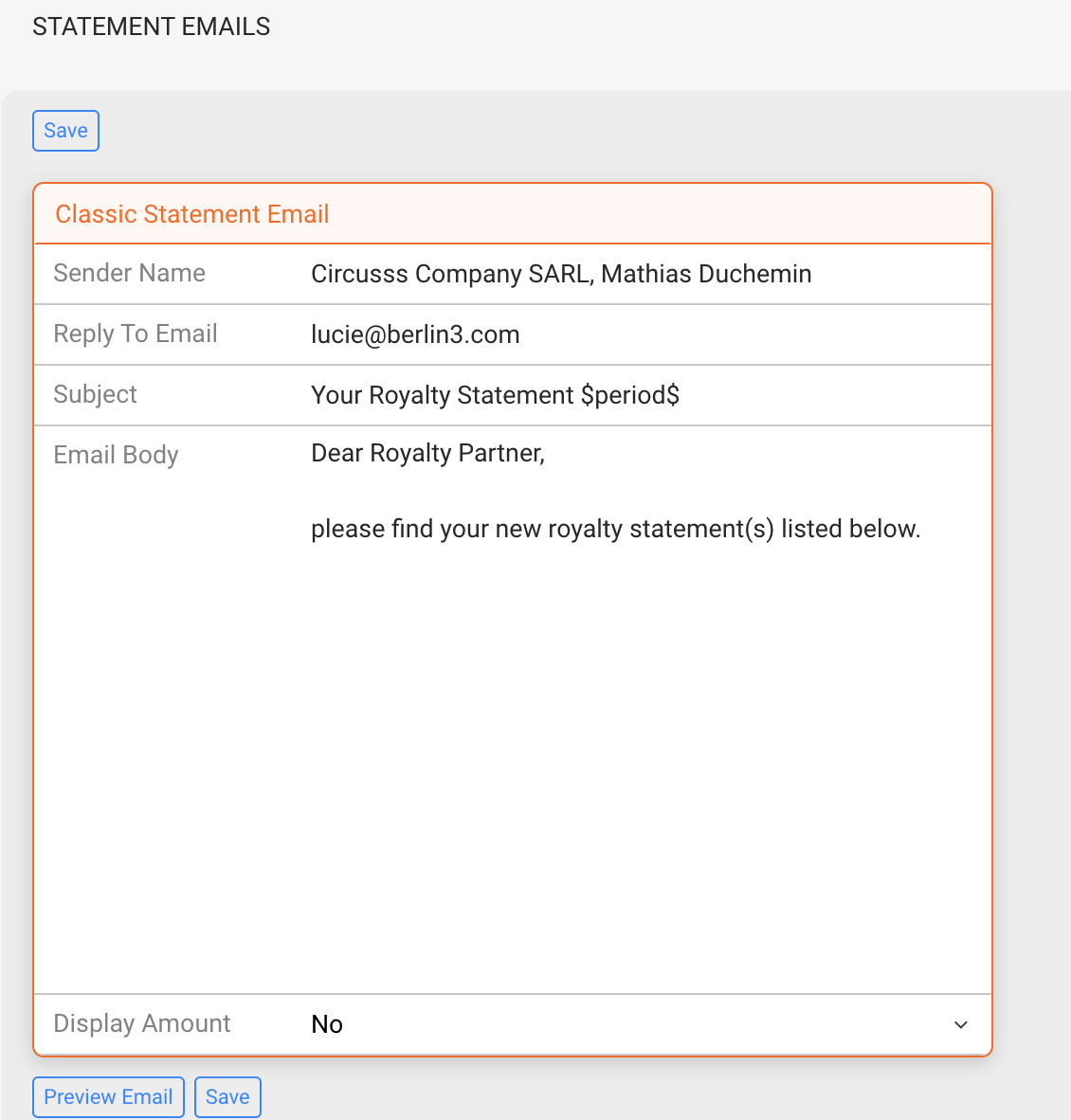
For existing clients we have set up a standard template, which looks something like this :
To customize your own email templates
- Go to Setting > Identities
- Select the royalty project you want to customize and click on the new subtab Statement Email.
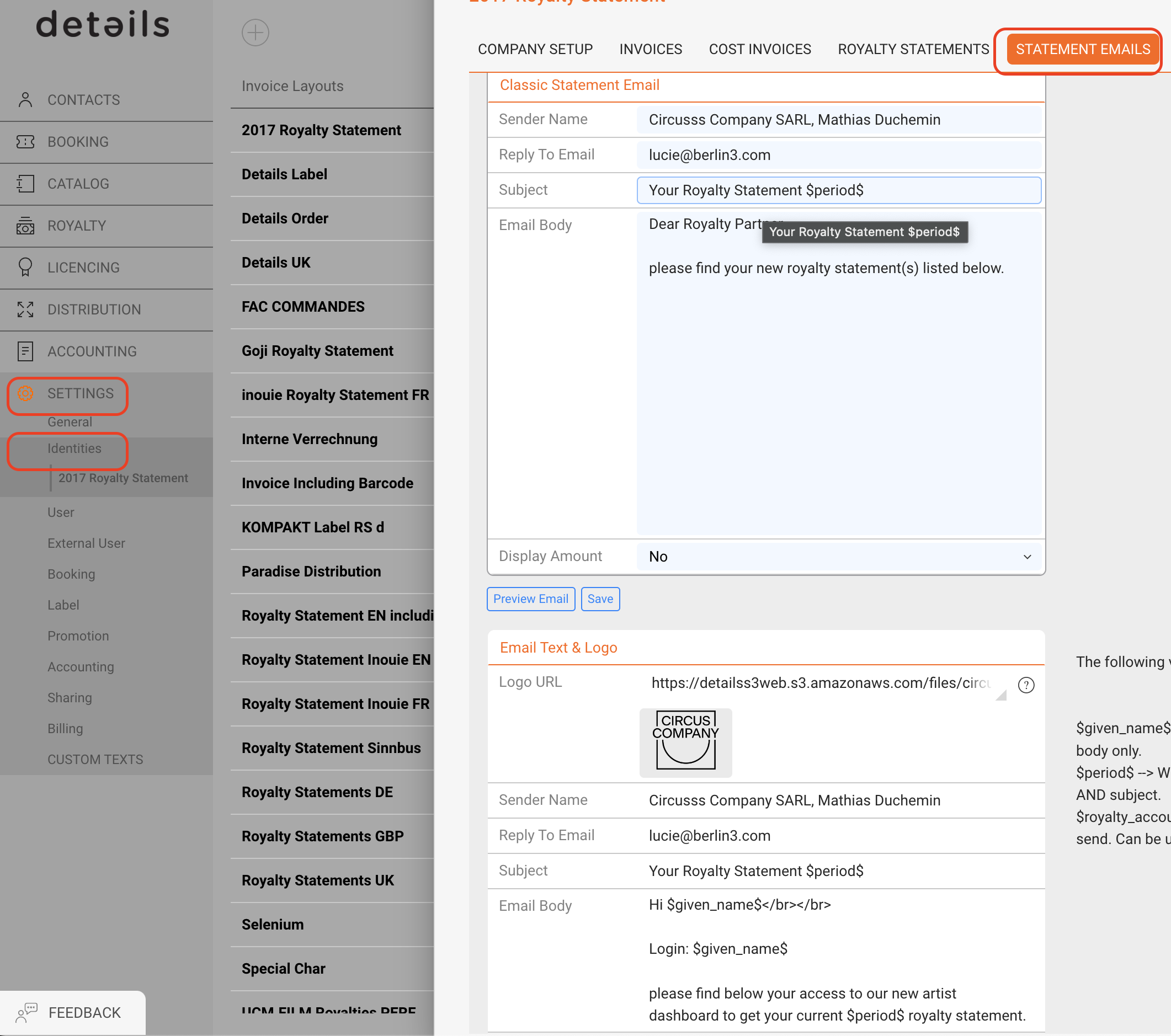
- Enter the Sender Name that will be displayed in the recipients email inbox
- Enter a Reply To email address which recipients will now be able to directly reply to from your statement emails!
NOTE : Sender Name & Reply To will be used for both Classic Statement Email and Email Text & Logo.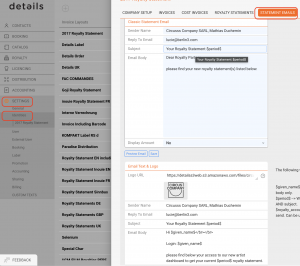
- In the Box Classic Statement Email on the upper side of the subtab enter your custom email subject (example: “Your Royalty Statement”) and
- Add a text template to be used for future standard batch emails with this statement layout.
NOTE : For both email subject and text you can use the variable $period$ which will automatically be replaced with the period of the statement you are sending out.
Find out how to send a batch email here.