
Reserves Against Returns
or “Return Reserves” are a certain amount of physical records or percentage of royalties (from physical sales) which are withheld off the top from the artist by the record label to guard against the label paying royalties on physical records that may be returned by retailers in the future.
The reserves are based on clauses you may find in Artist Contracts such as
“Label shall have the right to establish a royalty reserve against anticipated returns and credits, of up to twenty (20%) percent of the royalty earnings associated with the units of each Record reported as distributed to its customers in that period. Each royalty reserve shall be liquidated equally and in full over the four (4) semi-annual accounting periods following the accounting period during which the applicable reserve is originally established.” *see the end of this article for corresponding settings in details
In details you can set up return reserves in your royalty CONTRACT on LABEL / ROYALTY.
1) Select the royalty contract and go to the subtab Royalty Rates.
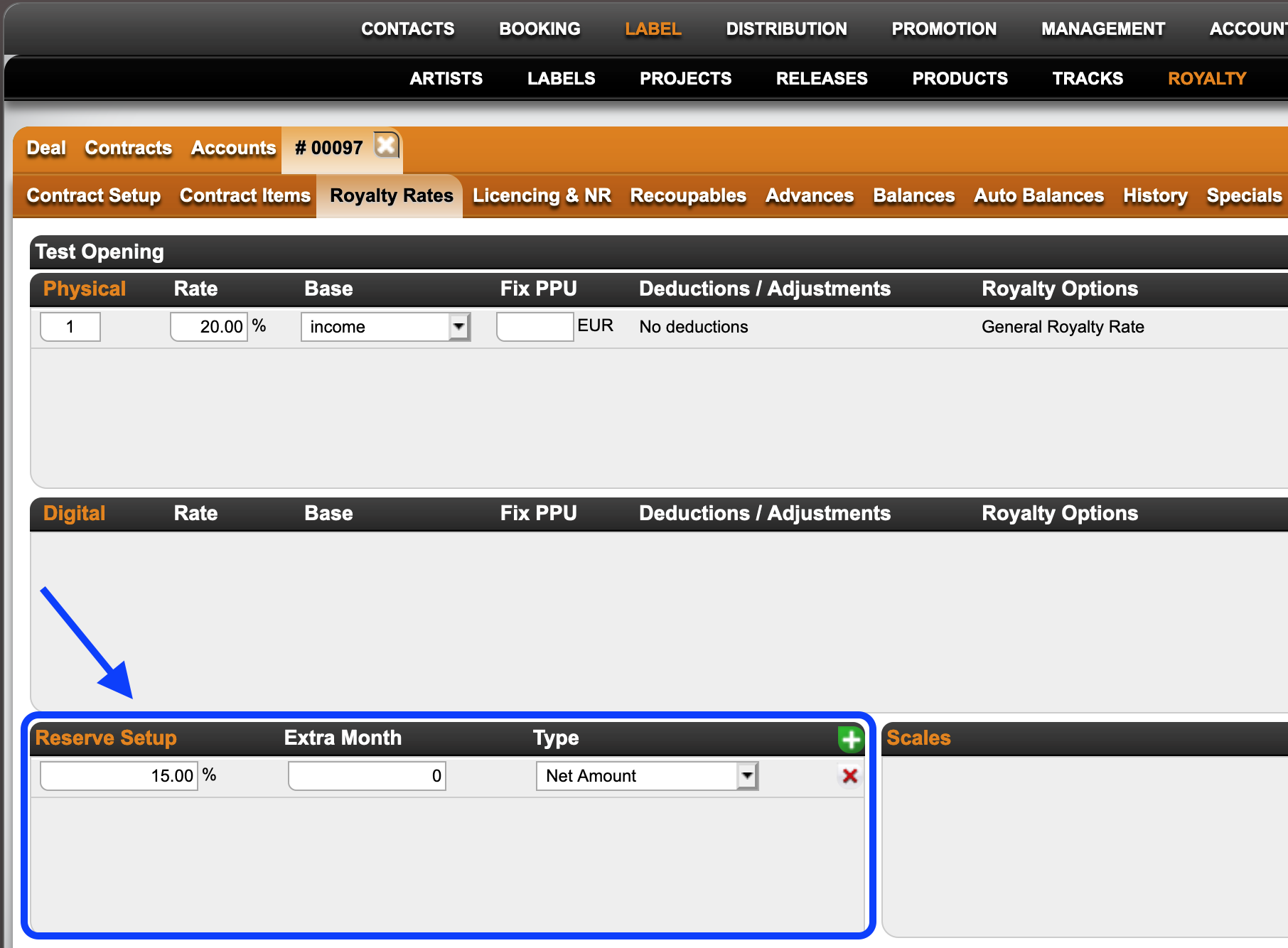
2) Click the green [+] icon to add a reserve and add your reserve percentage and type of reserve you want to add it to.
Catalog No will calculate the reserve to selected products only
Net Amount will calculate the reserve to all physical products included in the specific royalty contract
3) The reserves and credits of past reserves will be listed on the royalty statement accordingly.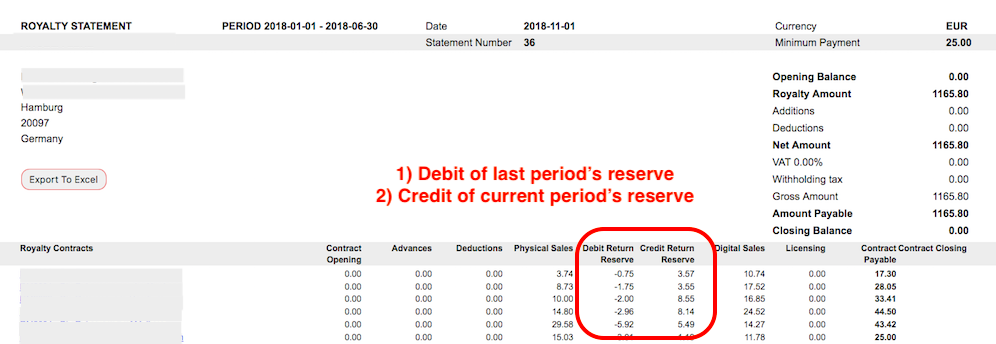
How to apply the Extra Month option:
Royalty Periods can be
monthly = period of 1x month
quarterly = period of 3x months
semester = period of 6x months
IF X is current royalty period, then next period X+1 is
X + 1 month for monthly
X + 3 months for quarterly
X + 6 months for semester
details will create a Return Reserve in X and by default release it in X+1
=> the setting for the default is EMPTY or 0 Extra Months
so
M1 => M2 for monthly
Q1 => Q2 for quarterly
H1 => H2 for semester
If you are setting Extra Months they will be applied ON TOP of X +1
(1) example “shift”
for use of Extra Month to shift a return release 3 months into the future
M1+ 3 => M4 for monthly
Q1+ 3 => Q3 for quarterly (Q2 plus three additional months on top)
H1+ 3 => H2 + 3 month = effectively next H1 for semester (3 months does not make sense)
(2) example “split”
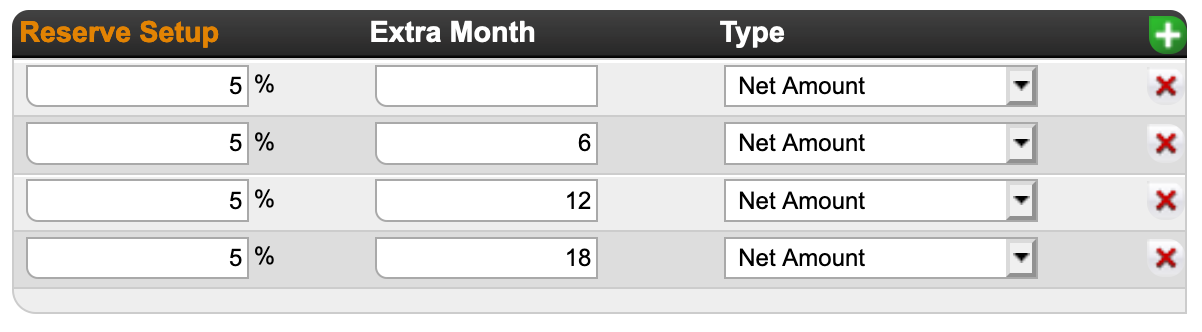
for use of Extra Month to split a 20% return release into 4 parts over 4 periods
The contract clause at the beginning of this article withheld a percentage (20%) of royalty earnings (not income) in the current royalty period and plans to pay it out in 4 equal parts of 5% over a period of the 4 following royalty half-year periods (over 2 years in total). The settings in details would be
(3) example “Distribution scenario”
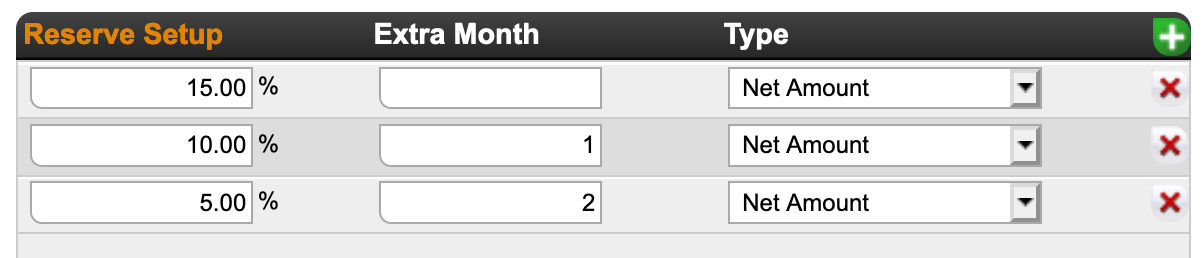
for use of Extra Month set to split a 30% reserve into 3 unequal parts over 3 months :
15% in the next month, 10% the second month and 5% in tthe third month.
If in doubt, contact our Label Team if you need our help!