
details allows you to set automatic due dates for any INVOICE ITEM in your MONEY DETAILS.
As for the custom deals and custom items, the automatic due dates can be set in
SETTINGS / BOOKING / Money Details.
To set a due date select an INVOICE ITEM and click on the blue icon to edit.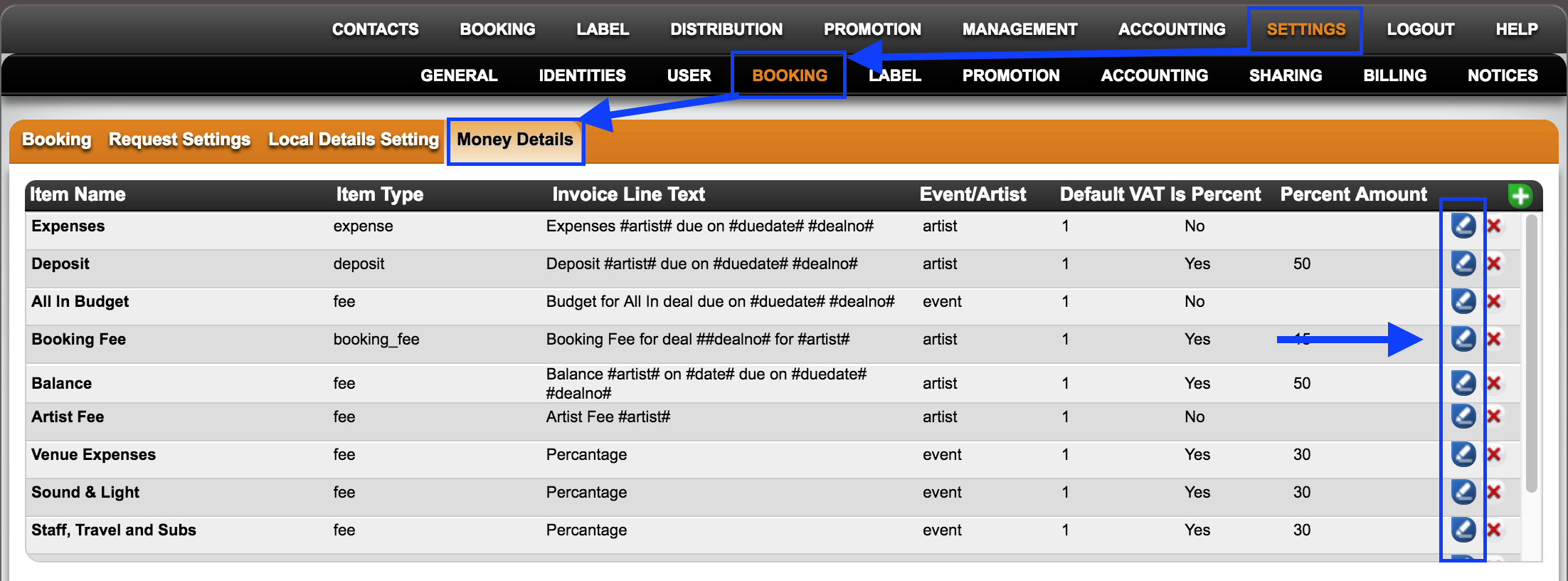
at the bottom of the modal window you will find the option to set the due dates with two customizable fields:
* the number of days ”before” or ”after” the reference date:
Note: use a leading minus for “before”!
* the reference date : select either the “”Event Date”” OR the “”Deal Creation Date”” as reference for the automatic due date of this item.
The “”Deal Creation Date”” would be the day you worked on this deal, i.e. probably the day that you send out the contract.
Examples:
1 Set auto-due date for a booking fee “14 days after the deal was made”: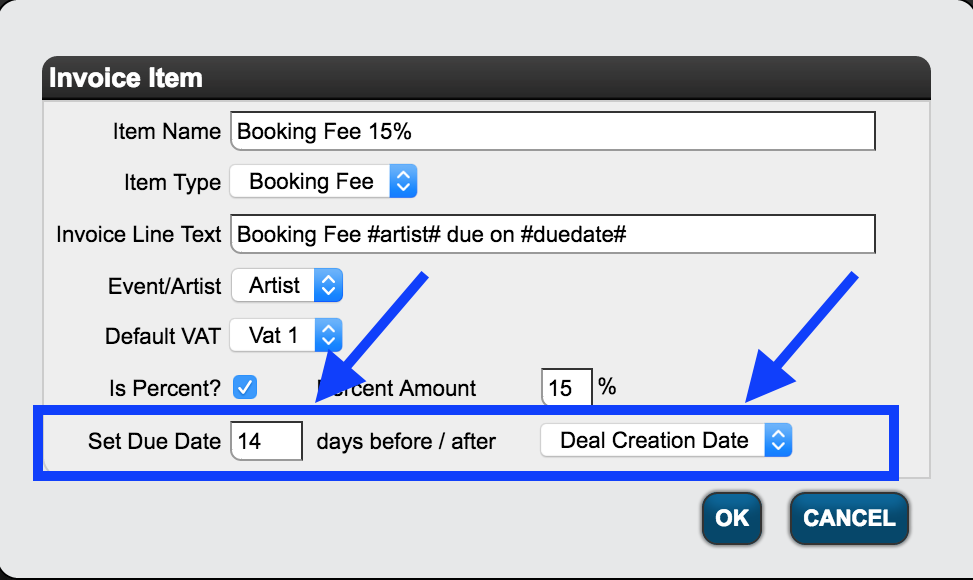
2 Set auto-due date for a balance payment “10 days before the event”: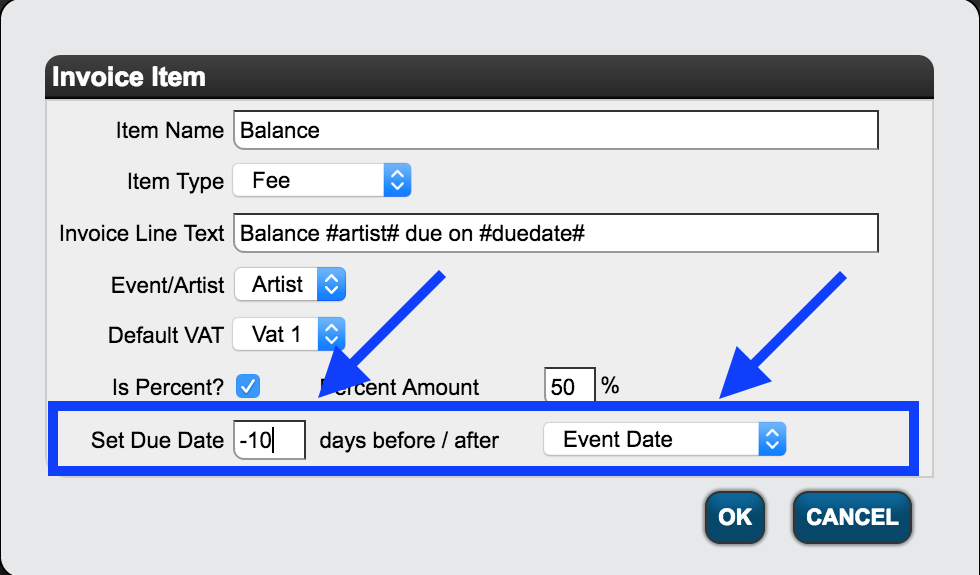
Once you you set a rule for the automatic due date, it will be set every time you select a deal including that INVOICE ITEM: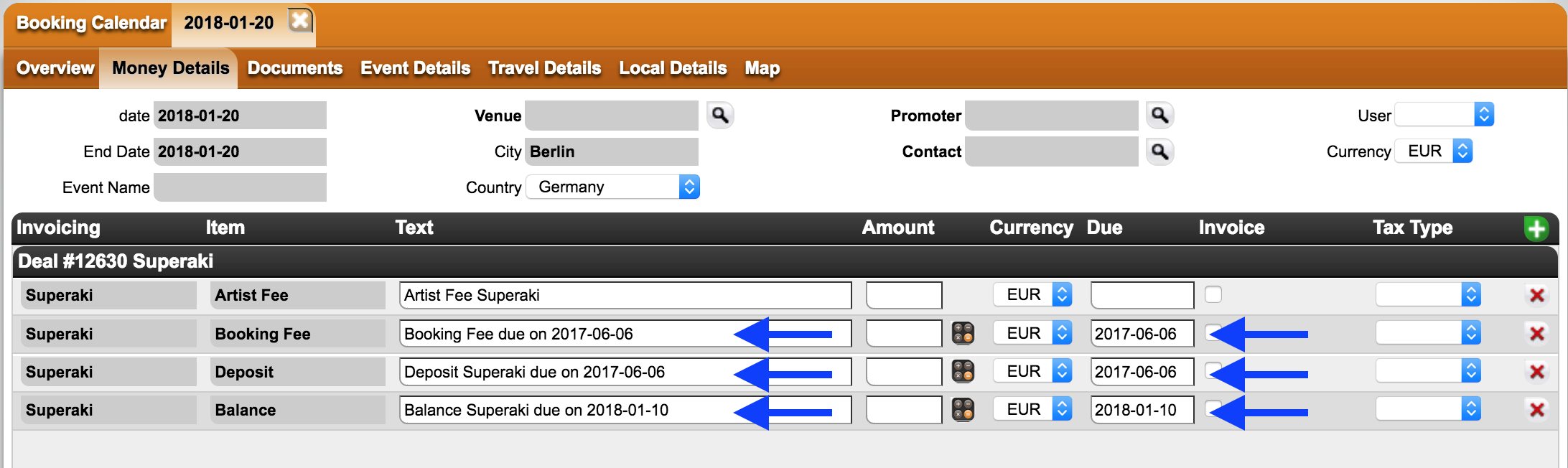
How to set automatic due dates for Money Details
Recently Viewed
Your recent pages