
If you’re having issues with your details account for example, calendars not downloading or your computer getting stuck in old patterns (which can slow down your software) it might help to refresh your cache memory.
The following steps show you how to do this in Firefox on a Mac. If you re using Windows, the steps look very similar only the layout might differ a little.
Other browsers (like Chrome) offer a similar option, usually found under a section called Privacy or Security. You re looking for something like clear browsing data or delete cached content.
Here s how to do it in Firefox on a Mac:
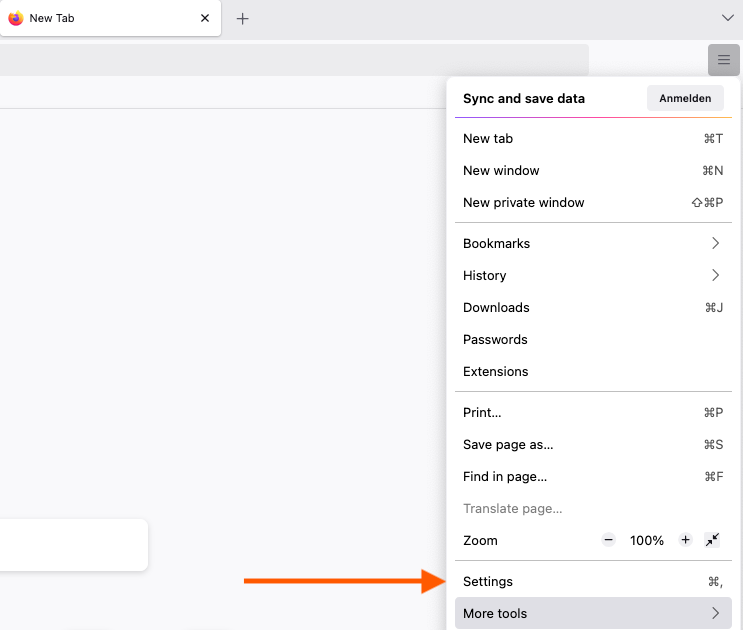
1. Open Firefox and go to Settings
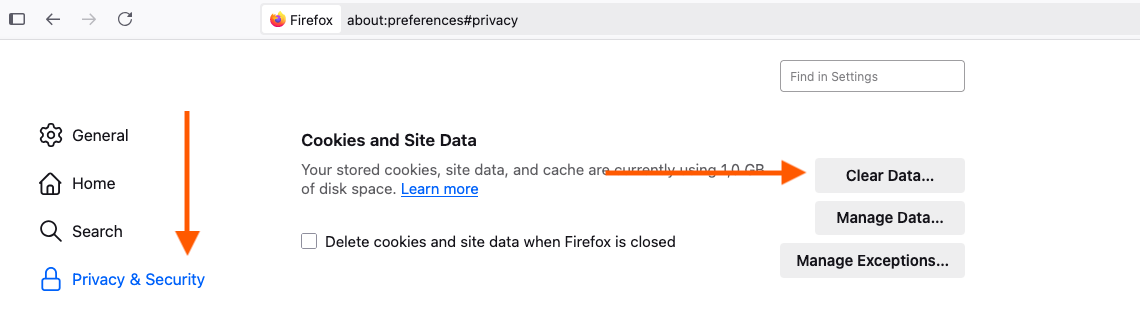
2. Select Privacy & Security, then go to Cookies and Site Data and click on Clear Data
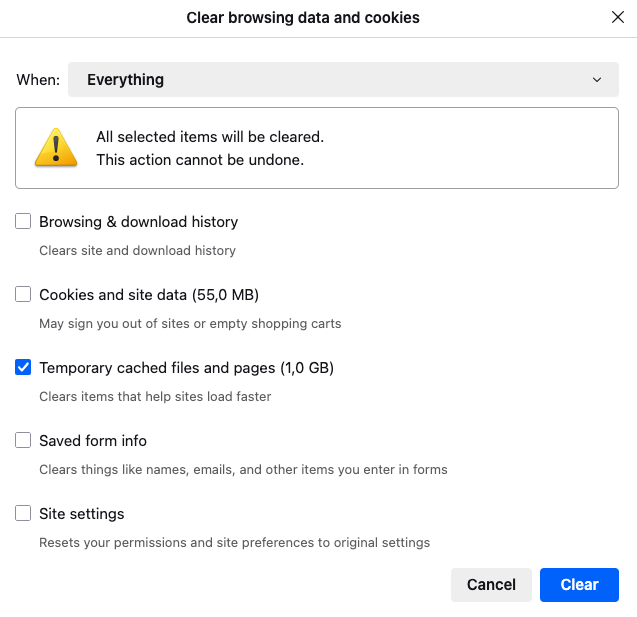
3. Tick the box for Cached Web Content and click Clear
That s it!
Want to know more about what a cache is? Have a look at this article.