
If you want to delete a sales import that has already been accounted, you need to cancel the invoice first (but make sure before, the invoice hasn’t been forwarded in the accounting process!)
1. ACCOUNTING / INVOICES
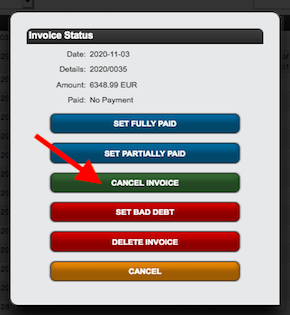
- find the invoice connected to the sales import and cancel it via the Pen Symbol on the right.

2. DISTRIBUTION / ACCOUNTS
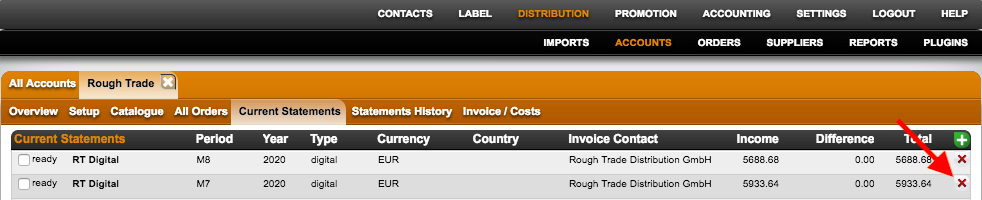
- Once the invoice is cancelled, the sales import shows up again in the CURRENT STATEMENTS tab of the distribution account.
- You can delete the sales import by clicking the red X.
TRY TO AVOID DELETING AND ALWAYS CONSIDER IF THERE IS ANYTHING CONNECTED TO THE DELETED ITEM.