
To activate BATCH STATEMENTS go to LABEL / PLUGIN and click BATCH STATEMENTS PROCESSING.
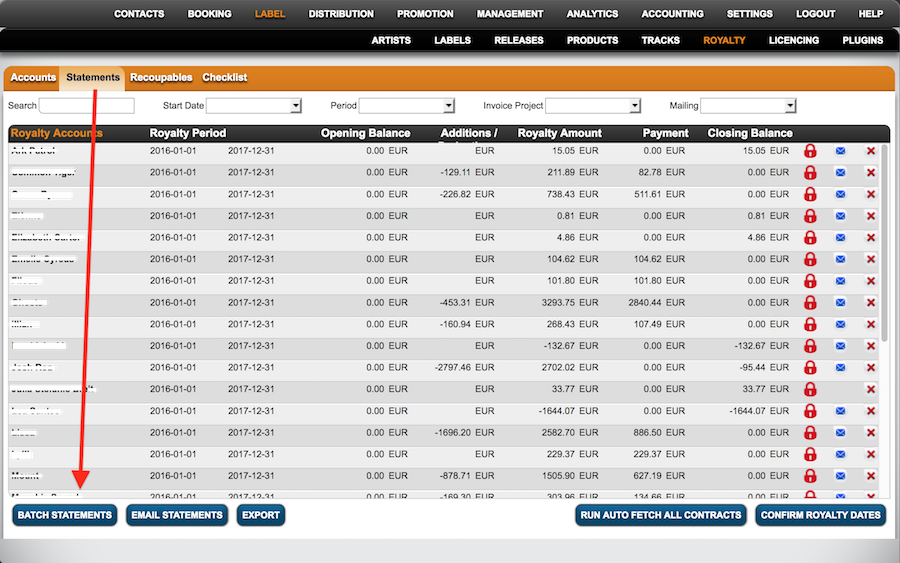
1) Now go to LABEL / ROYALTY and select the subtab ALL ROYALTY STATEMENTS. At the bottom of the list you can now find and click the button BATCH STATEMENTS.
::
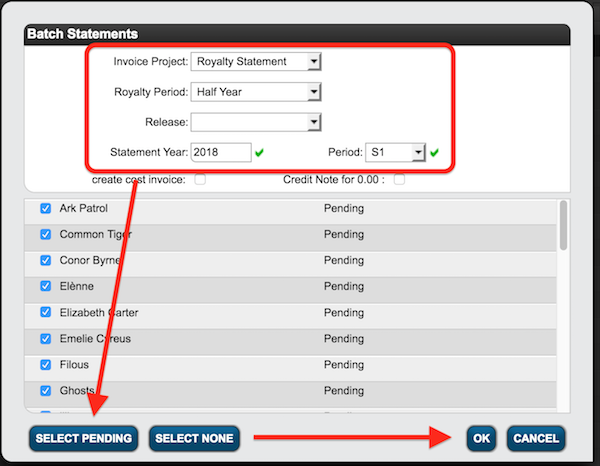
2) Type in the STATEMENT YEAR and PERIOD & filter by Invoice Project and Royalty Period. Select manually or click Select Pending. Click [OK] to proceed.
::
All statements will now be calculated, you will be notified by e-mail when the process is complete.
Read more on royalty statements here.
How to do batch royalty statements
Recently Viewed
Your recent pages