
Table of contents
This article explains what detailsGPT is, how it was trained, and how it helps you get reliable answers to everyday questions across the details application and all its modules.
Internally, we sometimes refer to it as A.k.I a small nod to both AI and our co-founder and long-time system architect Aki Hetkamp. Now you know.
► What detailsGPT is
detailsGPT is an in-app assistant trained on the details application as a whole.
It is designed to help with everyday questions such as workflows, permissions, navigation, and common tasks across all modules quickly and consistently.
detailsGPT is not a replacement for human judgment. It does not invent rules, make autonomous business decisions, or override application logic.
► How detailsGPT was trained
detailsGPT was trained using domain-specific material covering the full details platform.
- Help Center articles across all modules
- Internal workflows and documentation
- Recurring support questions
- Explanations written for real client cases
- UI labels, screens, fields, permissions, and role logic
This ensures answers are based on documented behavior and established workflows not on generic internet content.
► How we check answer quality
We do not blindly trust AI output.
- Testing against known, recurring support questions
- Comparing answers with real replies from our support team
- Checking responses against actual interface behavior
- Reviewing unclear or incomplete answers
When an answer is not good enough, we improve the documentation or explicitly route the topic to human support.
► When human support steps in
detailsGPT is designed to hand over to humans when context or judgment is required.
- Client-specific situations
- Business or contractual decisions
- Undocumented or ambiguous workflows
- Cases where the answer is unclear
detailsGPT is making first steps, but will evolve.
► Where to find detailsGPT in the app
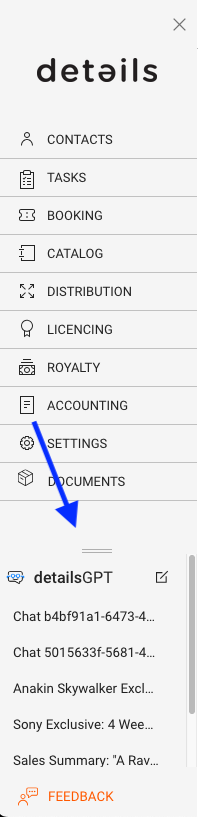
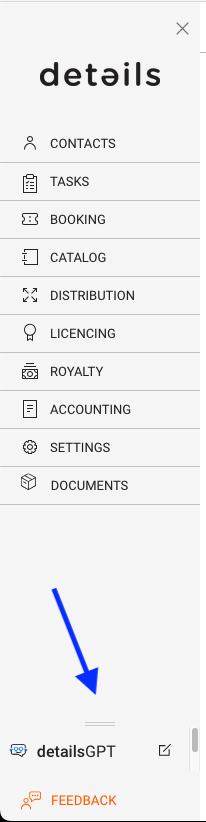
You can access detailsGPT directly from the main menu side panel.
- The detailsGPT entry is located at the bottom of the side panel, just above [FEEDBACK].
- Clicking it opens the GPT panel inside the app.
- The [EDIT] icon lets you start a new prompt at any time.
- The resize handle above the label allows you to adjust the panel height and view previous conversations.
► How to interact with detailsGPT
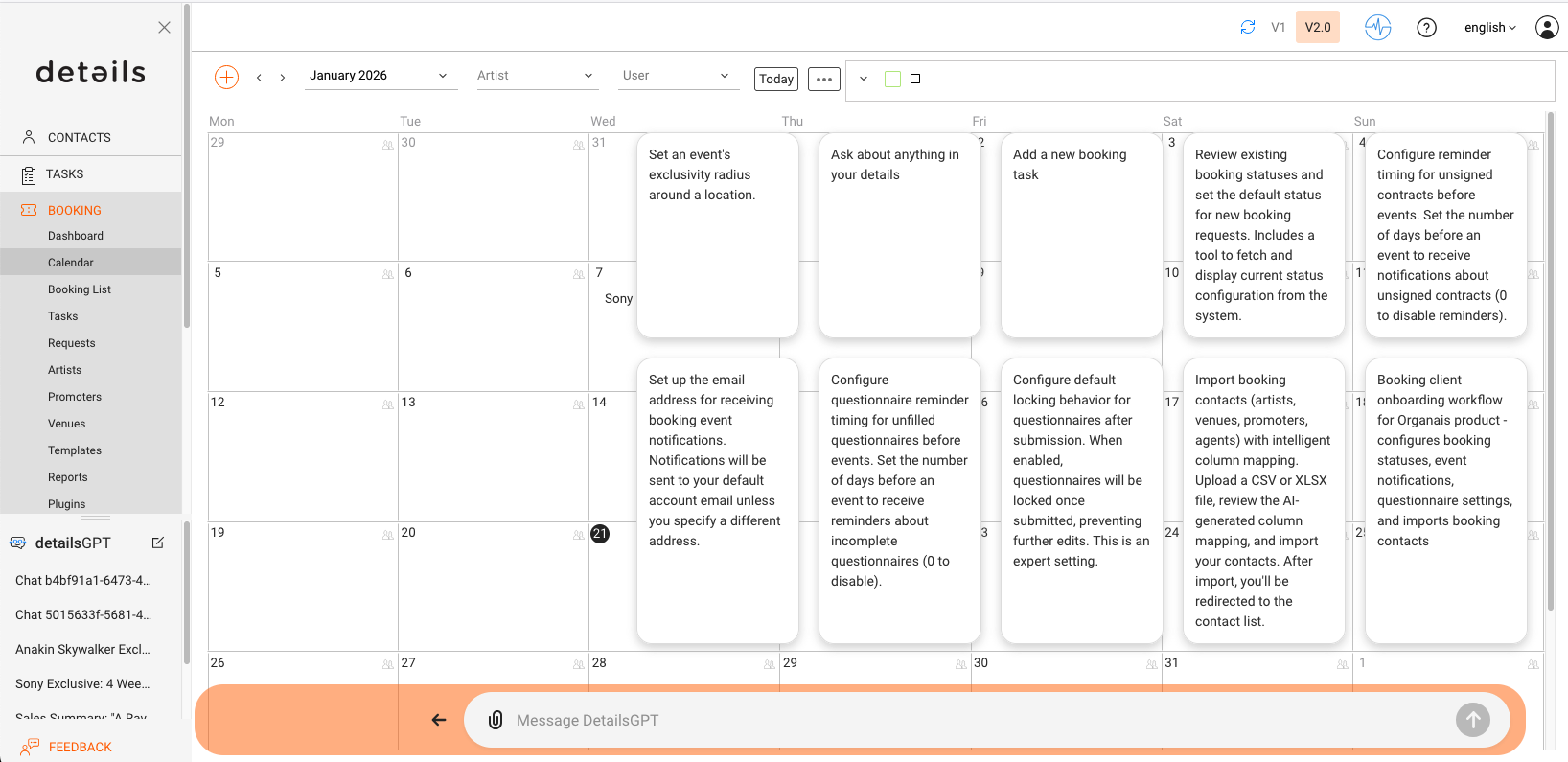
When opened, the primary way to interact with detailsGPT is the prompt bar at the bottom of the screen.
You can ask questions in plain language, such as how to perform a task, where to find a setting, or why something behaves in a certain way.
Suggestion tiles above the prompt represent predefined AI functions for common tasks in the current section. These are curated shortcuts and will be refined over time based on real usage.
 ► How detailsGPT handles data-related questions
For questions involving data, lists, filters, or actions, detailsGPT relies on the same application logic and APIs used by the v2 interface.
It does not access databases directly and does not bypass permissions. All actions follow the same rules and safeguards as the regular interface.
In short
- detailsGPT helps with everyday questions across all modules
- It uses the same knowledge base and logic as the details app
- Answers are continuously reviewed and improved
- Human support remains available whenever needed
If you ever need to reach our team directly, you can contact us at:
- Label & catalog support:label_team@details.eu
- Booking support:booking_team@details.eu