
Each Booking Agency has their own traditions, wording and invoicing workflows.
DETAILS offers you to create presets not only of what you invoice, but also how you want to bundle them in your own special deal arrangements.
Previously we had three fixed deal types to choose from:
”Standard Deals”, ”All-In Deal” and ”Door Deal” to choose from. With the 02 2015 Update you are now able to create your very own deal arrangements and modify them anyway you need.
To do this go to SETTINGS > BOOKING > MONEY DETAILS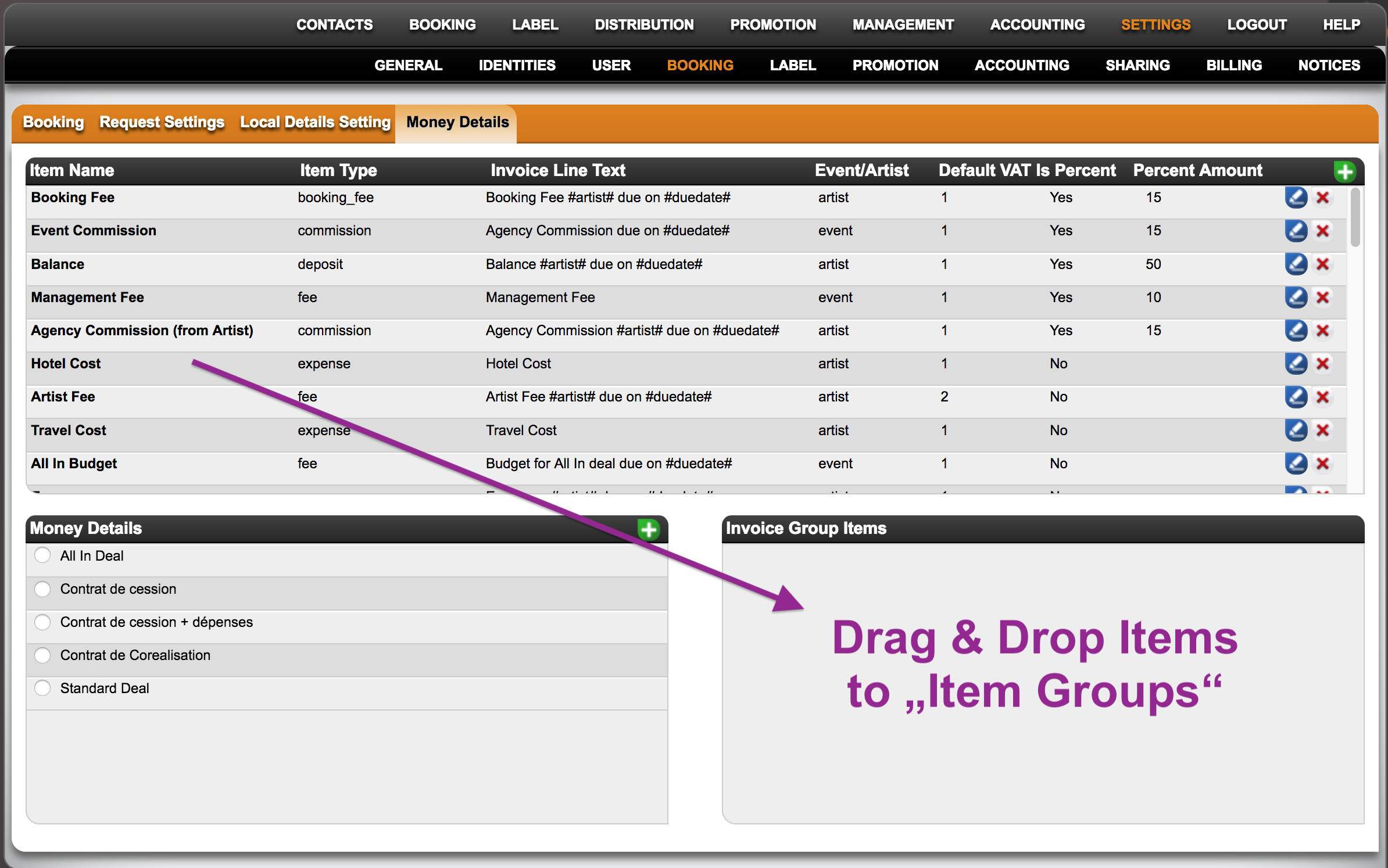
You will find three boxes for settings:
1. INVOICE ITEMS (i.e. any item you want to include in an invoice or deal, like Artist and Booking Fees, Travel Expenses, etc.)
Find out how to create or edit INVOICE ITEMS HERE
Here is how to set automatic due dates for Money Details
2. INVOICE LINE GROUPS (i.e. “deal types”)
Find out how to create or edit INVOICE LINE GROUPS HERE.
3. Invoice Group Items (i.e. selection of INVOICE ITEMS for a specified INVOICE LINE GROUP).
To populate INVOICE LINE GROUPS with INVOICE ITEMS, select a group first and then simply drag & drop items into the “Invoice Group Items” box.
NOTE: The Sequence in which you ”add” INVOICE ITEMS to the Group will be the sequence in which the INVOICE LINE GROUPS will appear whenever it’s selected in a booking!
Customize INVOICE ITEMS and INVOICE LINE GROUPS
Recently Viewed
Your recent pages