
Once your repertoire is fully added, ROYALTY ACCOUNTS and related ROYALTY CONTRACTS are set up, you may want to start creating ROYALTY STATEMENTS and send out to your ROYALTY ACCOUNTS.
Before you start, go through the below check list.
* Set up Royalty Account & choose correct Account base
* Set up Royalty contract
* Import / add all costs
* Account recoupables
* Import digital sales reports and physical sales reports
* Account open distribution orders
* Run Autofetch All Contracts
The last step is to CONFIRM ROYALTY DATES, so that all sales and costs are correctly matched to the royalty period.
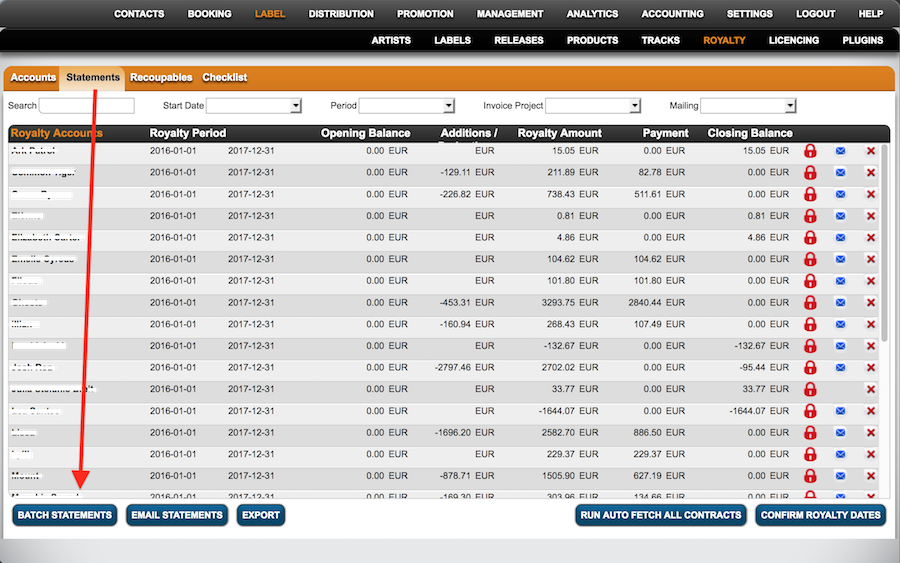
Go to ROYALTY / STATEMENTS and click the CONFIRM ROYALTY DATES button at the bottom of the list. After confirmation you can start creating your royalty statements.
You can create multiple ROYALTY STATEMENTS with the BATCH STATEMENTS PLUGIN which can be activated on LABEL / PLUGINS or manually for each ROYALTY ACCOUNT. Please click the activation button twice to fully activate.
CREATING BATCH STATEMENTS
To activate BATCH STATEMENTS go to LABEL / PLUGIN and click BATCH STATEMENTS PROCESSING.
1) Now go to LABEL / ROYALTY and select the subtab ALL ROYALTY STATEMENTS. At the bottom of the list you can now find and click the button BATCH STATEMENTS.
:: ::
::
2) Type in the STATEMENT YEAR and PERIOD. Select manually or click Select Pending / All and click OK to proceed.
::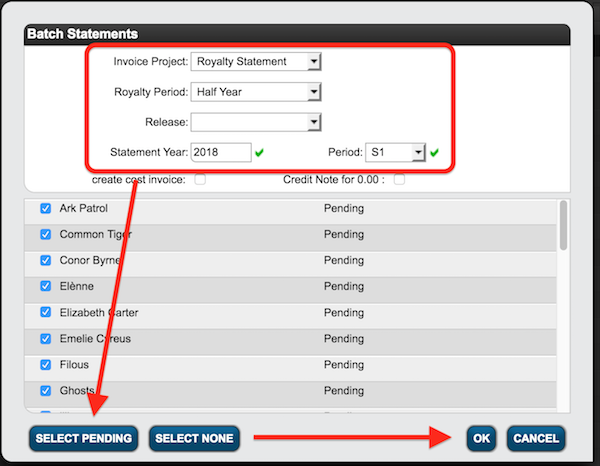
All statements will now be calculated, you will be notified by e-mail when the process is complete.
CREATE SINGLE STATEMENTS MANUALLY
Go to LABEL / ROYALTY, select the ROYALTY ACCOUNT and go to the subtab STATEMENTS. Click on the green PLUS icon on top right of the list, set START and END DATE and click OK. 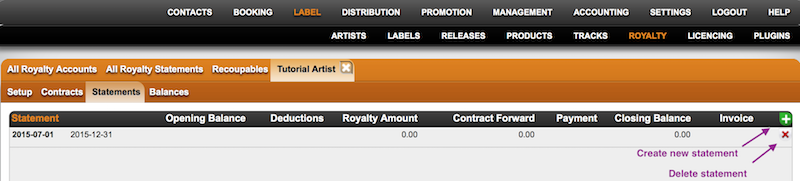
Once it has been calculated, you will be directed to the statement. 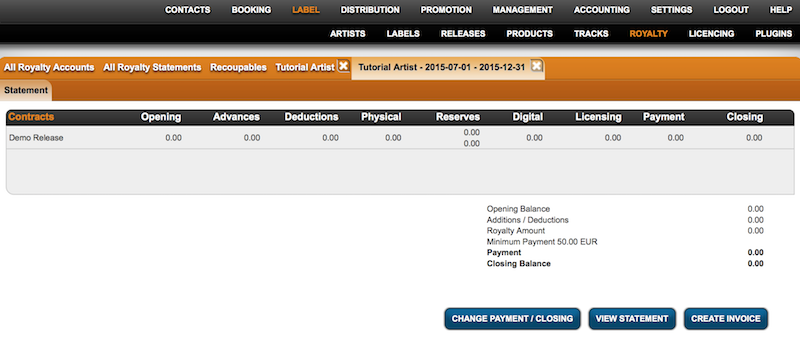
To view the statement click the VIEW STATEMENT button at the bottom of the page.
A separate statement page will open, listing all related contracts, main figures and closing balance / payment amount.
To send a statement to your royalty account, copy the link of that statement page and send to your account.
From here a a detailed excel file including separate tabs for physical sales, digital sales, licences & recoupables can be exported by clicking the EXPORT TO EXCEL.
All royalty statements are archived on ROYALTY / ALL ROYALTY STATEMENTS tab as well as in the specific ACCOUNT’s subtab STATEMENTS.
You can also send your statements from here. Clicking the e-mail icon on the right of the list will open a new e-mail to the main contact including a link to the statement. You can add text and easily send to your account.