
Updating Contract Templates and Setting Up a Dedicated Royalty Account
Details offers a feature to set up contract templates, which is especially useful for complex contracts as it saves time and ensures consistency.
Step-by-Step Guide
1. Set Up a Dedicated Royalty Account
Go to the LABEL / ROYALTY section.
Create a new royalty account specifically for your contract templates. We recommend naming this account something easily identifiable, such as “AAA Contract Templates.”
2. Create a New Contract Template
Within your dedicated royalty account, open the Contracts subtab.
Click the green PLUS icon to add a new contract.
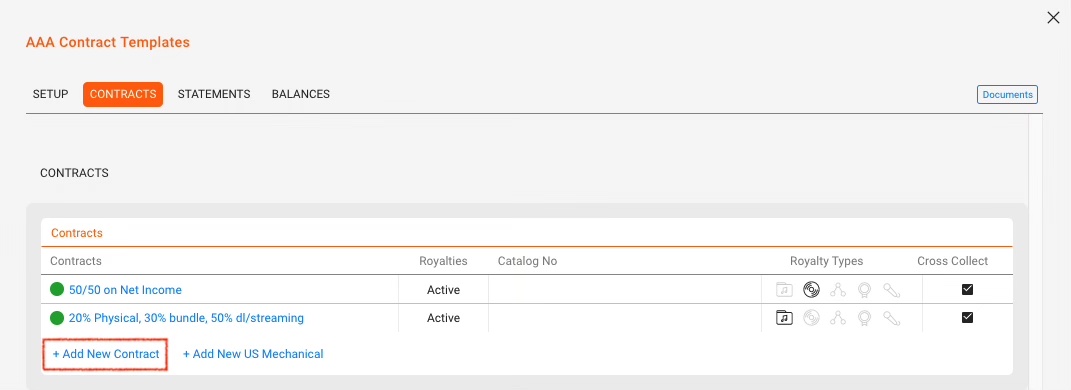
3. Configure Contract Details
-
- Enter the necessary information such as royalty rates, recoupable settings, and any other relevant details.
4. Save the Contract as a Template
Check the Use As Template checkbox.
Provide a unique name for your contract template.

5 Accessing Your Templates
All your template contracts will be available in the New Contract modal for easy access and use.
By following these steps and setting up a dedicated royalty account, managing and utilizing contract templates becomes more efficient and organized.
For additional guidance, read here how to copy an existing contract.