
This article explains how billing works in details, where you can find your invoices, and how to update your billing and payment information.
Who is this for?
This article is written for clients of details who want to access their invoices or manage their billing information.
► WHERE TO FIND YOUR DETAILS INVOICES
Whenever details charges you for subscriptions, support, or additional services, the invoice is always available directly inside the application.
In Version 2, you can find all billing invoices under:
- DOCUMENTS / BILLING
- or via the profile icon (top right) ► My Invoices
The billing overview lists all invoices with their invoice date, billing period, and net amount.
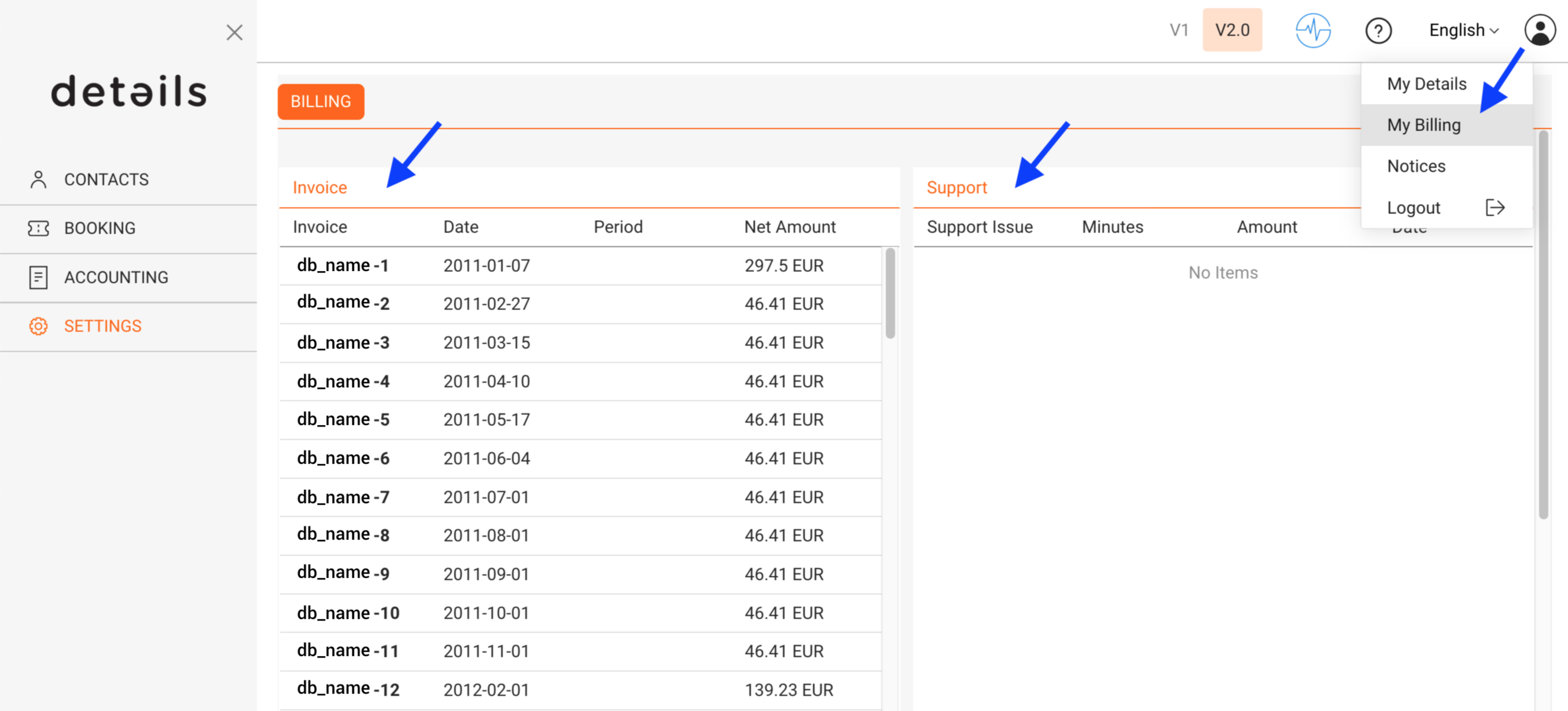
To retrieve invoices:
- Click an individual invoice number to view it
- Or select one or multiple invoices and use [Download PDFs] to download them directly as PDF files
This allows you to download several invoices at once without using your browser s print function.
► WHAT DETAILS BILLS FOR
details provides several types of services that may appear on your invoices.
- Platform usage
Ongoing access to the platform and its modules, billed monthly or annually depending on your subscription. - Support & onboarding services
Assistance with data migration, setup, training, or ongoing support. - Custom development & plugins
Additional features or integrations developed specifically for your needs.
Pricing, billing cycles, and available plans may vary. For the current and authoritative pricing information, please refer to:
► UPDATE PAYMENT INFORMATION
details uses a certified external payment provider to process automatic billing securely.
For security reasons:
- Your payment details are not stored inside details
- The details team has no access to your credit card or bank account information
- Please never send payment details by email
To update your payment information:
- Go to DOCUMENTS / BILLING
- Click [Edit Payment Info]
- You will be redirected to the secure payment interface where you can update your card or SEPA mandate
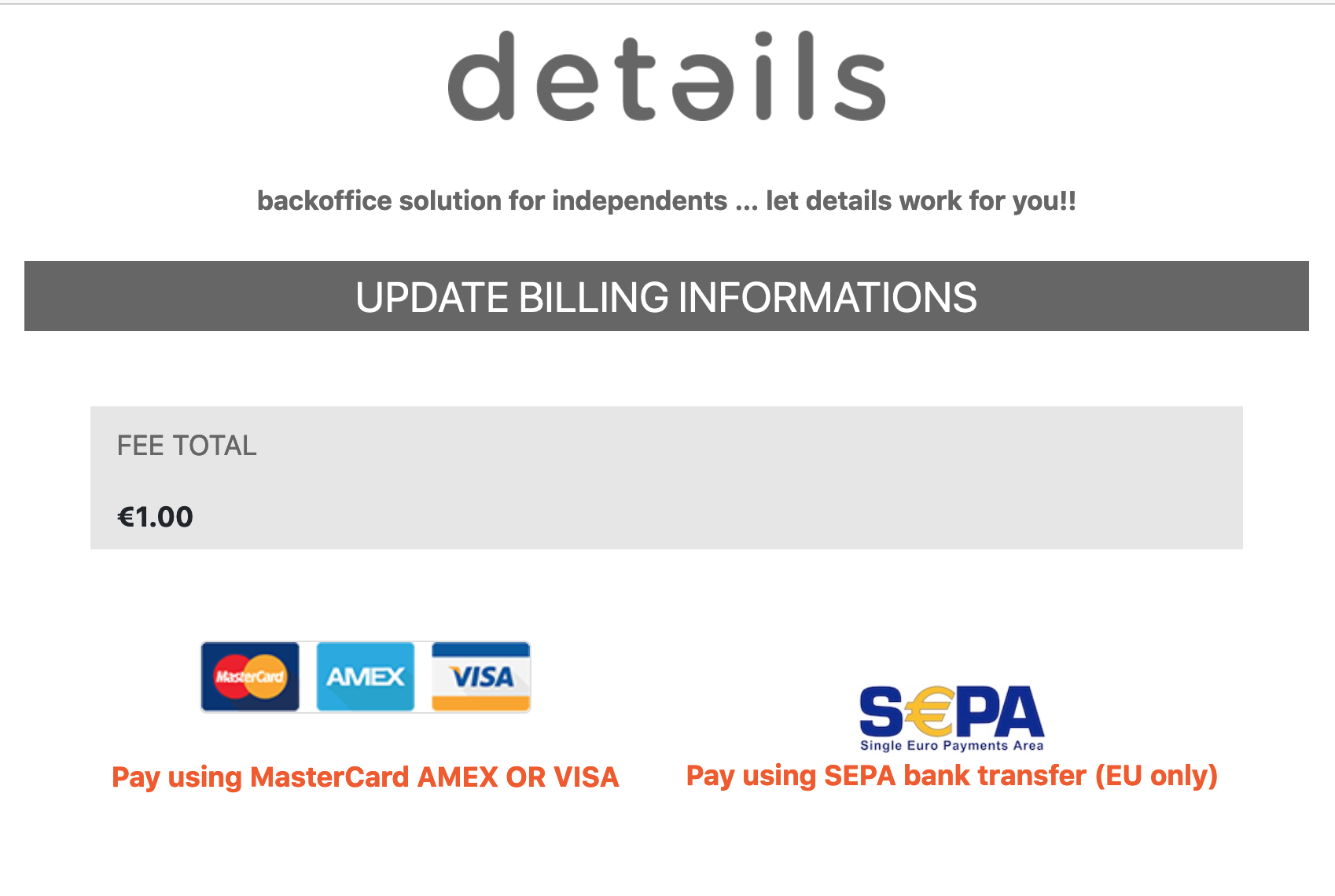
Changes apply immediately and will be used for the next billing run.
► UPDATE YOUR INVOICE ADDRESS
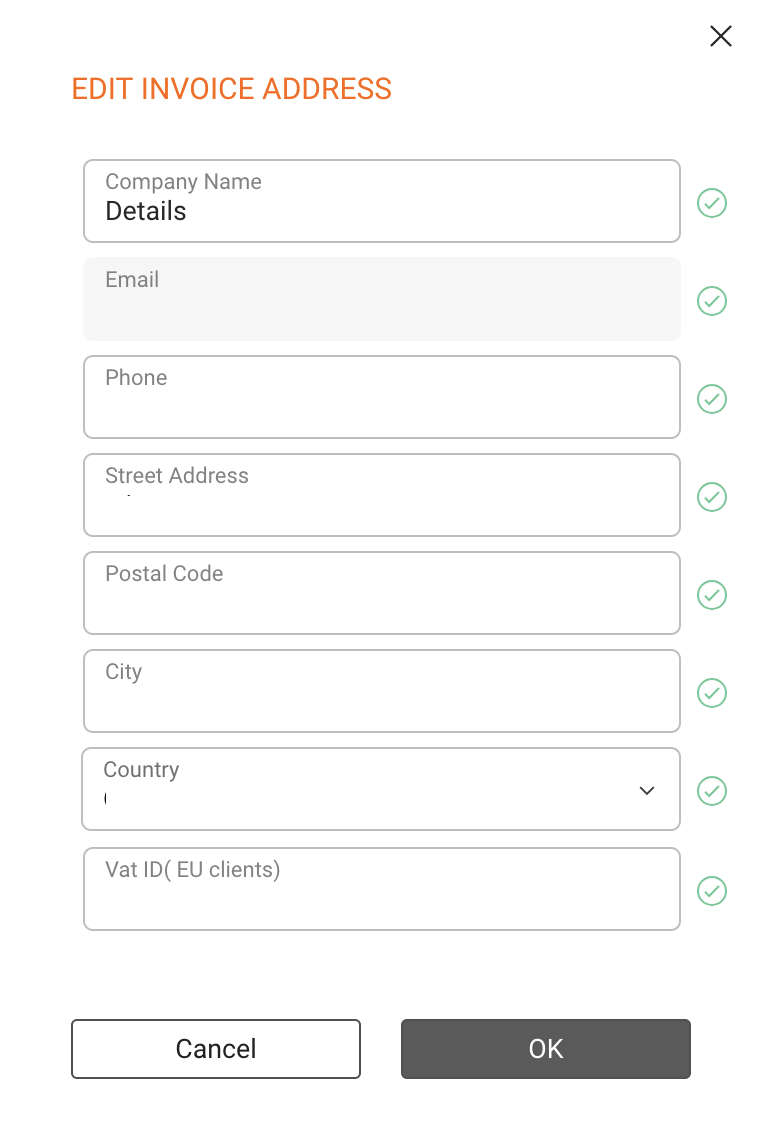
In Version 2 of details, you can update your invoice address directly in the app. This allows you to keep your legal and billing information up to date without contacting support.
To update your invoice address:
- Go to DOCUMENTS / BILLING
- Click [Edit Invoice Address]

You can update:
- Company or legal entity name
- Street, postal code, city, and country
- VAT number (if applicable)
Important:
Changes to the invoice address only apply to future invoices. Already issued invoices cannot be changed for legal and accounting reasons.
► BILLING CYCLES & PAYMENTS
Billing is handled automatically based on your subscription and usage.
- Monthly billing is charged after the end of the respective usage month
- Annual subscriptions are billed upfront and may include discounted terms
- Support and custom services are billed after the service has been delivered
If you have questions about a specific invoice or billing position, please contact the details support team with the invoice number for reference.