
To add custom fields to a promoters page, go to SETTINGS / BOOKING and then click the second subtab REQUEST SETTINGS
On this tab, you will have the option to add custom fields for each of the different categories in details including the promoter. Click on the +Add …. to add custom fields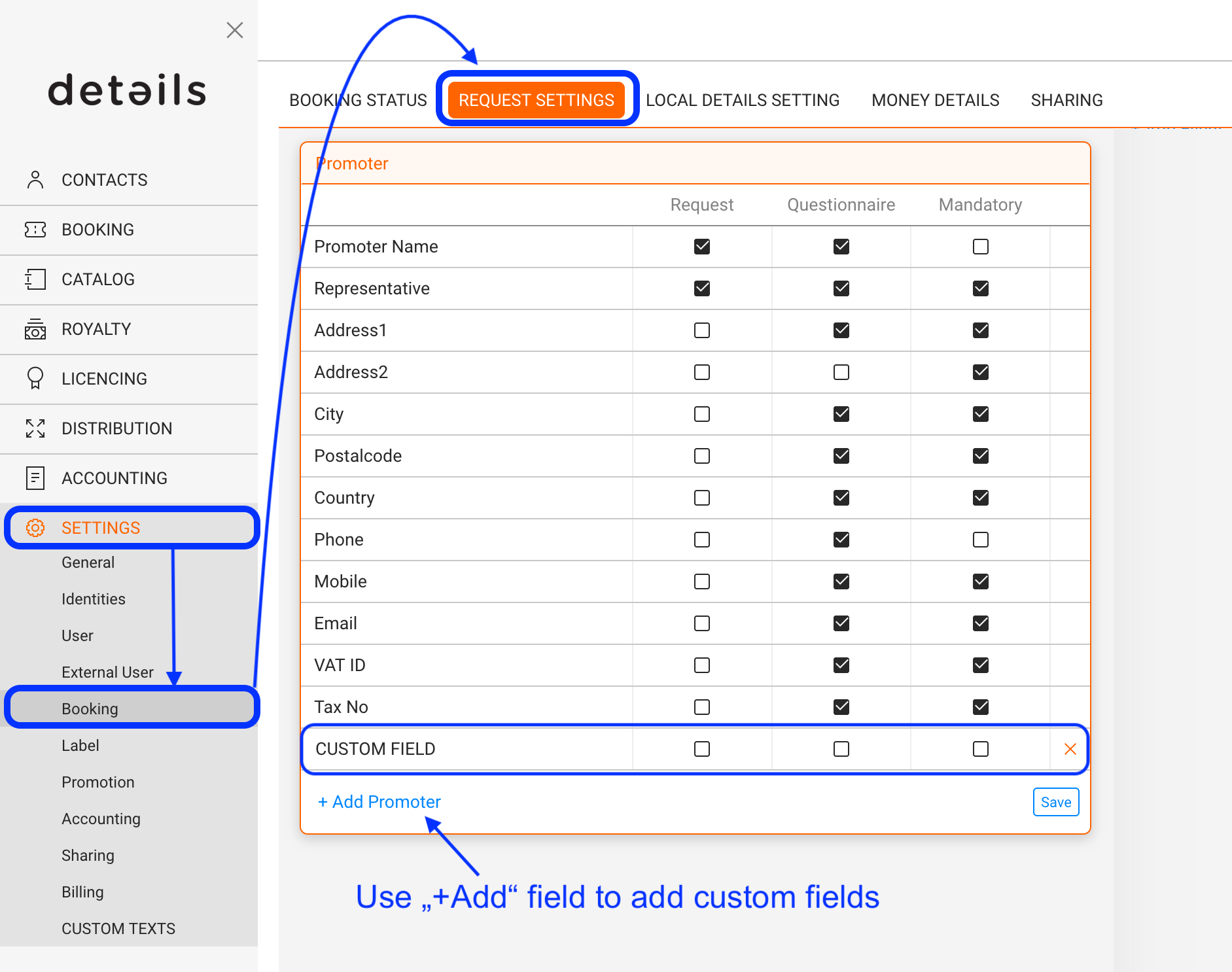
Once you’ve created your custom fields, go on to the PROMOTER section within BOOKING. Select your Promoter and go to tab ADDITIONAL INFO to find and populate the fields you’ve created.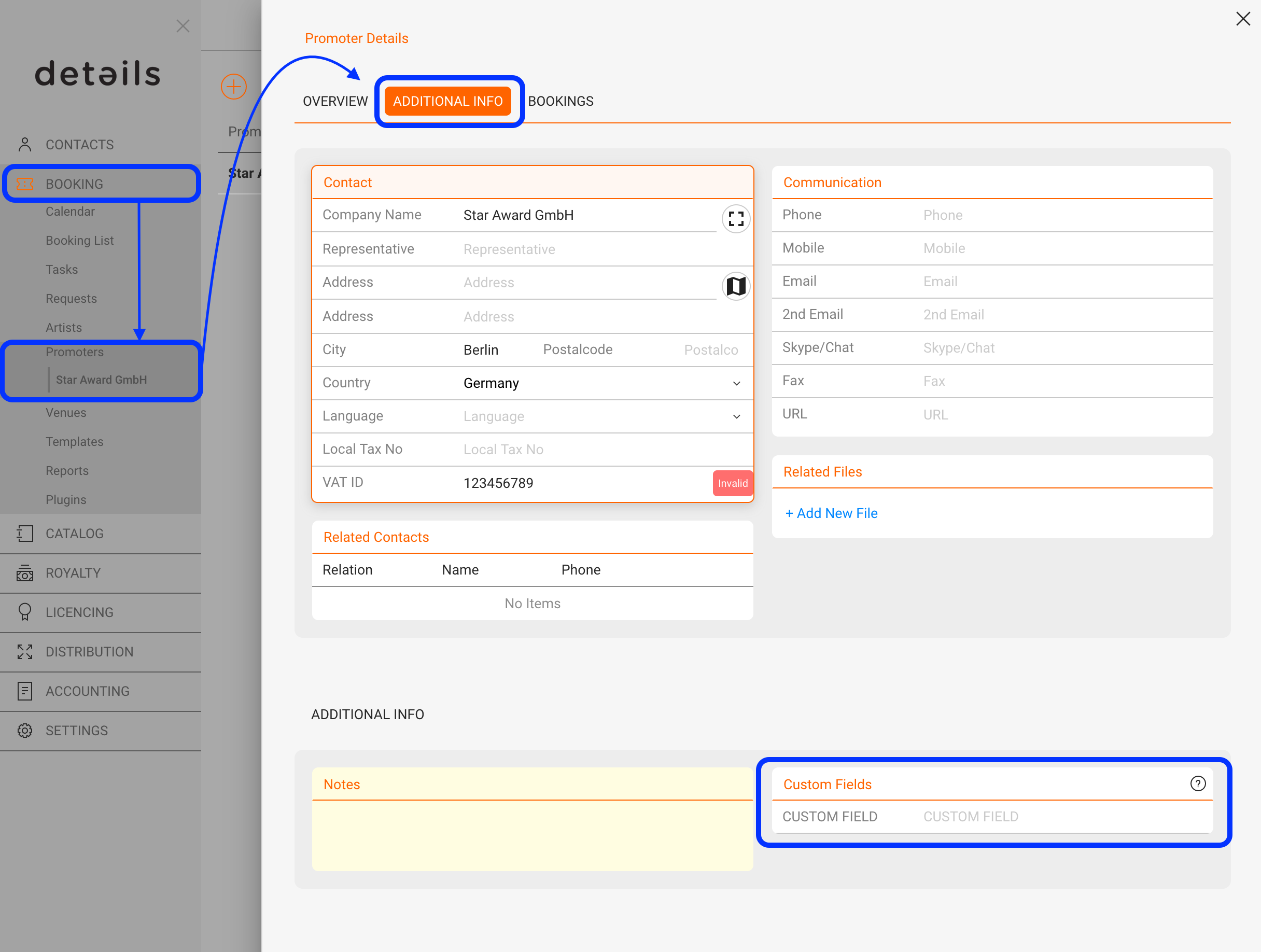
Add custom fields to a Promoters
Recently Viewed
Your recent pages