
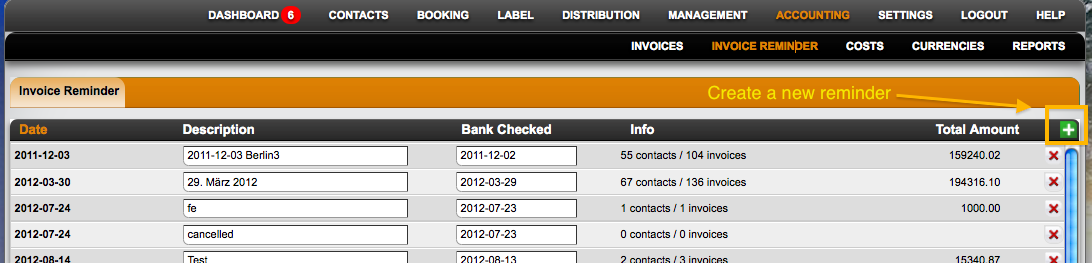
 On Accounting / Invoice Reminder you can set create invoice reminders for your unpaid invoices. These can be send to the invoice recipients manually or in a batch then.
1. Go to section Accounting – Invoice reminder, and click on the green button to create one invoice reminder:
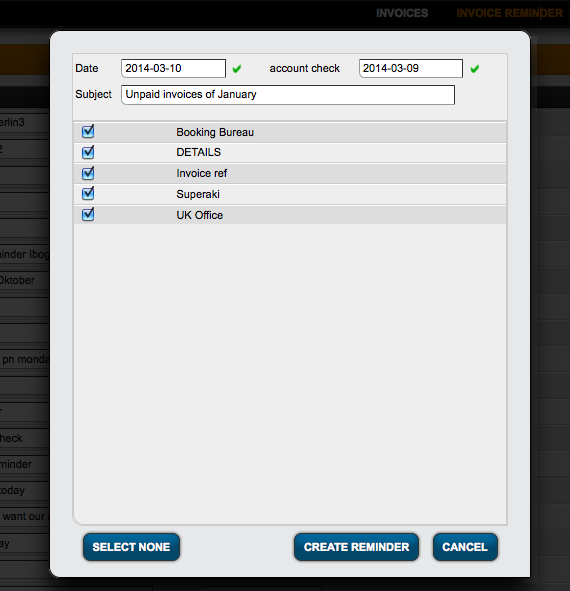
2. Add the date you checked your bank account, as well as the invoice projects you want to check and click create reminder. The system will find all unpaid invoices.
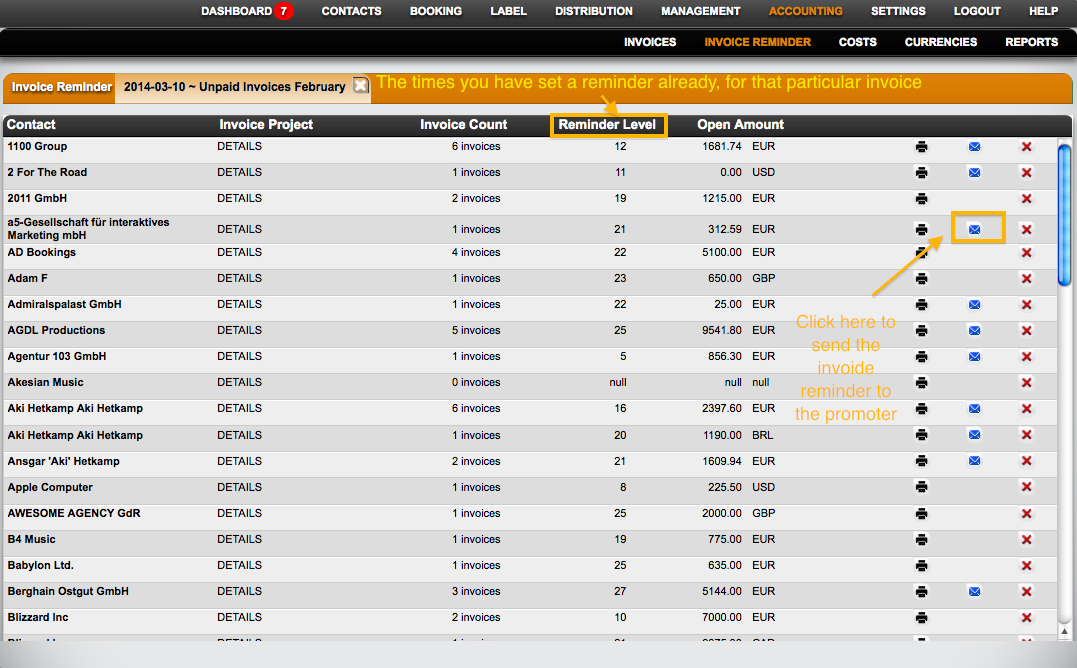
3. The invoice reminder is created. To send a particular reminder to a promoter, click on the blue envelope. This will open an e-mail to the assigned contact with all relevant info.
4. This is how the final invoice reminder looks like:
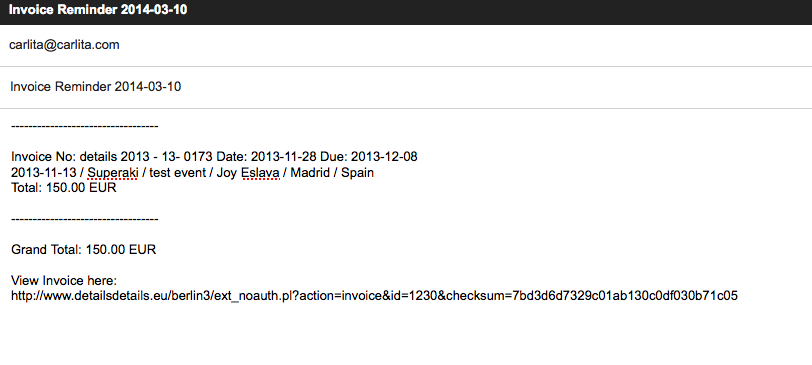
You can also send the reminders in a batch (to all recipients that have mail addresses assigned) by clicking the Notify All button at the bottom of the page.