
Table of contents
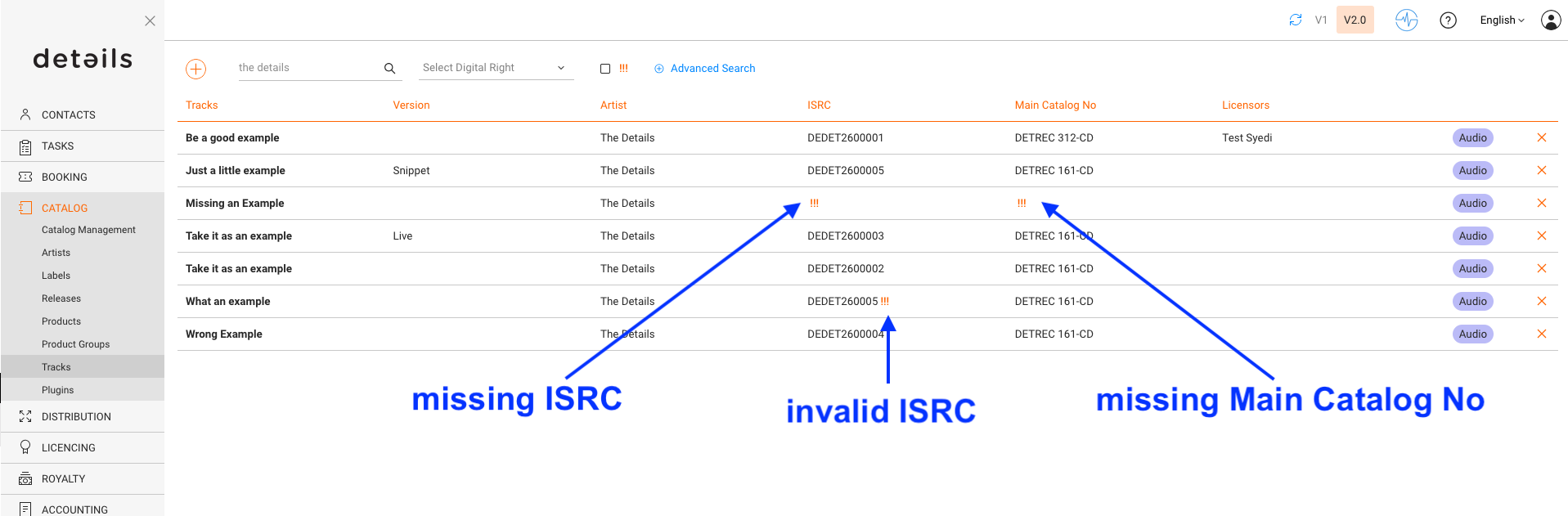
Tracks marked with !!! in CATALOG / TRACKS have errors that prevent correct reporting. This indicator ensures that incomplete or invalid tracks are corrected before billing.
Typical Causes
- Missing Main Catalog Number: Every track needs a valid catalog number linked to a product. The missing connection to a product typically leads to a missing ISRC as well.
- Missing or invalid ISRC: Without a valid ISRC, sales cannot be matched and reported correctly.
- Invalid ISRC: An incomplete or repeatedly used ISRC can cause reporting and royalty issues.
How to Resolve
Missing Main Catalog No
- Open the track in TRACKS / OVERVIEW.
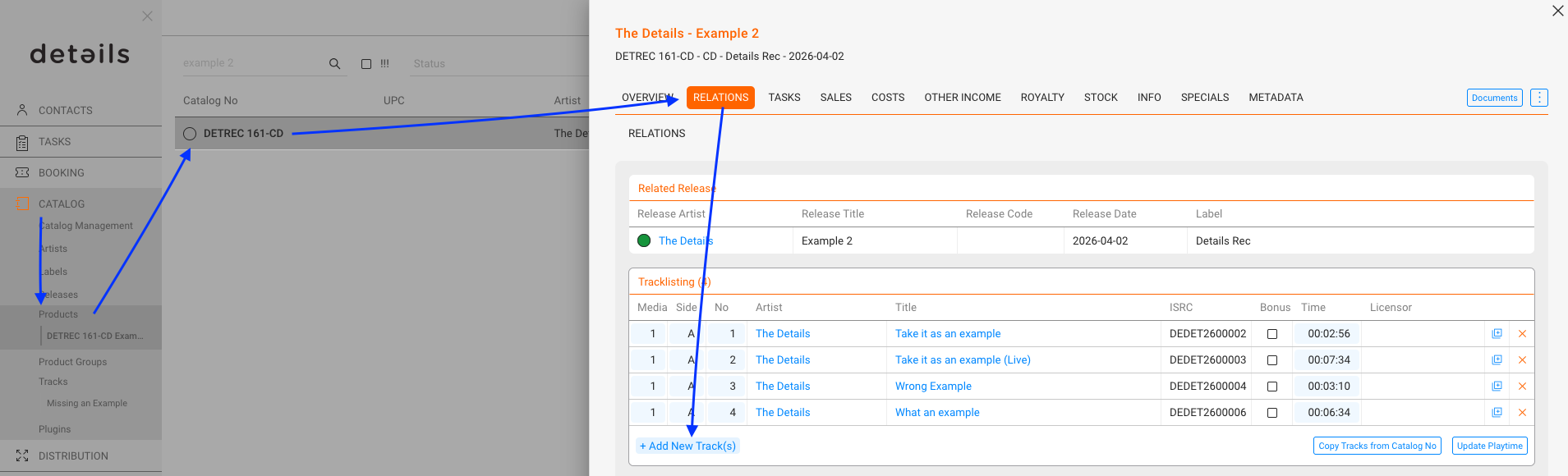
- Check if the Main Product is assigned in the RELATIONS tab.
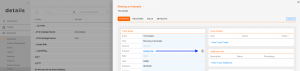
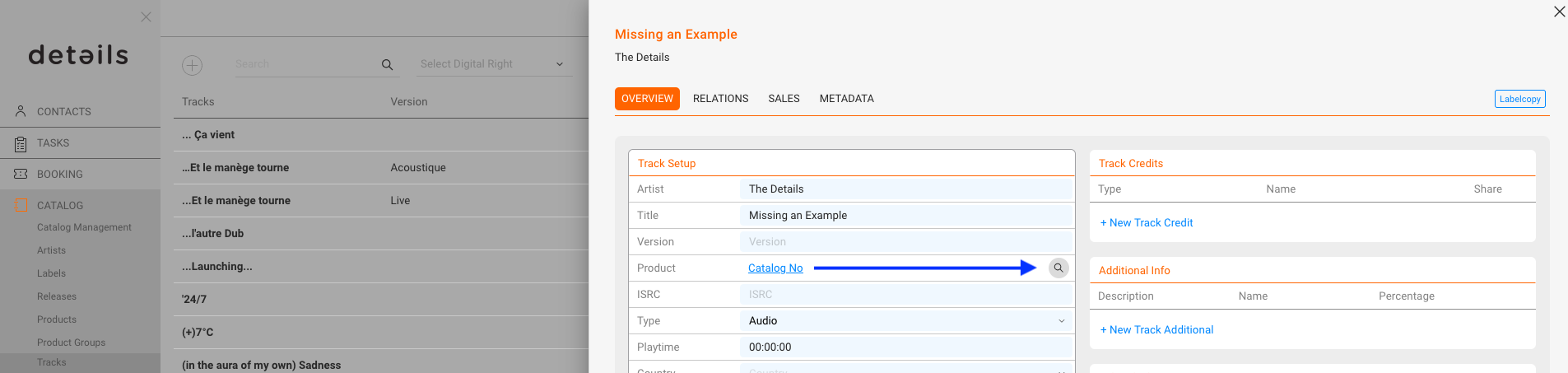
- If there is a relation, add in OVERVIEW / Track Setup / Product the Catalog Number by searching for the related product.
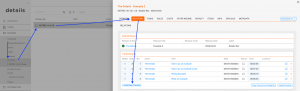
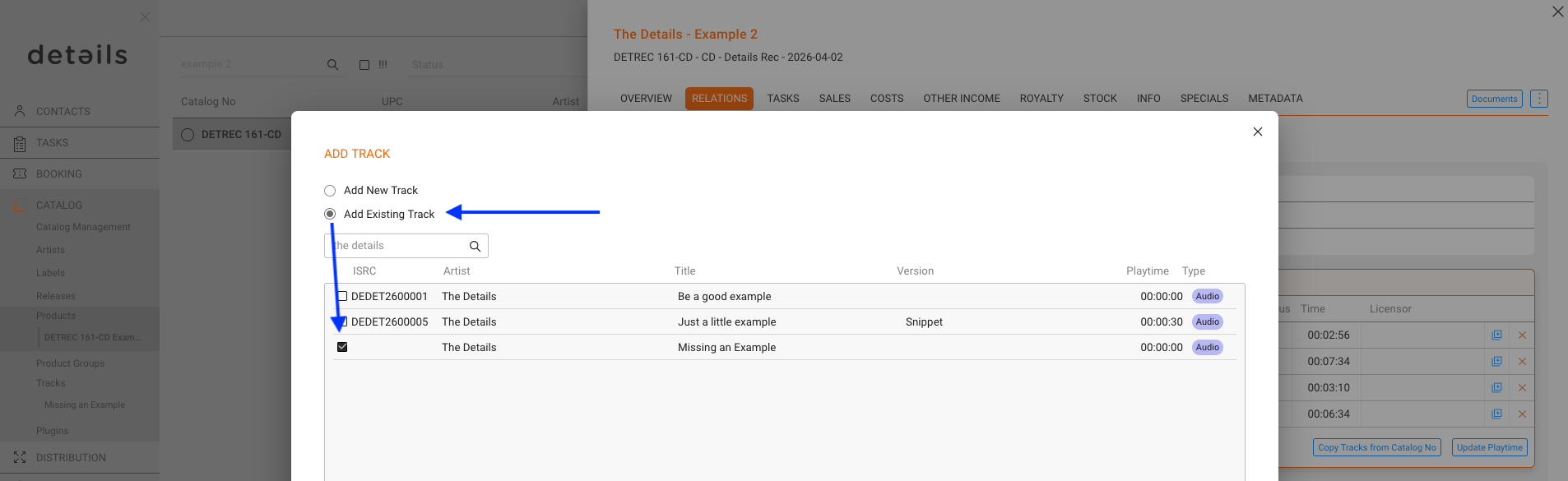
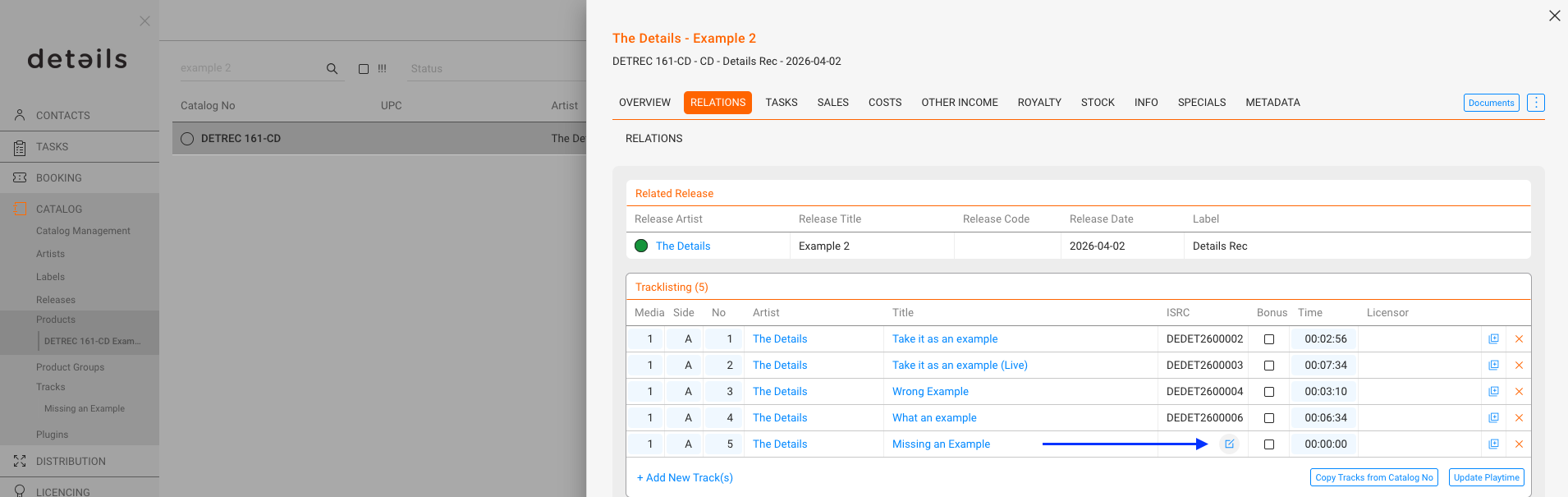
- If there is no relation, go to CATALOG / PRODUCTS, search the product where the track should be on, and add the track in RELATIONS / Tracklisting of the product.
Use the [Add Existing Track] option.
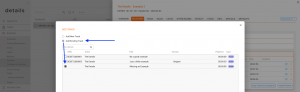
- When added in the product tracklist, you can create the ISRC there as well.
Invalid ISRC
- Open the track in TRACKS / OVERVIEW.
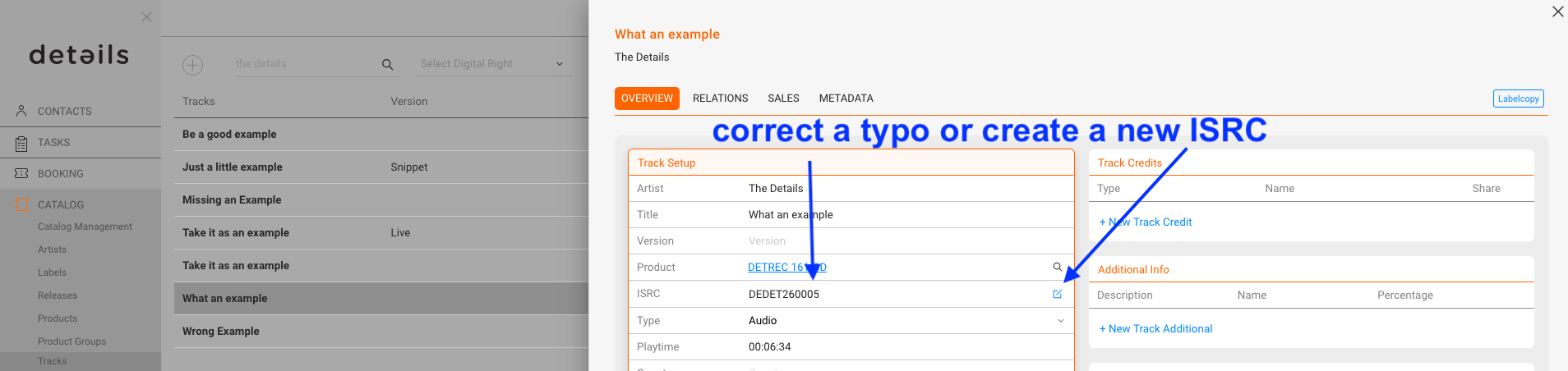
- Verify that the track has a correct ISRC according to the standard ISRC format.
- Correct the format if you are sure it was a typing error.
Generate a new one for every other case (see Creating ISRC automatically).
Missing ISRC
- Open the track in TRACKS / RELATIONS.
- Make sure the track is connected to a Product.
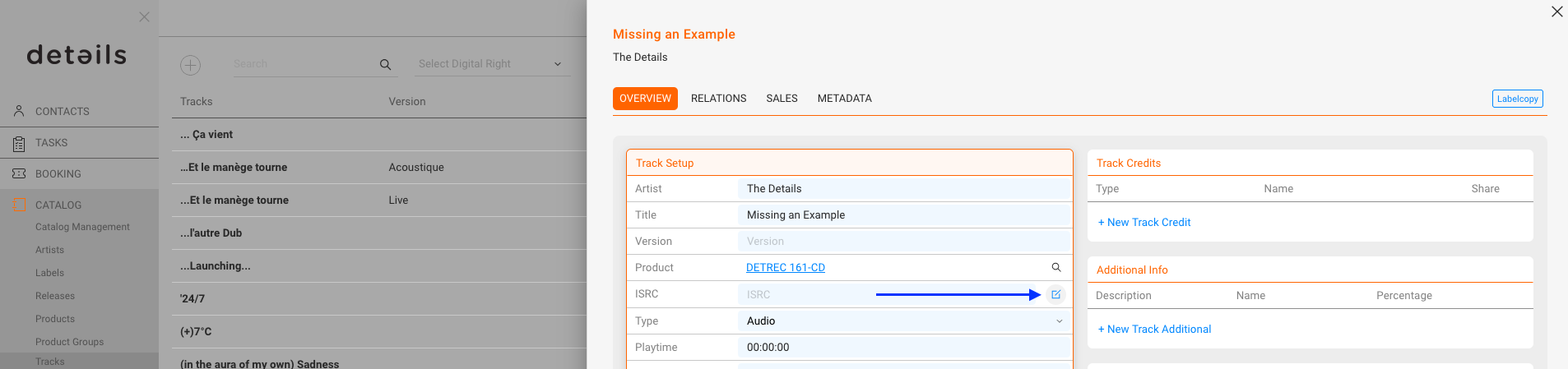
- Generate a new ISRC in OVERVIEW / Track Setup (see Creating ISRC automatically).
Once the missing or invalid data is corrected, the !!! indicator disappears automatically from the track list. You might have to refresh the page.
Practice: Always resolve !!! errors immediately. Tracks with unresolved errors cannot be included in royalty statements.